AS/400 and iSeries Factory Reset: The 2026 Guide to When It's the Right Answer
IBM iSeries factory reset is a destructive operation that returns the system to shipped configuration. The 2026 reference on the four scenarios where it's actually the right answer, the many more where it's the wrong answer, the pre-reset checklist that prevents data loss, and the modern IAM integration patterns that reduce recurrence of the underlying situations.
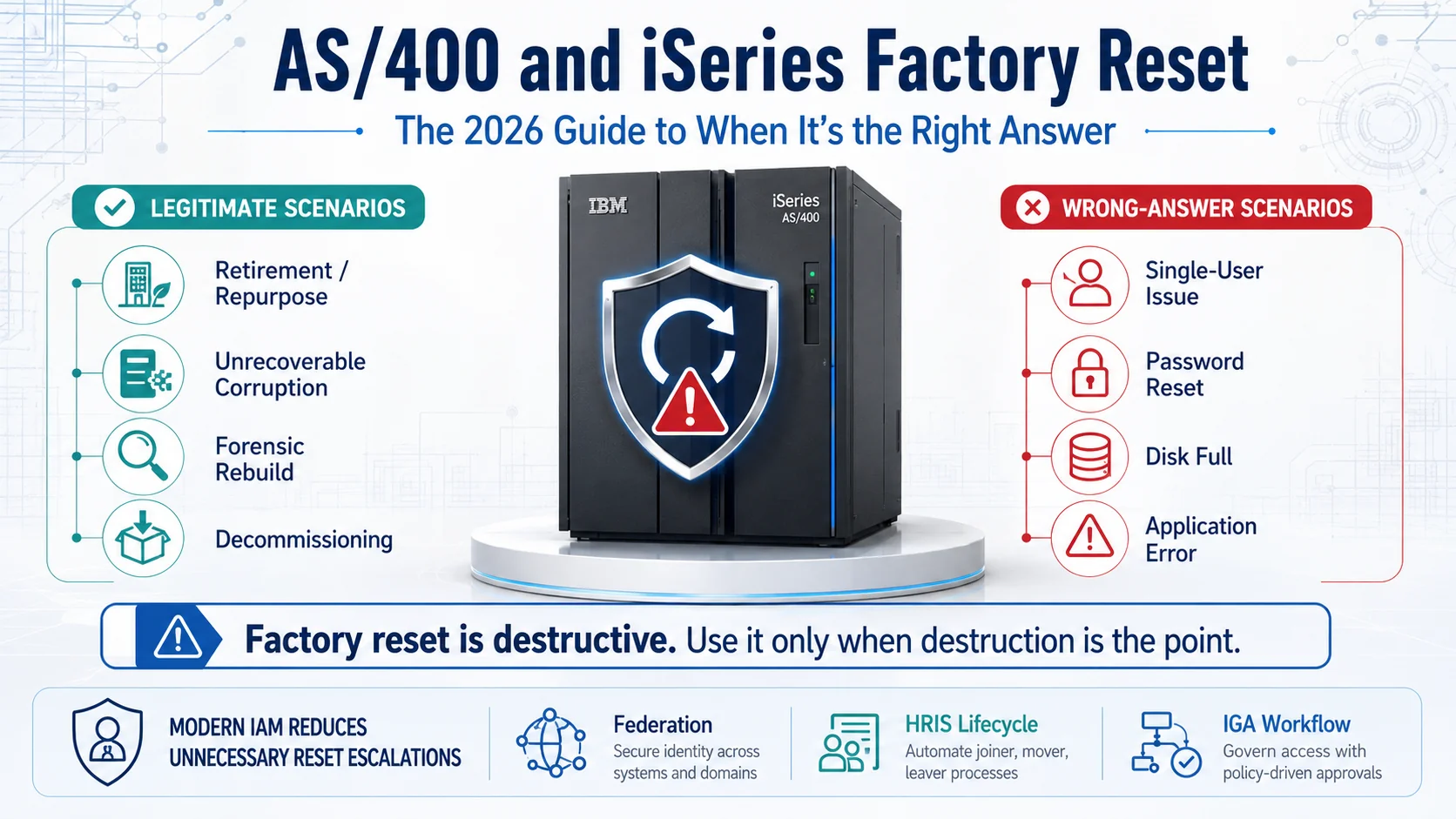
IBM iSeries factory reset is a destructive operation that returns the system to shipped configuration. The 2026 reference on the four scenarios where it's actually the right answer, the many more where it's the wrong answer, the pre-reset checklist that prevents data loss, and the modern IAM integration patterns that reduce recurrence of the underlying situations.
- Factory reset on iSeries is a destructive operation that returns the system to shipped configuration — everything customer-installed is lost. It's the right answer for maybe four specific scenarios; the many other scenarios that route to 'let's factory reset' are usually misdiagnosed.
- The four legitimate scenarios: (1) hardware retirement or repurpose to a different owner where data must be scrubbed, (2) unrecoverable data corruption where restore isn't achievable, (3) forensic evidence preservation followed by rebuild after incident, (4) decommissioning where the system will be permanently retired.
- The wrong-answer scenarios that get routed to factory reset include: single-user access issues (route to user profile fix per the [Troubleshooting piece](/en/blog/troubleshooting-as400-iseries-access-issues-2026/)), password reset needs (route to CHGUSRPRF), disk-full situations (route to storage management), application errors (route to application support), performance issues (route to performance tuning), and 'we don't understand what's happening so let's start fresh' impulses (route to actual diagnosis).
- Pre-reset checklist is mandatory: verified full-system backup within the last 24 hours, save of critical libraries, save of security data (SAVSECDTA), save of configuration objects (SAVCFG), documented restore procedure, tested restore in a non-production environment recently, and executive approval documented.
- Modern IAM integration reduces the situations that route to factory-reset consideration. HRIS-driven lifecycle and federation eliminate the single-user access issues that sometimes get escalated to 'we should just start fresh.' The [Playbook Legacy IAM to Modern piece](/en/blog/playbook-legacy-iam-to-modern-2026/) covers the modernization pattern.
Factory reset on IBM iSeries is a destructive operation that returns the system to shipped configuration — every customer-installed object, every customer data file, every customer-configured system value, every non-default user profile is wiped. It's the right answer for maybe four specific scenarios. The many other scenarios that get routed to "let's factory reset" are usually misdiagnosed, and the misdiagnosis destroys business-critical data to fix a problem that a targeted intervention would have resolved.
This piece is the 2026 reference on iSeries factory reset — when it's actually appropriate, when it's the wrong answer, the mandatory pre-reset checklist that prevents data loss, and the modern IAM integration patterns that reduce the situations routing to factory-reset consideration in the first place.
The companion pieces cover adjacent territory. The Troubleshooting iSeries Access Issues piece covers the diagnostic categories for the single-user issues that shouldn't route to factory reset. The RACF Comprehensive Guide piece covers mainframe access-control fundamentals. The Playbook Legacy IAM to Modern piece covers the federation-first modernization that reduces recurrence of the underlying situations.
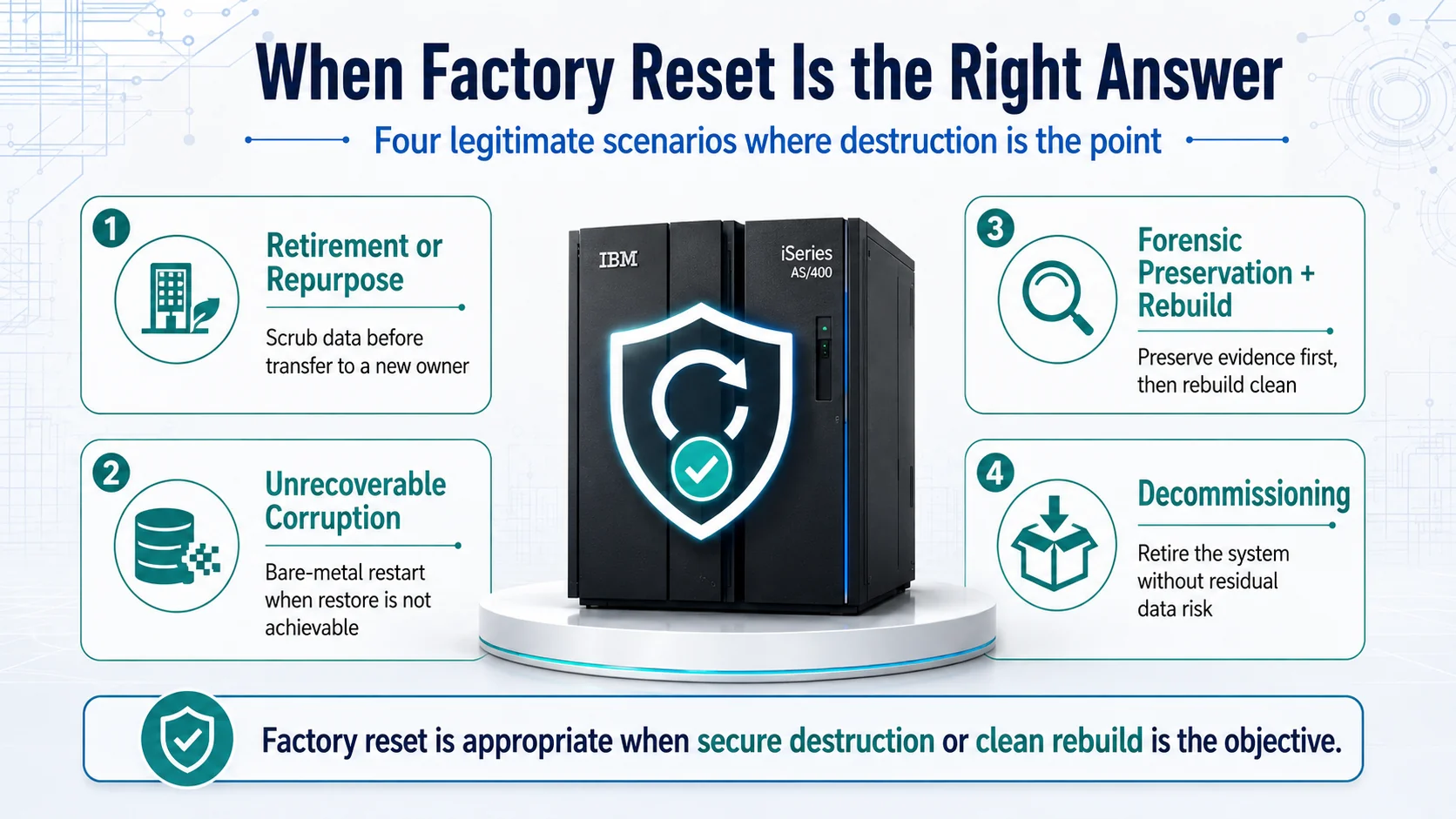 Four legitimate scenarios. In each case, destruction is the point — the reset is being used because destruction is required.
What factory reset actually does
Factory reset on iSeries is initiated from D-mode (Dedicated Service Tools mode), which is the mode the system runs in when booted from IBM install media rather than from its normal internal disk. The reset procedure reinstalls the base licensed internal code (LIC) and the base operating system, wiping all customer content in the process.
What survives factory reset:
- Base licensed internal code (reinstalled from install media)
- Base operating system (reinstalled from install media)
- Default shipped user profiles (QSECOFR, QPGMR, QSYSOPR, QSYSOPR, QUSER, etc.) with default (well-known) passwords that must be changed on first sign-on
- Base system values at shipped defaults
What does NOT survive factory reset:
- All customer data files
- All customer-installed licensed programs (DB2 for i beyond base, ERP applications, custom applications, IBM industry solutions)
- All customer-created objects (programs, files, libraries, output queues, subsystems)
- All customer user profiles (every user beyond the shipped defaults)
- All customer group profiles
- All customer object authorities
- All customer-configured system values (QSECURITY, QPWDMINLEN, QMAXSIGN, etc. — all reset to shipped defaults)
- All customer device configurations
- All customer network configurations
- All customer TCP/IP configurations
- Everything else the customer built or configured on the system
The scope of what's destroyed is total. Approach the operation with the seriousness that description implies.
The four legitimate scenarios
Factory reset is legitimately the right answer in four specific scenarios. In each case, the destructive nature is the point — the reset is being used because destruction is required.
Scenario 1: Hardware retirement or repurpose to a different owner. The system is being sold, donated to a partner organization, transferred to a subsidiary that will operate it independently, or otherwise leaving the current organization's control. Customer data must be scrubbed to prevent data leakage to the new owner. Factory reset provides the scrubbing as part of the return-to-factory-configuration outcome. Depending on data-classification and regulatory requirements, additional scrubbing steps (drive-level erase, physical destruction) may be required beyond factory reset — for most enterprise scenarios, factory reset alone is sufficient for the security envelope.
Scenario 2: Unrecoverable data corruption. The system state is corrupted beyond restore. Backups have been evaluated and are also unusable (corruption predates available backups, or backups themselves have integrity issues). The only path forward is starting from bare metal. This scenario is rare in properly-operated enterprise environments — the backup discipline that produces recoverable state is well-understood — but it does occur, particularly in environments where backup discipline has drifted.
Scenario 3: Forensic evidence preservation followed by rebuild. After a security incident, the compromised system is preserved for forensic evidence (imaged for offline analysis, not modified). A clean environment is then built from scratch on either the same or replacement hardware. Factory reset is the "clean" build's starting point, followed by proper hardening and restore of business content from pre-incident backups.
Scenario 4: Decommissioning. The system will be permanently retired. Factory reset is a security-compliant retirement procedure that prevents residual data recovery. Depending on regulatory requirements, additional destruction steps (drive-level erase, physical destruction) may be required.
For all four scenarios, factory reset is architecturally appropriate. For anything else, it's usually the wrong answer.
The wrong-answer scenarios (much more common)
Many scenarios get routed to "let's factory reset" that shouldn't. Recognizing these misdiagnoses is what prevents unnecessary data destruction.
Wrong answer: Single-user access issues. A specific user can't sign on. Someone escalates to factory reset instead of running the diagnostic in the Troubleshooting iSeries Access Issues piece. Route to profile diagnosis and correct fix; don't factory-reset the entire system to fix one user's profile state.
Wrong answer: Forgotten QSECOFR password. The QSECOFR password has been forgotten and nobody in the organization knows it. Someone considers factory reset instead of IBM's supported DST (Dedicated Service Tools) password reset procedure that specifically handles this scenario without wiping the system. IBM provides a documented recovery path for this exact situation; use it.
Wrong answer: Disk full. Storage is at 95%+ capacity and the system is degrading. Someone considers factory reset instead of storage management. Use WRKDSKSTS to identify storage consumers, RCLSTG to reclaim orphaned space, ARCHIVE via BRMS to archive historical data, and the standard storage-management practices that don't require destroying business data.
Wrong answer: Application errors. A specific application (ERP, DB2 application, custom application) has stopped working. Someone considers factory reset instead of application support. Route to the application owner; application errors are almost never fixed by wiping the entire system.
Wrong answer: Performance issues. The system is slow. Someone considers factory reset instead of performance tuning. Use WRKSYSACT to identify performance consumers, ENDSBS/STRSBS to restart problematic subsystems, TCP configuration adjustments, and standard performance analysis. Factory reset doesn't fix performance issues — the same workload on a "factory-fresh" system would produce the same performance profile once restored.
Wrong answer: "We don't understand what's happening so let's start fresh." A diagnostic gap gets misdiagnosed as needing factory reset. The correct response is to close the diagnostic gap — bring in expertise, engage IBM support, engage vendor support for specific applications, sit down and understand the actual issue. Factory reset used as a "get out of diagnostic complexity" tool destroys the environment that would have provided the evidence needed to actually understand the issue.
The common pattern across the wrong-answer scenarios: factory reset is being considered as the response to a bounded problem that doesn't require destroying the whole system. The correct response in each case is targeted intervention, not blast-radius destruction.
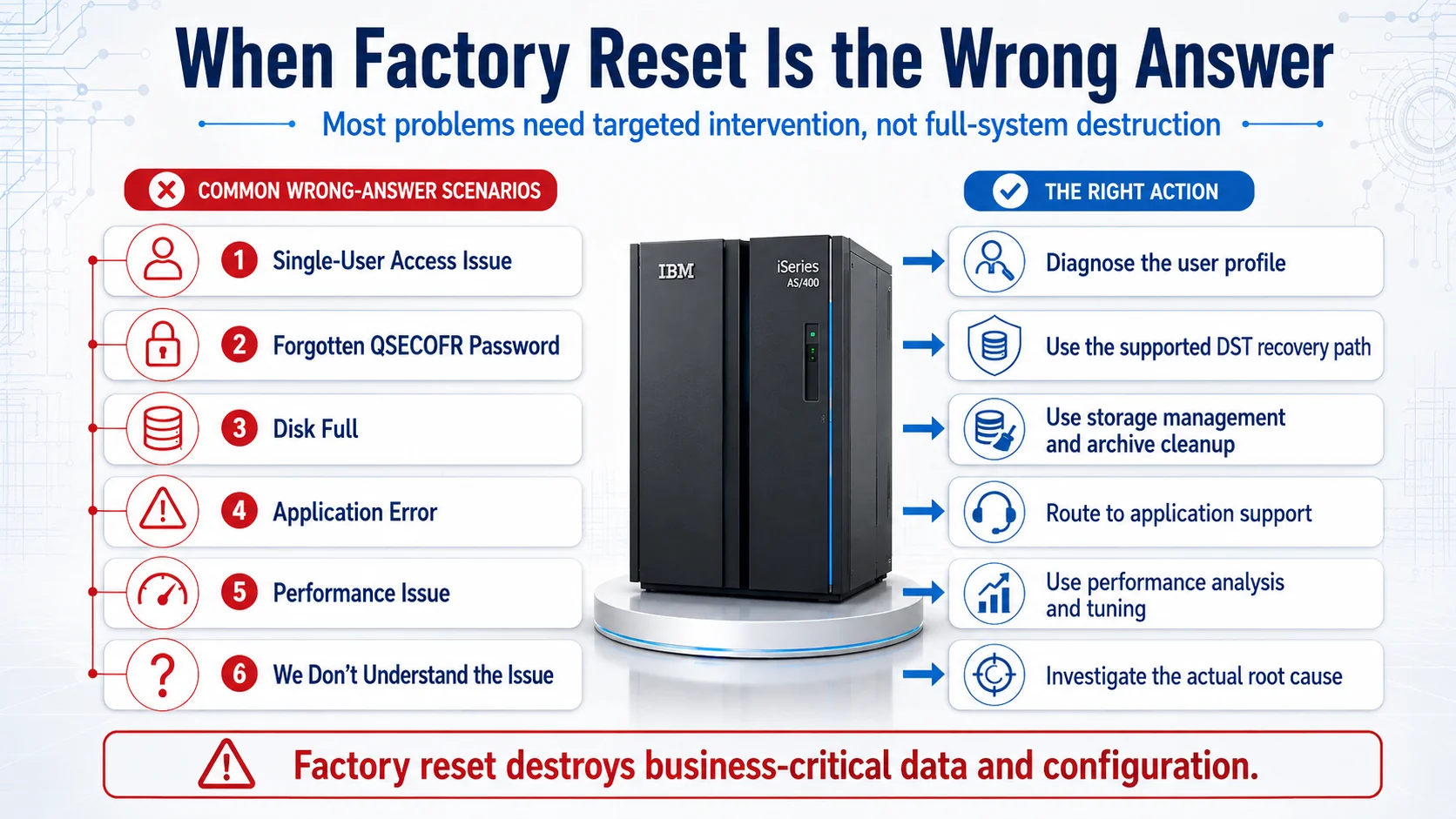 Six wrong-answer scenarios, six targeted actions. Factory reset destroys business-critical data; the correct response is diagnostic, not destructive.
The pre-reset checklist (mandatory when reset is appropriate)
If the reset is genuinely appropriate, seven items must be satisfied before starting. Missing any of these introduces the risk that the reset either destroys unrecoverable data or fails to complete the intended forward path.
1. Verified full-system backup within the last 24 hours. SAVSYS produces a complete system save. BRMS-managed full save is equivalent. "Verified" means the save completed without errors and the media has been checked for readability. A backup that failed at 40% completion is not a backup.
2. Save of critical libraries. SAVLIB(*ALLUSR) covers all user libraries. Application-specific libraries may need explicit inclusion depending on the application's storage location. Verify each critical library is in the save.
3. Save of security data. SAVSECDTA preserves user profiles, group profiles, and authority information. This is separate from the base SAVSYS in some backup configurations; make sure it's explicit.
4. Save of configuration objects. SAVCFG preserves device configurations, TCP/IP configurations, and other configuration objects that live outside the standard library structure.
5. Documented restore procedure. A written procedure specific to this system's restore requirements. Not a generic template. Includes the specific media, the specific system values, the specific restore order, and any application-specific post-restore steps.
6. Tested restore in a non-production environment recently. The "we have backups" claim is only worth what a recent test-restore validates. If your organization hasn't done a test-restore of this system's backup in the last 90 days, the backup restoration is unproven — and unproven restore is the same as no restore when the moment arrives.
7. Executive approval documented. Factory reset destroys data. The operation should be authorized in writing by someone with the organizational authority to make that decision. This isn't bureaucratic overhead; it's the audit trail that establishes the decision was made deliberately.
If any of the seven can't be satisfied, delay the reset until they can. The pressure to proceed without full checklist completion is where the "we thought we had backups but we didn't" incidents happen.
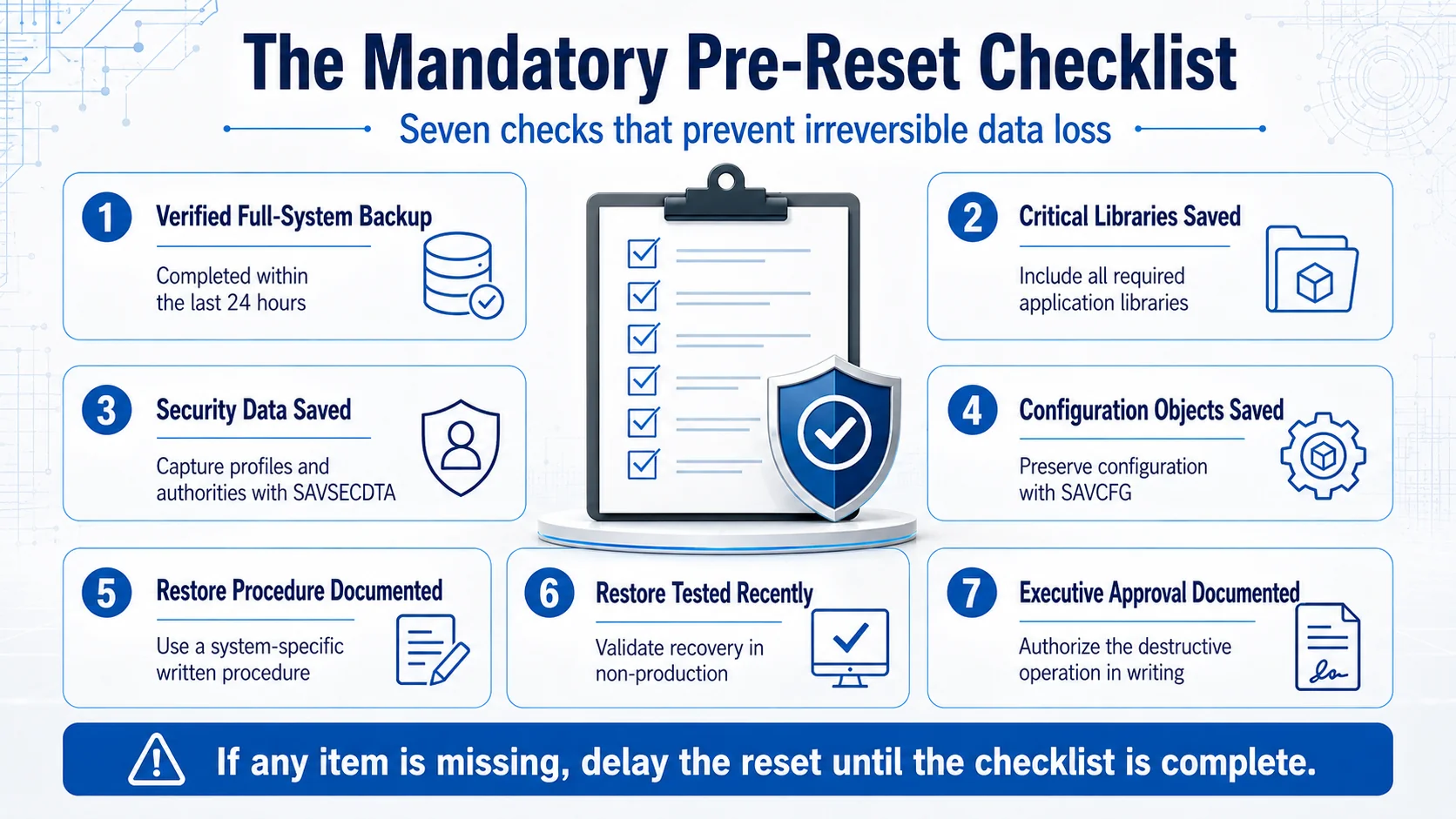 Seven mandatory items. Missing any of them introduces the risk that the reset either destroys unrecoverable data or fails to complete the intended forward path.
The reset procedure (executed against the checklist)
The reset itself is procedurally straightforward once the checklist is complete. High-level:
- Notify all users and orderly-shutdown the system per standard procedure
- Verify all necessary backups are complete and accessible
- IPL the system from D-mode (dedicated service tools) using IBM install media
- From DST, initiate the install-from-media procedure
- Follow IBM's documented install procedure (specific steps vary by iSeries model and OS version)
- On completion, the system boots to factory-shipped state
- Change default shipped-profile passwords (QSECOFR password minimum) before doing anything else
- Begin restore per the documented procedure
The post-reset restore is a separate operation with its own considerations — LIC PTFs, cumulative PTFs, OS PTFs, then restore of security data, configuration, libraries, and application data in the correct order.
Modern IAM integration reduces need for reset
The modern IAM patterns that reduce iSeries access-issue ticket volume (Troubleshooting piece) also reduce the situations that get escalated to "let's factory reset" consideration.
Federation. iSeries users authenticate through the enterprise IdP. Forgotten password issues are handled at the IdP layer through modern credential-recovery flows, not at the iSeries with QSECOFR-level recovery that sometimes gets misdiagnosed as requiring factory reset. The SSO Architecture piece on ICC covers the federation architecture.
HRIS-driven lifecycle. iSeries user population stays synchronized with authoritative HRIS records. The "orphan profile that nobody understands" state — which sometimes gets escalated to "let's just start fresh" — doesn't emerge because profile state is always aligned with HR reality. The HRIS-Driven Lifecycle piece covers the lifecycle integration.
IGA workflow discipline. Authority grants happen through documented workflow, not ad-hoc administration. The audit trail supports understanding "what was granted, by whom, why" — which prevents the "we don't understand what's happening, let's factory reset" impulse from taking hold.
The Avatier iSeries integration (RACF Comprehensive Guide piece covers the mainframe/iSeries connector context) supports the integration pattern. The residual factory-reset scenarios that legitimately warrant the destructive operation (retirement, corruption, forensic, decommissioning) remain — but they're rare, and they're the ones the pre-reset checklist is designed for.
The 2026 reference path
Diagnose before considering factory reset. Every scenario except the four legitimate ones has a targeted fix that doesn't require destroying the system. Route the wrong-answer scenarios to appropriate expertise; reserve factory reset for the specific cases where destruction is the point.
Enforce the pre-reset checklist when reset is legitimate. Seven mandatory items. Missing any of them introduces the risk that the reset destroys unrecoverable data or fails to complete the intended forward path.
Deploy modern IAM integration to reduce the situations that route to factory-reset consideration. Federation, HRIS-driven lifecycle, and IGA workflow discipline eliminate most of the "we don't understand what's happening" states that sometimes get misdiagnosed as needing factory reset.
Point auditors at the Trust Center for Avatier's own posture. The Avatier Trust Center with the SecurityScorecard grade view — SOC 2 Type II with zero exceptions, ISO/IEC 27001:2022, PCI DSS v4.0.1, CSA STAR Level 1, NIST 800-53 Rev. 5 aligned, CISA Secure-by-Design Pledge signatory.
Factory reset is a specific tool for specific scenarios. When the scenario matches, execute the tool with full checklist discipline. When the scenario doesn't match, resist the temptation to reach for destruction as a substitute for diagnosis. The competent 2026 iSeries operations discipline knows the difference.
ABOUT THE AUTHOR

More from RACF & Mainframe
Mastering RACF User-Group Assignments & Permissions 2026
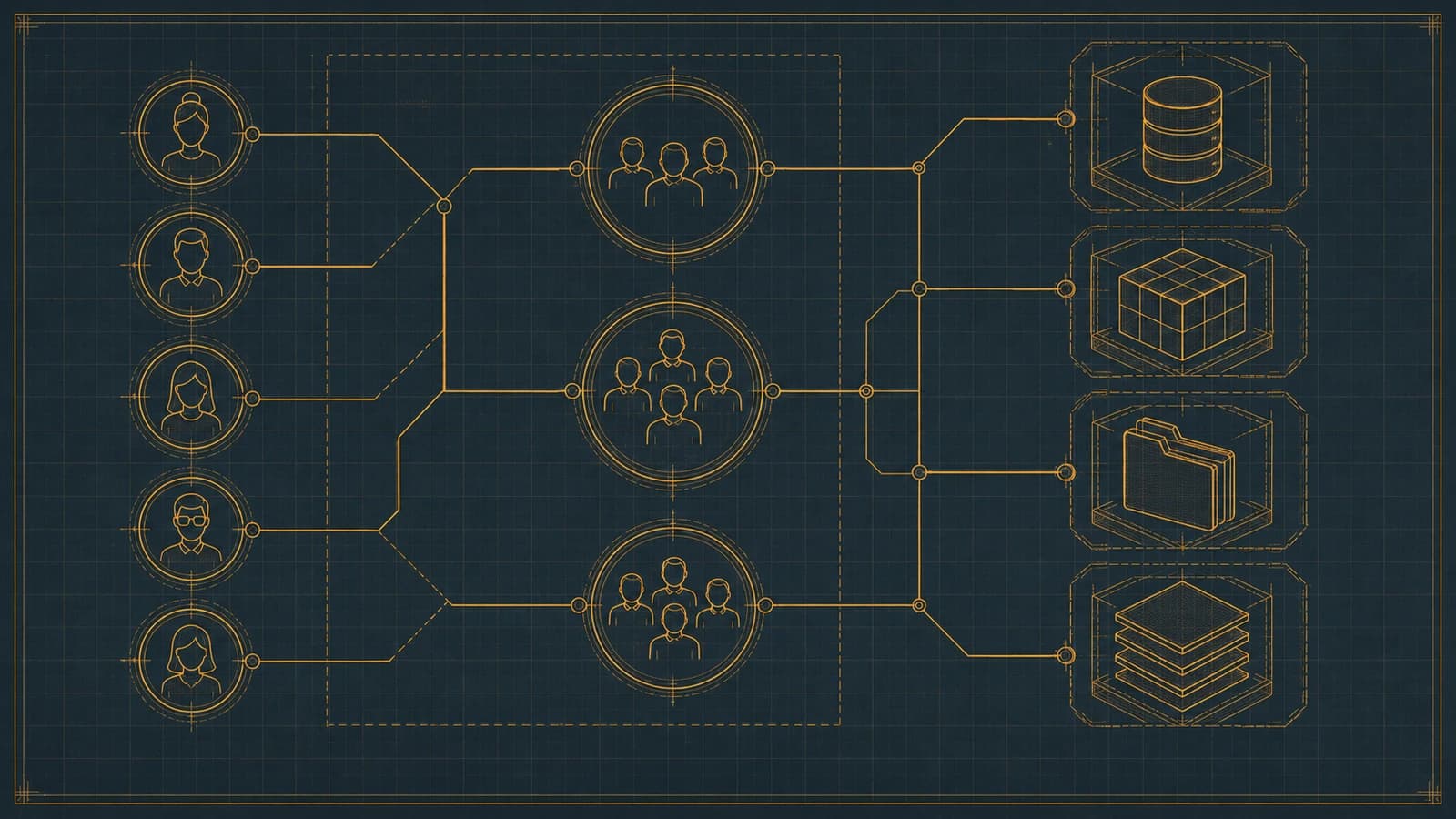
RACF grants access through groups, not users: ADDGROUP builds it, CONNECT enrolls the user, PERMIT binds it to a resource. How assignments, nested membership, and access decisions resolve in 2026.
RACF Password Complexity & Expiration Rules 2026 (SETROPTS)
RACF enforces password complexity, expiration, history, and lockout through SETROPTS PASSWORD suboperands — RULEn, INTERVAL, HISTORY, and REVOKE. The 2026 reference on the exact syntax, why PCI-DSS and SOX still mandate it even as NIST 800-63B moves the industry away from rotation and composition rules, and where RACF-level enforcement alone stops being enough.

Automating RACF Provisioning from HR Events: A 2026 Guide
RACF user provisioning becomes reliable when create, entitle, and deprovision actions trigger directly off HR events instead of tickets — here's how that pattern actually works on the mainframe.