Getting Started with RACF: Essential Configuration Steps 2026
New RACF administrators face a configuration surface that took decades to accumulate — options, system values, class settings, defaults across dozens of dimensions. The 2026 reference on the eight essential initial configuration areas, the discipline that produces a maintainable baseline, and the modern IAM integration handshake to plan for from day one.
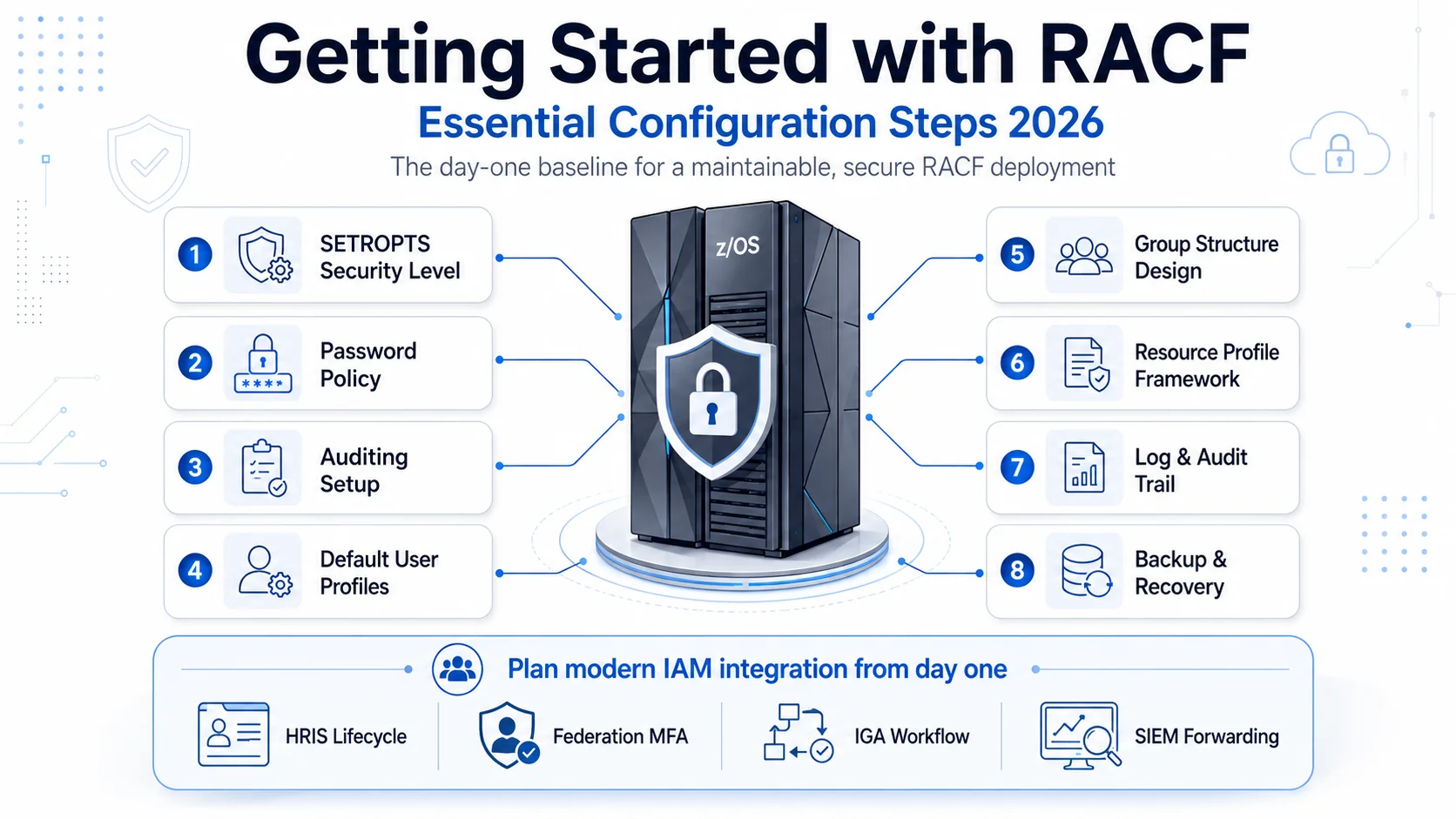
New RACF administrators face a configuration surface that took decades to accumulate — options, system values, class settings, defaults across dozens of dimensions. The 2026 reference on the eight essential initial configuration areas, the discipline that produces a maintainable baseline, and the modern IAM integration handshake to plan for from day one.
- New RACF administrators face a configuration surface that took decades to accumulate — the essential first step is understanding which configurations must be set correctly on day one versus which can be evolved over time. The 2026 reference distills the essential set to eight areas.
- The eight essential initial configuration areas: (1) system-wide security level via SETROPTS, (2) password policy (length, complexity, expiry, history), (3) auditing setup (which events are logged, SAUDIT/OPERAUDIT), (4) default user profile settings, (5) group structure design that matches organizational reality, (6) base resource profile framework using generic profiles for maintainability, (7) log and audit trail configuration with appropriate retention, (8) backup and recovery discipline that includes RACF database backup.
- The configuration discipline principle: set the baseline correctly on day one so drift and remediation don't dominate the operational life of the system. Cleanup of a poorly-configured RACF baseline is orders of magnitude more work than getting the baseline right initially.
- Modern IAM integration should be planned for from day one, not retrofitted years later. The federation, HRIS-driven lifecycle, and IGA workflow integration described in the [Playbook Legacy IAM to Modern piece](/en/blog/playbook-legacy-iam-to-modern-2026/) works best when the RACF baseline was designed with integration in mind.
- Avatier has deep RACF integration adjacency — the connectors, HRIS integration, and federation pattern extend to new RACF deployments as well as existing ones. Getting started with modern integration from day one produces a fundamentally different operational trajectory than retrofitting later.
Starting with RACF as a new administrator is intimidating for a specific reason: the configuration surface took five decades to accumulate. Options, system values, class settings, defaults, options-under-options — the product does a lot, and the documentation reflects the accumulated depth of five decades of enterprise deployment. The essential first step for a new administrator isn't understanding every configuration option (that comes with experience). It's understanding which configurations must be set correctly on day one so they don't produce technical debt that dominates the operational life of the system.
This piece is the 2026 reference on getting started with RACF — the eight essential initial configuration areas, the discipline that produces a maintainable baseline from day one, and the modern IAM integration handshake to plan for from the start rather than retrofit later. Companion pieces cover the deeper detail: the RACF Comprehensive Guide piece covers user profiles, group profiles, and resource profiles at field-level detail. The Demystifying RACF Beginner's Guide piece covers fundamentals for administrators completely new to mainframe access control. The Playbook Legacy IAM to Modern piece covers the federation-first modernization pattern.
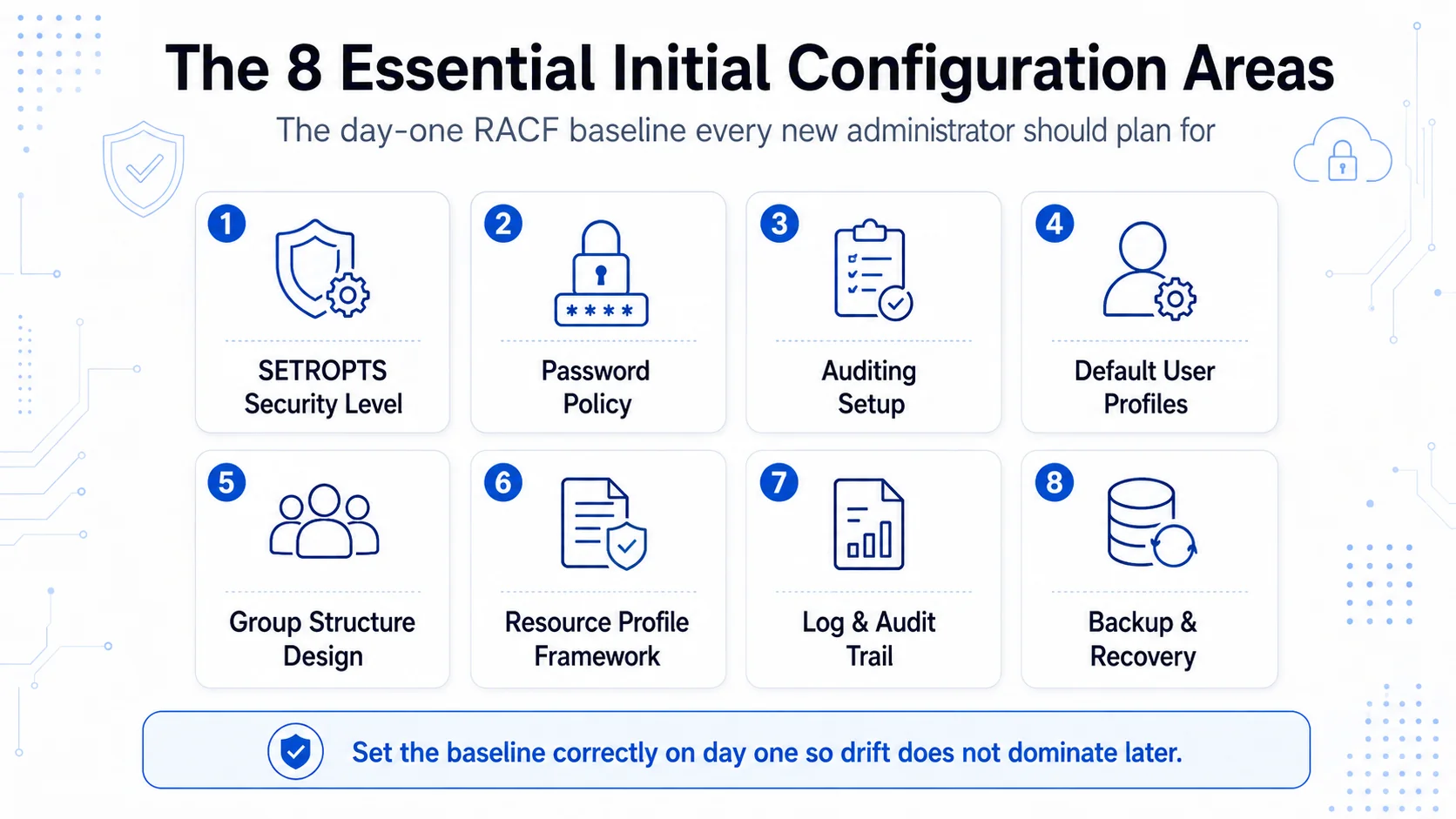 Eight configuration areas. Set them correctly on day one. Retrofitting them later is orders of magnitude more work.
The core principle: set the baseline correctly on day one
RACF configuration decisions made early have long half-lives. Some are essentially irreversible for large environments — raising the system security level, restructuring the group hierarchy, changing the audit-log destination — because the accumulated state built on the initial configuration is expensive to migrate. The competent 2026 approach is to set the baseline correctly on day one so the accumulated state builds on a sound foundation rather than accumulating cleanup debt.
The eight areas below are the essential day-one decisions. They're not the only decisions you'll make (RACF configuration continues throughout the life of the system) but they're the ones where getting it right initially versus fixing it later has the biggest cost differential.
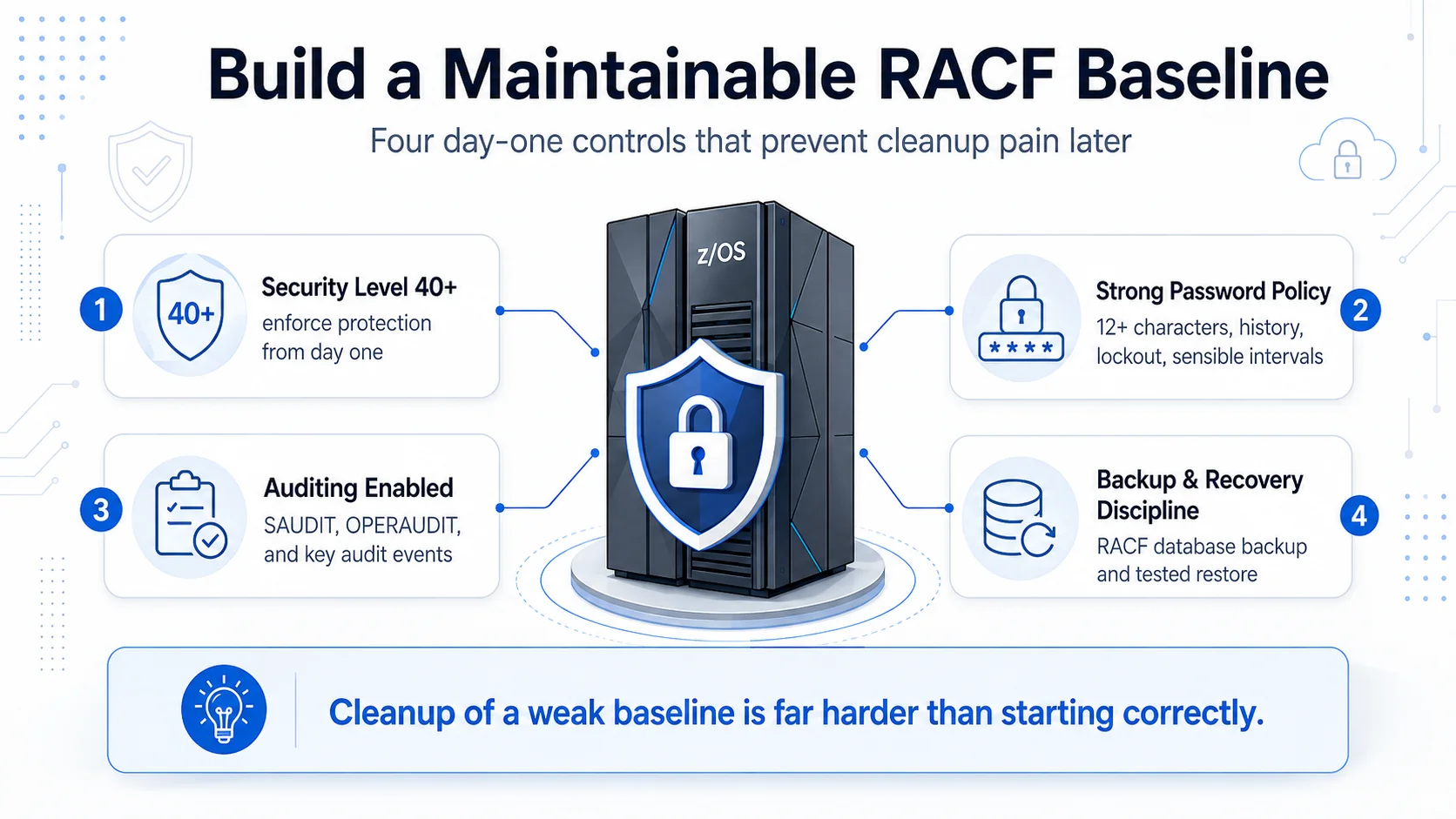 Four day-one controls that pay out across the decades. Cleanup of a weak baseline is far harder than starting correctly.
Area 1: System-wide security level (SETROPTS)
The single highest-leverage initial configuration decision. RACF supports operating at Security Level 10, 20, 30, 40, or 50 with increasing enforcement rigor.
- Level 10: dataset checking optional; effectively no protection
- Level 20: dataset checking mandatory but with widespread exceptions
- Level 30: dataset checking mandatory with fewer exceptions; general-resource protection available but not enforced
- Level 40: dataset checking mandatory; general-resource protection enforced; this is the practical enterprise minimum for 2026
- Level 50: comprehensive protection including systematic security beyond Level 40
2026 recommendation: Level 40 minimum. Starting lower and later trying to raise the level produces enormous cleanup work as the audit trail surfaces every resource operating without proper protection. Starting at Level 40 means the resource-protection discipline is enforced from the beginning and technical debt of low-security-level operation never accumulates.
Key SETROPTS options to configure on day one:
SETROPTS CLASSACT(*) GENERIC(*) GENCMD(*)
Activates all resource classes with generic profile support. This is the "resource-protection-is-enforced-everywhere" baseline.
SETROPTS AUDIT(...) NOSAUDIT / SAUDIT
Configures class-level audit; enables SPECIAL/OPERATIONS/AUDITOR audit as appropriate.
SETROPTS TERMINAL(NONE)
Requires explicit terminal authorization (defensible least-privilege posture) rather than universal terminal access.
Area 2: Password policy
Set password policy on day one to reflect modern security requirements, understanding that mainframe passwords remain load-bearing for direct-mainframe access even in federation-first environments.
Recommended day-one settings:
PASSWORD RULES(MINLENGTH(12))
Minimum 12 characters; 14 is the emerging enterprise standard for 2026. NIST 800-63B guidance supports length over complexity for security purposes.
PASSWORD RULES(MIXEDCASE)
PASSWORD RULES(NUMERIC)
PASSWORD RULES(SPECIALCHARS)
Where the mainframe application landscape supports mixed-case, numeric, and special-character passwords, require them.
PASSWORD HISTORY(12)
Prevent reuse of last 12 passwords to defeat cycling.
PASSWORD INTERVAL(90)
90-day expiry as the 2026 baseline. Longer intervals (up to 180 days) are defensible in federation-first environments where mainframe passwords are secondary factors; shorter intervals are appropriate for high-assurance environments.
SETROPTS INITSTATS
Track sign-on statistics for password-related audit signals.
The Password Complexity vs Password Strength piece covers the modern approach to password policy in depth.
Area 3: Auditing setup
Audit configuration on day one determines what evidence exists when you need to answer "who did what, when." Under-auditing produces "we don't know" answers at incident time; over-auditing produces log volume that overwhelms the SIEM.
Recommended day-one audit configuration:
SETROPTS AUDIT(USER,DATASET,GROUP,ROLE,DASDVOL,GENERIC)
Class-level audit for common resource classes.
SETROPTS SAUDIT
Audit operations by SPECIAL-attributed users. This population is small; the audit volume is manageable and the evidence is high-value.
SETROPTS OPERAUDIT
Audit operations by OPERATIONS-attributed users.
SETROPTS CMDVIOL
Audit RACF command violations.
SETROPTS AUDIT(ACCTNUM,DIGTCERT,FACILITY,...)
Audit specific general-resource classes as appropriate for the environment.
Route audit records to the enterprise SIEM/SOAR pipeline from day one; the mainframe audit trail should be part of the consolidated monitoring, not a separate island. The ITDR piece covers the enterprise behavioral-detection layer that consumes audit records.
Area 4: Default user profile settings
Set defaults that all new users inherit unless explicitly overridden. Getting the defaults right means most users are provisioned correctly without per-user tuning.
Recommended defaults:
- Default user class: USER (standard) — most new users are standard users
- Default password expiration: matching the password policy interval
- Default group: the shipped default (rarely appropriate; typically overridden per user)
- Default TSO segment: absent by default (only add for users who need TSO)
- Default OMVS segment: absent by default (only add for users who need z/OS UNIX)
- Default attributes: none (no SPECIAL, OPERATIONS, or AUDITOR by default)
Design the joiner workflow (whether HRIS-driven or ticket-based initially) to set the user's default group correctly based on their organizational assignment.
Area 5: Group structure design
Design the group structure on day one to match organizational reality. This is one of the areas where getting it right early has the biggest long-term payoff.
Recommended principles:
- Groups map to roles. A group represents users with consistent access needs. Accounts Payable Clerks, Treasury Operators, Application Developers — these are role-based group names.
- Hierarchy mirrors reporting structure. Department-level parent groups; role-within-department child groups. The hierarchy supports administrative delegation (department admins manage their department's groups).
- Default group per user reflects primary organizational assignment. Users have one default group aligned with their primary role.
- Connect groups handle secondary role membership. Users in multiple roles (e.g., an Accounts Payable Clerk who also handles occasional Treasury operations) get connected to additional groups.
- Avoid the "one huge group" anti-pattern. A group everyone belongs to has to be maintained for the union of everyone's needs — defeating the point of groups.
- Avoid the "hundreds of tiny groups" anti-pattern. Groups sized for specific single access grants produce administrative overhead without access-control benefit.
The Least Privilege piece covers the underlying principle; the HRIS-Driven Lifecycle piece covers keeping group memberships aligned with HRIS-driven role information.
Area 6: Base resource profile framework
Set up the base resource profile framework with generic profiles from day one. This produces maintainable resource protection versus the discrete-profile-sprawl that comes from ad-hoc resource protection.
Recommended day-one baseline for datasets:
- Universal safety-net generic:
**with UACC(NONE), audit failures — anything that doesn't match a more-specific profile falls to this profile with no access - Environment-level generics:
PROD.**,DEV.**,TEST.**— each with appropriate UACC and access lists at the environment level - Application-level generics as needed:
PROD.PAYROLL.**,PROD.AR.**— with specific access lists for the application's role population - Discrete profiles only for exceptions — where a specific resource legitimately needs different access rules than the general pattern
Recommended day-one baseline for general resources:
- Activate the classes you'll use (CICS transactions if you have CICS, DB2 if you have DB2, IMS if you have IMS)
- Set UACC(NONE) as the default for each class
- Build the access framework for each class incrementally as applications are onboarded
The pattern of generic-first, discrete-only-for-exceptions substantially reduces administrative overhead versus the discrete-profile-sprawl pattern.
Area 7: Log and audit trail configuration
Configure log destinations and retention on day one.
- SMF Type 80 records (RACF audit records) route to the SMF Type 80 dataset per your SMF configuration
- Retention: minimum 12 months of audit history, with at least 3 months immediately available for investigation. Some compliance regimes require longer retention (7 years for SOX-relevant records)
- SIEM forwarding: configure real-time forwarding of Type 80 records to the enterprise SIEM from day one
- Backup of audit records: independent of the SMF backup, ensure audit records are preserved even if the primary SMF dataset is compromised
Area 8: Backup and recovery discipline
RACF database backup is separate from general system backup. Configure both.
- RACF database backup: IRRUT200 (RACF database utility) supports RACF database backup. Schedule regular backups of the RACF primary and backup databases.
- RACF database recovery testing: test-restore the RACF database in a non-production environment periodically. "We have backups" is only worth what a recent test-restore validates.
- General system backup: full-system backups (SAVSYS or BRMS-equivalent) that include the RACF database
- Backup retention: consistent with audit-trail retention plus operational recovery-point objectives
The backup-and-recovery discipline determines whether "we can restore from backup" is a real capability or an assumption that fails at recovery time.
The modern IAM integration handshake
Plan the four integration touchpoints from day one, not as retrofits years later.
Integration 1: HRIS integration for lifecycle. RACF user population synchronized with authoritative HRIS records via SCIM 2.0 or connector integration. Joiner-mover-leaver events propagate from HRIS to RACF automatically. The HRIS-Driven Lifecycle piece covers the integration patterns.
Integration 2: Federation for authentication. RACF users authenticate through the enterprise IdP where possible, gaining modern MFA (passkeys, hardware FIDO2 keys, Avatier Identity Challenge Card) at the federation layer. Direct RACF authentication is preserved for scenarios where federation isn't available (typically green-screen 5250 sessions and some legacy applications). The SSO Architecture piece on ICC covers the federation architecture.
Integration 3: IGA workflow for entitlement management. Access requests for RACF group memberships and profile permissions flow through the enterprise IGA platform. Approval workflow, certification campaigns, and lifecycle automation apply uniformly across RACF and other systems.
Integration 4: Audit-log forwarding to enterprise SIEM. SMF Type 80 records feed the enterprise SIEM pipeline in real time. Consolidated monitoring covers RACF alongside other systems.
Planning for these from day one produces a fundamentally different operational trajectory than retrofitting them years later after the RACF baseline has drifted. The Playbook Legacy IAM to Modern piece covers the integration architecture; Avatier has deep RACF integration adjacency.
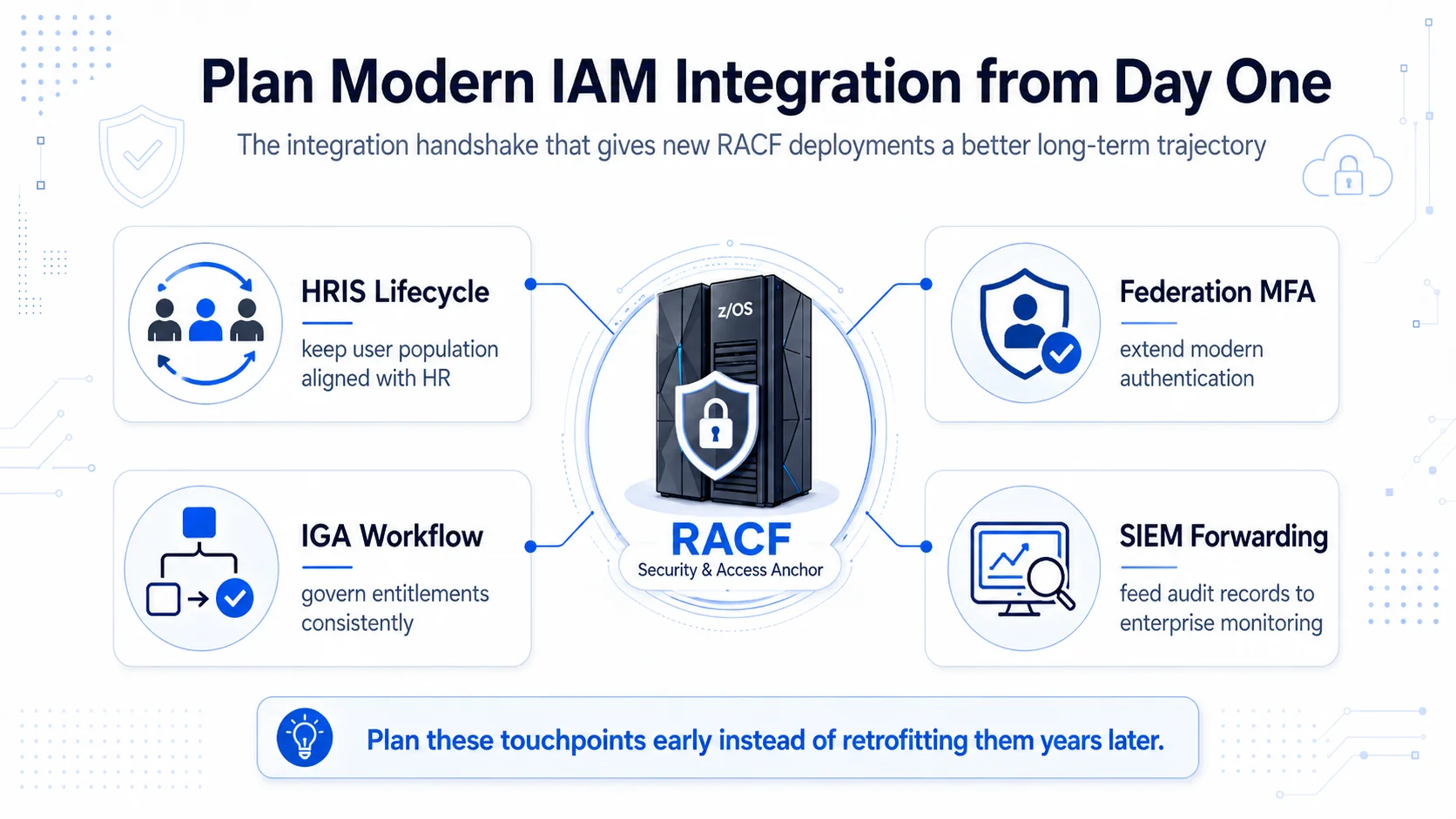 Four integration touchpoints, one planning discipline. Planning early beats retrofitting later.
Common getting-started mistakes
Six mistakes recur across new RACF deployments.
- Starting at Security Level 20 or 10. Cleanup to raise the level is enormous. Start at Level 40.
- Discrete-profile sprawl instead of generic-first. Managing thousands of drifting discrete profiles versus tens of maintainable generics.
- Ad-hoc group creation instead of designed structure. Groups accumulate organically without organizational alignment; access decisions get harder over time.
- SPECIAL attribute distribution. Handing out SPECIAL for administrative convenience produces an audit finding population that's hard to remediate later.
- Retrofitted HRIS integration. Building the RACF user population manually and then trying to synchronize with HRIS years later is enormously harder than integrating from day one.
- No SIEM forwarding. Type 80 records live in isolation on the mainframe rather than feeding consolidated monitoring; the security team misses signal.
Each mistake compounds. Avoiding them from day one is dramatically less work than remediating them later.
The 2026 reference path
Set the eight essential configuration areas correctly on day one. Security level 40+, modern password policy, comprehensive audit setup, sensible defaults, designed group structure, generic-first resource profiles, real-time audit forwarding, tested backup discipline.
Plan the four integration touchpoints from day one. HRIS-driven lifecycle, federation for authentication, IGA workflow for entitlements, SIEM forwarding for audit. Retrofitting these later is orders of magnitude more expensive.
Use the companion pieces for deeper reference. The RACF Comprehensive Guide piece covers field-level detail on user, group, and resource profiles. The Demystifying RACF Beginner's Guide piece covers fundamentals. The Troubleshooting piece covers the diagnostic categories once the deployment is live. The Playbook Legacy IAM to Modern piece covers the modernization pattern.
Point auditors at the Trust Center for Avatier's own posture. The Avatier Trust Center with the SecurityScorecard grade view — SOC 2 Type II with zero exceptions, ISO/IEC 27001:2022, PCI DSS v4.0.1, CSA STAR Level 1, NIST 800-53 Rev. 5 aligned, CISA Secure-by-Design Pledge signatory.
RACF has been the mainframe access-control platform for 50 years and shows no signs of retirement in 2026. Getting the initial configuration correct produces a fundamentally different operational life than accumulating technical debt from a poorly-configured start. The eight areas above are where the day-one discipline pays out over the decades that follow.
ABOUT THE AUTHOR

More from RACF & Mainframe
Mastering RACF User-Group Assignments & Permissions 2026
RACF grants access through groups, not users: ADDGROUP builds it, CONNECT enrolls the user, PERMIT binds it to a resource. How assignments, nested membership, and access decisions resolve in 2026.

RACF Password Complexity & Expiration Rules 2026 (SETROPTS)
RACF enforces password complexity, expiration, history, and lockout through SETROPTS PASSWORD suboperands — RULEn, INTERVAL, HISTORY, and REVOKE. The 2026 reference on the exact syntax, why PCI-DSS and SOX still mandate it even as NIST 800-63B moves the industry away from rotation and composition rules, and where RACF-level enforcement alone stops being enough.

Automating RACF Provisioning from HR Events: A 2026 Guide
RACF user provisioning becomes reliable when create, entitle, and deprovision actions trigger directly off HR events instead of tickets — here's how that pattern actually works on the mainframe.