Active Directory Login Reset for Domain-Joined Environments: The 2026 Reference
Active Directory login reset for domain-joined Windows workstations is the specific reset architecture where users can't reach a self-service portal because they can't log in at all. The 2026 enterprise reference on the pre-login reset architecture, the Windows CredentialProvider integration, the on-premises AD versus Entra ID hybrid patterns, the compliance requirements that shape domain reset workflow, and the deployment discipline that keeps AD reset defensible under SOX and PCI-DSS audit.
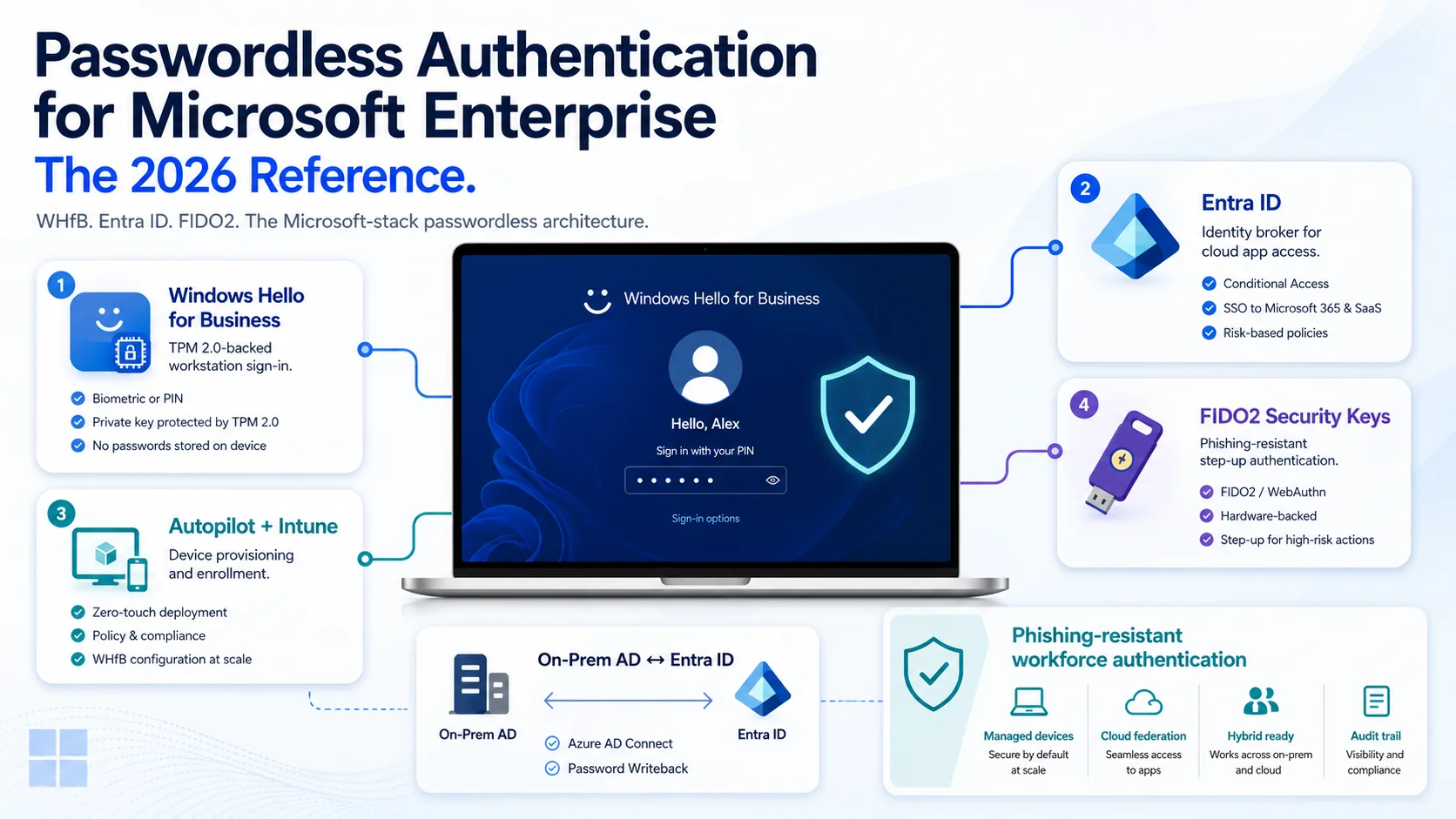
Active Directory login reset for domain-joined Windows workstations is the specific reset architecture where users can't reach a self-service portal because they can't log in at all. The 2026 enterprise reference on the pre-login reset architecture, the Windows CredentialProvider integration, the on-premises AD versus Entra ID hybrid patterns, the compliance requirements that shape domain reset workflow, and the deployment discipline that keeps AD reset defensible under SOX and PCI-DSS audit.
- Active Directory login reset is the specific reset architecture for domain-joined Windows workstations where users can't reach a self-service portal because they can't log in at all. Self-service portal SSPR fills 60-80% of reset volume for logged-in users, but domain-joined users who forgot their password can't navigate to the portal to reset. Pre-login reset flows fill this gap by surfacing the reset workflow at the Windows login screen through a CredentialProvider.
- The pre-login reset architecture runs before the user has authenticated. A Windows CredentialProvider (custom credential provider or vendor-provided credential provider) registers with Winlogon, surfaces a 'Reset Password' option on the login screen alongside the normal password entry, launches an authentication ceremony using a secondary factor (mobile biometric, hardware key, out-of-band token), and completes the reset against Active Directory before the user has authenticated to the workstation.
- On-premises Active Directory versus Entra ID hybrid deployments each require specific reset architecture. Pure on-premises AD requires the CredentialProvider to talk to a Domain Controller directly or through an IAM broker. Entra ID hybrid deployments (Azure AD Connect syncing on-premises AD to Entra ID) require the reset to propagate both directions — reset at Entra ID needs to sync back to on-premises AD via Password Writeback, or reset at on-premises AD needs to sync forward to Entra ID. Getting the sync direction wrong produces the 'reset worked but user still can't log in' pattern.
- The compliance surface for AD reset is specific. SOX §404 requires documented identity verification and audit trail for financial reporting system access — AD-controlled access to finance systems flows through this requirement. PCI-DSS v4.0.1 Requirements 7-8-10 cover access control and authentication for card-data environments — many card-data systems live on Windows and depend on AD. HIPAA §164.312 covers ePHI-access systems — hospital and healthcare Windows environments depend on AD. NIST 800-63B Rev. 4 explicitly downgraded knowledge-based verification and requires strong authenticator-based verification for reset.
- The 2026 deployment discipline: pair pre-login reset (Windows CredentialProvider) with SSPR portal reset for logged-in users; use strong authenticator-based verification (mobile biometric, hardware FIDO2, out-of-band token) not knowledge-based questions; handle hybrid deployments with explicit Password Writeback configuration; integrate audit trail with the enterprise IAM audit log infrastructure; rate-limit and monitor pre-login reset attempts as an attack surface. Well-configured AD reset covers the domain-joined workforce authentication cases that portal SSPR alone doesn't.
Active Directory login reset is a specific reset architecture problem that self-service portal SSPR doesn't solve. The domain-joined Windows user forgot their password; they can't get past the workstation login screen; they can't navigate to a browser to reach a self-service portal because they aren't logged in to any device. This is the "forgot password, can't log in, can't reach the portal" case — and the operational reality for millions of domain-joined workstations across enterprise Windows environments. Pre-login reset architecture fills this gap by surfacing the reset workflow at the Windows login screen itself, before the user has authenticated to the workstation.
This piece is the 2026 enterprise reference on Active Directory login reset for domain-joined environments. The pre-login reset architecture and Windows CredentialProvider integration, the three deployment topologies (on-premises AD, hybrid Entra ID, pure Entra ID), the compliance requirements from SOX / PCI-DSS / HIPAA / NIST 800-63B, and the deployment discipline that keeps AD reset defensible under audit. Companion pieces cover adjacent layers — the Password Reset Comprehensive Guide piece covers the four workflow architectures at the reset-workflow level; the SSO Architecture piece on ICC covers the federation architectures AD deployments compose with; the Phishing-Resistant MFA piece on ICC covers the credential-class foundation.
The pre-login reset problem
Self-service password reset (SSPR) portal approaches assume the user can reach a portal. They can navigate to a web browser on a device they're logged into and complete a reset workflow. Domain-joined Windows users who forgot their password can't do this — the workstation is their primary computer, it's locked at the login screen because their password doesn't work, and they can't get to a browser without being past the login screen.
The gap SSPR portal alone leaves. SSPR portal reset works for the ~60% of forgotten-password cases where the user has a functional authenticated device somewhere else (a phone, a tablet, a secondary laptop). For the domain-joined desktop user whose primary workstation is the only computer they use, portal SSPR doesn't help. They call the help desk, get identity verified through the assisted-reset workflow, receive a temporary password — which is the workflow SSPR was supposed to replace.
The scale of the case. Enterprise Windows environments with substantial domain-joined desktop populations (financial services, healthcare, defense, manufacturing, government) hit this case at meaningful volumes. A 5,000-employee enterprise with 40% domain-joined desktop-primary users produces ~600-1,200 forgotten-password events annually that portal SSPR can't handle. Every one of those events either becomes a help desk ticket or a pre-login reset event.
Pre-login reset architecture as the fill. Pre-login reset runs before the user has authenticated. A Windows CredentialProvider registers with Winlogon, surfaces a 'Reset Password' option on the login screen alongside the normal password entry, launches an authentication ceremony using a secondary factor (mobile biometric, hardware FIDO2 key, out-of-band token), verifies the identity claim, initiates the reset against Active Directory, and lets the user log in with the new credential — all without the user having authenticated to the workstation first.
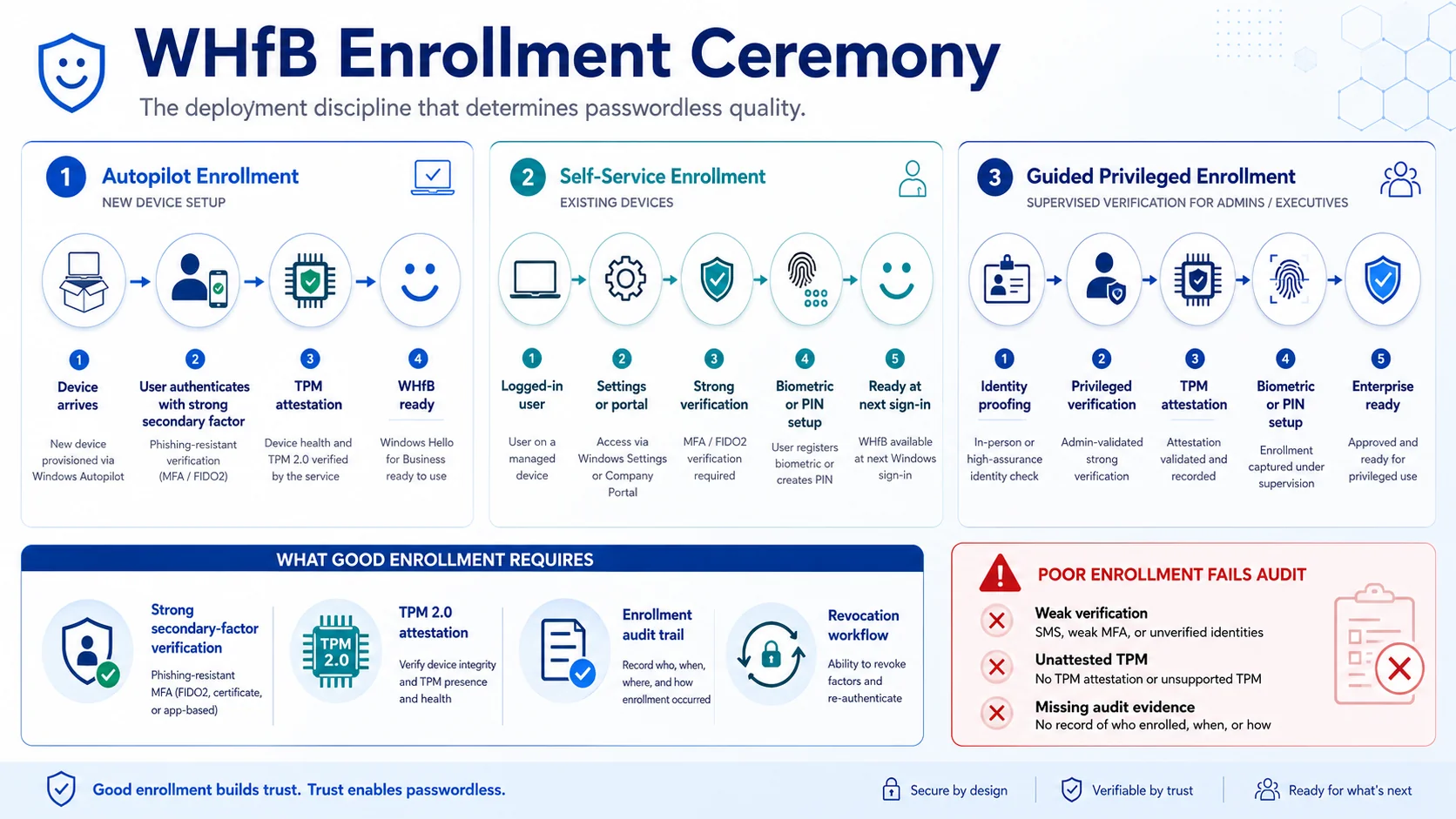 The pre-login workflow. Windows CredentialProvider surfaces reset at the login screen; secondary-factor authentication verifies identity; password change executes against AD; user logs in with new credential — no browser, no portal, no help desk.
The Windows CredentialProvider integration
The Windows CredentialProvider is the technical component that surfaces reset workflow at the login screen. Understanding what it is and how it integrates matters for enterprise deployment.
What a CredentialProvider is. A COM component that Winlogon consumes to surface authentication options on the Windows login screen. Microsoft ships default CredentialProviders — password, PIN, Windows Hello, smart card, security key. Third-party CredentialProviders extend this surface. The provider registers with Winlogon through Windows registry entries; when the user reaches the login screen, Winlogon enumerates registered providers and surfaces their options.
How pre-login reset CredentialProviders work. The provider surfaces a 'Reset Password' option or a 'Forgot Password' link on the login screen. When the user selects it, the provider launches an authentication ceremony — typically a modal dialog or a full-screen workflow — that authenticates the user against a secondary factor. The factor can be mobile biometric (via an out-of-band push to the user's phone), hardware FIDO2 key (inserted at the workstation or authenticated over the network), or an out-of-band token (SMS OTP, though this is deprecated as covered in the OTP Failure Case Scenarios piece on ICC).
How the reset completes. On successful verification, the CredentialProvider needs to change the user's password in Active Directory. Two integration paths dominate. Direct Domain Controller integration — the provider talks to a DC through Kerberos or LDAP, using a pre-authenticated network connection scoped to the reset operation. Broker service integration — the provider talks to an enterprise IAM broker that handles the DC integration; this pattern reduces the trust surface on the individual workstation.
The architectural challenge. Pre-login means running before the workstation has a user context. The CredentialProvider needs its own trust path to the AD infrastructure. Enterprise deployments require: group policy that permits the CredentialProvider to run, network paths from workstations to the AD or broker infrastructure (not blocked by workstation firewalls or VPN requirements), audit trail integration so reset events flow into enterprise IAM audit logs, and rate-limiting to prevent the pre-login reset flow from becoming an attack surface.
Three deployment topologies
Three Active Directory deployment topologies produce three different reset architectures. Understanding which topology your organization runs determines the specific reset architecture that applies.
Topology 1: Pure on-premises Active Directory. The traditional deployment. AD lives entirely on Windows Server Domain Controllers on the corporate network. Users authenticate to the domain through Kerberos. Cloud services either aren't used or are accessed through federated SSO (SAML or OIDC bridged to on-premises AD via ADFS or an IAM platform). There's no cloud identity involvement in the AD identity itself.
Reset architecture: The pre-login CredentialProvider talks to a Domain Controller directly through Kerberos or LDAP with pre-authenticated network paths. Alternatively, the CredentialProvider talks to an IAM broker (like Avatier Identity Anywhere) that handles DC integration. Reset completes at the DC and propagates through standard AD replication.
Best fit: Enterprises with substantial legacy Windows infrastructure, regulated industries with data-locality requirements, or organizations that haven't adopted Entra ID for identity. The Playbook Legacy IAM to Modern piece covers migration architecture for organizations moving beyond pure on-premises AD.
Topology 2: Hybrid Entra ID (Azure AD Connect). The dominant enterprise deployment. On-premises AD remains the authoritative source of user identity; Azure AD Connect syncs on-premises AD users to Entra ID (formerly Azure AD); users have both on-premises AD identities (for Windows domain authentication) and Entra ID identities (for cloud application access). The two identity stores are kept in sync via AD Connect.
Reset architecture: Reset needs to propagate both directions.
- Password Writeback — an Entra ID feature that writes password changes made in Entra ID back to on-premises AD. Enterprises using Entra ID SSPR or Entra ID's own reset flows must configure Password Writeback, or the reset produces the "reset worked in Entra ID but user still can't log in to Windows workstation" pattern.
- Reset from CredentialProvider going to on-premises AD — the reset happens at on-premises AD (as with Topology 1) and syncs forward to Entra ID via AD Connect. This is often the cleaner path for hybrid deployments because the on-premises AD credential is what the Windows workstation authenticates against, and forward sync happens on the standard AD Connect schedule.
The Multi-Cloud Identity Management piece covers the broader federation-first architecture that hybrid Entra ID deployments compose with.
Topology 3: Pure Entra ID (cloud-native). The modern cloud-first deployment. Identity lives entirely in Entra ID; there's no on-premises AD or only a minimal legacy AD for specific applications. Workstations are Entra ID-joined (not domain-joined) or Hybrid Entra ID-joined with primary trust to Entra ID. Users authenticate to Entra ID; the workstation caches the credential for offline use.
Reset architecture: Entra ID-native reset. Windows Hello for Business enrollment ceremonies function as the reset path for many enterprise deployments. Entra ID SSPR portal handles conventional forgotten-password flow. Because there's no on-premises AD, there's no bidirectional sync problem.
Best fit: Cloud-native organizations, greenfield deployments, organizations that have completed the AD-to-Entra-ID migration. The SSO Architecture piece on ICC covers the workforce SSO architecture that Entra ID-first environments deploy.
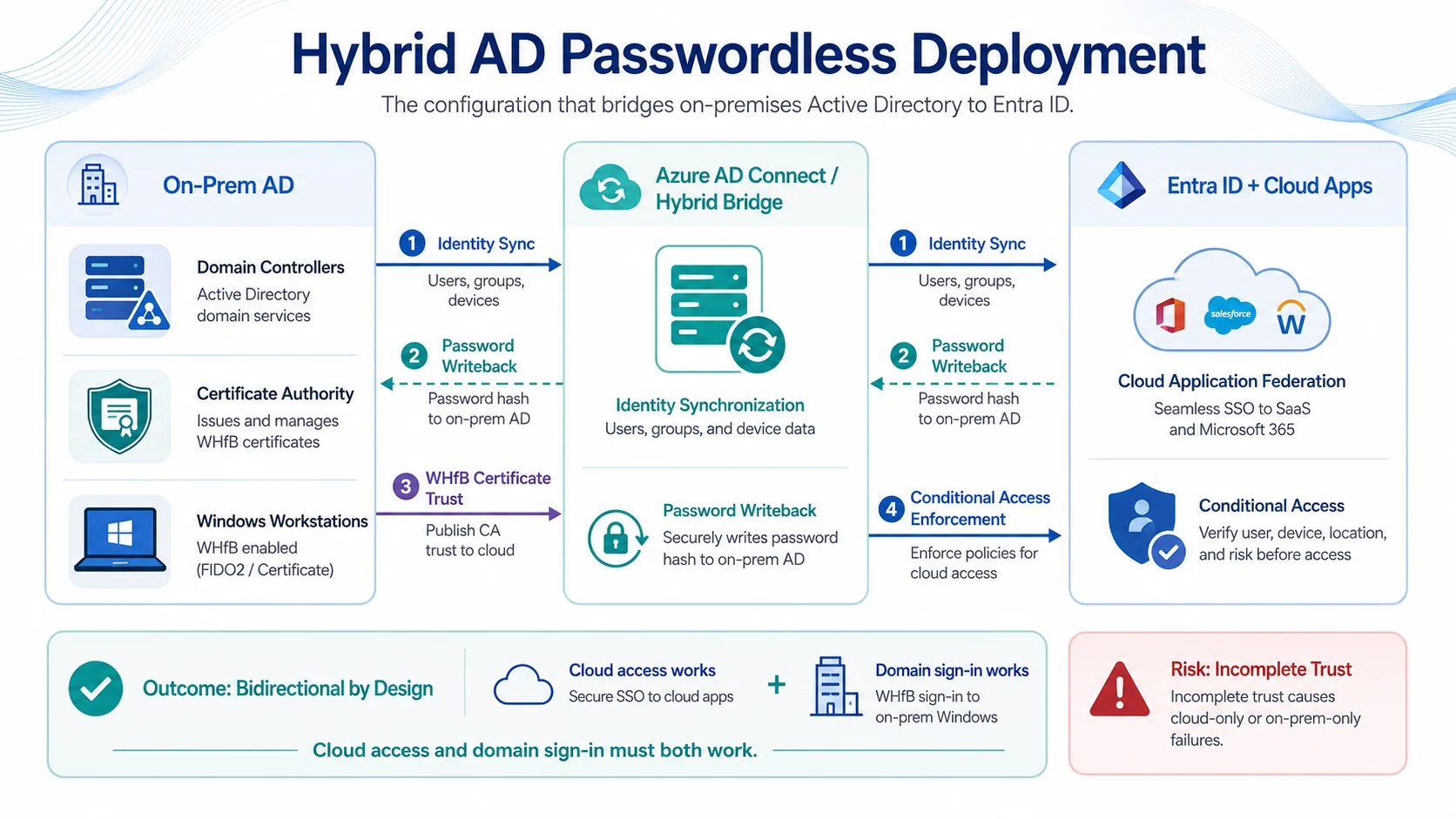 Three topologies, three reset architectures. Enterprises with hybrid Entra ID deployments face the most configuration complexity — Password Writeback direction and WHfB certificate trust across both directory sides both matter.
The compliance surface
Four compliance frameworks produce specific requirements for AD reset in regulated environments. Understanding the requirements is what makes AD reset defensible to audit reviewers.
SOX §404. Financial reporting systems accessed via AD-controlled Windows environments require documented identity verification and audit trail for reset events. PCAOB audit findings routinely cite weak AD reset workflow in financial systems where domain-joined Windows workstations control finance-system access. The specific findings that recur: knowledge-based verification (security questions) used for privileged financial-system access, reset audit trail that doesn't include the identity verification method or the requesting user's verified identity, reset workflows that bypass the standard governance discipline for privileged accounts. The SOX Compliance piece covers finance-system access control depth.
PCI-DSS v4.0.1 Requirements 7-8-10. Card-data environments on Windows infrastructure with AD-controlled access have to satisfy authentication and access control requirements for reset flows. Requirement 8.3 specifically addresses strong authentication for reset flows — knowledge-based verification (security questions) fails this requirement. The PCI-DSS v4.0.1 piece covers the specific requirements.
HIPAA §164.312. Hospital and healthcare Windows environments controlling ePHI access require documented reset workflow with identity verification and audit trail. HHS enforcement actions have cited weak AD reset workflow in breach investigations — cases where knowledge-based verification was social-engineered to gain ePHI access via a domain-joined workstation. The HIPAA §164.312 piece covers healthcare-specific requirements.
NIST 800-63B Rev. 4. Federal-adjacent and defense-industry deployments must align with the standard, which explicitly downgraded knowledge-based verification and requires strong authenticator-based verification for reset at meaningful assurance levels. AAL2 reset requires strong authenticator; AAL3 requires hardware-bound authenticator with PIN.
The compliance convergence. All four frameworks converge on the same operational discipline: strong authenticator-based verification (not security questions), documented audit trail with identity verification method and requesting user's verified identity, rate-limiting and abuse detection at the reset workflow layer. This is the discipline that makes AD reset defensible under any of the four framework audits.
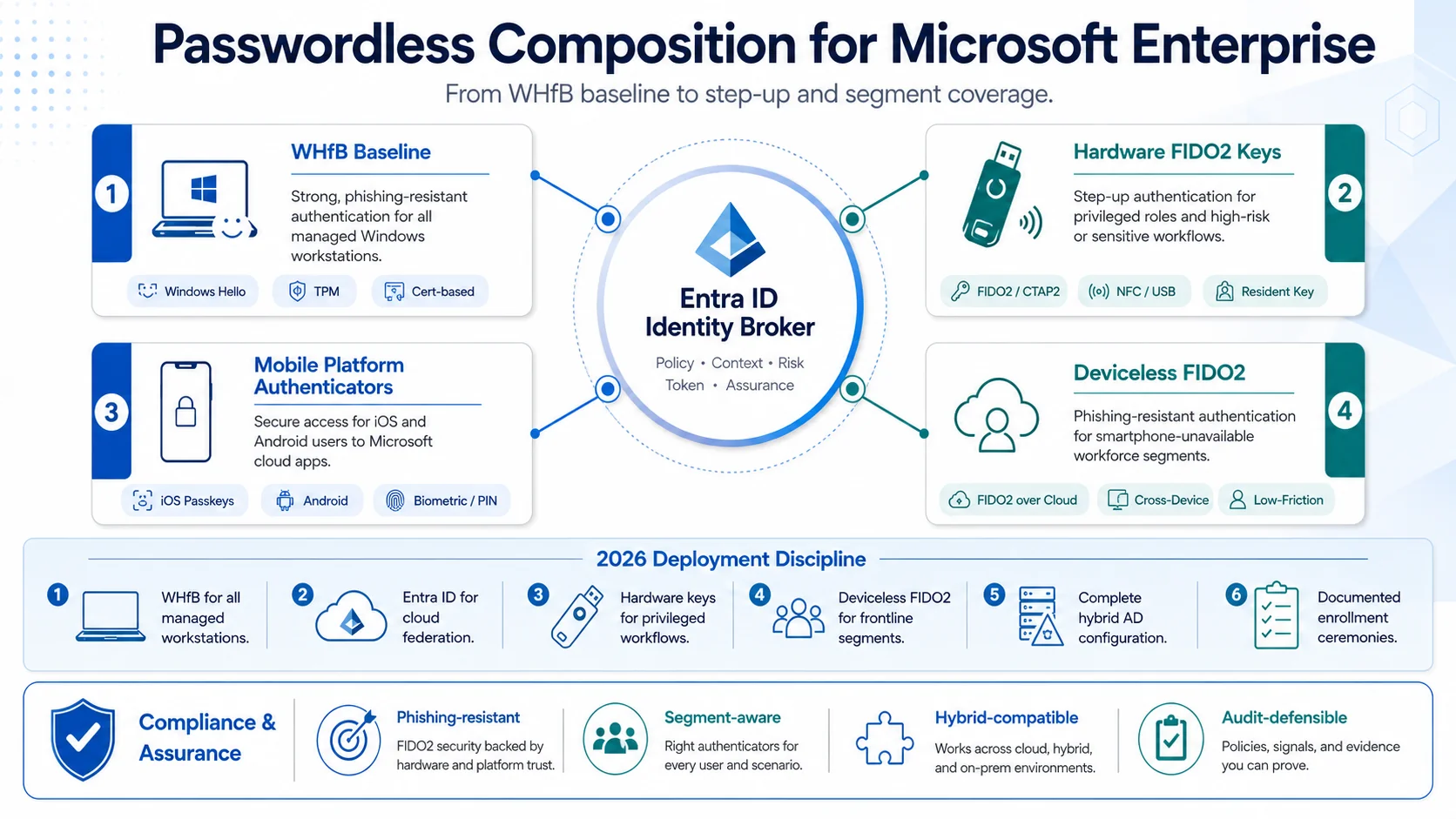 Four frameworks, one convergence. Knowledge-based verification fails all four at meaningful scope; strong authenticator-based verification satisfies all four. The compliance path aligns with the security-posture path.
Deployment discipline
Six configuration elements determine AD reset effectiveness in enterprise deployments.
Element 1: Pre-login reset + SSPR portal composition. Deploy pre-login reset (Windows CredentialProvider) for domain-joined workstation cases + SSPR portal for logged-in users on other devices. Neither covers all cases alone; together they cover ~90% of forgotten-password volume, with help desk assisted reset handling the residual privileged and high-assurance cases.
Element 2: Strong authenticator-based verification. Not knowledge-based questions. Mobile biometric (via out-of-band push to the user's phone), hardware FIDO2 keys, or deviceless FIDO2 via Identity Challenge Card for smartphone-unavailable segments (healthcare bedside, manufacturing floor, contact center shared workstations, defense classified environments). NIST 800-63B Rev. 4 explicitly downgraded knowledge-based verification; regulated enterprises can't defensibly use it.
Element 3: Hybrid deployment coordination. For hybrid Entra ID deployments, decide the reset direction explicitly. Password Writeback if reset originates in Entra ID; forward sync to Entra ID if reset originates at on-premises AD. Getting this wrong produces the "reset worked but user still can't log in" pattern. Document the chosen direction and configure AD Connect accordingly.
Element 4: Audit trail integration. Every reset event produces documented identity verification and audit trail for downstream compliance reporting. SOX §404 reviewers, PCI-DSS auditors, and HIPAA §164.312 auditors all consume reset-event audit trail as evidence of control operation. Integration with the enterprise IAM audit-log infrastructure makes reset events queryable, reportable, and defensible.
Element 5: Rate-limiting and abuse detection. The pre-login reset flow is an attack surface — attackers with harvested credentials probe pre-login flows for social-engineering signals, weak verification bypasses, and volumetric abuse. Rate-limit per user, per workstation, and per network location; monitor abuse patterns; integrate with ITDR (ITDR piece) for behavioral threat detection.
Element 6: Passwordless progression. The 2026 direction is passwordless workforce authentication that eliminates the reset problem structurally. Windows Hello for Business as the primary Windows authentication factor. Platform passkeys + biometric on the user's device fleet. Hardware FIDO2 keys for step-up on privileged workflows. Passwords move from primary factor to legacy fallback; reset volume drops as passwordless coverage expands. The Passkey Deployment Playbook piece on ICC covers the migration path.
The 2026 reference path
Deploy pre-login reset for domain-joined Windows workstations. Windows CredentialProvider integration surfaces reset workflow at the login screen for the "forgot password, can't reach portal" case.
Pair with SSPR portal for logged-in users on other devices. The two workflows together cover ~90% of forgotten-password volume; help desk assisted reset covers the residual.
Match reset architecture to your AD deployment topology. Pure on-premises AD: CredentialProvider to DC or broker. Hybrid Entra ID: explicit Password Writeback or forward sync direction. Pure Entra ID: cloud-native reset with Windows Hello for Business enrollment ceremonies.
Use strong authenticator-based verification. Mobile biometric, hardware FIDO2, or deviceless FIDO2 for smartphone-unavailable segments. Not knowledge-based questions — NIST 800-63B Rev. 4 downgraded them; regulated enterprises can't defensibly use them.
Integrate audit trail with the enterprise IAM audit-log infrastructure. Every reset event produces documented identity verification and audit trail for SOX / PCI-DSS / HIPAA / NIST framework reporting.
Rate-limit and monitor the pre-login reset flow as an attack surface. Per-user, per-workstation, per-network-location rate limits; abuse pattern detection; ITDR integration.
Progress toward passwordless. Windows Hello for Business, platform passkeys + biometric, hardware FIDO2 step-up. Reset volume drops structurally as passwordless coverage expands.
Point auditors at the Trust Center for Avatier's own posture. The Avatier Trust Center with the SecurityScorecard grade view — SOC 2 Type II with zero exceptions, ISO/IEC 27001:2022, PCI DSS v4.0.1, CSA STAR Level 1, NIST 800-53 Rev. 5 aligned, CISA Secure-by-Design Pledge signatory.
ABOUT THE AUTHOR

More from Pillar 4: Login Reset

Help-Desk KPIs & Reducing Password-Reset Tickets (2026)
Password resets are usually the single largest category of help-desk contacts — and the most reducible. This 2026 update covers the help-desk KPIs that actually matter for identity and password support, how to baseline them, and the specific levers — self-service reset, password synchronization, MFA-verified reset, and passwordless — that cut reset ticket volume and cost. Plus the hardened path for the tickets that remain, and an honest look at what the KPIs do not tell you.
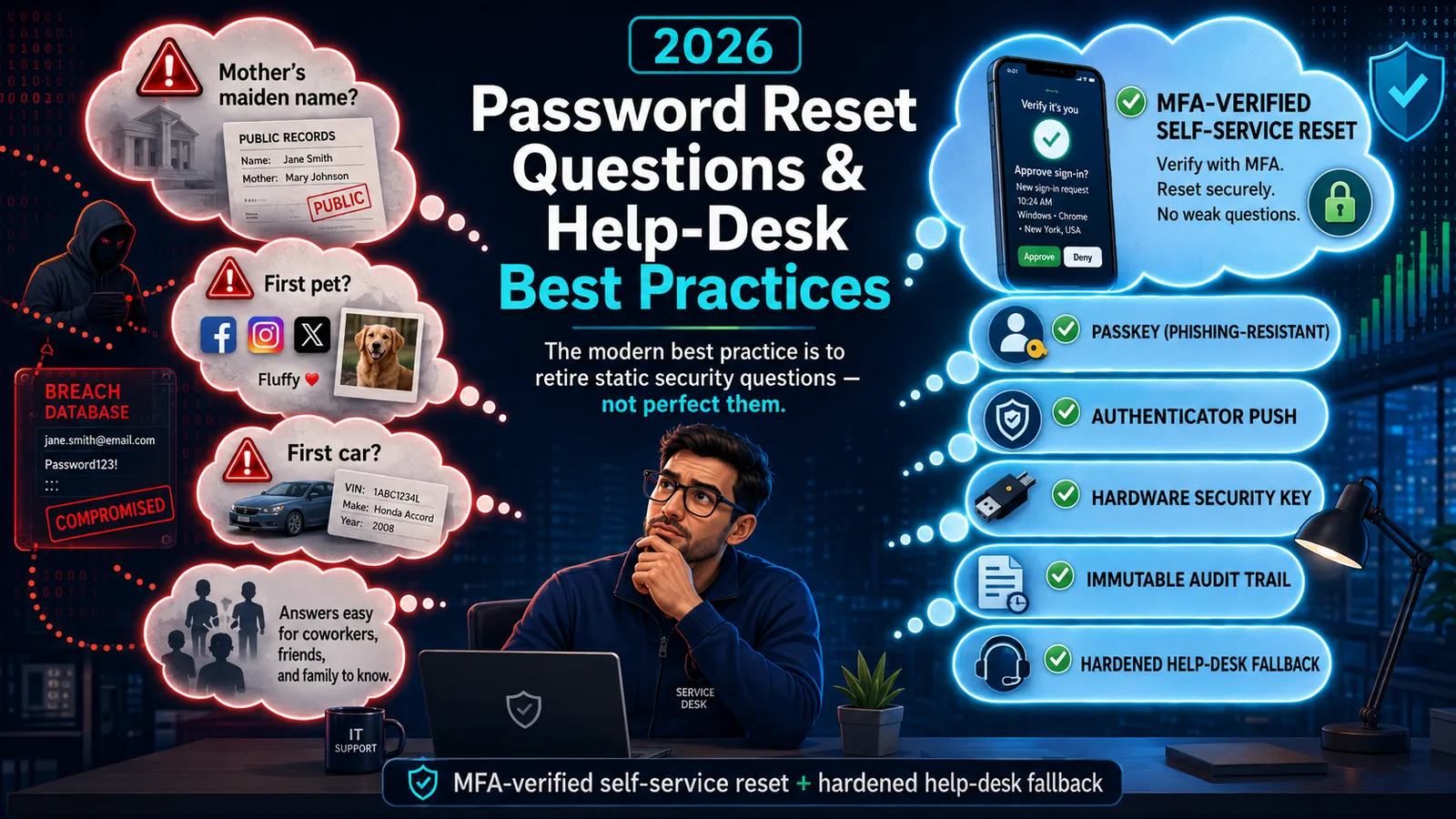
Password Reset Questions & Help-Desk Best Practices (2026)
Static security questions are the weakest link in password reset — OSINT-discoverable, shared, and breach-exposed. The 2026 best practice: retire them for MFA-verified self-service reset.
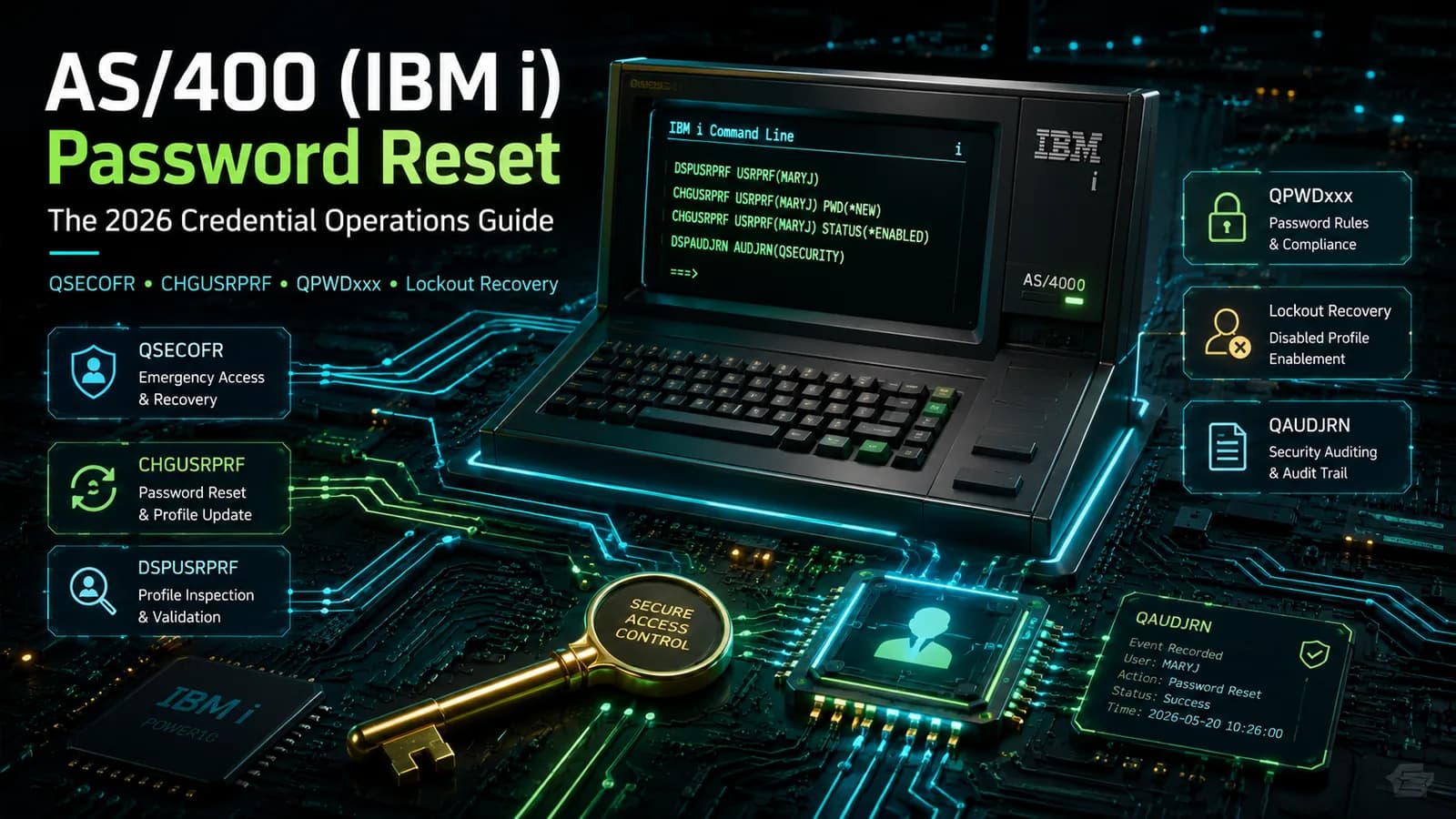
AS/400 (IBM i) Password Reset: The 2026 Credential Operations Guide
How password reset works on AS/400 (IBM i) — QSECOFR, user profiles, CHGUSRPRF, the QPWDxxx system values, disabled-profile recovery, and the hardening that keeps reset from becoming the weakest link.