Password Reset: The 2026 Comprehensive Enterprise Guide
Enterprise password reset is one of the largest hidden cost centers in enterprise IT — help desk labor at $70 per reset ticket, workforce productivity losses at 15-30 minutes per user per incident, and the security surface every recovery flow creates. The 2026 comprehensive reference on the reset cost economics, the four workflow architectures, the compliance implications, the self-service reset (SSPR) discipline that reduces ticket volume 60-80%, and the passwordless migration path that eliminates the reset problem structurally.
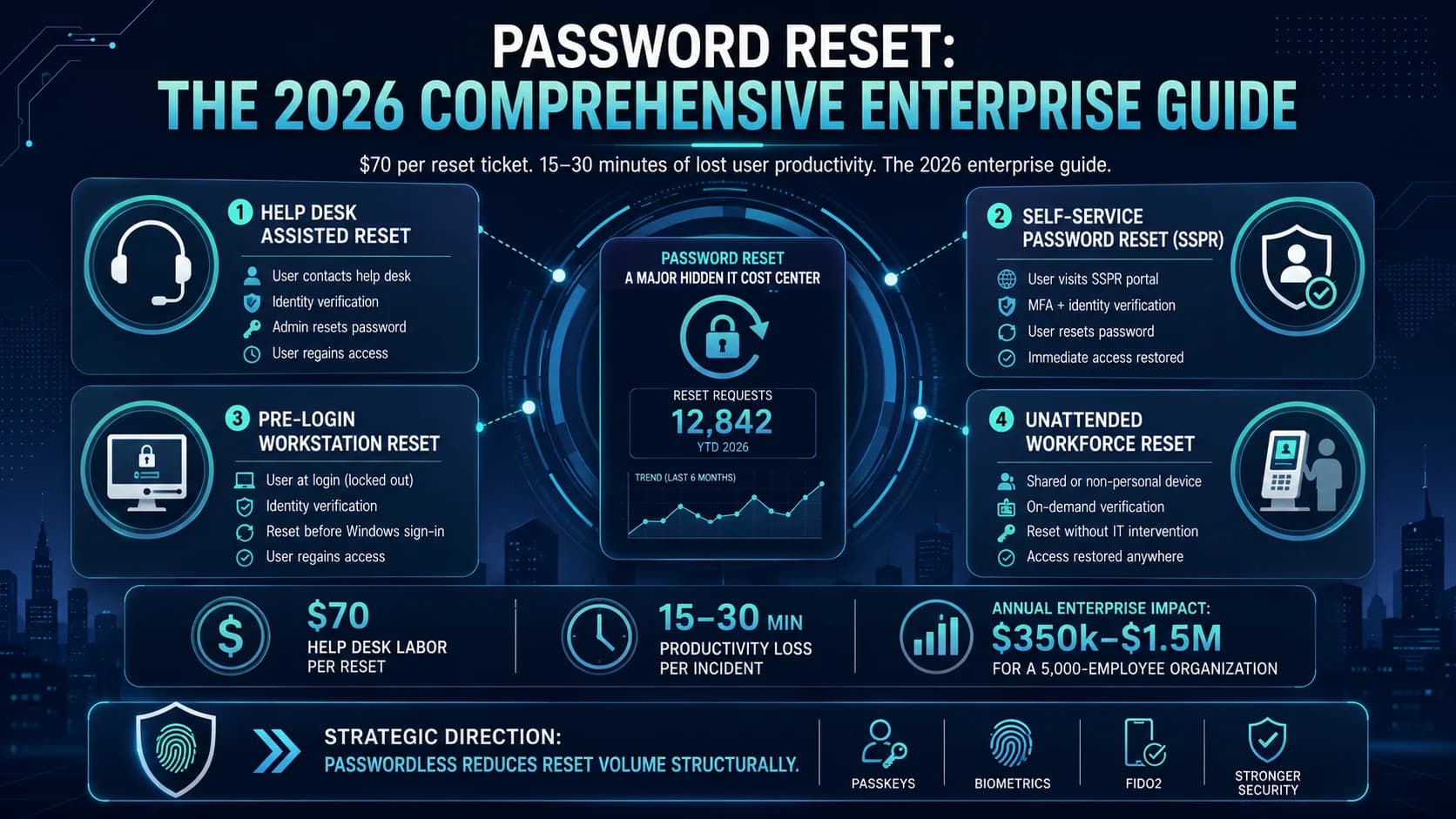
Enterprise password reset is one of the largest hidden cost centers in enterprise IT — help desk labor at $70 per reset ticket, workforce productivity losses at 15-30 minutes per user per incident, and the security surface every recovery flow creates. The 2026 comprehensive reference on the reset cost economics, the four workflow architectures, the compliance implications, the self-service reset (SSPR) discipline that reduces ticket volume 60-80%, and the passwordless migration path that eliminates the reset problem structurally.
- Enterprise password reset is one of the largest hidden cost centers in IT. Help desk labor at $70 per reset ticket (Gartner range, corroborated across audit engagements). Workforce productivity loss at 15-30 minutes per user per incident. Volume at 20-50% of workforce annually as the primary driver. Total annual cost for a 5,000-employee enterprise: $350k-$1.5M depending on volume, reset architecture, and process maturity.
- Four workflow architectures dominate 2026 enterprise deployments. Help desk assisted reset — the workforce calls help desk, gets identity verified, receives a temporary password or reset link. Self-service password reset (SSPR) — the workforce authenticates via secondary factor at a portal and resets independently. Pre-login reset — Windows domain workstation reset flows for users who can't log in at all. Unattended workforce reset — shared-station environments (manufacturing floor, contact center, healthcare bedside) where the reset workflow adapts to no-personal-device conditions.
- SSPR deployment reduces ticket volume 60-80% versus help-desk-only reset when properly configured. What proper configuration looks like — strong secondary-factor authentication at the portal (not knowledge-based questions which are trivially social-engineerable), coverage of the domain workstation pre-login case, workflow that handles frontline segments without smartphones, and audit-trail integration that satisfies SOX / PCI-DSS / HIPAA reset-event requirements.
- The compliance surface matters. SOX §404 requires reset flows to have documented identity verification and audit trail for financial-reporting-system access. PCI-DSS v4.0.1 requires reset flows to satisfy identity verification requirements before reset issuance. HIPAA §164.312 requires reset flows for ePHI-access systems to have documented verification. NIST 800-63B Rev. 4 explicitly downgraded knowledge-based verification and requires strong authenticator-based verification. The [SOX Compliance piece](/en/blog/sox-compliance-iam-access-controls-2026/), [PCI-DSS v4.0.1 piece](/en/blog/pci-dss-v4-access-control-requirements-2026/), and [HIPAA §164.312 piece](/en/blog/hipaa-section-164-312-access-controls-2026/) cover the specific requirements.
- The 2026 direction eliminates the reset problem structurally through passwordless authentication. Platform passkeys sync across the user's device fleet — device loss doesn't produce lockout because the passkey follows the user via iCloud Keychain / Google Password Manager / Microsoft Entra ID. Hardware FIDO2 keys carry their own recovery flows. Deviceless FIDO2 (Identity Challenge Card) eliminates smartphone dependency for frontline segments. Passwords move from the primary factor to legacy fallback. Reset volume drops toward zero as passwordless coverage expands.
Enterprise password reset is one of the largest hidden cost centers in enterprise IT. Every reset event carries help desk labor at ~$70 per ticket, workforce productivity loss at 15-30 minutes per user per incident, and volume at 20-50% of workforce annually for organizations without effective self-service. For a 5,000-employee enterprise, that's $350k-$1.5M in annual cost depending on volume, reset architecture, and process maturity. And every reset flow creates its own security surface — the credential-recovery layer is where credential-class quality flows through to actual security posture, and it's usually where the attacker breaks in.
This piece is the 2026 comprehensive enterprise reference on password reset. The cost economics that make reset a real IAM budget line item, the four workflow architectures that dominate 2026 deployments, the compliance implications under SOX / PCI-DSS / HIPAA / NIST 800-63B, the SSPR deployment discipline that reduces ticket volume 60-80%, and the passwordless migration path that eliminates the reset problem structurally. Companion pieces cover adjacent layers — the Enterprise IAM Cost Comparison piece covers the broader TCO frame; the Hidden Costs of Identity Management piece covers help desk cost as one of five hidden cost categories; the Phishing-Resistant MFA piece on ICC covers the credential-class architecture that reduces password dependency.
The reset cost economics
Three cost components compose the total password reset cost per enterprise.
Help desk labor cost per reset ticket. Gartner and enterprise audit ranges typically cite $70 per ticket for full-service help desk reset with identity verification, workflow overhead, and audit-trail documentation. Lower-cost models exist — basic knowledge-based verification without strong workflow can run $15-$30 per ticket — but these produce higher security surface and typically fail compliance requirements at regulated enterprises. Well-run help desks aim for consistent per-ticket cost across a documented process rather than optimizing for cheapest-per-ticket at the expense of security posture.
Workforce productivity loss per incident. 15-30 minutes per user per reset event covers the wait time for help desk pickup, identity verification interaction, and post-reset re-authentication to all in-scope systems. This is the actual user-time cost, often larger than the help desk cost. At a fully-loaded $40-$60 workforce hour, 25 minutes is $17-$25 per incident.
Opportunity cost of help desk labor. Help desk staff time spent on password resets isn't spent on higher-value work — infrastructure incidents, IAM workflow optimization, user training, or documentation. Enterprises with high reset volume often have help desk teams effectively staffed for reset volume rather than for strategic support functions.
The composed annual cost. A 5,000-employee enterprise with 30% annual reset volume (mid-range) is 1,500 reset tickets annually. At $70 per ticket, that's $105k in help desk cost. Add workforce productivity at $20 per incident × 1,500 = $30k. Total direct annual cost: ~$135k for the mid-range profile.
High-volume or high-cost profiles push into the $350k-$1.5M range. Volume drivers: workforce turnover, complex password policies, multiple credential silos requiring separate resets, seasonal populations (retail, contractors), and lack of SSPR coverage. Cost drivers: help desk labor rates in higher-cost geographies, workflow overhead requirements at regulated enterprises, and audit-trail integration complexity.
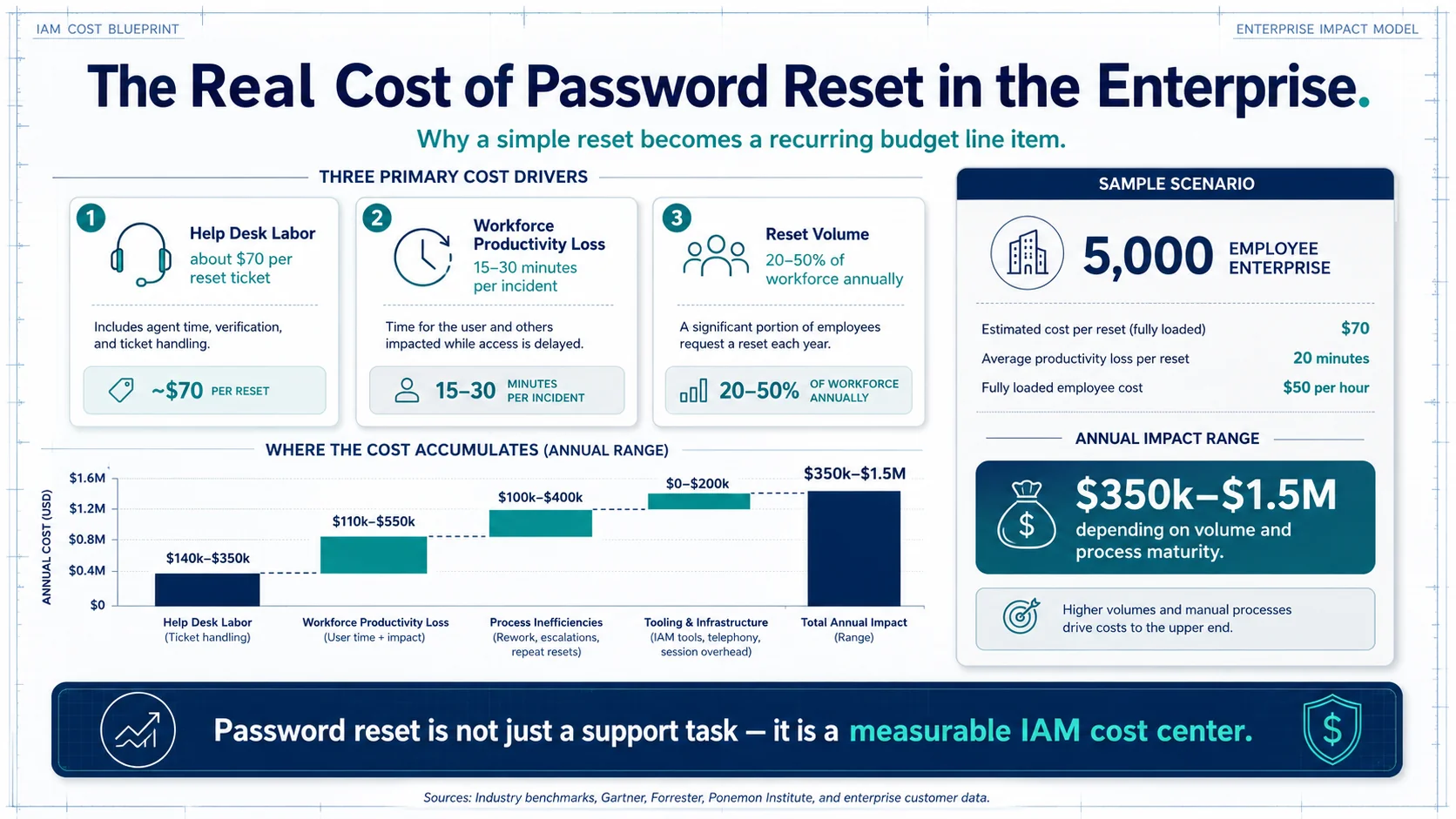 The three-component cost model. For typical enterprise profiles, $135k-$1.5M annual cost depending on scale and process maturity — real budget worth the SSPR and passwordless investment that reduces it.
The four workflow architectures
Four password reset workflow architectures dominate 2026 enterprise deployments. Mature enterprises typically deploy all four — no single architecture covers all workforce segments efficiently.
Architecture 1: Help desk assisted reset. The workforce user calls the help desk, gets identity verified through documented workflow, receives a temporary password or reset link. Identity verification patterns include out-of-band callback to a phone number in HRIS records, in-person verification for high-value accounts, government-ID verification for elevated cases, and manager verification for specific role populations. Highest cost per ticket ($70+) but often required for privileged accounts, executive accounts, and high-value cases where SSPR alone doesn't provide sufficient assurance.
When to use: privileged accounts, executive accounts, situations where the user's SSPR factors are unavailable (device lost, biometric enrolled on lost device, hardware key lost), high-assurance recovery cases.
Architecture 2: Self-service password reset (SSPR). The workforce user authenticates at a self-service portal using a secondary factor and resets independently. This is the modern mainstream for the majority of workforce reset volume. When properly configured (strong secondary-factor authentication, not knowledge-based questions), SSPR reduces help desk reset volume 60-80% versus help-desk-only.
When to use: the mainstream workforce reset volume — users with smartphones enrolled with mobile biometric, hardware key holders, users with out-of-band tokens.
Architecture 3: Pre-login reset. Windows domain workstation flow for users who can't log in at all. Runs before the user has authenticated to the workstation, typically via a Windows CredentialProvider that surfaces the reset flow at the login screen. Covers the "user forgot password and needs to log in to their workstation" case which SSPR portal approaches don't handle — the user can't get to the SSPR portal if they can't log in to the workstation.
When to use: domain-joined Windows environments where users need to reset from the login screen. Pre-login reset is a specific technical capability distinct from SSPR portal reset.
Architecture 4: Unattended workforce reset. Shared-station environments (manufacturing floor, contact center, healthcare bedside, defense classified environments) where the reset workflow adapts to no-personal-device conditions. The user doesn't have a personal smartphone available for mobile biometric SSPR; the shared workstation is accessed by multiple users; the reset workflow needs to work at the shared station.
The Identity Challenge Card provides the deviceless authentication that these environments require — the card carries the FIDO2 credential; the user taps the card at the reader; the reset workflow authenticates against the card-carried credential. This is a fundamentally different authentication pattern from smartphone-dependent SSPR and covers workforce segments where SSPR portal approaches don't work.
When to use: frontline workforce segments where smartphones aren't operationally available or personal devices aren't allowed.
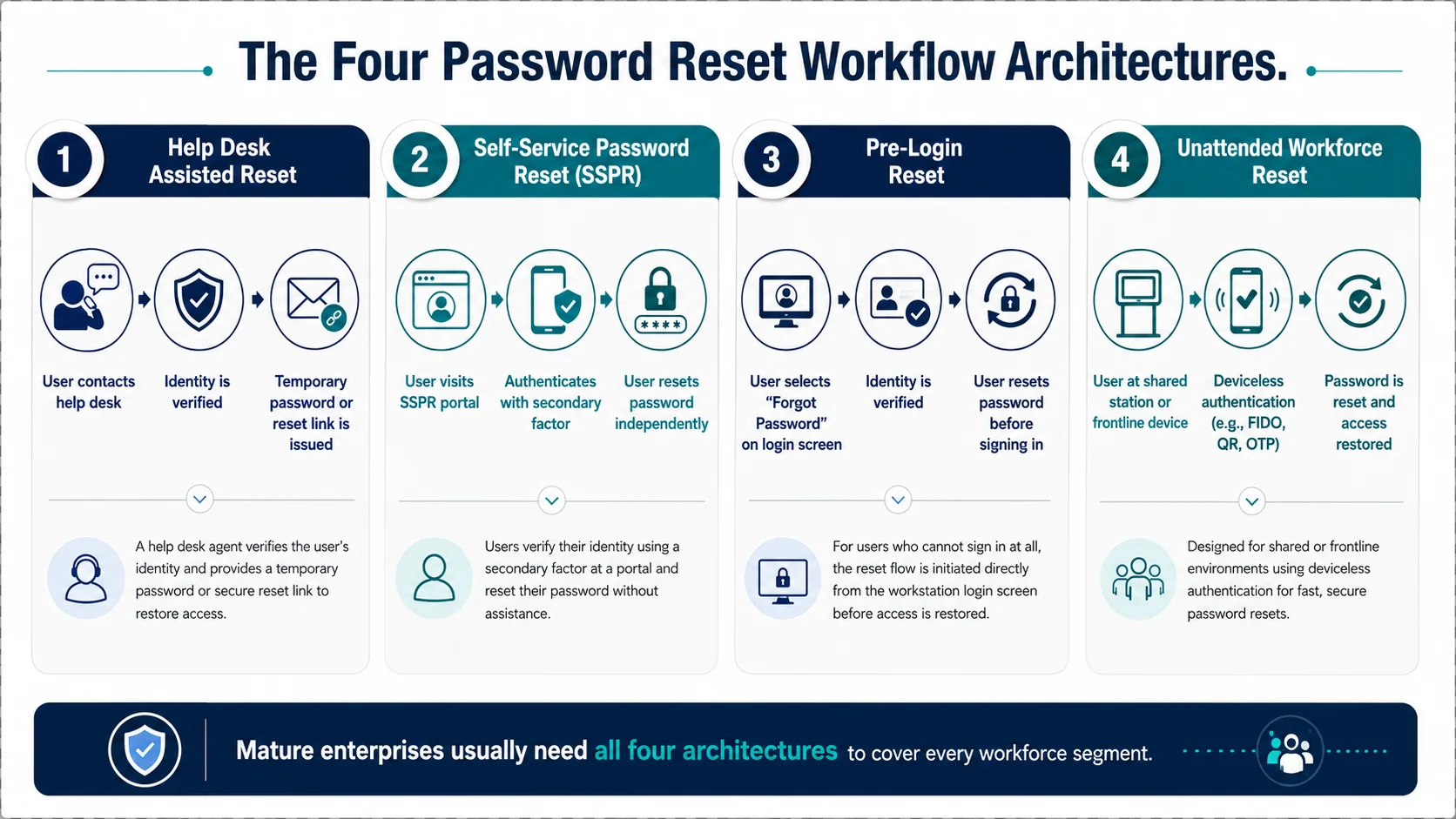 Four architectures. Every mature enterprise deploys all four — no single architecture covers all workforce segments efficiently. The composition determines the actual reset-workflow coverage across the workforce.
SSPR deployment discipline
Well-configured SSPR reduces help desk reset volume 60-80% while maintaining or improving the security posture. Poorly configured SSPR reduces volume but produces new security surface. Five configuration elements determine effectiveness.
Configuration 1: Strong secondary-factor authentication. NIST 800-63B Rev. 4 explicitly downgraded knowledge-based verification (security questions like "mother's maiden name," "first pet," "high school mascot") because the answers are trivially derivable from public information, prior data breaches, or social engineering. Modern SSPR uses mobile biometric (Face ID, Touch ID, Windows Hello for Business, Android biometric), hardware FIDO2 keys, or out-of-band tokens as the reset-authentication factor. The Biometric Authentication Mobile Devices piece on ICC covers the mobile biometric authentication architecture; the Hardware FIDO2 vs Passkeys piece on ICC covers hardware credential architecture.
Configuration 2: Domain workstation pre-login coverage. SSPR portal approaches don't help users who can't log in to their workstation to reach the portal. Pre-login reset flows (Architecture 3 above) fill this gap. Well-designed SSPR programs pair portal-based reset with pre-login reset for Windows domain environments so the reset workflow works whether the user is logged in or not.
Configuration 3: Frontline segment coverage. SSPR that assumes every user has a smartphone with enrolled biometric leaves frontline segments (manufacturing floor, contact center, healthcare bedside, defense classified) without functional reset. The deviceless authentication path via Identity Challenge Card covers these segments. Programs that don't address frontline segments produce SSPR "success" metrics that mask real workflow gaps for specific workforce populations.
Configuration 4: Audit-trail integration. Every reset event produces documented identity verification and audit trail for downstream compliance reporting. SOX §404 reviewers, PCI-DSS auditors, and HIPAA §164.312 auditors all consume reset-event audit trail as evidence of control operation. Well-designed SSPR integrates with the enterprise IAM audit-log infrastructure so reset events are queryable, reportable, and defensible.
Configuration 5: Rate-limiting and abuse detection. The SSPR flow itself is an attack surface. Attackers with harvested credentials probe SSPR flows for social-engineering signals, weak verification bypasses, and volumetric abuse. Well-designed SSPR includes rate-limiting per user, per IP, and per session; abuse-pattern detection; and integration with ITDR (ITDR piece) for behavioral threat detection at the reset layer.
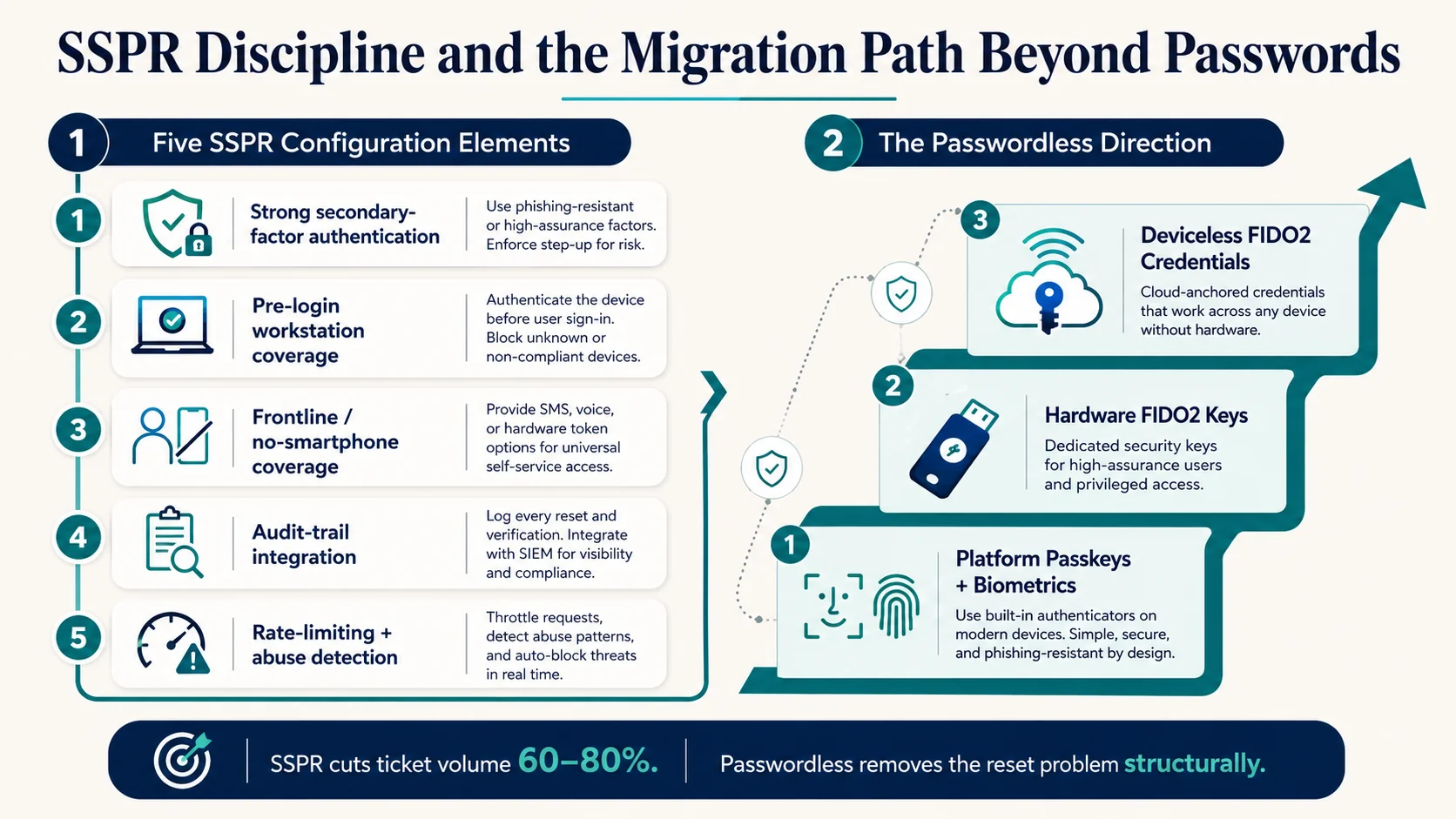 Five configuration elements. Missing any one produces either compromised security posture or reduced ticket-volume savings. Well-configured SSPR is the operational lever that moves the reset economics meaningfully.
The compliance surface
Four compliance frameworks produce specific reset-flow requirements for regulated enterprises. Understanding the requirements is what makes reset workflow modernization defensible to audit reviewers.
SOX §404. Reset flows for financial reporting system access require documented identity verification and audit trail. PCAOB audit findings routinely surface reset-flow weaknesses in financial systems — cases where reset flows lacked documented verification, where the audit trail was incomplete, where the reset workflow bypassed the standard identity-governance discipline. The SOX Compliance piece covers finance-system access-control requirements in depth.
PCI-DSS v4.0.1. Requirements 7 (Restrict Access) and 8 (Identify and Authenticate) cover reset flows for card-data environment access. Reset flows must satisfy identity verification requirements before reset issuance; the requirements specifically address strong authentication factors for reset. The PCI-DSS v4.0.1 piece covers the specific requirements and the alignment between reset workflow and Requirement 8.
HIPAA §164.312. Reset flows for ePHI-access systems require documented verification and audit trail. HHS enforcement actions have specifically cited weak reset flows in breach investigations — cases where knowledge-based verification was social-engineered to gain ePHI access. The HIPAA §164.312 piece covers healthcare-specific access control requirements.
NIST 800-63B Rev. 4. The federal standard for authentication assurance levels explicitly downgraded knowledge-based verification and requires strong authenticator-based verification for reset flows at meaningful assurance levels. Federal-adjacent and defense-industry deployments must align with NIST 800-63B; commercial deployments benefit from the same discipline even without the compliance requirement.
Regulated enterprises use these framework requirements to justify SSPR investment and reset-workflow modernization. Unregulated enterprises benefit from the same discipline even without the compliance requirement — the security posture is simply better.
The passwordless direction
The 2026 direction eliminates the reset problem structurally through passwordless authentication. This is a longer-horizon architectural shift, but it's where mature enterprise IAM programs are moving.
Platform passkeys sync across the user's device fleet. iCloud Keychain for Apple ecosystems, Google Password Manager for Android/Chrome, Microsoft Entra ID for Windows-centric environments, third-party credential managers (1Password, Bitwarden, Dashlane) that bridge ecosystems. Device loss doesn't produce lockout because the passkey follows the user across the fleet. Reset volume for platform passkey users approaches zero.
Hardware FIDO2 keys carry their own recovery flows. Enterprise deployments issue backup hardware keys for high-value accounts; loss of the primary key doesn't produce full lockout. Recovery is a documented workflow, not a reset event.
Deviceless FIDO2 (Identity Challenge Card) eliminates smartphone dependency for frontline segments. The card carries the FIDO2 credential; loss of the card triggers a documented replacement workflow rather than a password-reset event.
Passwords move from primary factor to legacy fallback. Reset volume drops toward zero as passwordless coverage expands. Compliance flows still require documented reset-workflow for the residual password-dependent systems, but the workforce-scale reset volume shrinks meaningfully.
The Passkey Deployment Playbook piece on ICC covers the enterprise passwordless migration path; the Phishing-Resistant MFA piece on ICC covers the credential-class architecture.
The 2026 reference path
Understand the reset cost economics. Enterprise password reset at $70 per ticket + 15-30 minutes workforce productivity per incident + volume at 20-50% of workforce annually produces $350k-$1.5M annual cost for typical enterprises. This is real budget worth optimizing.
Deploy all four workflow architectures. Help desk assisted reset for privileged and high-assurance cases. Self-service password reset (SSPR) for the mainstream workforce with modern MFA factors. Pre-login reset for Windows domain environments. Unattended workforce reset via Identity Challenge Card for frontline segments.
Configure SSPR with the five-element discipline. Strong secondary-factor authentication (not knowledge-based questions). Domain workstation pre-login coverage. Frontline segment coverage. Audit-trail integration. Rate-limiting and abuse detection.
Align with compliance frameworks. SOX §404 for financial reporting systems. PCI-DSS v4.0.1 for card-data environments. HIPAA §164.312 for ePHI systems. NIST 800-63B Rev. 4 for federal-adjacent deployments.
Progress toward passwordless as the structural solution. Platform passkeys + biometric on managed devices. Hardware FIDO2 for step-up. Identity Challenge Card for deviceless segments. Reset volume drops as passwordless coverage expands.
Point auditors at the Trust Center for Avatier's own posture. The Avatier Trust Center with the SecurityScorecard grade view — SOC 2 Type II with zero exceptions, ISO/IEC 27001:2022, PCI DSS v4.0.1, CSA STAR Level 1, NIST 800-53 Rev. 5 aligned, CISA Secure-by-Design Pledge signatory.
ABOUT THE AUTHOR

More from Pillar 4: Login Reset
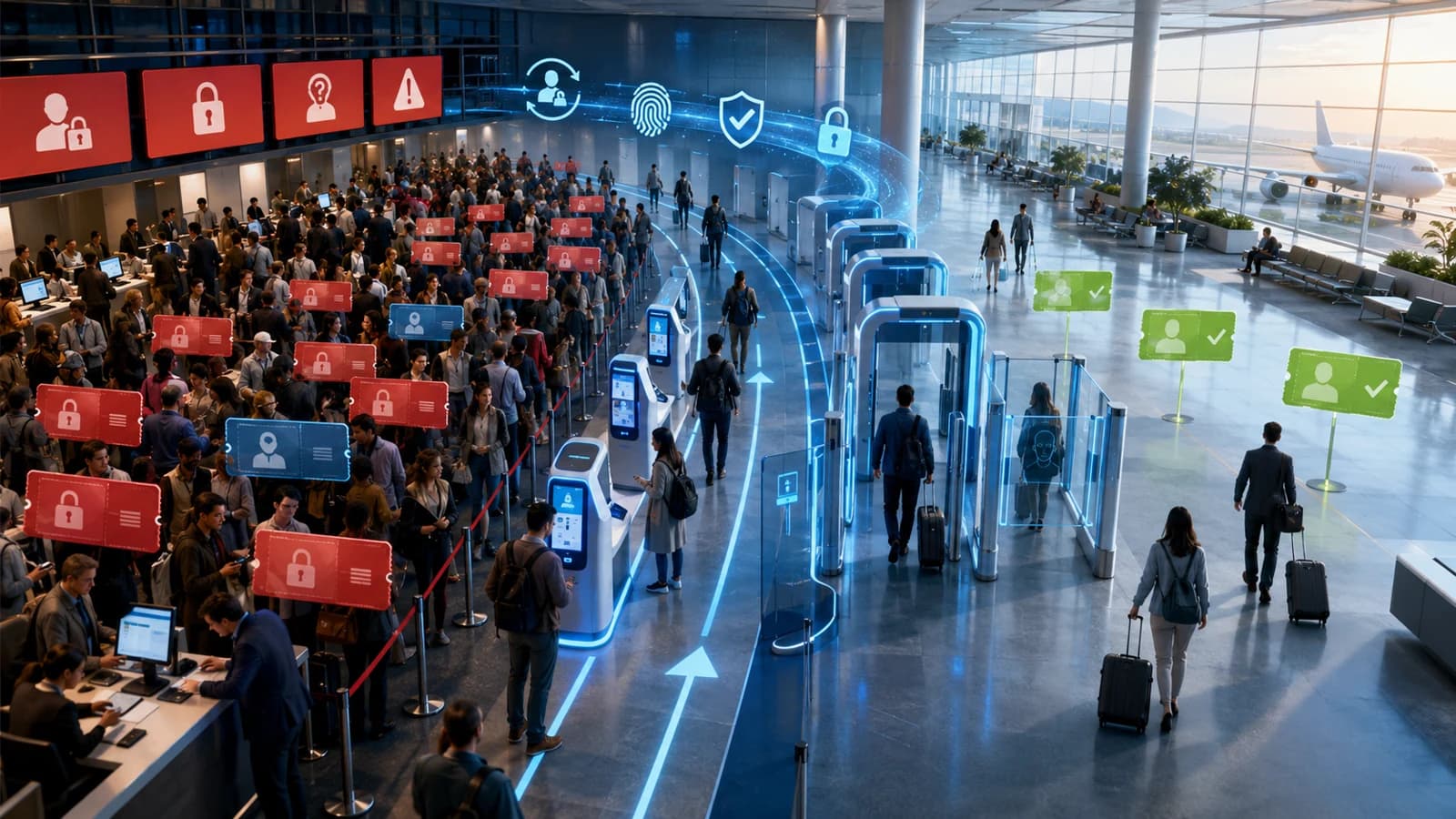
Help-Desk KPIs & Reducing Password-Reset Tickets (2026)
Password resets are usually the single largest category of help-desk contacts — and the most reducible. This 2026 update covers the help-desk KPIs that actually matter for identity and password support, how to baseline them, and the specific levers — self-service reset, password synchronization, MFA-verified reset, and passwordless — that cut reset ticket volume and cost. Plus the hardened path for the tickets that remain, and an honest look at what the KPIs do not tell you.
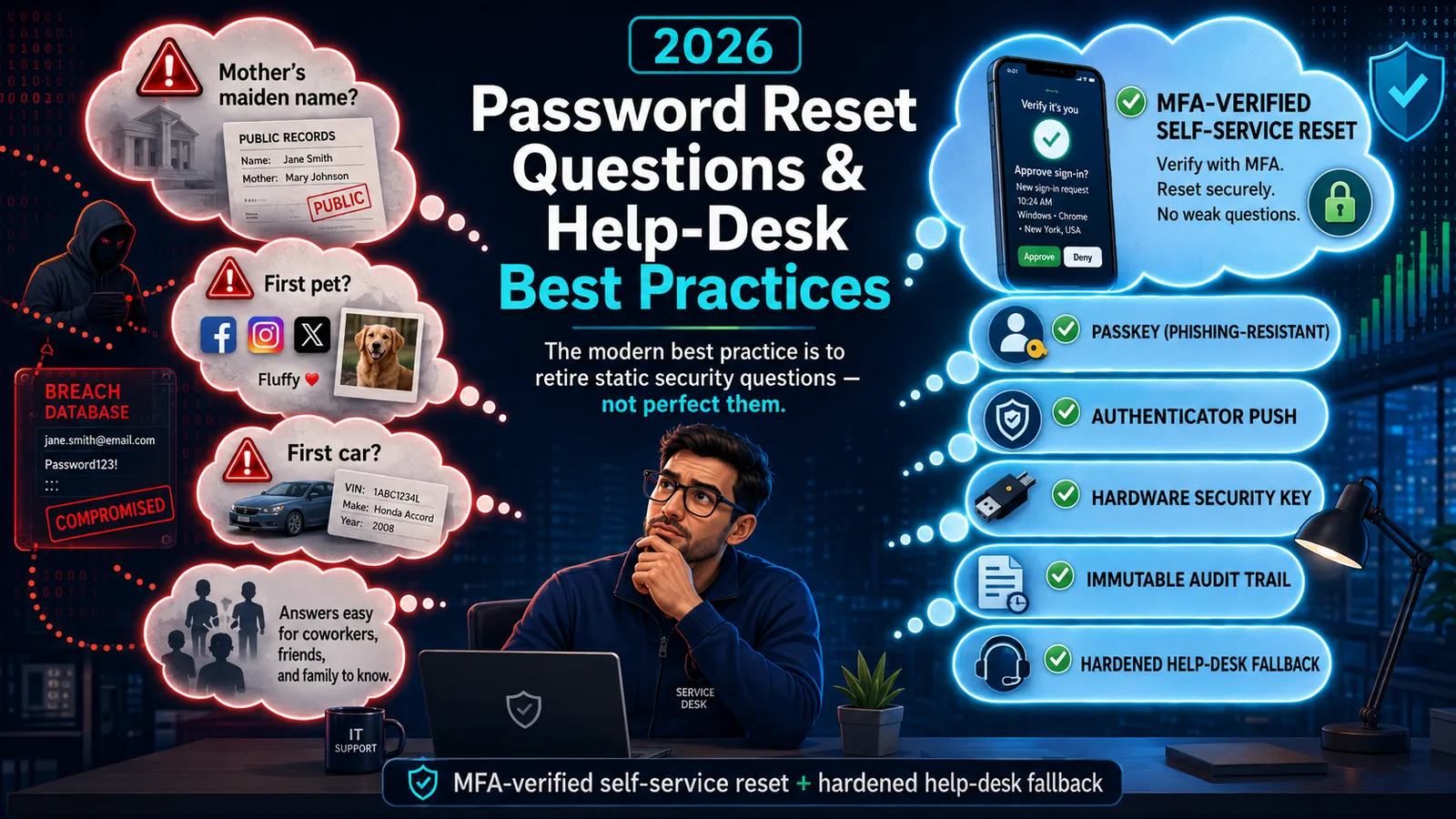
Password Reset Questions & Help-Desk Best Practices (2026)
Static security questions are the weakest link in password reset — OSINT-discoverable, shared, and breach-exposed. The 2026 best practice: retire them for MFA-verified self-service reset.
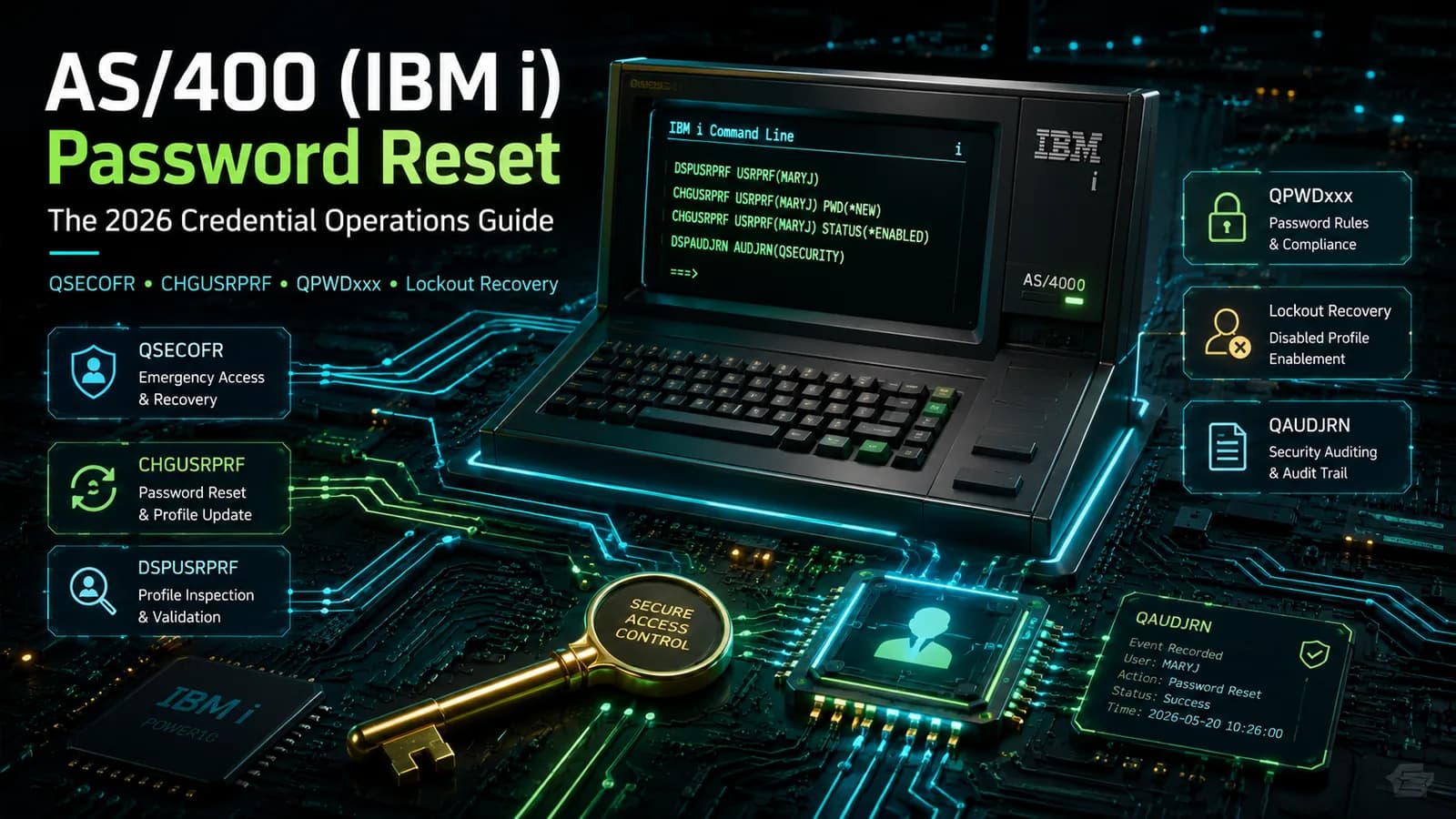
AS/400 (IBM i) Password Reset: The 2026 Credential Operations Guide
How password reset works on AS/400 (IBM i) — QSECOFR, user profiles, CHGUSRPRF, the QPWDxxx system values, disabled-profile recovery, and the hardening that keeps reset from becoming the weakest link.