Self-Service Password Management: The 2026 Expert Guide
Self-service password management lets workforce users reset and recover their own credentials through a verified, audited workflow instead of a help-desk call. This 2026 expert guide is the orienting evaluation lens — what the category actually is, what 'good' looks like, the questions to ask when you evaluate it, and the failure modes to screen for — with deployment mechanics, general how-to, and vendor comparison handled in dedicated companion pieces.

Self-service password management lets workforce users reset and recover their own credentials through a verified, audited workflow instead of a help-desk call. This 2026 expert guide is the orienting evaluation lens — what the category actually is, what 'good' looks like, the questions to ask when you evaluate it, and the failure modes to screen for — with deployment mechanics, general how-to, and vendor comparison handled in dedicated companion pieces.
- Self-service password management (SSPM) is the capability that lets workforce users reset, recover, unlock, and synchronize their own credentials through an identity-verified, audited workflow — without a help-desk call. This guide is the orienting evaluation lens, not a deployment runbook: the deeper how-to, deployment architecture, and vendor comparison live in dedicated companion pieces.
- The category exists because help-desk-assisted reset is expensive and slow. The loaded labor cost of a reset ticket, multiplied across enterprise-scale volume, is the budget that funds SSPM — but the economics only land when adoption is real and verification is strong. A portal nobody enrolls in saves nothing.
- What 'good' looks like is measurable: high enrollment, high self-service completion (deflection), strong non-knowledge-based verification, coverage across the awkward workforce segments (locked-out domain workstations, smartphone-unavailable frontline staff), and an audit trail that survives a SOX / PCI-DSS / HIPAA review. Weak SSPM reduces tickets while quietly becoming an account-takeover surface.
- Evaluate SSPM against five judgment questions: How is identity verified at reset? Which workforce segments actually get coverage? Is every reset event audit-logged to a compliance-grade trail? How is the reset flow itself protected from abuse? And does it compose with your policy, lifecycle, and passwordless roadmap rather than becoming a governance island?
- Screen out the anti-patterns: security-question 'verification,' SMS-OTP as a primary factor, portal-only coverage that strands locked-out and deviceless users, and reset workflows with no rate-limiting or anomaly detection. In 2026 the strategic direction is fewer passwords overall — SSPM is the disciplined fallback for the credentials that remain while passwordless expands.
Self-service password management is the capability that lets workforce users reset a forgotten password, recover a locked account, unlock a workstation, and synchronize a new credential across connected systems on their own — through a workflow that verifies their identity with a trusted factor first and records every event to an audit trail. It replaces the help-desk-assisted reset, where an agent verifies identity by hand and performs the reset. You evaluate it on four things: how strongly identity is verified at the reset moment, which workforce segments actually get coverage, whether every reset produces a compliance-grade audit record, and how well the flow resists abuse. This guide is the orienting expert lens on all four.
It is the 2026 refresh of an earlier Avatier article (the original is preserved here), rewritten to separate the evaluation judgment from the mechanics. The deeper operational how-to, the deployment architecture, and the vendor comparison now live in dedicated companion pieces — the Password Reset Comprehensive Guide, the Self-Service Password Reset Enterprise Deployment reference, and the Best Enterprise Password Management Software buyer's guide. This piece is the layer above them: what the category is, what good looks like, and the questions to ask before you design, deploy, or shortlist.
What self-service password management actually is
Strip away the marketing and the capability is narrow and specific. Self-service password management (SSPM) covers a single moment in the credential lifecycle — the moment a user can't get in and needs to re-establish access — and it covers that moment without a human agent in the loop. Four operations sit inside it: reset (set a new password after forgetting the old one), recover (regain access to a locked or disabled account), unlock (clear a lockout without changing the password), and synchronize (push the new credential to every connected directory and application so the user isn't left with mismatched passwords across systems).
What makes it "self-service" is that the user drives it. What makes it trustworthy is that the workflow, not a rushed phone call, performs the identity verification. A good SSPM workflow verifies identity more consistently than an agent under queue pressure ever could, and it does so the same way every time — which is exactly what a compliance auditor wants to see. So SSPM is best understood not as "a password portal" but as a governed, repeatable verification-and-reset process that happens to be user-initiated.
It is worth being precise about the boundary. SSPM is not credential vaulting (the day-to-day secure storage of passwords), it is not single sign-on (which reduces how many passwords exist), and it is not privileged access management (which governs the smaller, higher-impact privileged population). Those are adjacent capabilities that a full password-management platform may also provide. SSPM is specifically the reset, recovery, unlock, and synchronization capability — and this guide keeps that scope tight on purpose.
Why the category exists
The plain reason is cost and speed. Help-desk-assisted password reset is one of the most expensive routine transactions in enterprise IT: each ticket carries a significant loaded help-desk labor cost, and reset volume typically runs a meaningful fraction of the workforce every year — driven by password-policy complexity, the number of separate credential silos a user juggles, and workforce turnover. Multiply those together and password reset becomes a substantial annual line item for a mid-to-large enterprise, before counting the productivity lost while employees sit locked out waiting on the queue.
SSPM is the lever that moves that number. When a user completes the reset themselves, there is no agent labor and no queue wait — the cost of that reset event effectively goes to zero. Well-run programs commonly cut reset-ticket volume by 60 to 80 percent, and that reduction is the budget that funds the capability in the first place. The Password Help Desk Cost Analysis piece works the economics in detail, and Reducing Help Desk Password Tickets covers the levers that actually move deflection.
But the economics only materialize under two conditions, and this is the part buyers most often miss. First, adoption has to be real — a portal that only 30 percent of the workforce has enrolled in deflects only a fraction of the volume, and the rest still lands on the help desk. Second, verification has to be strong — deflection bought with weak identity checks is not savings, it is risk moved off the ledger where finance can see it and onto the ledger where the security team eventually pays. A genuine SSPM win is high deflection and strong verification at the same time. Either one alone is a false economy.
What "good" looks like
A well-run SSPM program is legible in its numbers and its design. Start with the outcome metrics. Enrollment rate — the share of the eligible workforce actually registered with a usable verification factor — is the leading indicator; nothing else works until this is high. Self-service completion, or deflection rate, is the headline outcome — the share of reset events users finish without touching the help desk. Time-to-reset measures how long a user stays locked out, which is where the hidden productivity cost lives. And verification-integrity signals — abuse attempts blocked, anomalous reset patterns flagged, audit-trail completeness — tell you whether the deflection is honest.
Underneath the metrics, a good program shares a design shape. The user proves who they are with a modern authenticator, chooses a reset channel, sets a new password that satisfies the same policy the login path enforces, and the new credential synchronizes across connected systems — with the whole sequence written to an audit trail.
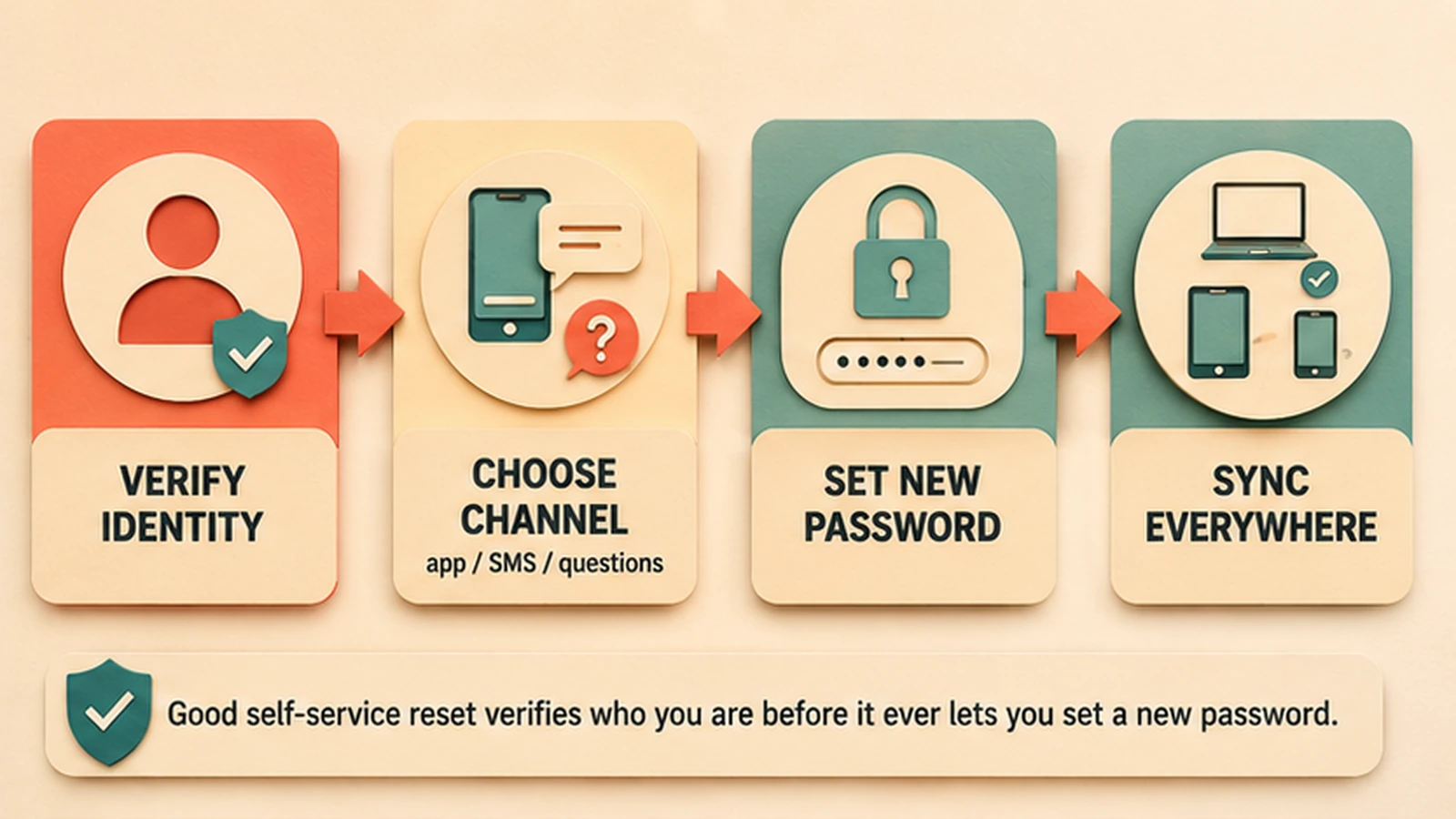 A well-formed reset flow: verify identity, choose a channel, set a new policy-compliant password, and synchronize across connected systems — every step recorded.
The tell of a mature program is that it handles the awkward cases, not just the easy demo path. The easy case is a logged-in user who forgot one application password and can complete a reset from a working second device. The hard cases are the ones that actually generate the expensive tickets: the employee locked out of their domain-joined Windows workstation who can't even reach a browser to open the portal, and the frontline worker — manufacturing floor, contact center, healthcare bedside — who has no enrolled smartphone to receive a push. A program that quietly strands those users looks good in a metrics summary while the help desk still fields every genuinely hard reset. What "good" looks like is coverage that reaches those segments too; the deployment reference covers the specific architecture that extends coverage to them.
The five evaluation questions
When you assess a solution — whether you are buying new, replacing an incumbent, or auditing what you already run — put it against five questions. These are the judgment lens; the deployment reference turns them into configuration.
One: How is identity verified at the reset moment? This is the single most important question, because the reset flow is the one place an attacker can turn "I forgot my password" into "I now control this account." Look for authenticator-based verification — mobile biometric via out-of-band push, hardware FIDO2 keys, or out-of-band tokens. Screen hard against knowledge-based security questions, which NIST 800-63B Rev. 4 downgraded precisely because the answers are derivable from breaches and public records, and against SMS-OTP as a primary factor.
Two: Which workforce segments actually get coverage? Ask the vendor to walk the locked-out-workstation case and the no-smartphone frontline case explicitly, not the happy path. Portal-only coverage is a real limitation dressed up as a complete solution.
Three: Is every reset event audit-logged to a compliance-grade trail? Each reset should produce a tamper-evident record of who reset what, when, how identity was verified, and from where — flowing into your IAM audit infrastructure and SIEM. This is what a SOX §404, PCI-DSS v4.0.1, or HIPAA §164.312 reviewer will ask to see.
Four: How is the reset flow itself protected from abuse? The workflow is an attack surface. Look for rate-limiting per user, per IP, and per session, plus anomaly detection on reset patterns. A reset endpoint with no throttling is an invitation.
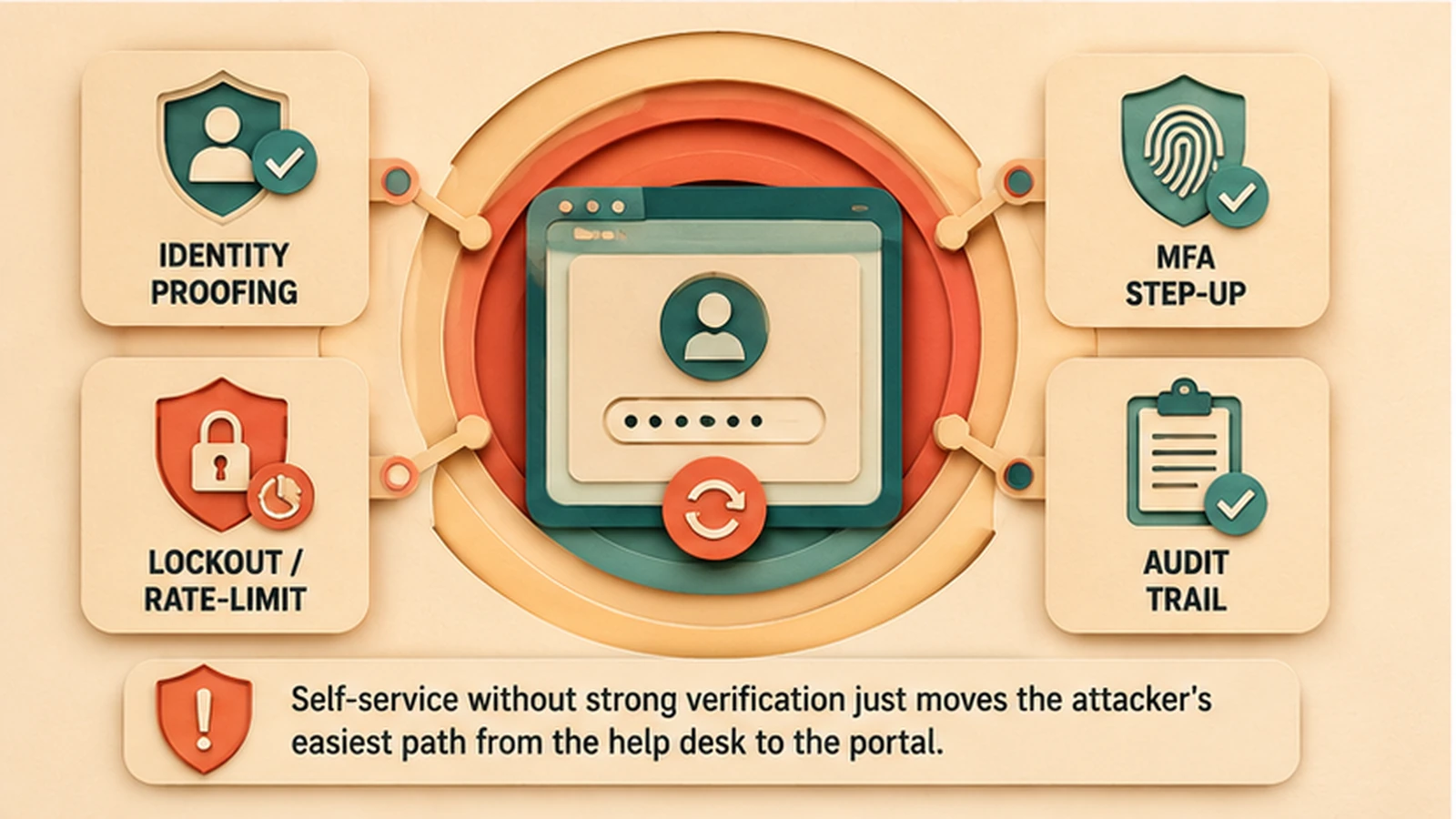 The security controls that separate a hardened reset flow from an account-takeover surface: identity proofing, step-up verification, lockout and rate-limiting, and audit logging.
Five: Does it compose with the rest of your identity program? SSPM that doesn't honor your password policy, doesn't tie into your joiner/mover/leaver lifecycle, and doesn't fit your passwordless roadmap becomes a governance island — another console, another audit scope, another set of accounts to reconcile. Evaluate reset alongside password policy, lifecycle, and passwordless so the pieces reinforce rather than duplicate one another.
Anti-patterns to screen out
Some designs fail predictably. The most common is verification theater — a reset flow gated by security questions or SMS-OTP that technically deflects tickets while functionally lowering the bar for account takeover. If a demo leans on "what was your first car," treat it as a red flag, not a feature.
The second is the coverage mirage. A solution demos beautifully for the logged-in-on-a-second-device case and never once shows you a user locked out at the Windows login screen or a frontline worker with no phone. Those are the cases that generate the costly tickets, so a solution that omits them isn't saving what it claims.
The third is the silent audit gap. Resets succeed, users are happy, tickets drop — and there is no compliance-grade record of any of it. This one doesn't announce itself as a breach; it announces itself as an audit finding, usually at the worst possible time. Insist on seeing the actual log output a reset produces.
The fourth is the unguarded endpoint. No rate-limiting, no anomaly detection, no lockout on repeated attempts. An SSPM flow without these is a credential-stuffing target wearing a convenience label. Screening these four out is most of the work of a good evaluation; the rest is confirming the metrics that prove adoption and deflection are real.
Driving adoption, not just deploying a portal
A capability nobody uses saves nothing, so the last dimension of a good program is adoption, and it is worth evaluating a solution's adoption ergonomics as seriously as its security. Enrollment should be low-friction and, where possible, tied to an event users already go through — onboarding, an annual security refresh, a device setup — rather than left as an optional chore. The verification factors offered should match the devices the workforce actually carries; if half the frontline has no smartphone, a mobile-push-only enrollment path guarantees a coverage gap. And the reset experience itself should be fast and obvious enough that a locked-out user reaches for it before reaching for the phone.
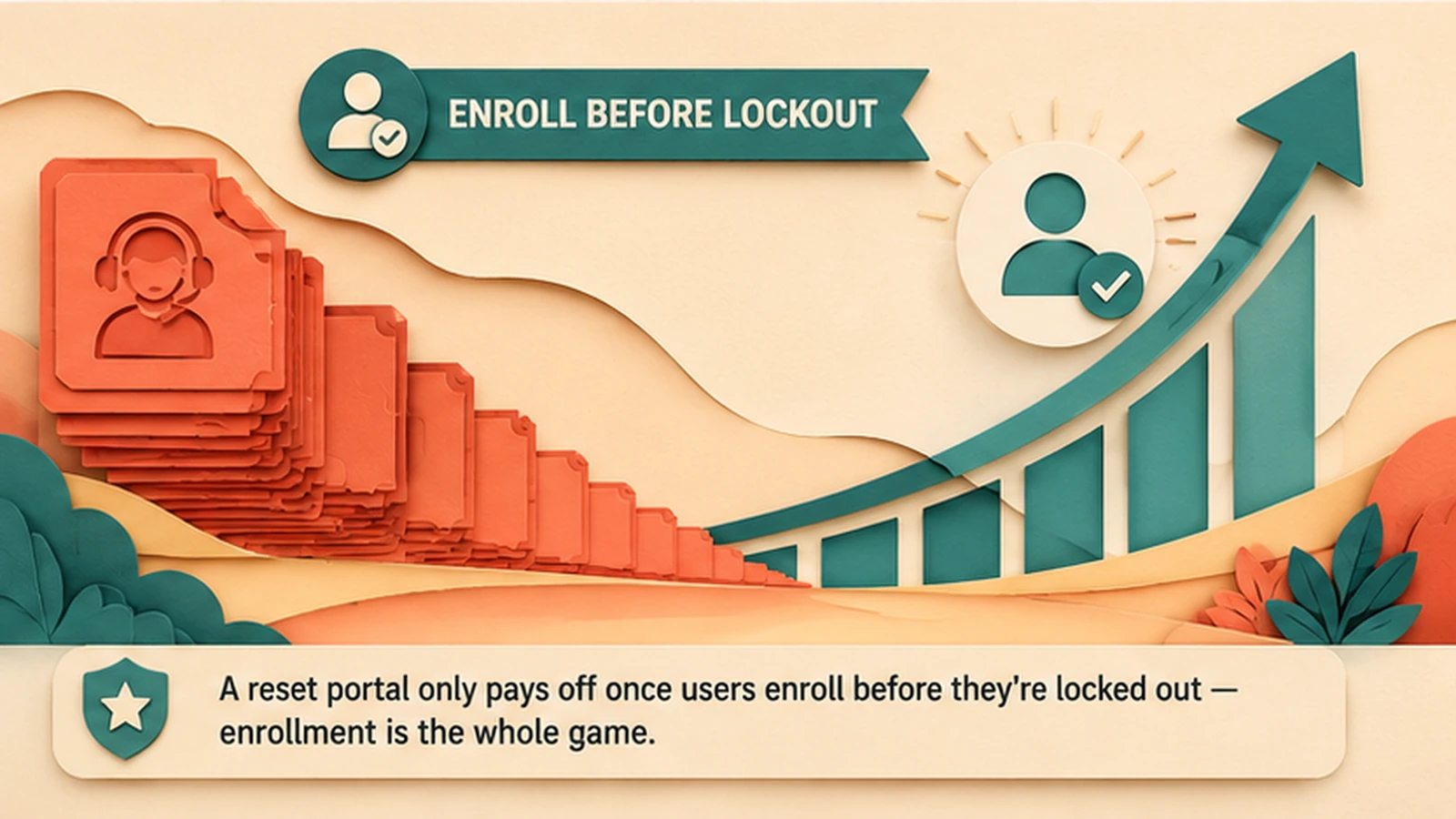 Adoption is the whole game: enrollment on the left feeds help-desk deflection on the right. High enrollment with matched verification factors is what turns SSPM into savings.
Measure adoption continuously, not once at launch. Enrollment rate and deflection rate should trend up together; if enrollment climbs but deflection lags, the reset experience or the coverage has a gap worth investigating. Reducing Help Desk Password Tickets covers the specific levers — enrollment campaigns, factor choice, and workflow placement — that move these numbers.
Where SSPM sits in a 2026 identity program
Self-service password management is a fallback capability, and the healthiest way to think about it in 2026 is that the goal is to need it less. The strategic direction across the industry is to move primary workforce authentication off passwords entirely — platform passkeys and biometric on managed devices, Windows Hello for Business on Windows workstations, hardware keys for privileged step-up, and deviceless FIDO2 for the smartphone-unavailable segments. Every credential that moves to passwordless is a credential that never generates a reset.
But passwordless migration is a multi-year program, and most enterprises are years from completing it across the full workforce surface. Legacy applications that predate FIDO2, contractor populations on unmanaged devices, and the long tail of SaaS that hasn't adopted modern federation all still depend on passwords. SSPM is the disciplined fallback for that residual surface — and it should be evaluated together with the passwordless roadmap so the two reinforce each other. As passwordless coverage expands, reset volume shrinks structurally, which is a far better outcome than simply making a growing reset problem cheaper to service.
What Avatier ships toward this pattern
Avatier's approach to self-service password management is built around the same evaluation lens this guide describes. Password reset, recovery, unlock, and synchronization run through a governed self-service workflow that verifies identity with modern authenticators — mobile biometric via out-of-band push, hardware FIDO2 keys, or out-of-band tokens — rather than knowledge-based questions, and the new credential synchronizes across connected directories and applications so the user isn't left with mismatched passwords. Coverage is designed to reach the awkward segments as well as the easy ones: the self-service portal for users on a working device, pre-login reset for the locked-out domain-joined workstation case, and FIDO2-compatible deviceless authentication for smartphone-unavailable frontline segments. Every reset event produces an audit record, and the reset flow carries rate-limiting and abuse detection because the workflow is treated as an attack surface, not a convenience.
On the assurance side, the Avatier Trust Center publishes the compliance posture buyers should verify for themselves: SOC 2 Type II with zero exceptions, ISO/IEC 27001:2022, PCI DSS v4.0.1, CSA STAR Level 1, NIST 800-53 Rev. 5 aligned, FedRAMP-aligned, and CISA Secure-by-Design Pledge signatory. The intent is that a reset capability composes with the broader identity program — password policy, joiner/mover/leaver lifecycle, and the passwordless roadmap — rather than standing up another governance island. For the deeper design detail, the deployment reference covers the architecture, and the buyer's guide covers how the broader password-management category compares.
The honest closing
Self-service password management is not a hard capability to buy and not a hard capability to demo — which is exactly why it is easy to get wrong. Almost any solution will reduce reset tickets on the happy path. The difference between a program that genuinely helps and one that quietly accrues risk lives in the details this guide has walked: whether verification is strong or theatrical, whether coverage reaches the hard cases or only the easy ones, whether every reset leaves an audit-grade record, whether the flow resists abuse, and whether adoption is real enough to make the economics true.
None of that is exotic. It is a matter of asking the five evaluation questions honestly, screening out the four anti-patterns deliberately, and measuring enrollment and deflection together rather than celebrating one in isolation. Do that, and self-service password management becomes what it should be — a lower-cost, better-verified, fully-audited path through the reset moment, and a shrinking one as passwordless expands underneath it. Skip it, and you get a cheaper help desk with a more interesting attack surface. The evaluation lens is the whole difference.
ABOUT THE AUTHOR

More from Pillar 2: Password Portal

What Is Pay Per Identity Action™? Outcome-Based Identity, Explained
Pay Per Identity Action™ is Avatier's outcome-based identity pricing model: you pay only for completed, verified, policy-compliant identity outcomes, not for seats, modules, or services hours.

What Is Agentic Identity? Governing AI Agents as Identities
Agentic identity is the governed identity an AI agent acts under. How it differs from human and machine identity, how delegated authority works, and the lifecycle that keeps agents accountable.

MCP Identity Governance: Securing AI-Agent Actions in 2026
MCP identity governance controls which identity, through which AI assistant, may invoke which identity tool, under what policy, and with what evidence. How it works and how to put it in place.