AD Group Expiration: How Avatier Retires Temporary Groups on Schedule
Active Directory group expiration gives project, M&A and contractor groups an end date and a named owner at creation. What a policy should cover, and how Avatier retires groups on schedule.

Active Directory group expiration gives project, M&A and contractor groups an end date and a named owner at creation. What a policy should cover, and how Avatier retires groups on schedule.
- Group expiration gives a temporary group an end date at creation, so it retires on schedule instead of outliving its purpose.
- Pair every end date with a named owner, who is notified before it lapses and decides to extend or retire the group.
- Microsoft's Entra ID expiration policy applies only to Microsoft 365 groups, with one policy per organization.
- Avatier Group & User Self-Service sets expiration when a group is born, notifies owners, and retires groups along with their app access.
- Change Group Expiration is also an Identity Action you can run from an AI assistant through Avatier MCP on the current (.NET 10) Avatier server.
Active Directory group expiration means giving a group an end date when it is created, so a project, merger or contractor group retires on schedule instead of outliving the work it was made for. A working policy pairs that date with a named owner, who is notified before it lapses and decides whether to extend the group or let it go.
Groups are easy to create, nothing prompts anyone to delete them when the work ends, and the access they grant stays in place after the reason for it has passed. This post stays on the end of a group's life, set at the start. For a one-time remediation of groups that have already piled up, see Active Directory Group Cleanup. For rule-based membership driven by HR attributes, see Dynamic Group Membership Automation.
Why temporary groups need an end date and an owner
The guidance in this section and the next is general practice, not product behavior. Some groups exist for a reason that has a finish line:
- Project groups for a team, a pilot or a migration.
- M&A integration groups that bridge two organizations while the deal closes.
- Contractor and partner groups tied to an engagement with a contract end.
- Distribution lists for an event, a launch or a temporary committee.
Each of these grants something: an app, a shared folder, a mail audience. When the project ends, nobody files a ticket to delete the group, because nothing is broken. The members keep the access, the group keeps its permissions, and the next access review finds a group whose purpose nobody remembers.
An end date fixes the timing problem. An owner fixes the decision problem. A date without an owner either removes a group someone still needs or gets extended by an admin with no context. An owner without a date is never asked. The two belong together, and both are cheapest to set at creation, when the requester knows exactly why the group exists and how long it should last.
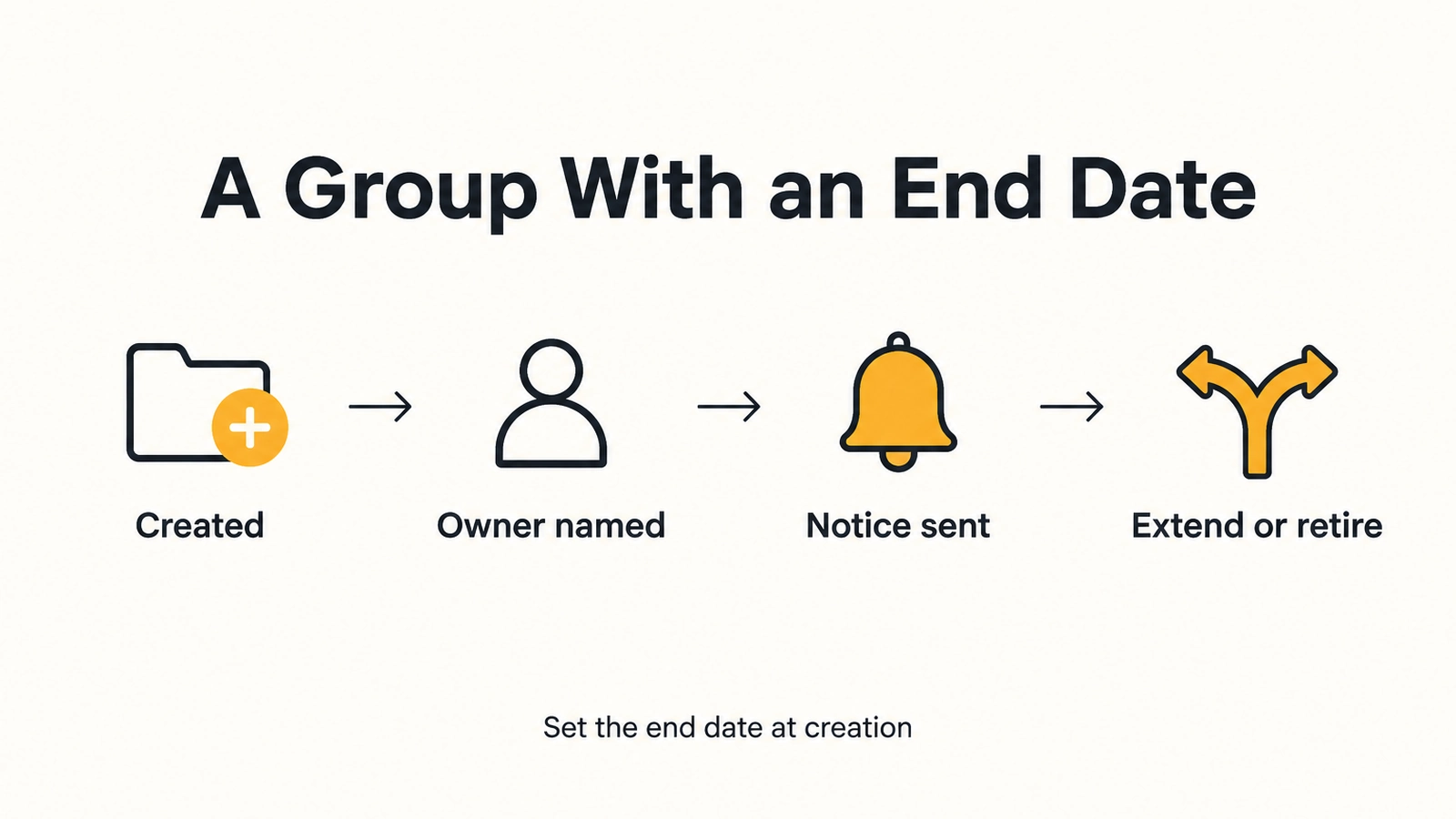
A temporary group gets its end date and its owner at creation; the notice before the date gives the owner the extend-or-retire decision.
What a group expiration policy should cover
Write the policy before the next temporary group is requested. The table is general guidance, not a description of any product.
| Decision | What to settle |
|---|---|
| Scope and term | Which group types must carry an end date, and a default lifetime for each |
| Named owner | A business owner for every group, plus a backup for absences |
| Notice | Who is told before the end date, and how far ahead |
| Extension | Who may extend, for how long, and with what justification |
| Retirement | What happens to members, app assignments and nested groups at the end date |
| Evidence | Who created, owned, extended or retired the group, and when |
Two rows deserve extra care. Retirement should cover inherited access: a temporary group nested inside an app-access group passes that access to every member, so retiring the temporary group should close that path too. And ownership must survive people leaving. When an owner departs, the group needs a successor, or the expiry notice reaches nobody.
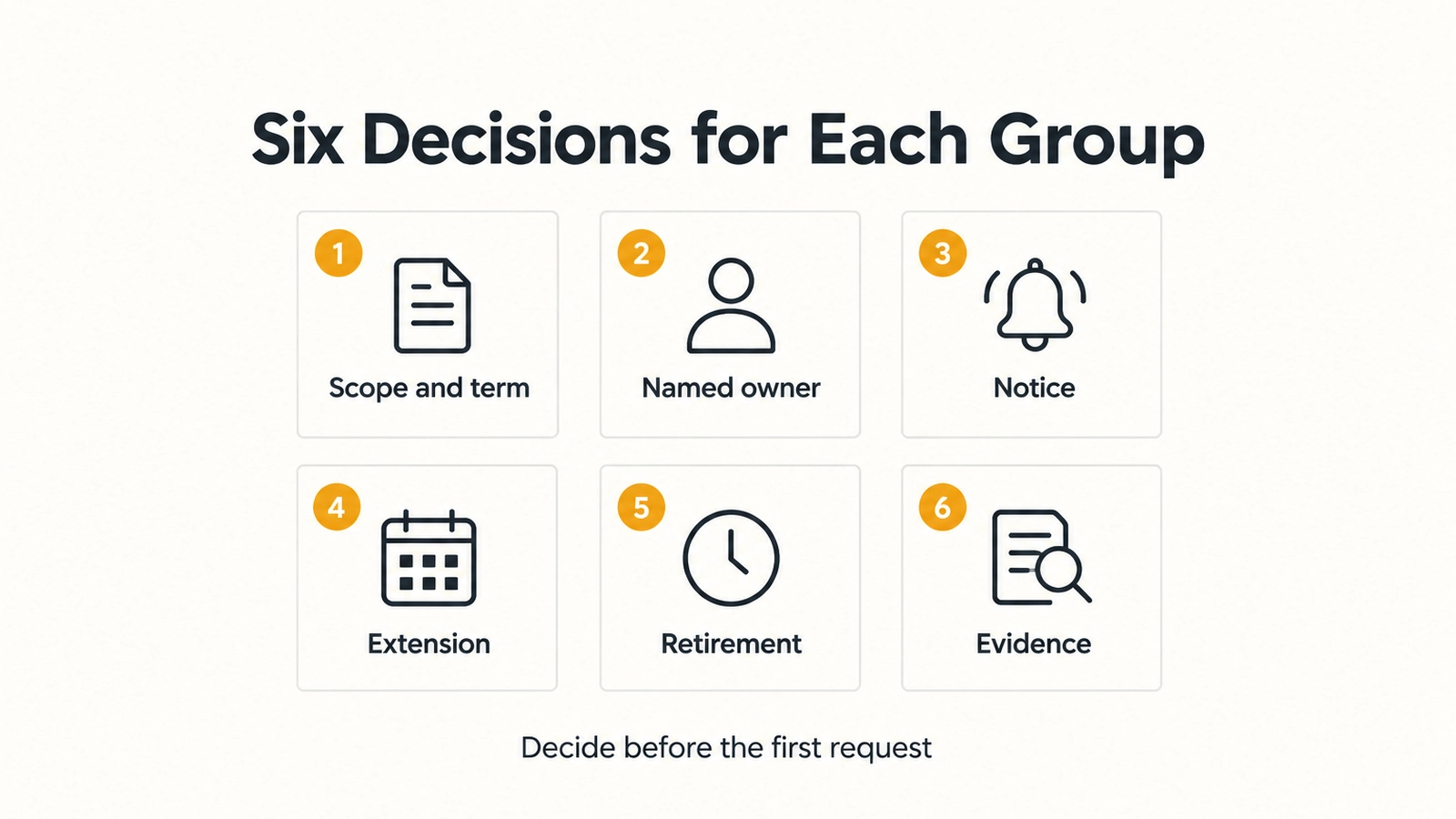
Six decisions to settle in writing before the next temporary group is requested, so every end date has an owner and a record.
Contractor accounts are a separate control from contractor groups. For account expiration of contractors and partners, see Contractor and Third-Party Access Governance.
Microsoft 365 group expiration in Entra ID
Microsoft Entra ID has its own expiration setting for Microsoft 365 groups. Microsoft's documentation says "You can set an expiration policy only for Microsoft 365 groups in Microsoft Entra ID," and that "you can configure only one expiration policy for all Microsoft 365 groups in a Microsoft Entra organization."
Under that policy, groups with user activity are renewed automatically as expiration nears. If a group isn't renewed automatically, its owners are notified to renew it, and a group that isn't renewed is deleted. Microsoft also says a deleted Microsoft 365 group can be restored within 30 days by the group owners or an administrator.
That setting covers only Microsoft 365 groups. Your written policy still decides how every other temporary group in scope, including Active Directory security groups and distribution lists, gets its end date and its owner.
What Avatier ships: expiration set when a group is born
Avatier Group & User Self-Service is Pillar 1 of Lifecycle & Access Governance. It lets business users and managers handle group and account tasks themselves, with approvals and audit built in. One experience covers Active Directory groups, Microsoft and Azure groups, and email distribution lists. The pillar page puts expiration this way: "Set an expiration when a group is born. Owners are notified before it lapses, and groups that are no longer needed retire on schedule, taking their app access with them."
The pieces behind that:
- Change Group Expiration. One of the 12 group functions. The page's example is an M&A integration team set to expire in 90 days: "Owners are notified and can extend it or let it retire on schedule."
- Accountable ownership. "Every group has a named business owner." Owners can be added, removed or bulk-assigned in one step. With Remove Owners, when an owner leaves the company, ownership moves to a successor, "so no group is left without someone accountable."
- App access follows membership. IT assigns each application to groups. When a person leaves a group, "the access goes with it."
- Group Redundancy Blocker. Duplicate groups are stopped before they are created, and Avatier enforces naming conventions.
- Nested groups. A nested group that grants more app access than intended can be removed, and the inherited access goes with it.
- Patent-pending Continuous Governance™. Access is reconciled to each user's role, unauthorized members are flagged and stale memberships are removed.
Group requests come from web, mobile, Teams, Outlook or Slack. Policy routes each request to the right owner, who approves from a push notification, and who asked, who approved and what changed is logged for audit automatically. For directors of security, the page sums it up: "Set an account or group expiration when access is granted."
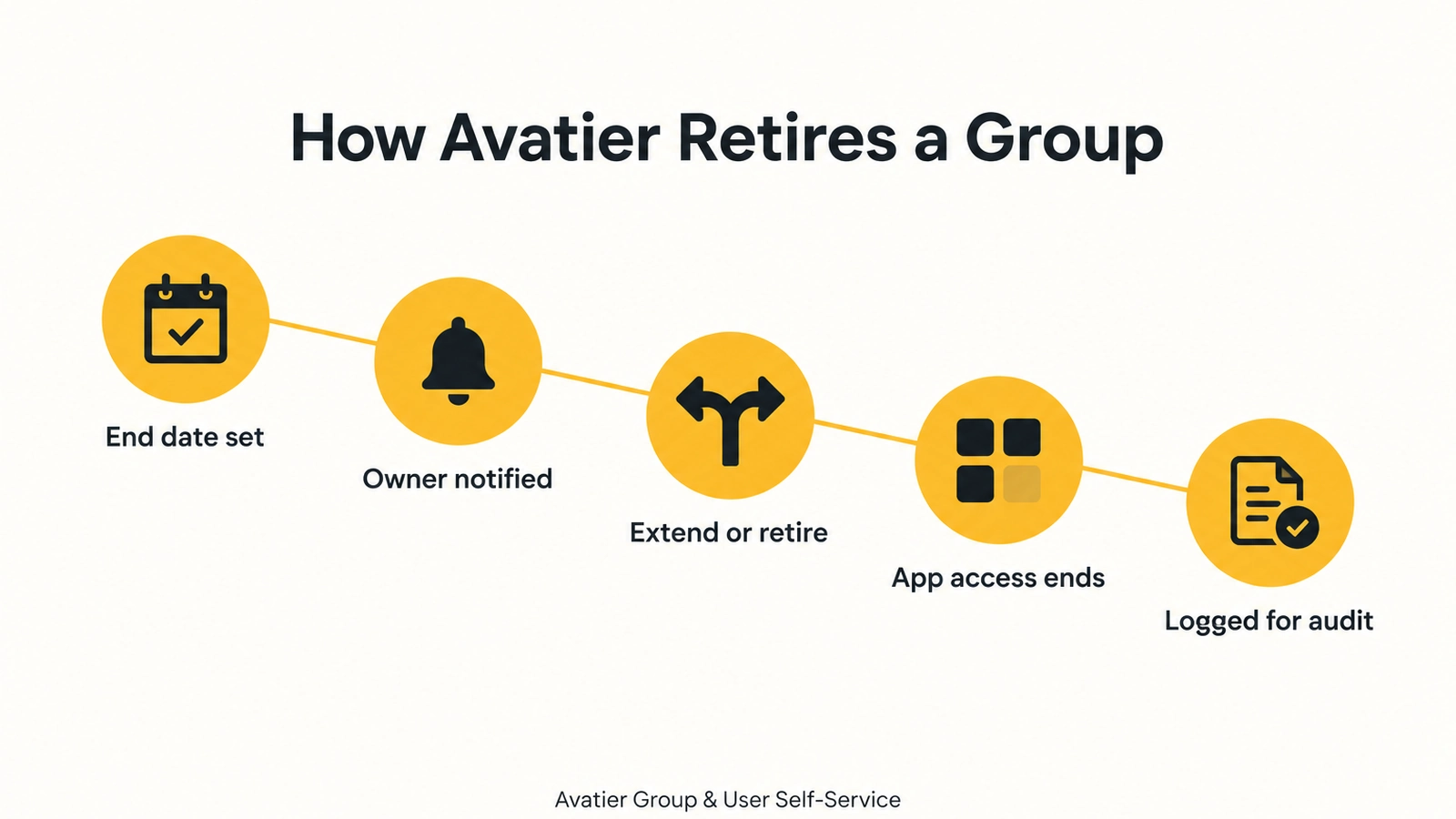
In Avatier, the end date is set when the group is born, owners are notified first, and a retired group takes its app access with it.
For the pillar itself, see Group & User Self-Service.
From an AI assistant. Change Group Expiration is also an Identity Action in the User & Group Self-Service category of the Avatier MCP Server, and it runs from an AI assistant through Avatier MCP. Avatier verifies the person before sensitive changes, requests follow the approval workflows the tenant already has, and "Requests land in Request History, ready to review and export." Avabot chat and MCP require the current (.NET 10) Avatier server. For asking for group changes in plain language, see Group Changes by Conversation.
Getting started
Avatier says most customers go live in days to weeks. Under Pay Per Identity Action™, each completed, verified action is one Secure Outcome, and attempts, failures and retries are never billed. Getting started is free, deployment services are included, and a 45-day money-back guarantee applies; full terms are in the invitation-only preview.
For security documentation, see the Avatier Trust Center. For password reset, unlock and MFA self-service, see Credential Governance™. For the preview, see the Avatier Identity Anywhere 2027™ site; for the company, see avatier.com.
ABOUT THE AUTHOR

More from Lifecycle & Access Governance

Leave of Absence and Rehire: Suspend and Restore Access with Avatier
What to do with an employee's accounts during a leave of absence, and how to rehire someone without bringing back their old access. The decisions, and how Avatier runs both from HR.

Connect Avatier MCP to Copilot Studio, Claude Code, Codex and Cursor
Add https://mcp.avatier.com/mcp to Microsoft Copilot Studio, Claude Code, OpenAI Codex or Cursor, sign in with OAuth, and run Avatier Identity Actions from chat. Steps for each client.

Bank MFA Rules and Help-Desk Resets: Identity Governance with Avatier
NYDFS requires MFA for any individual on any information system, and the FFIEC flags help-desk resets. What banks and insurers owe examiners, and the Avatier controls behind it.