Leave of Absence and Rehire: Suspend and Restore Access with Avatier
What to do with an employee's accounts during a leave of absence, and how to rehire someone without bringing back their old access. The decisions, and how Avatier runs both from HR.

What to do with an employee's accounts during a leave of absence, and how to rehire someone without bringing back their old access. The decisions, and how Avatier runs both from HR.
- For a leave of absence, suspend access instead of deleting accounts, and restore it when HR records the return.
- For a rehire, reactivate the person's accounts but rebuild access from the new role, not from what they held before.
- Settle six decisions for each event: trigger, accounts, access, licenses, verification and evidence.
- Avatier HR User Provisioning suspends access during a leave, restores it on return and reactivates rehires with the right role-based access.
- Rehire, Enable Account and Disable Account are also Identity Actions in the Avatier MCP Server, under the same verification and approval workflows.
During a leave of absence, suspend an employee's access rather than deleting their accounts: stop sign-in, keep the identity and its data, and restore access when HR records the return. For a rehire, reactivate the right accounts and grant the access of the role the person is returning to, not the access they held when they left.
Both events sit between joiner and leaver, and both are easy to run by hand and get wrong. For the full joiner, mover and leaver pattern, see Joiner-Mover-Leaver Automation. Termination is a different event: accounts are disabled and access revoked, covered in Automated Deprovisioning.
Leave of absence: suspend access, keep the identity
The guidance in this section and the next is general practice, not product behavior. A leave is temporary. The person is still an employee, still in the HR system and expected back. So the target state is paused, not removed.
In practice, suspending access for a leave means:
- Stop sign-in. Disable the directory account, confirm that single sign-on, VPN and remote access stop with it, and check privileged or standalone accounts separately.
- Keep the data. Leave the mailbox, home directory, files and the record of group memberships in place, so the return is a restore rather than a rebuild.
- Decide on licenses by policy. Choose in advance whether a license is held or reclaimed for the length of the leave, instead of deciding per person.
- Trigger from HR. The leave record with its start date should drive the suspension, and the return record should drive the restore.
- Add a backstop. An account expiration near the expected return date flags a leave with no recorded return.
Who triggers each step matters as much as the steps. If HR records a leave and nobody tells IT, the account stays live for the whole leave. If IT suspends on a manager's email, the record of why is missing. The fix is the same either way: one HR record drives the change, and the change is logged against it.
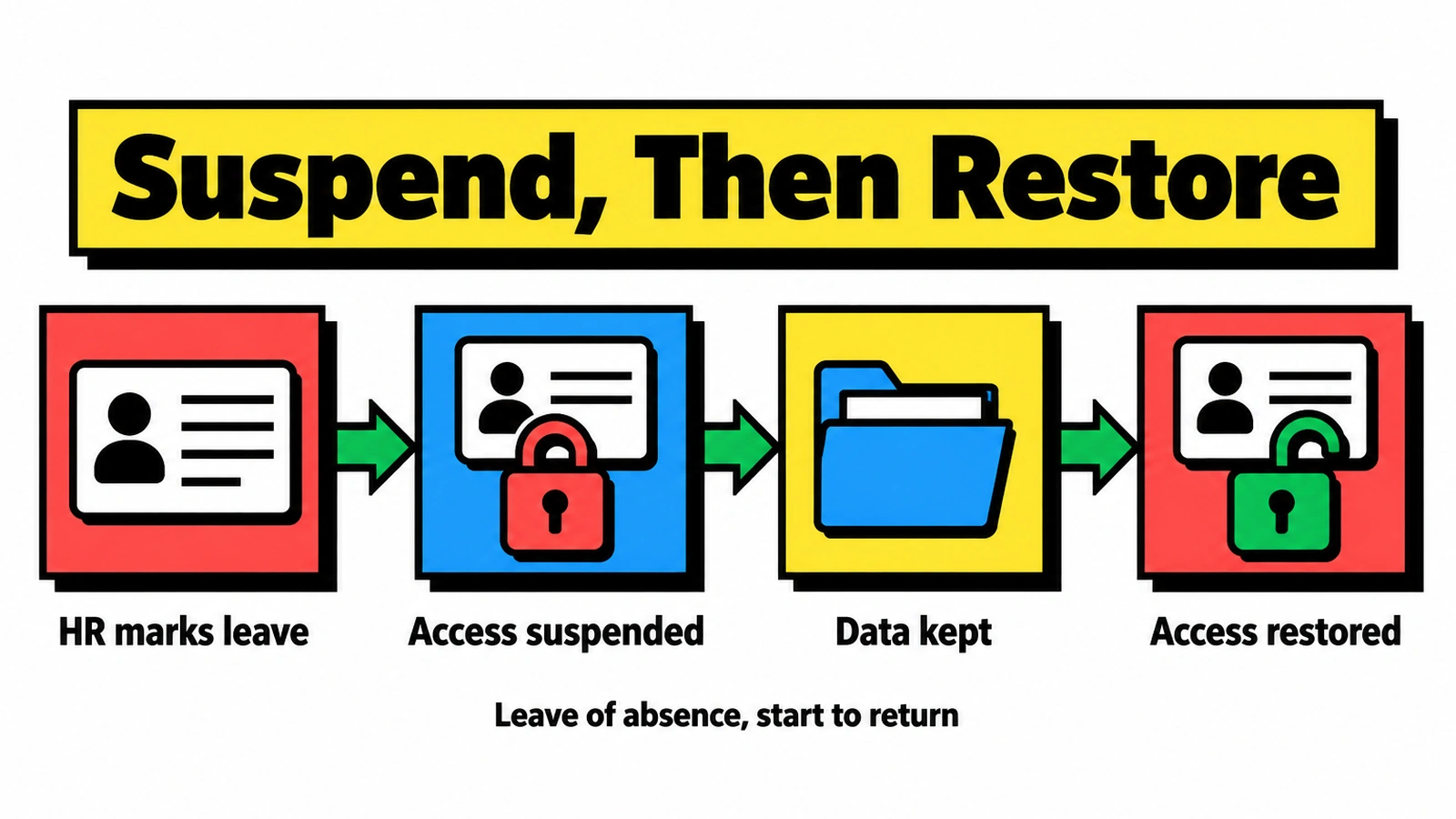
A leave pauses access and keeps the identity; the HR return record, not a help-desk call, brings access back.
Restoring is where manual processes slip. A person returns, calls the help desk, and an agent re-enables the account on their word. Tie the restore to the HR return record instead, and verify identity before any reset the returning employee needs.
Rehire: reactivate the account, rebuild the access
A rehire looks like a joiner but carries history. The person may have a prior account, a prior username, a mailbox on hold and the group memberships of a job they no longer hold. Re-enabling the old account as it was brings that old access back, even if they return to a different department.
The safer pattern, as general guidance:
- Match the prior identity. Link the rehire to their earlier record so identifiers and history carry over instead of creating a duplicate.
- Reactivate the account. Enable the existing account rather than issuing a parallel one.
- Rebuild access from the new role. Remove the old role's entitlements and apply the new role's, as you would for a transfer.
- Update names if they changed. Usernames, email aliases and directories should follow the current name.
- Verify through HR. The rehire record, its start date and its approver should be the evidence, not a ticket.
Rehires are also where duplicate identities appear. A second account for the same person splits the audit history and can leave the old account enabled alongside the new one.
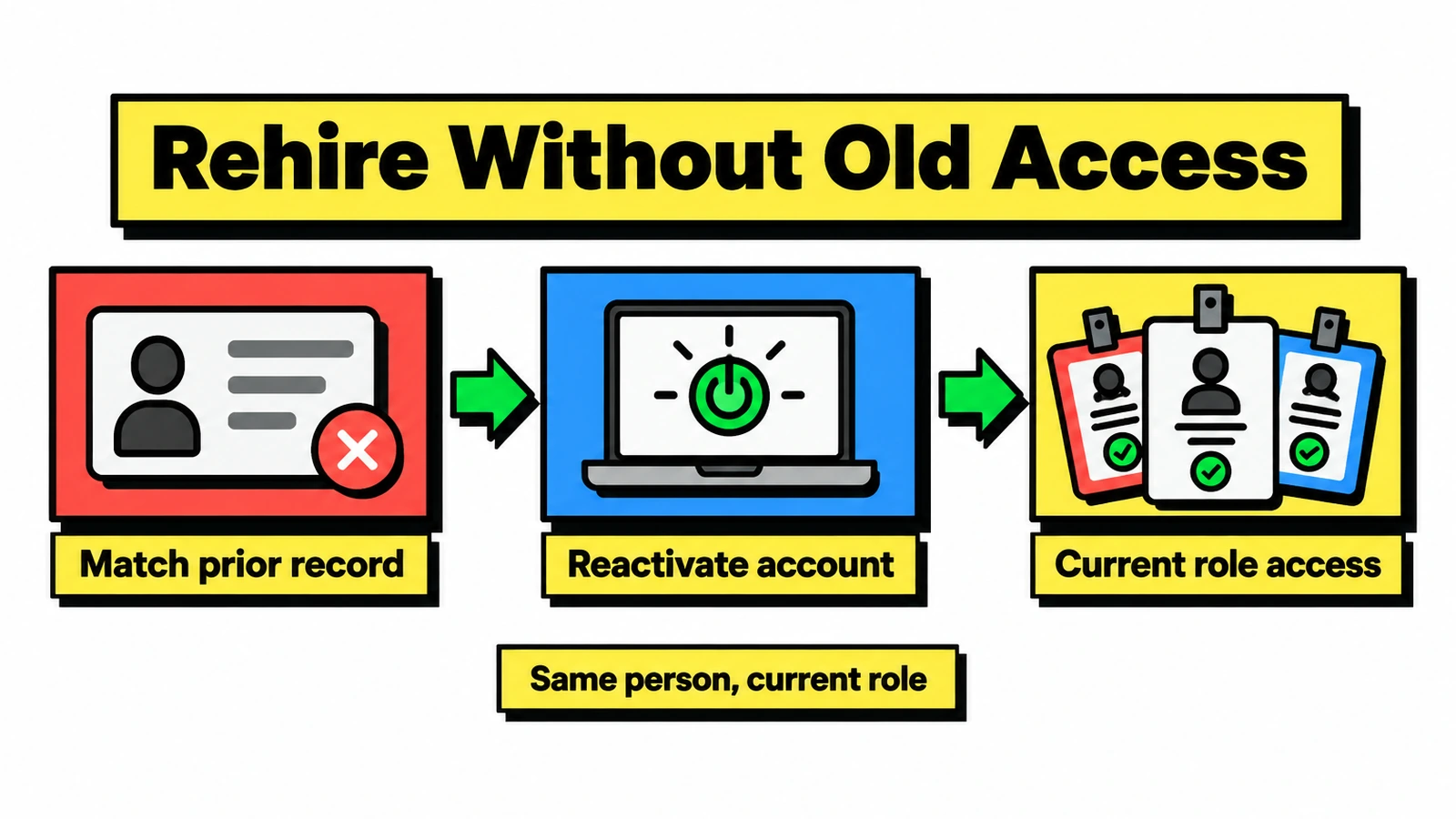
A rehire keeps the identity but not the old entitlements: access is rebuilt from the role the person returns to.
For account-level tasks in Active Directory, see Active Directory User Management.
Six decisions to settle for each event
Write these down before the first leave or rehire reaches IT. The table is general guidance for an access policy.
| Decision | Leave of absence | Rehire |
|---|---|---|
| Trigger | HR leave record and start date | HR rehire record and start date |
| Accounts | Disabled, not deleted | Prior account reactivated |
| Access | Suspended, restored on return | Rebuilt from the new role |
| Licenses | Held or reclaimed, per written policy | Assigned for the new role |
| Verification | HR return record before restore | HR record and a named approver |
| Evidence | Who suspended, when, when restored | Who approved, what was granted |
The evidence row matters most when an auditor asks why a person on leave had working credentials, or why a rehire had access to a former team's share. If the answer is a ticket note, the policy is not yet automated.
How Avatier HR User Provisioning handles leave and rehire
Avatier HR User Provisioning is one of the five Lifecycle & Access Governance pillars. It turns HR events, including hire, transfer, promotion, leave, layoff, rename, rehire and termination, into automated identity workflows. It connects to 70+ HR and payroll systems through a single unified integration; the page names UKG and Dayforce.
On the Lifecycle & Access Governance site, Avatier says:
- Leave of absence: "Access is automatically suspended during the leave and restored upon return."
- Rehire: rehires are "reactivated with the right role-based access."
- Rename and rehire: usernames, email aliases and directories are updated.
- Property push: title, manager, department and location are pushed from HR to AD, Entra ID and connected apps.
- Licensing: Microsoft 365 licenses are assigned and reclaimed by role and HR status.
The page also lists seasonal workers as a fit: businesses with recurring hiring cycles that need access removal and license reclamation when assignments end, and correct role-based access when workers return. That is the rehire pattern, repeated every season.
For transfers, renames and rehires, the page lists applying the correct RBAC entitlements, removing outdated permissions and updating groups. Patent-pending Continuous Governance™ performs role reconciliation that "removes or restores access to match each user's current role." Group Automation, another pillar, drives group membership from HR attributes such as title, department, location and manager. Avatier also includes a visual workflow engine, push notifications and delegated approvals, and says every action is logged and policy-enforced.
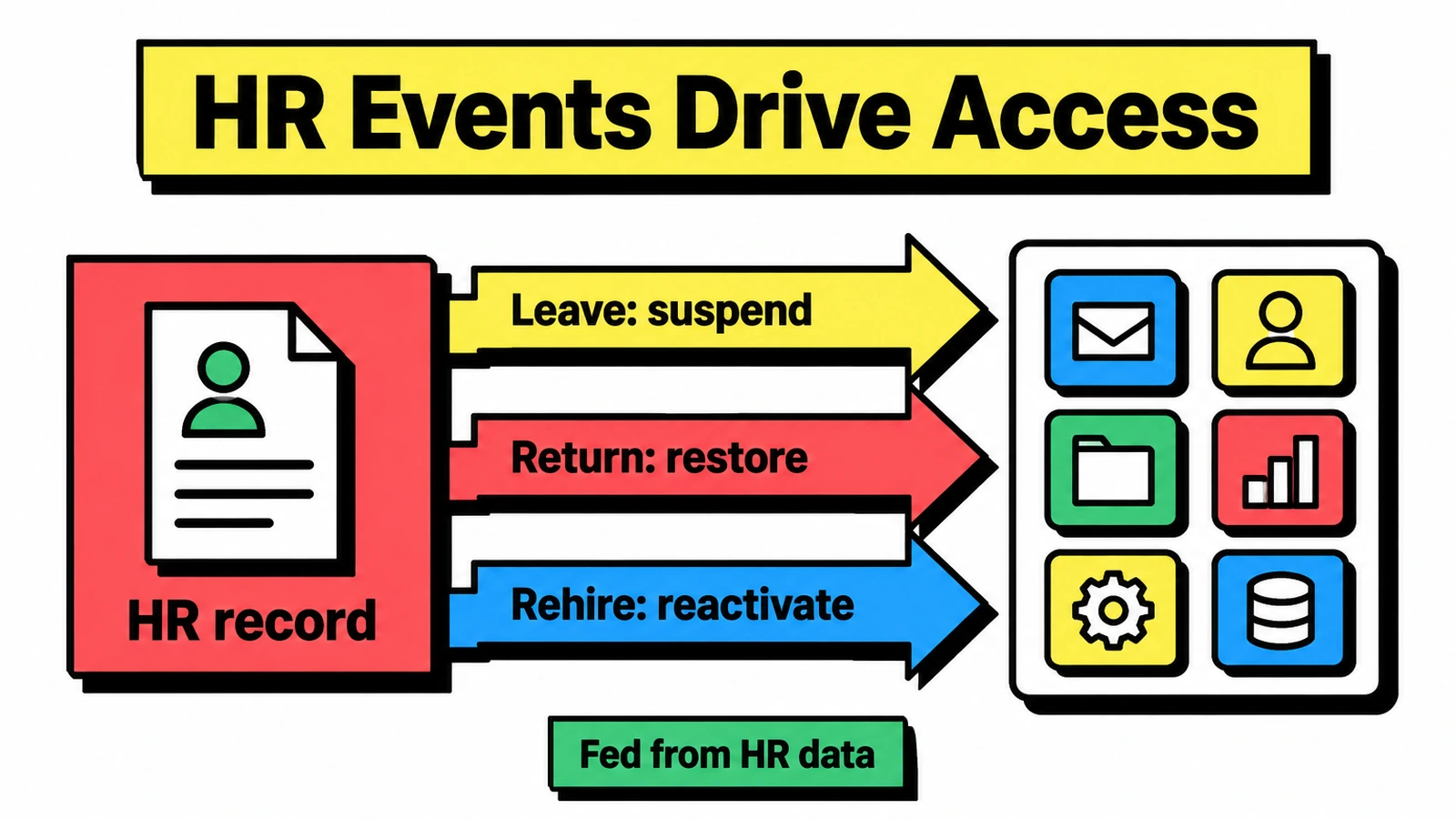
HR records drive both events: a leave suspends access, a return restores it, and a rehire reactivates the accounts with role-based access.
For the pillar itself, see HR User Provisioning. For mapping HR attributes from Workday or SuccessFactors, see HRIS-Driven Identity Lifecycle.
From an AI assistant. The Avatier MCP Server lists Rehire, Enable Account, Disable Account, Transfer Account and Change Account Expiration among its Lifecycle & Access Governance Identity Actions. Its actions page shows an illustrative request, "Rehire Jordan Lee to Finance, starting Monday." Avatier verifies the person before sensitive changes, requests follow the approval workflows the tenant already has, and the connector acts as the signed-in user. "Requests land in Request History, ready to review and export." Avabot chat and MCP require the current (.NET 10) Avatier server. For the full list, see Identity Actions.
Getting started
Avatier says most customers go live with HR User Provisioning in days to weeks. Under Pay Per Identity Action™, each completed, verified action is one Secure Outcome, and attempts, failures and retries are never billed. Getting started is free, deployment services are included, and a 45-day money-back guarantee applies; full terms are in the invitation-only preview.
For frameworks, Avatier helps support SOX, HIPAA, GDPR and NIST evidence needs. For security documentation, see the Avatier Trust Center. For the password and MFA side of a returning employee's first sign-in, see Credential Governance™. For the preview, see the Avatier Identity Anywhere 2027™ site; for the company, see avatier.com.
ABOUT THE AUTHOR

More from Lifecycle & Access Governance

Bank MFA Rules and Help-Desk Resets: Identity Governance with Avatier
NYDFS requires MFA for any individual on any information system, and the FFIEC flags help-desk resets. What banks and insurers owe examiners, and the Avatier controls behind it.

Run an IAM Pilot Side by Side with Avatier Before You Switch
An IAM proof of concept should test real identity work against the tool you already run. How to scope a side-by-side pilot with Avatier, what to measure, and how to compare the results and the bill.

What Can You Ask Avatier MCP? Identity Actions by Category
Avatier MCP Server gives your AI assistant 37 of 56 Identity Actions: unlock, reset a forgotten password, request access, rehire, disable an account, add group members. Each category, with example asks.