What Can You Ask Avatier MCP? Identity Actions by Category
Avatier MCP Server gives your AI assistant 37 of 56 Identity Actions: unlock, reset a forgotten password, request access, rehire, disable an account, add group members. Each category, with example asks.

Avatier MCP Server gives your AI assistant 37 of 56 Identity Actions: unlock, reset a forgotten password, request access, rehire, disable an account, add group members. Each category, with example asks.
- Avatier MCP Server lists 56 Identity Actions in three categories: Credential Governance (17), Lifecycle & Access Governance (24) and User & Group Self-Service (15).
- From an AI assistant you can unlock an account, reset a forgotten password, request access or a role, rehire, transfer or disable an account, and add group members.
- 19 actions are marked Web app only, including assisted resets and access-review campaigns; they run in the Avatier web app today.
- Avabot chat and MCP require the current (.NET 10) Avatier server.
- Sensitive changes are verified first; requests follow your approval workflows, run as the signed-in user and land in Request History.
Avatier's Identity Actions page lists 56 actions in three categories: Credential Governance™ (17), Lifecycle & Access Governance (24) and User & Group Self-Service (15). From Microsoft Copilot Studio, Claude, Cursor or another MCP client, you can unlock an account, reset a forgotten password, request access or a role, rehire or transfer someone, disable an account and add group members. Actions marked Web app only run in the Avatier web app today.
Every MCP client connects to the same server URL, https://mcp.avatier.com/mcp, and signs in with OAuth. For setup steps, see the Avatier MCP page.
56 Identity Actions in three categories
The live Identity Actions page groups every action by category and marks the ones that are web app only. On October 26, 2026, it read:
| Category | Actions | Marked Web app only | Example asks |
|---|---|---|---|
| Credential Governance | 17 | 9 | Unlock my account; I forgot my password |
| Lifecycle & Access Governance | 24 | 7 | Request a role; rehire; disable an account |
| User & Group Self-Service | 15 | 3 | Add members; create a group |
That leaves 37 actions you can run from an AI assistant through Avatier MCP, and 19 that run in the Avatier web app for now. For the live list, see Avatier Identity Actions.
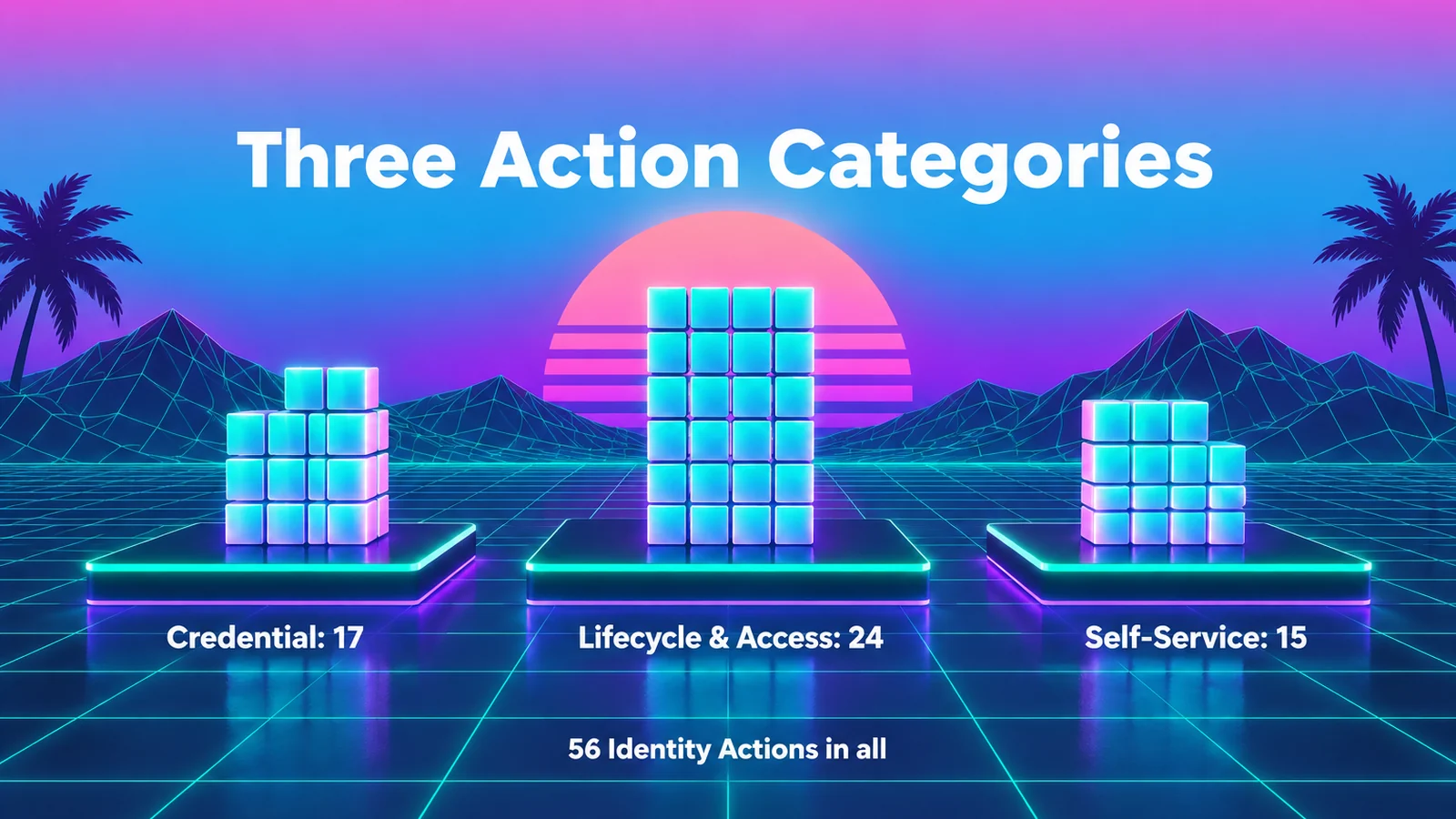 Avatier groups its 56 Identity Actions into Credential Governance, Lifecycle & Access Governance and User & Group Self-Service.
The main Avatier MCP page describes the same work under the heading "One Connector. The Identity Work People Ask For Every Day." Its list includes Unlock Accounts, Reset Passwords, Request Access & Roles, Rehire Former Employees, Review Pending Approvals and Create & Manage Groups.
What to ask, category by category
The asks below are example phrasings, not transcripts. Each maps to one Identity Action on the live page.
Credential Governance
Actions you can ask for in an assistant: Unlock Account, Forgot Password, Change Password, View My Account, View My Activity, Verify User, View User Activity and View Account.
| Example ask | Identity Action |
|---|---|
| "I'm locked out. Unlock my account." | Unlock Account |
| "I forgot my password." | Forgot Password |
| "Change my password." | Change Password |
| "Verify the user I'm helping." | Verify User |
| "Show recent activity on this user's account." | View User Activity |
Web app only in this category: Enrollment, Link Accounts, Assisted Unlock Account, Assisted Quick Reset Password, Assisted Reset Password, Batch Password Reset, Send Enrollment Email, View User Mapping and Unenroll User.
Lifecycle & Access Governance
The largest category covers requests, approvals and account changes. Actions you can ask for in an assistant: Pending Requests, Request Access, Request Role, Remove Access, Remove Roles, Workflow Participation, Rehire, Transfer Account, Enable Account, Disable Account, Delete Account, Rename User, Update Direct Reports, Move OU, Change Account Expiration, Proxy My Authority and Run Reports.
| Example ask | Identity Action |
|---|---|
| "What's waiting for my approval?" | Pending Requests |
| "Request access to the reporting app for me." | Request Access |
| "Rehire our former sales engineer, starting Monday." | Rehire |
| "Transfer this employee to the Denver team." | Transfer Account |
| "Disable the contractor account that ended Friday." | Disable Account |
| "Move this account to the Contractors OU." | Move OU |
Web app only here: Grantor Requests, Request History, Manage Campaigns, Review Campaigns, View Access, View Roles and Reports (Legacy). Access-review campaigns are managed and reviewed in the web app. The MCP page describes several of the assistant-ready actions in plainer terms: Enable, Disable or Delete Accounts, Move AD Accounts Between OUs and Delegate Approval Authority. For the review side, see Lifecycle & Access Governance.
User & Group Self-Service
Actions you can ask for in an assistant: Add Members, Remove Members, Modify Group, Create Group, Rename Group, Delete Group, Change Group Expiration, Add Owners, Remove Owners, Add Nested Groups, Remove Nested Groups and Update Profile.
| Example ask | Identity Action |
|---|---|
| "Add the two new interns to the Design Team group." | Add Members |
| "Create a group for the Q1 audit project." | Create Group |
| "Set the audit project group to expire at the end of March." | Change Group Expiration |
| "Make Lee a co-owner of that group." | Add Owners |
Web app only: My Apps, Bulk Assign Owners and View Manager. For group changes by conversation in more depth, see Group Changes by Conversation.
Where each action runs, and the server you need
The page tags each action that runs only in the web app. Web app only means "not yet available in Avabot chat or MCP," and the page says those actions "run in the Avatier web app today." Across the three categories that is 19 actions, including the assisted resets, the access-review campaigns, and views such as View Access and View Roles.
The second requirement is the server: "Avabot chat and MCP require the current (.NET 10) Avatier server."
As general guidance, confirm your server version before you plan an assistant rollout, and tell people which tasks still start in the web app.
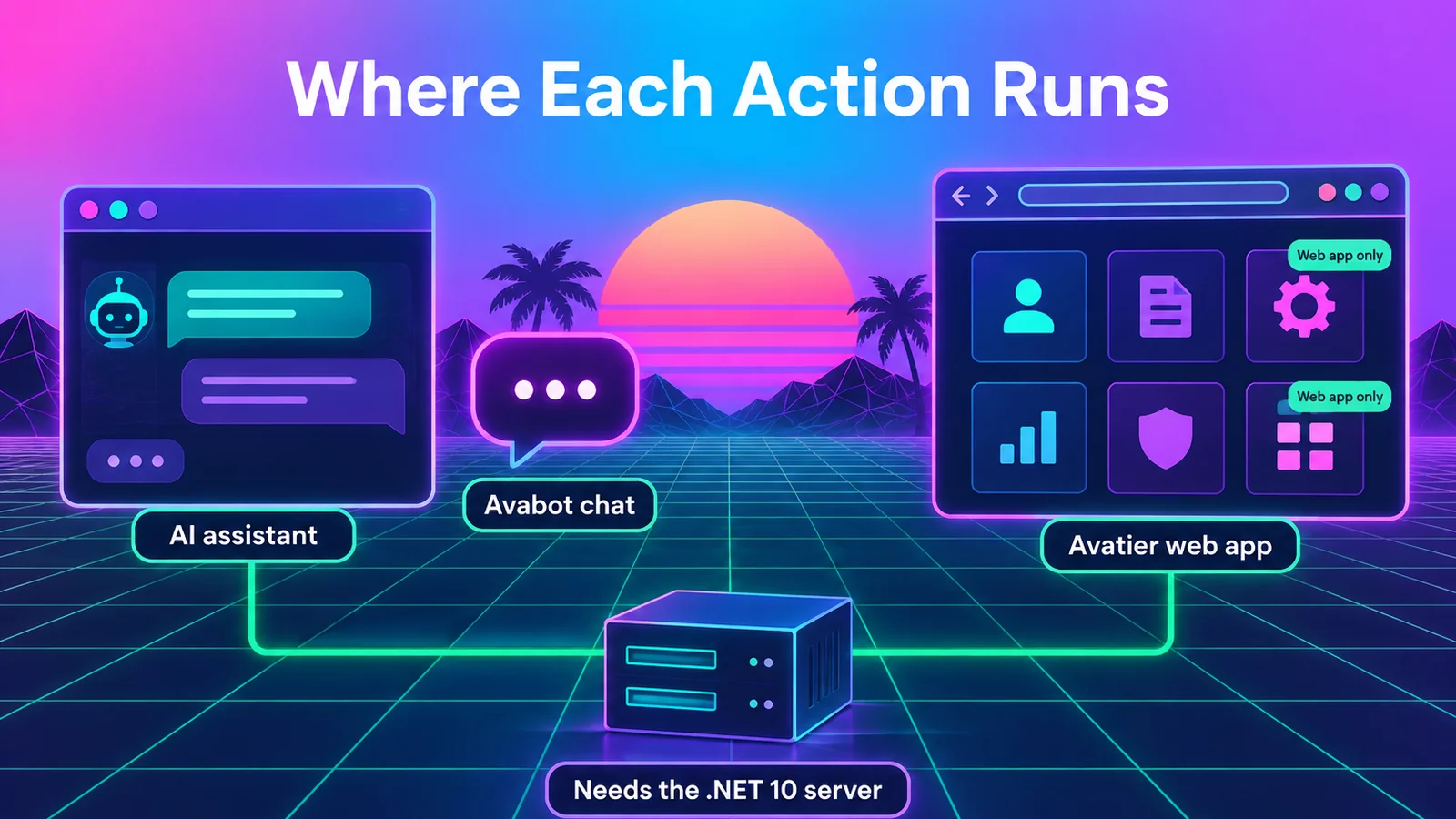 Actions marked Web app only run in the Avatier web app today; Avabot chat and MCP need the current .NET 10 Avatier server.
What happens on an assistant request
Avatier's MCP pages sum up the rule as "Your Assistant Asks. Avatier Decides." The assistant passes the request along, and five guardrails apply:
- Verified First. "Avatier verifies the person before sensitive changes, with the methods your policy already allows."
- Your Approval Workflows. "Requests follow the approval workflows your tenant already has." Each action page shows how its approvals work.
- Acts as the Signed-In User. OAuth sign-in to your own tenant, with "No shared service account, no API key to manage."
- Never Makes Up Values. The connector "only sends what the person actually said, and asks when something is missing."
- Every Request Recorded. "Requests land in Request History, ready to review and export."
In the page's own summary, Avatier "applies the same approvals and policy as the console." An unlock asked in Cursor faces the same rules as one done in the web app.
Take the rehire ask from earlier. If the request leaves out a detail the action needs, the connector asks rather than filling it in. Before a sensitive change, Avatier verifies the person asking with the methods your policy allows, the request follows your tenant's approval workflow, it runs as that signed-in user, and it lands in Request History for review and export.
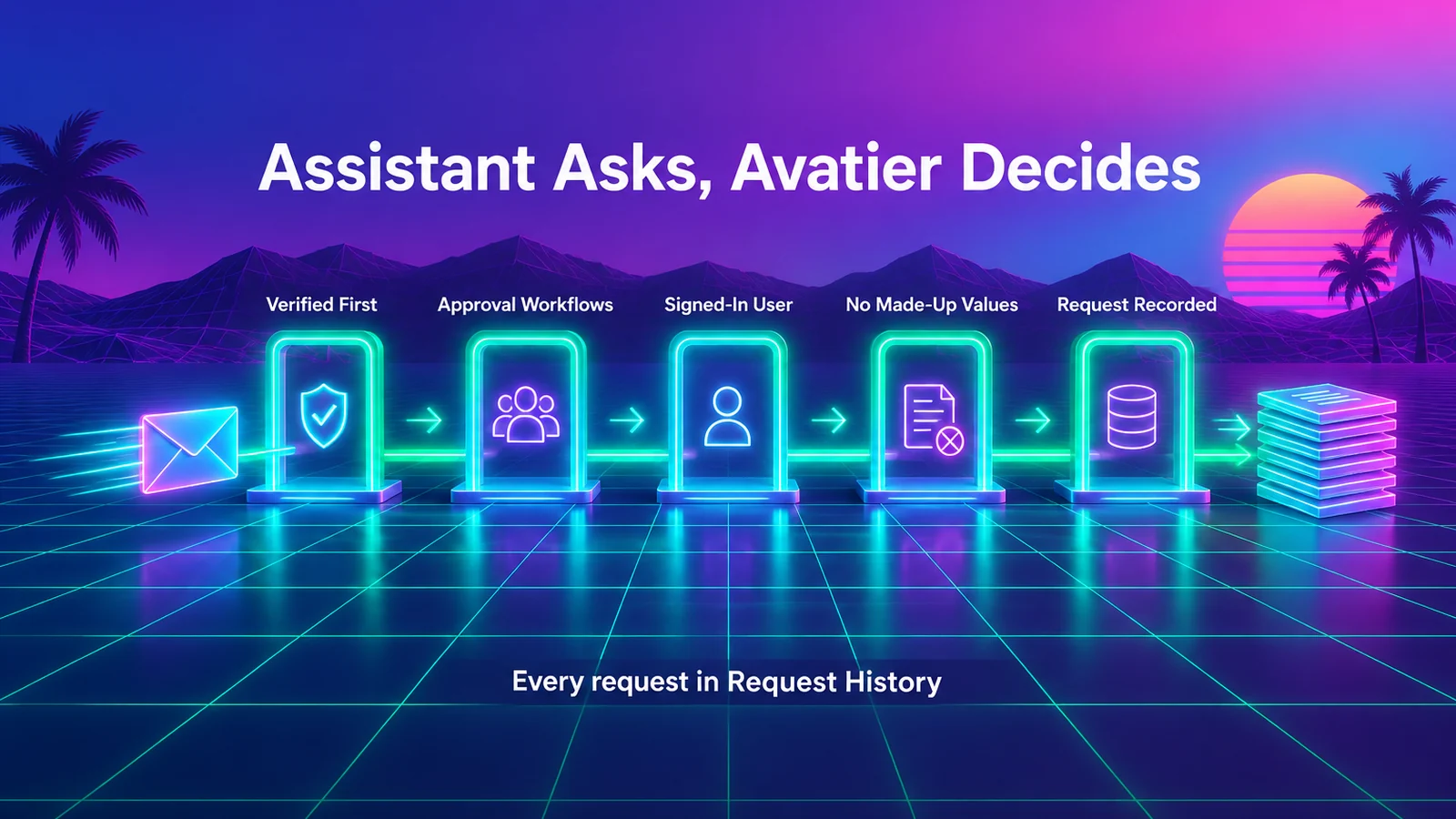 Five guardrails apply to requests from any AI assistant, and each request ends up in Request History.
For deciding which tools an AI agent should get in the first place, see Least-Privilege Access for AI Agents.
Getting started
Add https://mcp.avatier.com/mcp to your assistant, sign in with your Avatier account and ask for an assistant-ready action above.
Under Pay Per Identity Action™, each completed, verified action is one Secure Outcome, and attempts, failures and retries are never billed. It is in invitation-only preview: getting started is free, Deployment Services are included, and there is a 45-day money-back guarantee.
For the platform and the preview, see the Avatier Identity Anywhere 2027™ site. For password and MFA controls, see Credential Governance™. For security documentation, see the Avatier Trust Center. For the company, see avatier.com.
Microsoft Copilot Studio, Claude, Cursor and the other assistants named here are trademarks of their respective owners. No partnership with or endorsement by any third party is implied.
ABOUT THE AUTHOR

More from MCP & Identity Actions

Leave of Absence and Rehire: Suspend and Restore Access with Avatier
What to do with an employee's accounts during a leave of absence, and how to rehire someone without bringing back their old access. The decisions, and how Avatier runs both from HR.

Bank MFA Rules and Help-Desk Resets: Identity Governance with Avatier
NYDFS requires MFA for any individual on any information system, and the FFIEC flags help-desk resets. What banks and insurers owe examiners, and the Avatier controls behind it.

Run an IAM Pilot Side by Side with Avatier Before You Switch
An IAM proof of concept should test real identity work against the tool you already run. How to scope a side-by-side pilot with Avatier, what to measure, and how to compare the results and the bill.