Connect Avatier MCP to Copilot Studio, Claude Code, Codex and Cursor
Add https://mcp.avatier.com/mcp to Microsoft Copilot Studio, Claude Code, OpenAI Codex or Cursor, sign in with OAuth, and run Avatier Identity Actions from chat. Steps for each client.

Add https://mcp.avatier.com/mcp to Microsoft Copilot Studio, Claude Code, OpenAI Codex or Cursor, sign in with OAuth, and run Avatier Identity Actions from chat. Steps for each client.
- The Avatier MCP server URL is https://mcp.avatier.com/mcp. It uses Streamable HTTP and OAuth sign-in, so there is no API key to manage.
- Microsoft Copilot Studio: add a Model Context Protocol tool, paste the URL, choose OAuth 2.0 with Dynamic discovery and sign in.
- Claude Code, OpenAI Codex and Cursor each take one command or one config entry, then a sign-in with your Avatier account.
- Avatier verifies the person before sensitive changes; requests follow your approval workflows, run as the signed-in user and land in Request History.
- 37 of the 56 Identity Actions run from an assistant today; the 19 marked Web app only run in the Avatier web app.
The Avatier MCP server URL is https://mcp.avatier.com/mcp. It uses Streamable HTTP and signs you in with OAuth, so there is no API key to manage. Add that URL to Microsoft Copilot Studio, Claude Code, OpenAI Codex or Cursor, sign in with your Avatier account, and people can unlock, reset, request, approve and provision in plain language, with the same verification, policy and approvals as the Avatier console.
The steps below are the ones the Avatier MCP page gives, client by client. For what the server is and why Avatier built it, see Introducing the Avatier MCP Server.
One server URL, Streamable HTTP and OAuth sign-in
Every client points at the same address. The page puts it plainly: "One URL works in every MCP client. Pick yours, copy, paste, sign in."
Streamable HTTP is a Model Context Protocol term, and the protocol's authorization rules build on OAuth. The project's own documentation describes MCP as "an open-source standard for connecting AI applications to external systems." The current specification defines two standard transports, stdio and Streamable HTTP. With Streamable HTTP, "each message is an HTTP POST to a single MCP endpoint." That is why a remote server like Avatier's is a URL you add, rather than a program you install next to the assistant.
Sign-in is the second half. In the MCP specification, authorization is optional: "Authorization is OPTIONAL for MCP implementations." Where it is used, the specification "defines the authorization flow for HTTP-based transports." Whether a remote server asks for sign-in therefore depends on the server. Avatier's does. Its guardrail reads: "OAuth sign-in to your own tenant. No shared service account, no API key to manage."
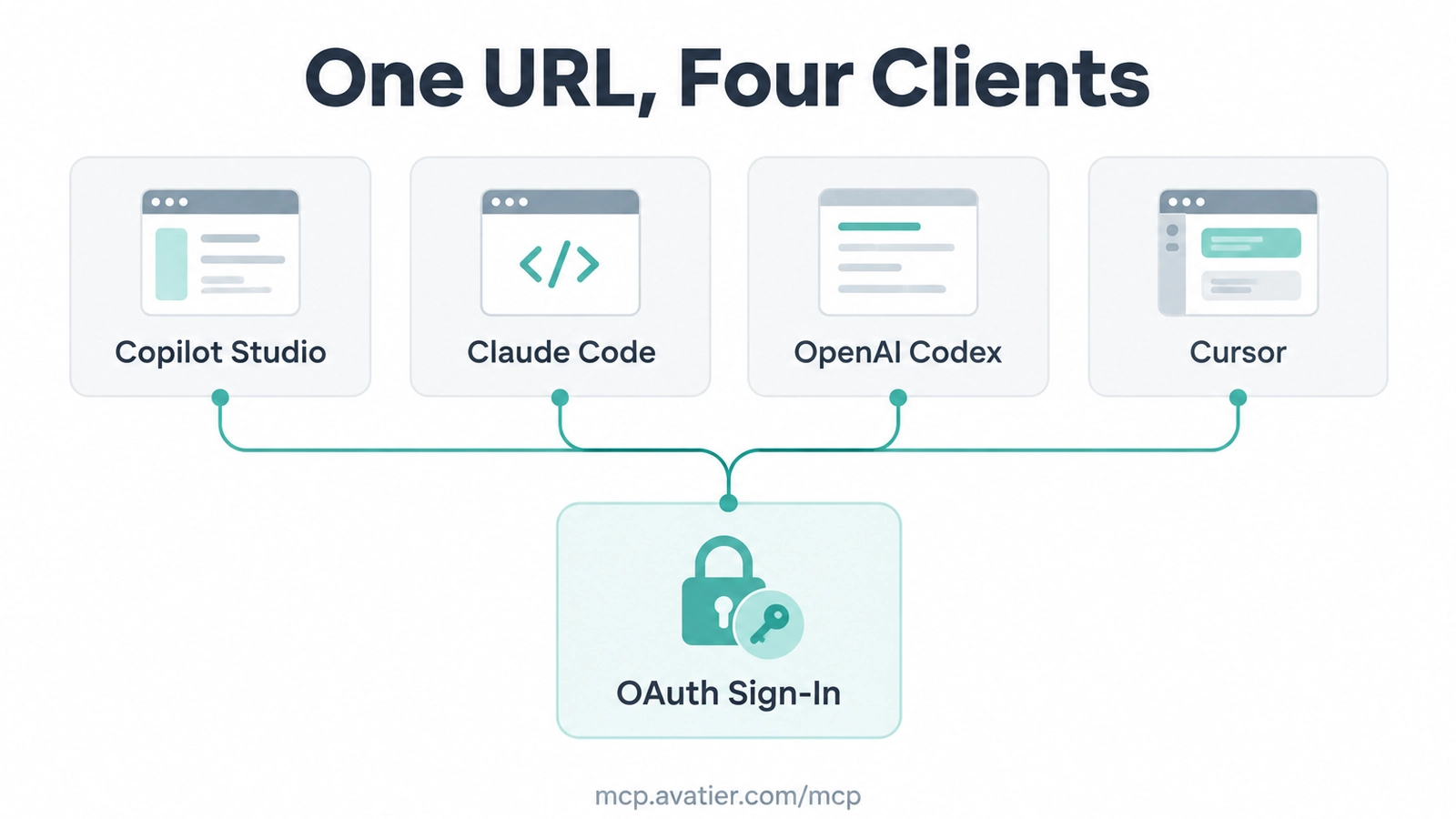 Microsoft Copilot Studio, Claude Code, OpenAI Codex and Cursor all add the same Avatier server URL and sign in with OAuth.
Setup steps for each client
The page heads this part "Up and Running in Under a Minute" and lists four clients, in this order. Each one includes the same step: sign in with your Avatier account.
Microsoft Copilot Studio
- In Copilot Studio, open your agent's Tools page and select Add a tool → New tool → Model Context Protocol.
- Name it Avatier MCP, add a short description and paste the server URL. Under Authentication, choose OAuth 2.0 with Dynamic discovery, then select Create and Next.
- In the Add tool dialog, choose Create a new connection, sign in with your Avatier account, then select Add to agent.
https://mcp.avatier.com/mcp
Claude Code
Run this in your terminal:
claude mcp add --transport http avatier https://mcp.avatier.com/mcp
Then start Claude Code. Type /mcp, choose avatier and sign in with your Avatier account.
OpenAI Codex
Run this in your terminal:
codex mcp add avatier --url https://mcp.avatier.com/mcp
Then run codex mcp login avatier and sign in with your Avatier account. Start Codex and ask.
Cursor
Merge this into ~/.cursor/mcp.json, or add a new MCP server from Cursor Settings:
{
  "mcpServers": {
    "avatier": {
      "url": "https://mcp.avatier.com/mcp"
    }
  }
}
Then select Connect next to avatier and sign in with your Avatier account.
Other MCP clients
The page's FAQ says the server works with "Any MCP client that supports remote HTTP servers, including Microsoft Copilot Studio, Claude Code, OpenAI Codex, Cursor, Claude, GitHub Copilot in VS Code and Gemini CLI." The step-by-step instructions on the page cover the first four. Whatever the client, the URL and the Avatier sign-in stay the same. The page's closing line is the whole procedure: "Paste one URL, sign in, and ask."
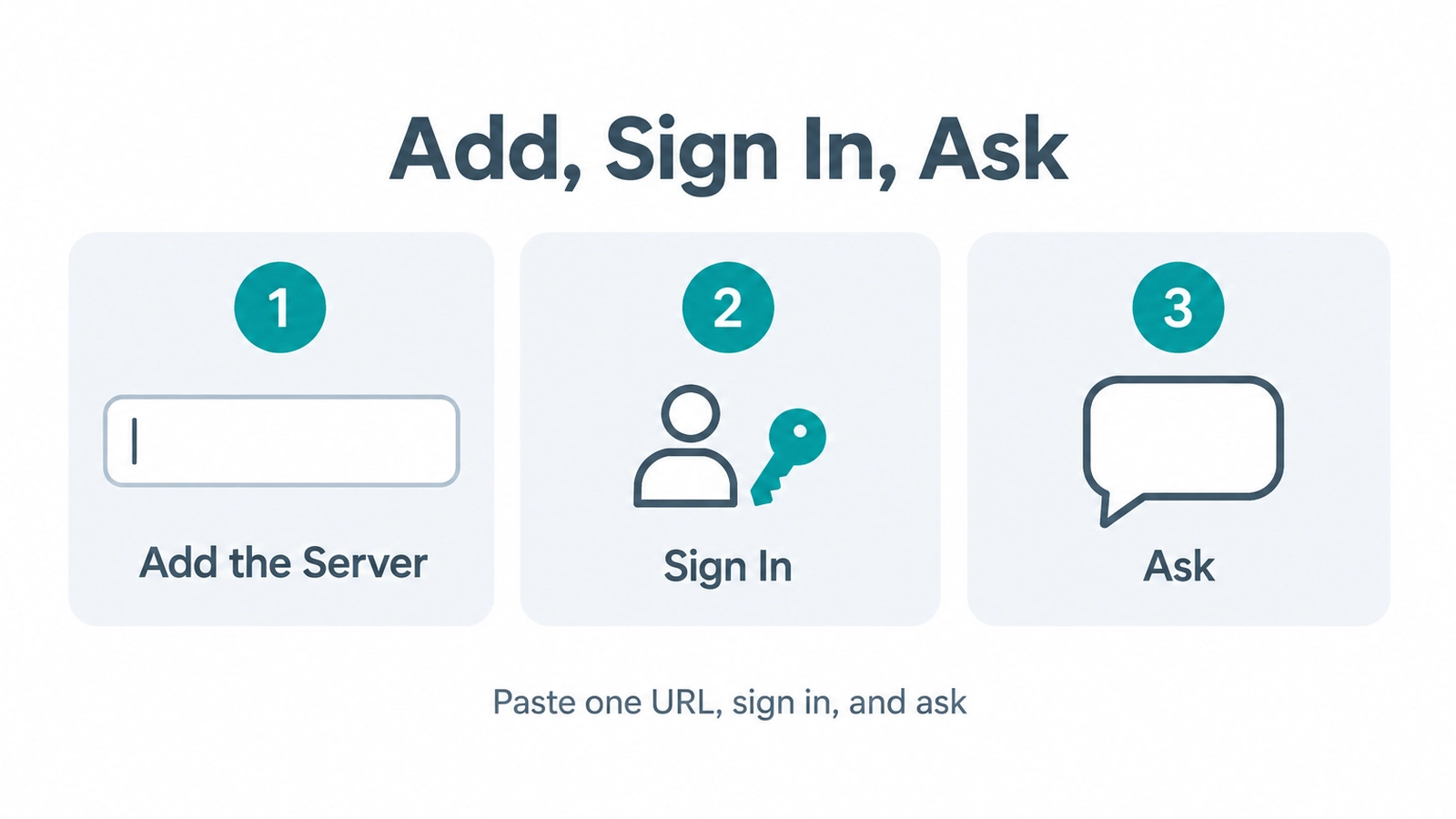 Whichever client you use, setup is the same three moves: add the Avatier server, sign in with your Avatier account, then ask.
What happens on the first request
Once the server is connected, people ask in plain language. Avatier's MCP pages state the rule as "Your Assistant Asks. Avatier Decides." The pages list five guardrails:
- Verified First. "Avatier verifies the person before sensitive changes, with the methods your policy already allows."
- Your Approval Workflows. "Requests follow the approval workflows your tenant already has. Each action page shows how its approvals work."
- Acts as the Signed-In User. "OAuth sign-in to your own tenant. No shared service account, no API key to manage."
- Never Makes Up Values. "The connector only sends what the person actually said, and asks when something is missing."
- Every Request Recorded. "Requests land in Request History, ready to review and export."
The page's illustrative demo shows the pattern. To "Unlock my account.", the reply reads "verify: identity challenge passed · account: unlocked". To "Request Salesforce access for the new analyst.", it reads "policy: checked · approval: routed to owner · request: recorded". These are sample lines on the page, not customer transcripts, but they show where each guardrail lands: verification before the unlock, and an approval routed to an owner and a recorded request for the access ask.
If a request leaves out something an action needs, the connector asks rather than filling it in.
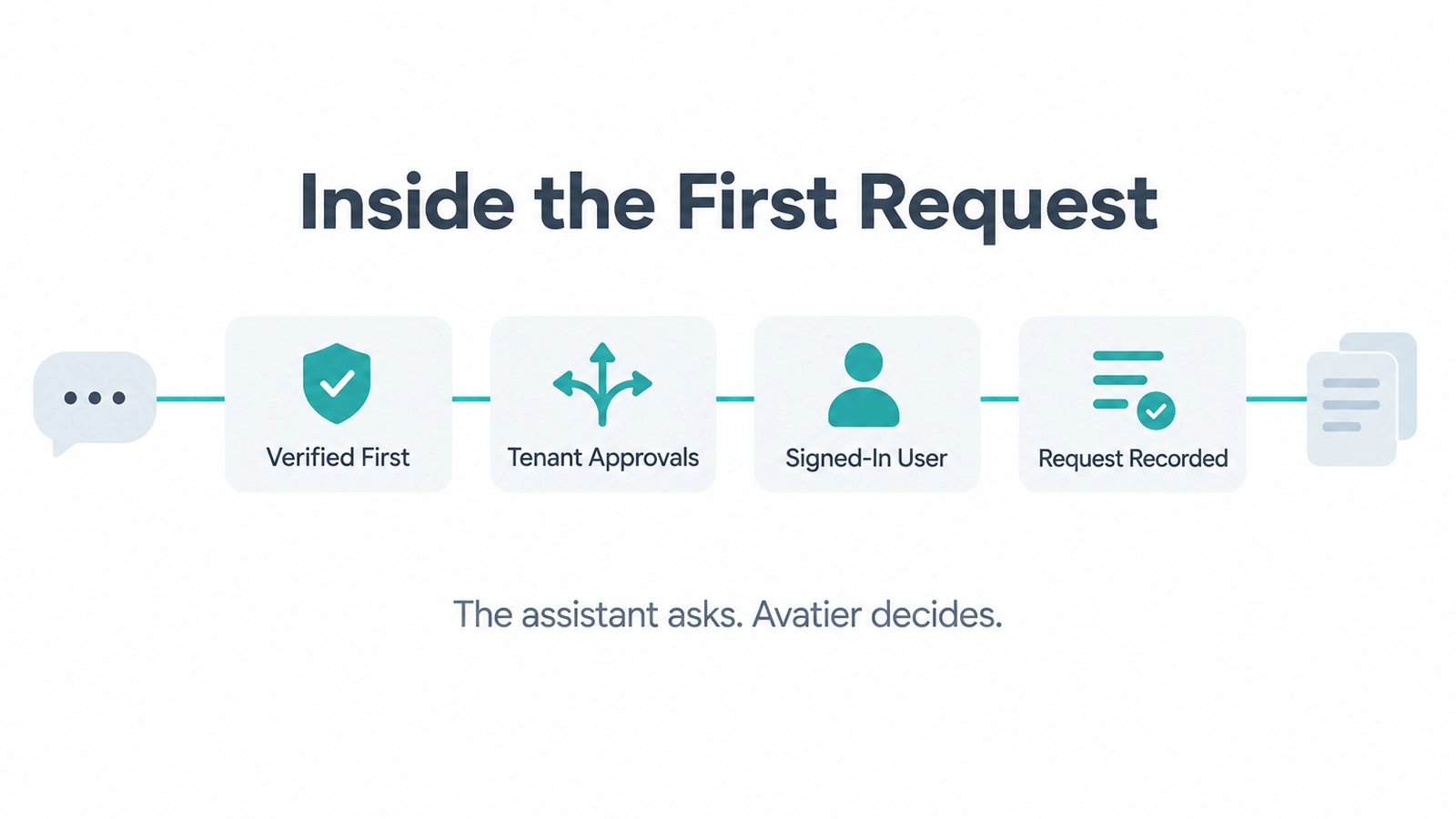 Four of Avatier's guardrails on one request, from verification to Request History, ready to review and export, whichever client sent it.
For deciding which people and agents should get an assistant connection at all, see AI Assistant Access Control. For general MCP server hardening, see How to Secure MCP Servers.
Which Identity Actions run from an assistant
The Identity Actions page lists "56 actions · 3 categories" and tags the ones that are "Web app only: not yet available in Avabot chat or MCP." Counted from the tags on the live page:
| Category | Actions | Web app only | From an assistant |
|---|---|---|---|
| Credential Governance | 17 | 9 | 8 |
| Lifecycle & Access Governance | 24 | 7 | 17 |
| User & Group Self-Service | 15 | 3 | 12 |
| Total | 56 | 19 | 37 |
The main MCP page frames the same work as "The Identity Work People Ask For Every Day", with tiles such as Unlock Accounts, Reset Passwords, Transfer to a New Role, Review Pending Approvals and Delegate Approval Authority.
So 37 actions run from a connected assistant today, including Unlock Account, Forgot Password, Request Access, Rehire and Add Members. The 19 tagged Web app only, such as the assisted resets, Manage Campaigns and Review Campaigns, run in the Avatier web app. The page adds one requirement: "Avabot chat and MCP require the current (.NET 10) Avatier server."
As general guidance, connect one client first, try a low-risk ask such as viewing your own account, and check Request History in the web app before you roll the connection out more widely.
For example asks in each category, see What Can You Ask Avatier MCP?.
Getting started
Pick your client above, add https://mcp.avatier.com/mcp, sign in with your Avatier account and ask for an assistant-ready action.
Billing runs on Pay Per Identity Action™, which is in invitation-only preview: "each completed, verified action is one Secure Outcome, and attempts, failures and retries are never billed." Getting started is free, Deployment Services are included and there is a 45-day money-back guarantee. Pricing is shared with qualified organizations.
For the platform and the preview, see the Avatier Identity Anywhere 2027™ site. For Credential Governance™ password and MFA controls, see Credential Governance™. For security documentation, see the Avatier Trust Center. For the company, see avatier.com.
Microsoft Copilot Studio, Claude Code, OpenAI Codex, Cursor and the other assistants named here are trademarks of their respective owners. No partnership with or endorsement by any third party is implied.
ABOUT THE AUTHOR

More from MCP & Identity Actions

What Can You Ask Avatier MCP? Identity Actions by Category
Avatier MCP Server gives your AI assistant 37 of 56 Identity Actions: unlock, reset a forgotten password, request access, rehire, disable an account, add group members. Each category, with example asks.

AD Group Expiration: How Avatier Retires Temporary Groups on Schedule
Active Directory group expiration gives project, M&A and contractor groups an end date and a named owner at creation. What a policy should cover, and how Avatier retires groups on schedule.

Leave of Absence and Rehire: Suspend and Restore Access with Avatier
What to do with an employee's accounts during a leave of absence, and how to rehire someone without bringing back their old access. The decisions, and how Avatier runs both from HR.