Mastering RACF User-Group Assignments & Permissions 2026
RACF grants access through groups, not users: ADDGROUP builds it, CONNECT enrolls the user, PERMIT binds it to a resource. How assignments, nested membership, and access decisions resolve in 2026.
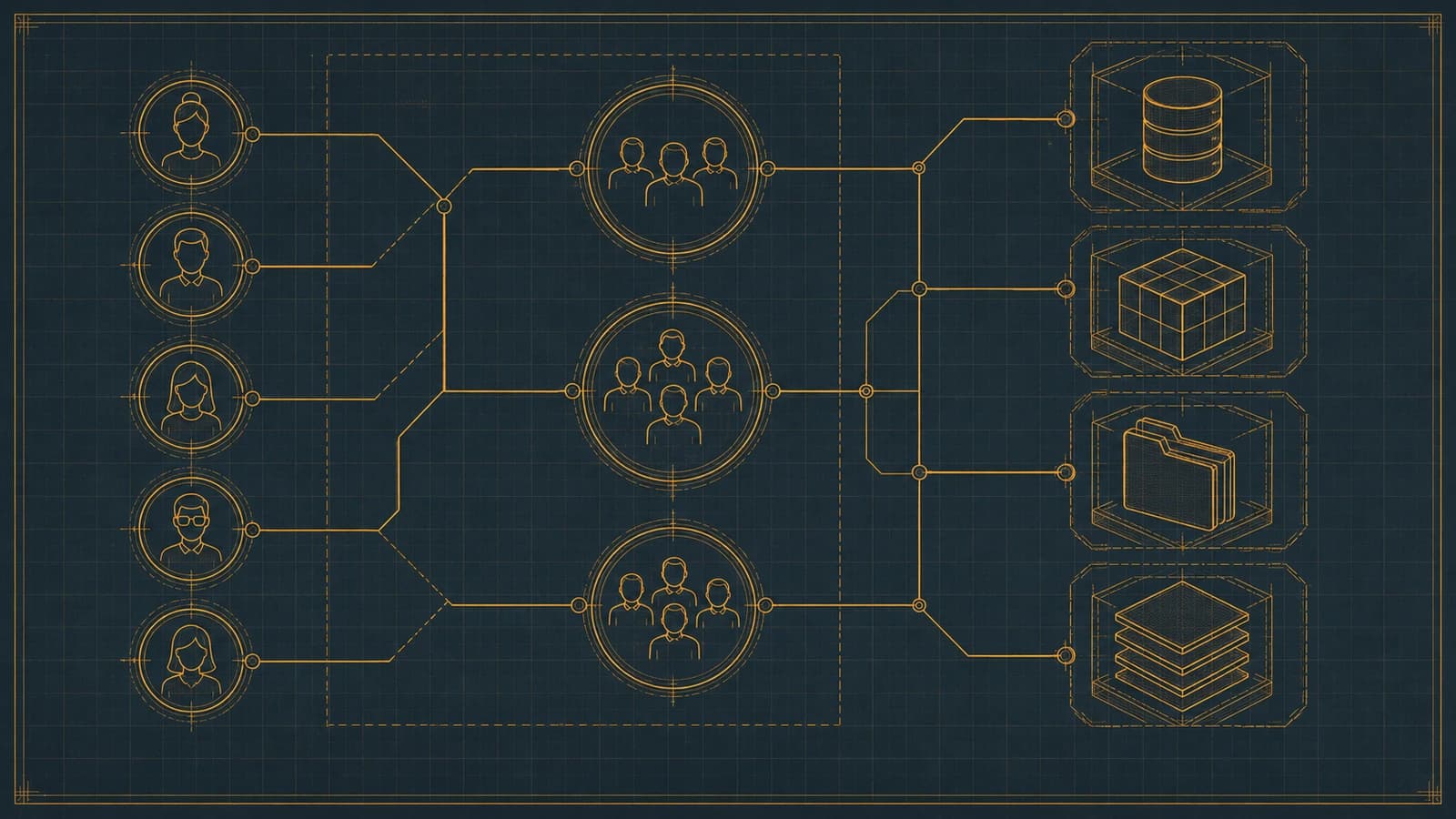
RACF grants access through groups, not users: ADDGROUP builds it, CONNECT enrolls the user, PERMIT binds it to a resource. How assignments, nested membership, and access decisions resolve in 2026.
- RACF is a group-centric access model, not a user-centric one. Access is almost never granted to an individual user ID directly — it's granted to a group with PERMIT, and the user inherits it by being CONNECTed to that group. ADDGROUP builds the container, CONNECT enrolls the user, and PERMIT ties the group to a resource profile's access list. Getting fluent in the interaction of those three commands is most of what group administration actually is.
- Access authority in RACF is a fixed ladder — NONE, READ, UPDATE, CONTROL, ALTER — and the same five levels apply whether you're PERMITting an individual, a group, or setting the UACC (universal access) on a profile. A user's effective authority to a resource is the highest level any of their group connections grants, which is why sloppy group membership quietly accumulates access nobody intended.
- RACF groups are hierarchical: every group has a superior group (SUPGROUP), and this tree governs both administrative scope and, through group-authority attributes, who can administer whom. Group-owned datasets — profiles owned by a group rather than a user — let a whole team's access to a dataset survive any single person leaving, which is one of the main reasons the group model exists.
- How an access decision resolves matters more than any single command. When a user requests a resource, RACF evaluates the resource profile's access list against every group the user is connected to (subject to whether list-of-groups checking is active via SETROPTS GRPLIST), takes the most permissive match, falls back to UACC if there's no match, and logs the outcome. Understanding that resolution order is the difference between designing a group model and guessing at one.
- Group design is where governance is won or lost. Least privilege, segregation of duties, a naming convention that encodes ownership and function, and periodic access recertification are the four disciplines that keep a group model from decaying into the thing every auditor eventually finds — hundreds of groups nobody can explain and users connected to groups they haven't needed in years.
RACF grants access through groups, not through individual users. The three commands that make that work — ADDGROUP to build a group, CONNECT to enroll a user in it, and PERMIT to tie a group to a resource profile's access list — are the actual mechanism behind almost every entitlement on a z/OS mainframe. Individual grants exist and occasionally have their place, but a well-run RACF environment routes access through groups deliberately, because a group model is the only version of mainframe access control that survives people joining, moving, and leaving without decaying into a pile of orphaned permissions. This is the 2026 reference on how that model actually works, command by command, and on how a single access decision resolves once the model is in place.
This is the 2026 update of Avatier's earlier piece on mastering user-group assignments and permissions in RACF. The original introduced the commands at a high level. This version replaces that with the command-level detail, the access-resolution order that determines what a user can actually reach, the role of group-owned datasets and the group hierarchy, and the design discipline — least privilege, segregation of duties, naming, and recertification — that separates a group model you can defend to an auditor from one you can only apologize for.
The three commands that carry access: ADDGROUP, CONNECT, PERMIT
Every RACF group starts with ADDGROUP. The command creates the group as a container and places it in the hierarchy beneath a superior group. A representative form is ADDGROUP OPERATIONS OWNER(SECADM) SUPGROUP(SYS1), which creates a group named OPERATIONS, owned by the SECADM administrative ID, sitting directly beneath SYS1 in the group tree. The OWNER operand establishes who administers the group; the SUPGROUP operand places it in the hierarchy. Its counterpart ALTGROUP changes the properties of an existing group — its owner, its superior group, and other attributes — without recreating it, which matters when you reorganize administrative responsibility without wanting to tear down and rebuild access.
Once a group exists and has been permitted to the resources it should reach, CONNECT is what actually gives a person that access. CONNECT USER01 GROUP(OPERATIONS) enrolls the user ID USER01 into OPERATIONS, and from that moment USER01 inherits whatever access OPERATIONS carries. The inverse, REMOVE USER01 GROUP(OPERATIONS), takes the user back out. This joiner/leaver rhythm — connect on arrival, remove on departure, adjust connections on a role change — is the entire point of the group model: the resource access lists never have to change as the workforce churns, so they don't drift out from under you.
PERMIT is the command that binds a group (or a user) to a specific resource profile's access list at a chosen authority level. PERMIT 'PROD.PAYROLL.**' GENERIC ID(OPERATIONS) ACCESS(READ) adds OPERATIONS to the access list of the generic profile covering PROD.PAYROLL datasets, at READ authority. Change ACCESS(READ) to ACCESS(UPDATE) and everyone connected to OPERATIONS can now modify those datasets. The GENERIC keyword tells RACF this is a generic profile matching a pattern of dataset names rather than one discrete dataset, which is how a single PERMIT can govern access to a whole family of resources at once. The discipline worth internalizing here is that you PERMIT the group, not the person — a direct PERMIT ... ID(USER01) is precisely the kind of grant that gets orphaned when USER01 moves on.
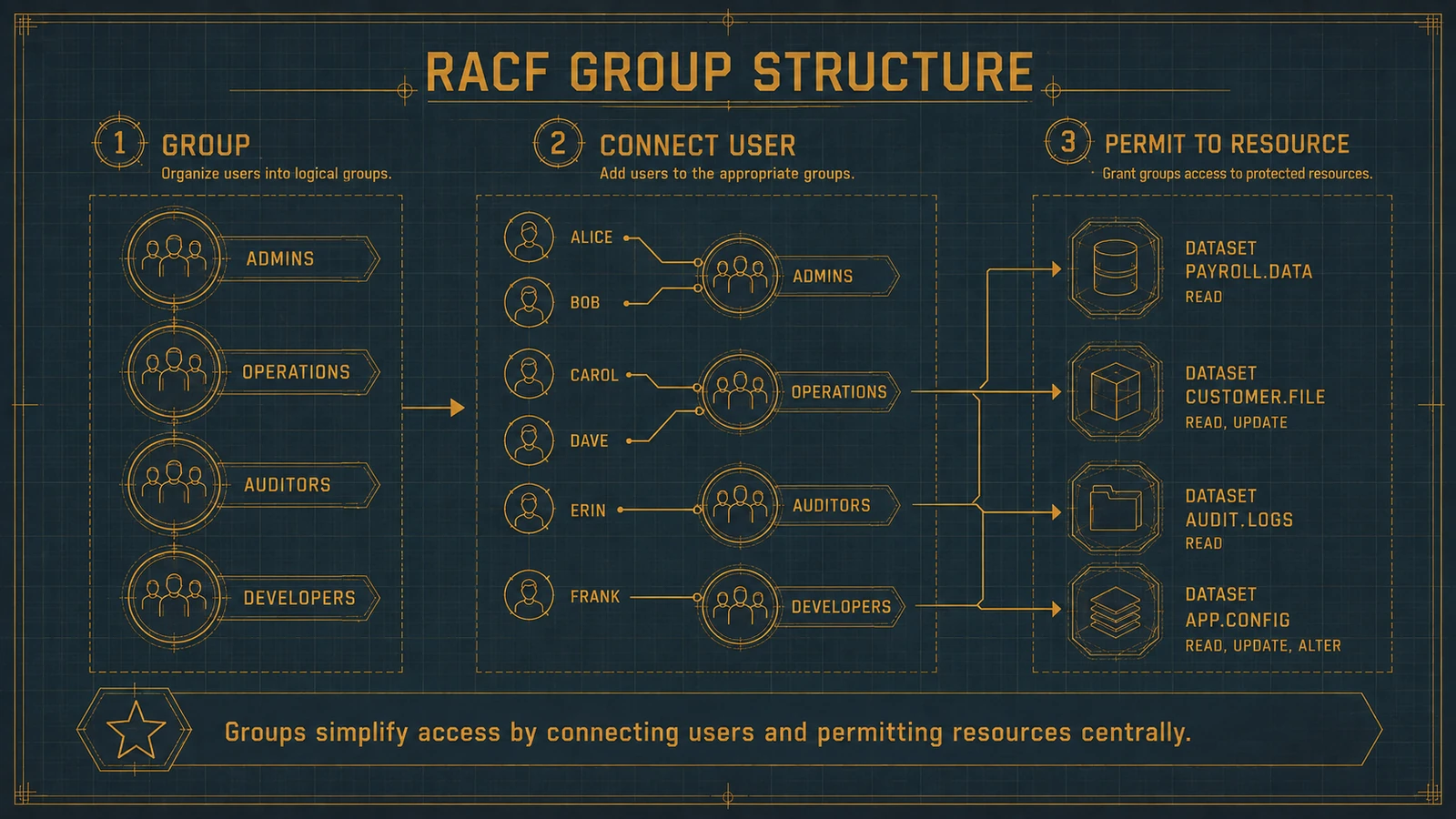 Build the group with ADDGROUP, enroll people with CONNECT, and bind the group to resources with PERMIT — the same three-step pattern regardless of which team the group represents.
The access authority ladder: NONE, READ, UPDATE, CONTROL, ALTER
Every PERMIT names an access authority, and RACF's authorities form a fixed, ordered ladder that means the same thing whether the grant goes to a user, to a group, or is set as a profile's universal access. NONE denies access outright. READ allows a resource to be viewed or read without modification. UPDATE allows reading and writing — modifying the content of a dataset, for instance. CONTROL, in the dataset context, grants an authority roughly equivalent to VSAM control-interval access and sits above UPDATE. ALTER is full control: reading, writing, and — on a discrete profile — administrative authority over the profile itself, including the ability to change its access list. That last point makes ALTER categorically different from the levels below it; ALTER on a discrete profile isn't just strong data access, it's the power to re-grant that access to others.
Because these levels are ordered and because a user's effective authority is the highest level any of their applicable group connections provides, over-permissioning in RACF is inherently cumulative. Connect a user to a second group that happens to hold UPDATE on a resource where their primary group had only READ, and their effective authority to that resource silently becomes UPDATE. Nobody issued a command that reads like "give this person more access" — the elevation emerged from the combination of memberships. This is the single most important reason to keep group connections tight and reviewed: the authority ladder rewards restraint and quietly punishes accumulation.
The same ladder appears in a profile's universal access, or UACC, which is the authority RACF grants when no user or group entry on the access list matches the requester. A UACC of NONE means "denied unless explicitly listed," which is the safe default for any sensitive resource; a UACC of READ means anyone on the system can read it whether or not they're on the list. Setting UACC thoughtfully is as much a part of access design as the PERMITs themselves, because UACC is the fallback the resolution logic lands on when nothing else matches.
Group-owned datasets and the group hierarchy
RACF groups are hierarchical. Every group is created beneath a superior group named by SUPGROUP, and the result is a tree rooted at SYS1. That hierarchy primarily governs two things: administrative scope — who has authority over which groups — and ownership. It's important to be precise about what the hierarchy does not do: a subgroup does not automatically inherit the resource access of its superior group simply by being nested beneath it. Resource access comes from CONNECT and PERMIT, not from a group's position in the tree. Treating the hierarchy as if it cascaded permissions downward is a common and costly design mistake; the tree is the administrative skeleton, not an access-inheritance engine.
Group ownership is where the hierarchy earns its keep for data protection. A group-owned dataset is a dataset profile whose owner is a group rather than an individual user ID. Because ownership in RACF confers administrative authority over the profile, group ownership means the profile is administered by the group and by users holding appropriate group authority within it — not by one named person. The payoff is continuity. When an individual owns a dataset profile and then leaves the organization, the profile is stranded in an awkward administrative state until someone reassigns it. When a group owns it, the team's ability to administer and reach the data survives any single departure with no cleanup required. Group ownership also lines up naturally with high-level-qualifier conventions: let the group that represents a function own the profiles under that function's HLQ, and you've created a single, auditable point of accountability for everything beneath that qualifier.
Group authorities refine who can do what inside a group. A user connected to a group can hold a group authority such as USE, CREATE, CONNECT, or JOIN, which governs whether that person can merely use the group's access, define profiles under the group, connect other users to the group, or administer the group more broadly. Distributing these authorities deliberately — rather than making everyone a de facto administrator — is part of keeping the group model controlled, and it's the mechanism by which delegated administration is done safely on large systems.
How an access decision actually resolves
Understanding the resolution order matters more than memorizing any single command, because it's what determines what a user can actually reach at runtime. When a user requests access to a protected resource, RACF evaluates a defined sequence. It first checks whether the user ID itself appears on the resource profile's access list. It then evaluates the user's group connections against the access list — and here the behavior depends on a system setting. When list-of-groups processing is active, controlled by SETROPTS GRPLIST, RACF considers every group the user is connected to and grants the highest authority any of those group entries provides. When GRPLIST is not active, only the user's current connect group is evaluated, and connections to other groups don't contribute to the decision. If no user or group entry matches at all, RACF falls back to the profile's UACC. If UACC is NONE and nothing matched, access is denied.
That "highest authority across all applicable connections wins" rule, when GRPLIST is active, is precisely why an unused group membership is a live risk and not a harmless leftover. A user connected months ago to a group that holds ALTER on a sensitive profile carries that ALTER authority every time they touch the resource, whether or not anyone remembers the connection exists. The resolution logic doesn't weigh intent or recency; it takes the most permissive match it finds. Conditional access — grants qualified by WHEN clauses such as program-controlled access or terminal restrictions — is evaluated within this same decision, narrowing when a match applies rather than changing the fundamental "most permissive wins" character of the outcome.
Whatever the outcome, RACF can log it. When a profile is set to audit access, the decision — allow or deny, at what authority, for which user — is written to the SMF audit trail, which is the record an assessor reviews and the raw material for detecting both attempted violations and the slow accumulation of access nobody reviews. Diagnostic commands make the model inspectable in the other direction: LISTGRP shows a group's connected users and attributes, and RLIST (or LISTDSD for datasets) shows a profile's access list, so an administrator can answer both "who is in this group" and "who can reach this resource" directly.
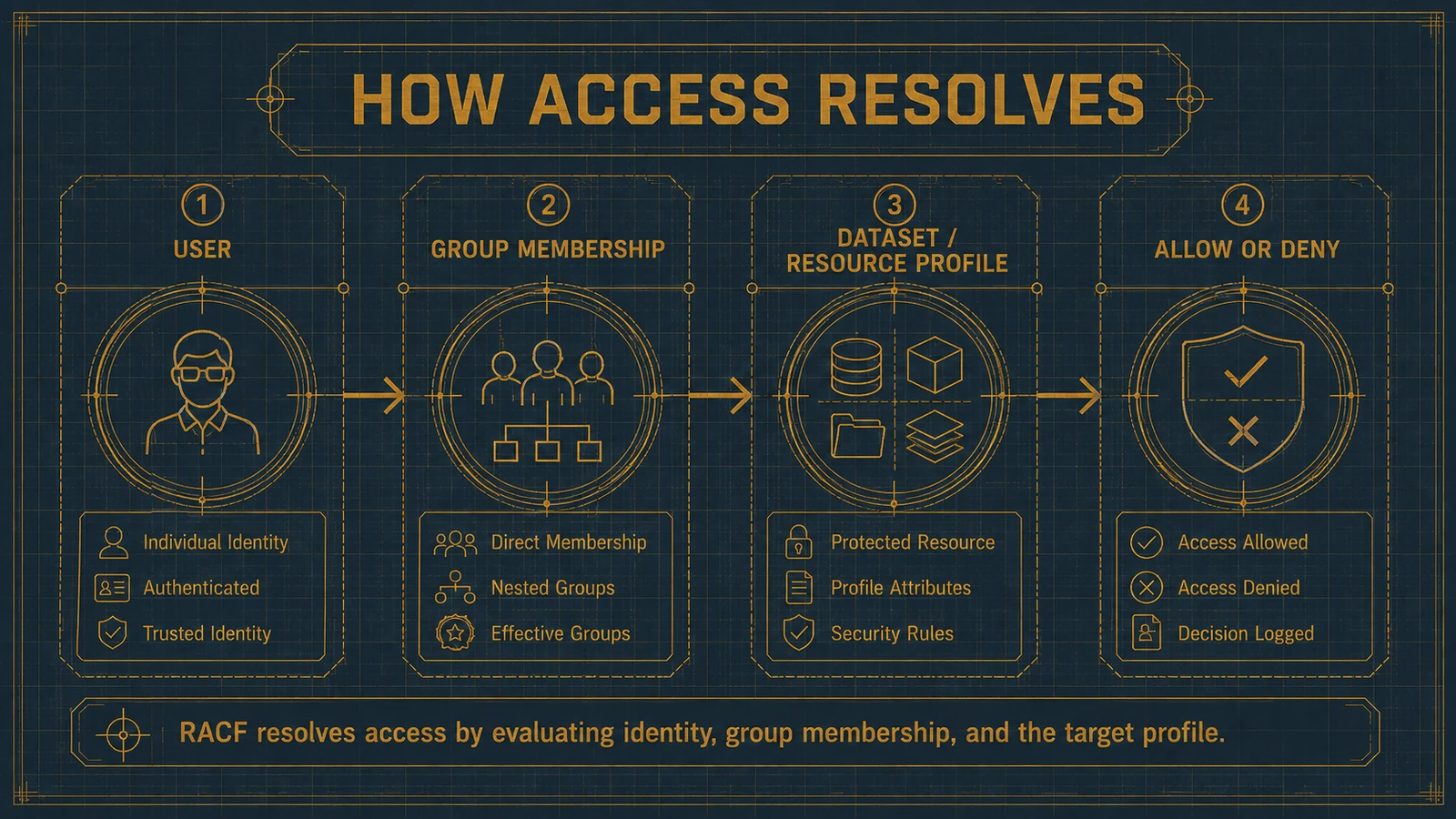 RACF checks the user, then the applicable group connections (all of them when GRPLIST is active), takes the most permissive match, falls back to UACC, and logs the result.
Group design best practices
A group model works or fails on its design, not on the commands used to build it. Four disciplines carry most of the weight.
Least privilege, expressed through group scope. The point of a group is to bundle exactly the access a role needs — no more. That means resisting the temptation to create broad "convenience" groups that hold access to everything a department might conceivably touch, because those become the groups everyone gets connected to and the reason effective authority creeps upward. A tightly scoped group whose PERMITs map to a genuine job function is the atomic unit of least privilege on RACF; a sprawling catch-all group is its opposite. Our RACF user access control guide covers the authorization model this rests on in more depth.
Segregation of duties, enforced by keeping conflicting access in separate groups. SoD is only meaningful if the groups that grant conflicting capabilities are genuinely distinct and no single person is connected to both. If the group that can submit a payment and the group that can approve one are separate, SoD is a connection-level control you can actually audit; if both capabilities live in one group, or if the same people are routinely connected to both, the separation is nominal. Designing groups so that toxic combinations are visible as "connected to both X and Y" is what makes SoD reviewable rather than aspirational.
A naming convention that encodes function and ownership. Group names are documentation. A convention that lets a reviewer infer a group's purpose, its owning function, and whether it's a role group (holding people) or a data group (owning and being permitted to resources) turns a wall of group names into something legible. Distinguishing role groups from data groups is particularly valuable: role groups are what users get CONNECTed to, data groups are what appear on resource access lists, and permitting role groups to data groups keeps the two concerns cleanly separated.
Periodic recertification, so the model is pruned continuously. Every discipline above decays without review. Access recertification — a scheduled cycle where group owners confirm that each connected user still needs the group and each PERMIT still reflects a real requirement — is what keeps the model from becoming the thing auditors always find: hundreds of groups nobody can explain and users connected to groups they last needed years ago. Recertification is the maintenance that makes the other three disciplines durable rather than one-time.
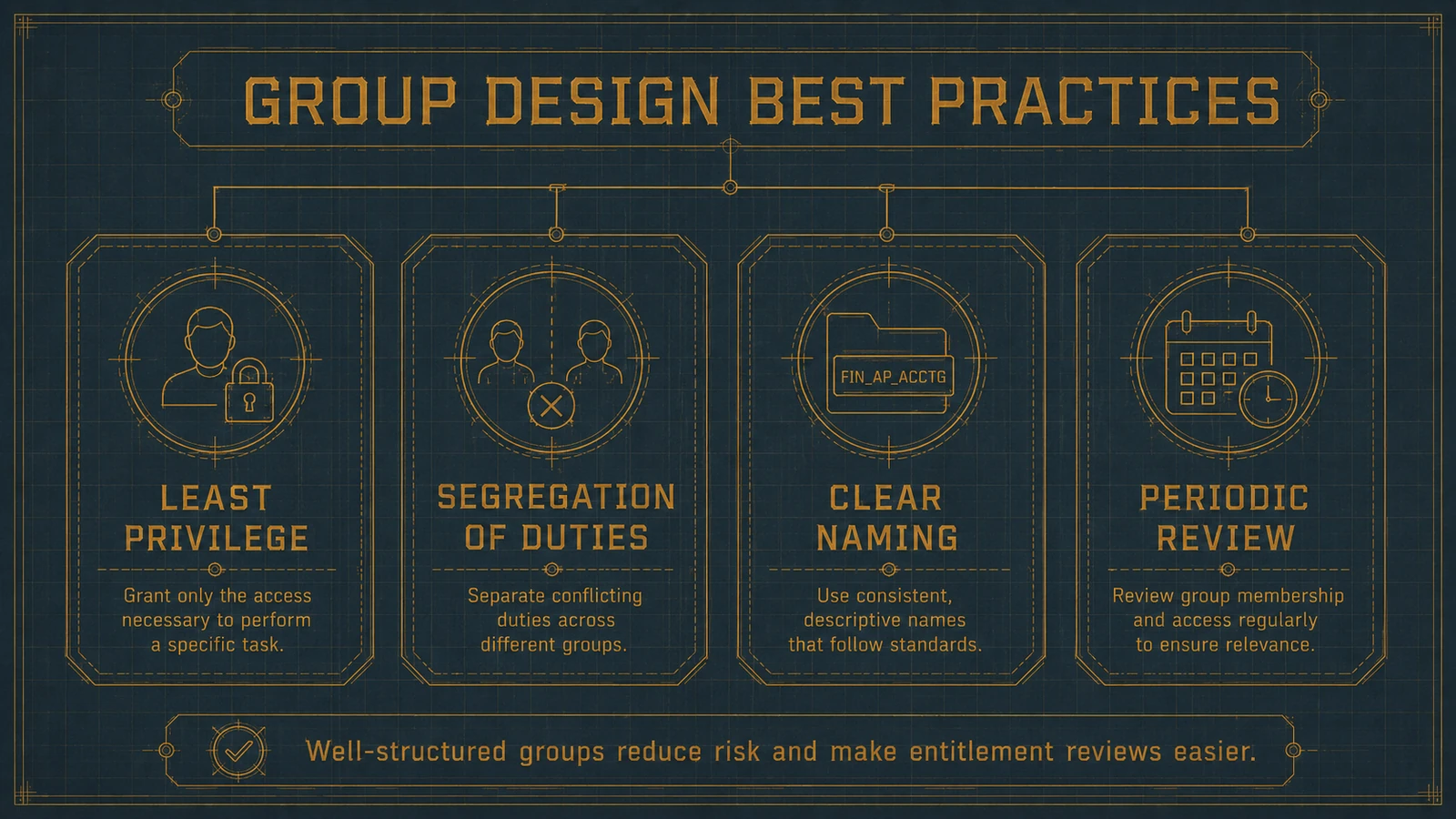 Least privilege, segregation of duties, a naming convention that encodes function and ownership, and scheduled recertification — the four disciplines that keep a group model auditable over time.
Governing the group model from the identity layer
Administering RACF groups purely by hand doesn't scale past a modest number of groups and users. CONNECTs get added under time pressure and never removed; PERMITs accumulate; the difference between the group model as designed and the group model as it actually stands widens until an audit forces a reconciliation. The pattern that reduces that burden without changing what RACF enforces is to treat group membership and PERMIT-based access as governed entitlements managed from the identity platform layer rather than as ad-hoc commands.
Concretely, that means a few things working together. Group connections and permissions become requestable through an access-request workflow, so a new connection carries an approver and a reason instead of arriving as an untracked command. Those requests provision as the actual RACF commands against the LPAR — because RACF has no REST or SCIM endpoint, the identity platform still expresses every change as a real CONNECT, REMOVE, or PERMIT — but now with a record of who approved it. And the whole model is recertified on a schedule, so unused connections and stale PERMITs surface for removal on a cadence instead of only when an assessor goes looking. This is the same lifecycle discipline our RACF provisioning automation guide applies to joiner/mover/leaver events, extended from user IDs to the group connections that actually carry their access.
What Avatier ships toward this pattern
Avatier Identity Anywhere treats RACF group membership and PERMIT-based access as a governed target rather than a set of commands run by hand. It models CONNECT relationships and group-to-resource permissions as entitlements that can be requested through a workflow, approved by the right owner, provisioned as the actual RACF commands against the LPAR, and recertified on a schedule so unused connections surface for removal instead of accumulating silently. Segregation-of-duties policy can be expressed as rules over group membership — flagging or preventing the toxic combination of two conflicting groups on one identity — so SoD becomes an enforced control rather than a review-time discovery.
The platform doesn't change what RACF itself enforces. RACF still owns the access decision, the group hierarchy, the authority ladder, and the SMF audit trail underneath it. What Avatier adds is the governance layer on top: who approved a connection, when a permission was last reviewed, and where live membership has drifted from what policy intends. The Avatier Trust Center publishes the compliance posture behind the platform: SOC 2 Type II audited with zero exceptions noted, ISO/IEC 27001:2022 certified, PCI DSS v4.0.1 compliant, CSA STAR Level 1 attestation, NIST 800-53 Rev. 5 aligned, and a CISA Secure-by-Design Pledge signatory.
Where group administration fits in the larger RACF picture
Group assignments and permissions are one layer of a larger discipline. Readers new to the platform should start with our RACF beginner's guide for the fundamentals this piece assumes, and the essential configuration guide for the SETROPTS-level settings — including GRPLIST — that shape how the access decisions described here actually resolve. Teams weighing RACF against the other dominant mainframe access-control product will find the group and permission models compared in our RACF vs. ACF2 guide.
The programs that get durable value from RACF's group model treat it as what it is: the mechanism that makes mainframe access survive people. Build access into tightly scoped groups, grant it with PERMIT to the group rather than the person, connect and remove people as they come and go, and review the whole model on a schedule. Do that and the resource access lists stay legible and the effective authority stays intentional. Skip the review discipline and the same three commands that make the model clean will, over enough time, build exactly the sprawl every mainframe security team eventually inherits.
ABOUT THE AUTHOR

More from RACF & Mainframe

RACF Password Complexity & Expiration Rules 2026 (SETROPTS)
RACF enforces password complexity, expiration, history, and lockout through SETROPTS PASSWORD suboperands — RULEn, INTERVAL, HISTORY, and REVOKE. The 2026 reference on the exact syntax, why PCI-DSS and SOX still mandate it even as NIST 800-63B moves the industry away from rotation and composition rules, and where RACF-level enforcement alone stops being enough.

Automating RACF Provisioning from HR Events: A 2026 Guide
RACF user provisioning becomes reliable when create, entitle, and deprovision actions trigger directly off HR events instead of tickets — here's how that pattern actually works on the mainframe.
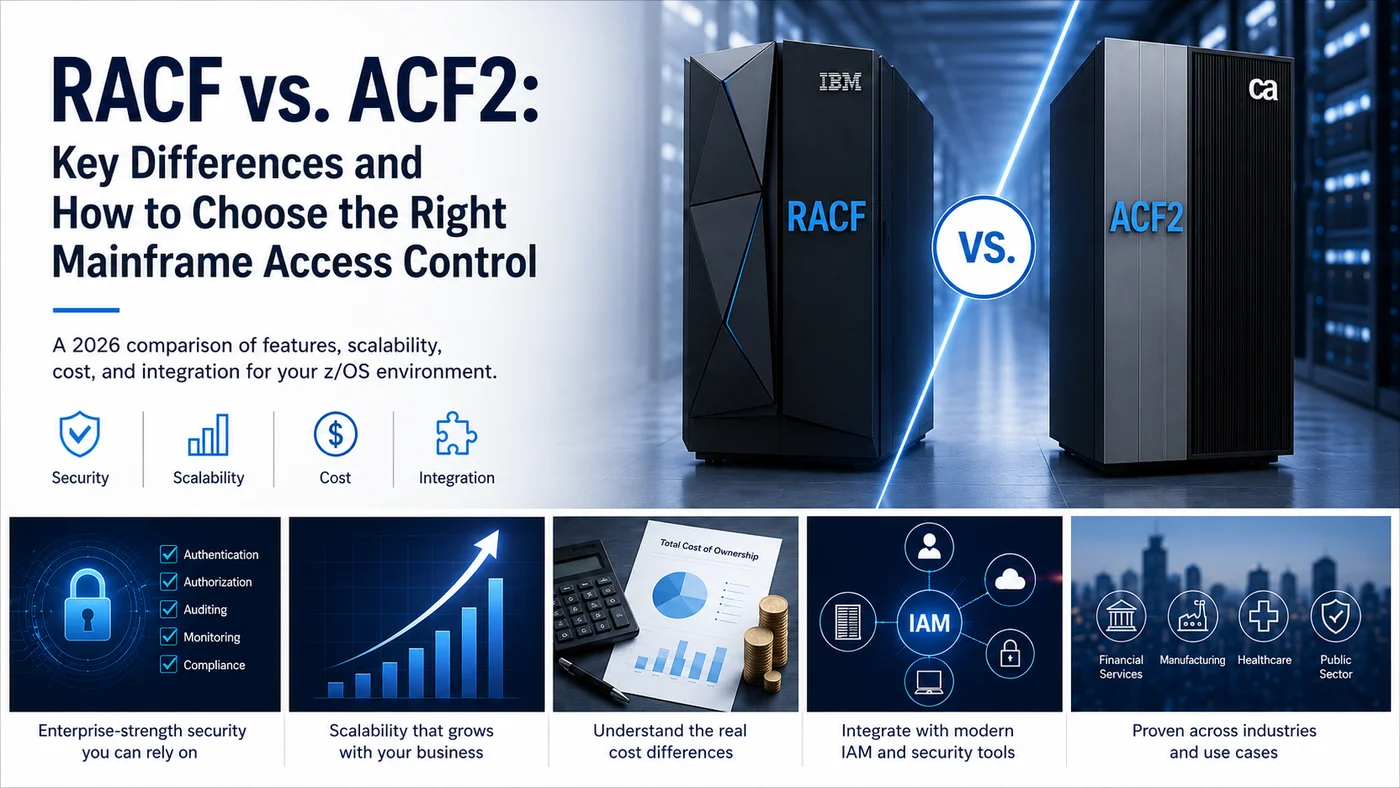
RACF vs. ACF2: Key Differences and How to Choose the Right Mainframe Access Control
RACF vs. ACF2: a 2026 mainframe security comparison covering features, scalability, cost, and how to choose the right option for your z/OS environment.