MFA for Windows Login and RDP: Avatier Strong MFA Login
MFA at the SAML layer leaves Windows login, RDP and server logons on a password alone. Avatier Strong MFA Login binds the factor you already own to every password authentication event.
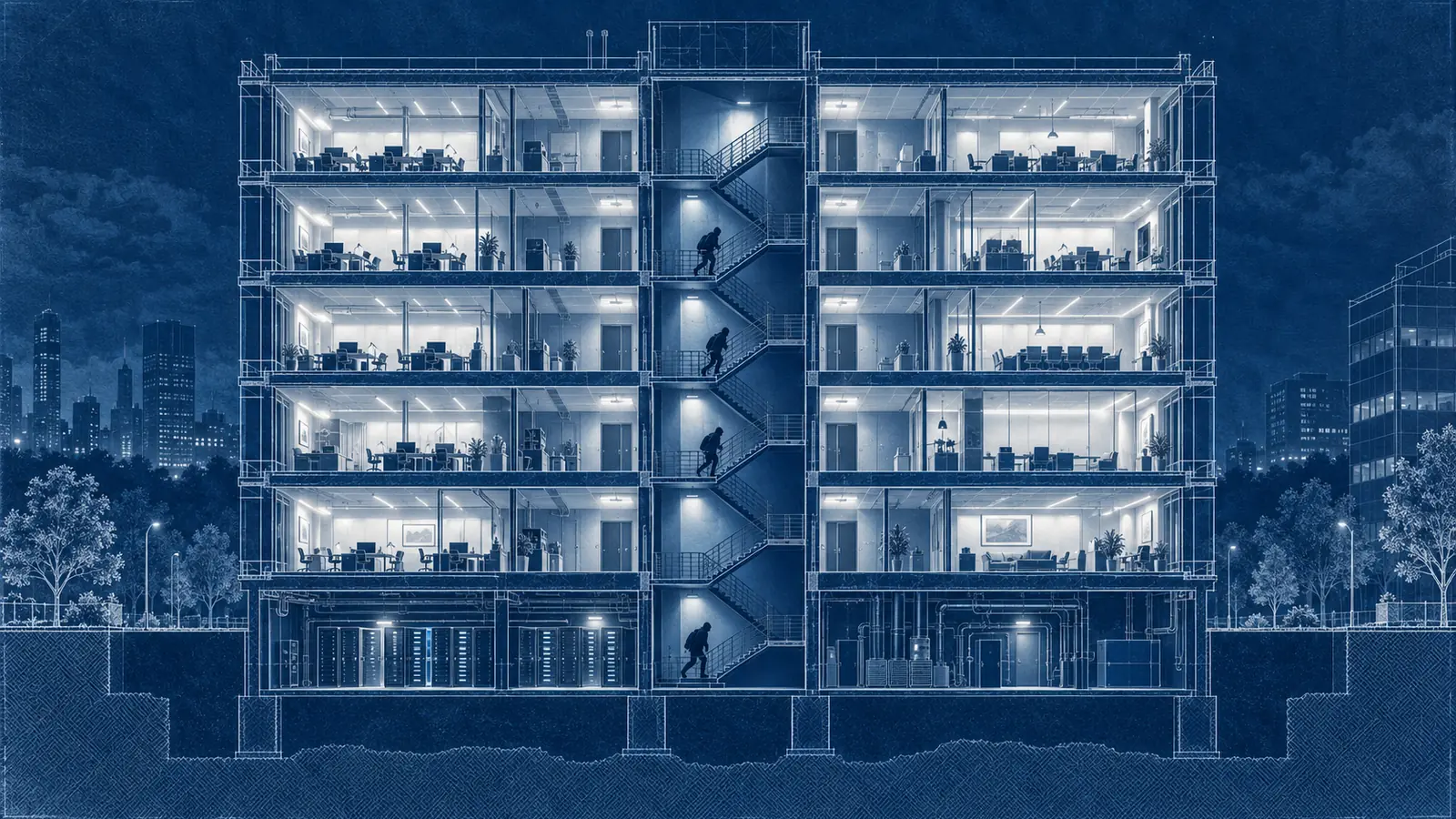
MFA at the SAML layer leaves Windows login, RDP and server logons on a password alone. Avatier Strong MFA Login binds the factor you already own to every password authentication event.
- MFA for Windows login means the second factor is checked at the workstation, the RDP session and the server, not only at the SaaS app.
- MFA added at the SAML or OIDC layer only sees traffic that routes through the identity provider, so direct directory logins can stay on a password alone.
- MITRE ATT&CK lists Remote Desktop Protocol (T1021.001) under Lateral Movement: adversaries may use valid accounts to log in over RDP.
- Avatier Strong MFA Login binds Microsoft Authenticator, Okta Verify, Duo, RSA or the Identity Challenge Card to every password authentication event.
- Each login becomes a layered checkpoint: MFA first, a Password Firewall-validated password second, and an optional corporate third factor.
MFA for Windows login means the second factor is checked when someone signs in to a workstation, opens an RDP session or logs on to a server, not only when they open a SaaS app. Avatier Strong MFA Login binds a strong second factor, whether Microsoft Authenticator, Okta Verify, Duo, RSA or the Avatier Identity Challenge Card™, to every password authentication event, including RDP, Citrix, VDI, shared workstations and servers.
That gap matters because a password that still works at the Windows login screen is one way an intruder gets from one machine to the next.
Where SAML-layer MFA stops
MFA added at the SAML or OIDC layer protects the applications behind the identity provider. The limit is what it can see. As Avatier's Strong MFA Login page puts it, "the IdP only sees the traffic that routes through it." Beneath the federation layer, the page says, password authentications continue directly against the directory: interactive logins, network authentications, service accounts and legacy applications.
That leaves a set of logins an SSO coverage report may not show at all:
- Windows sign-in at a desk or on a shared workstation
- RDP sessions to servers
- Citrix and VDI desktops
- Logons to physical servers
- Network authentications and service accounts
The same page describes the trap: teams often assume the MFA program is complete "because every app behind the IdP prompts for a second factor." The dashboard can be accurate about the apps and still say nothing about the operating system logins underneath them.
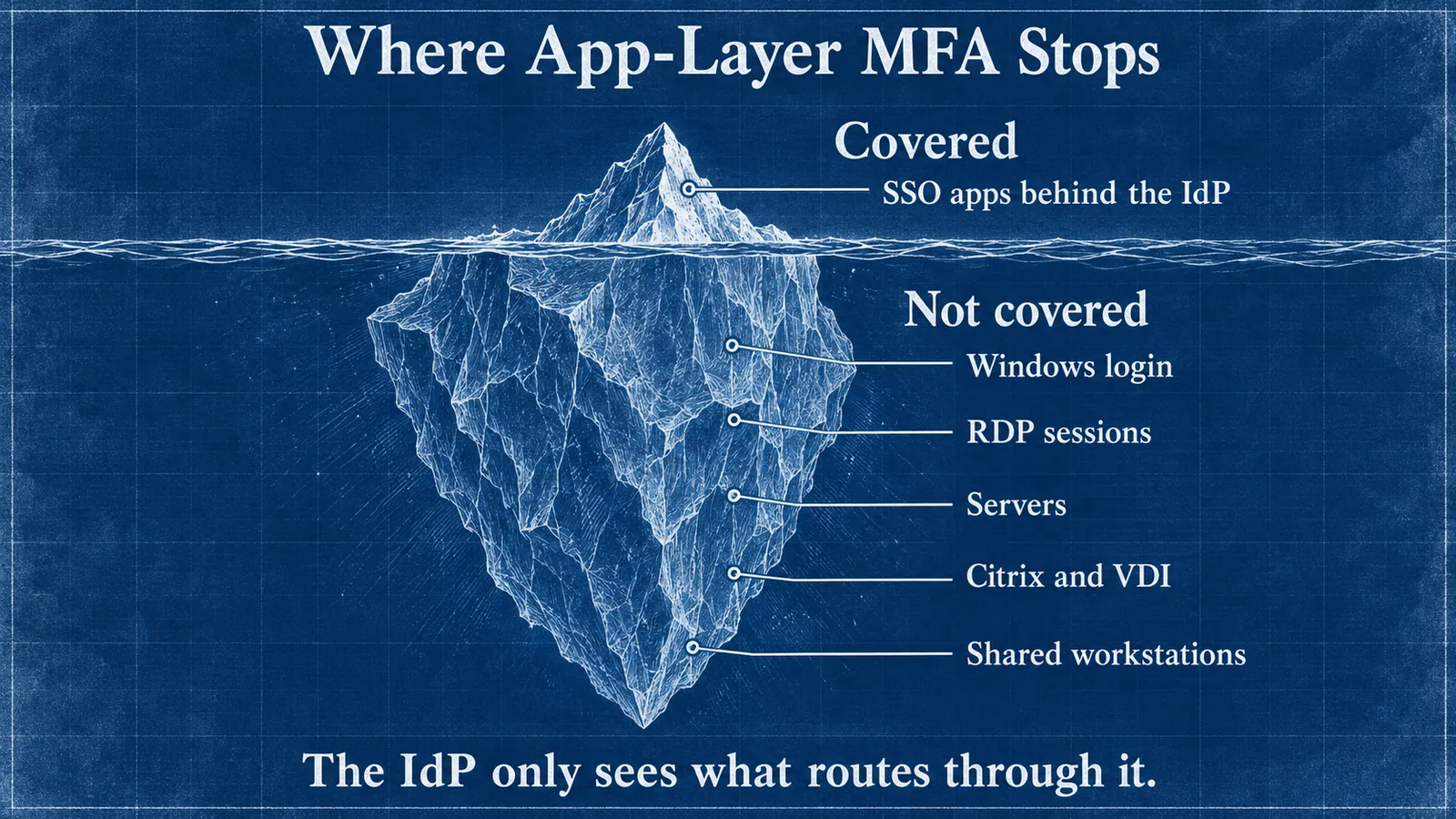 SSO MFA covers the apps behind the identity provider. Windows sign-in, RDP, servers and shared desktops sit below that line.
How a stolen password becomes lateral movement
MITRE ATT&CK lists Remote Desktop Protocol as technique T1021.001 under the Lateral Movement tactic. Its description begins: "Adversaries may use Valid Accounts to log into a computer using the Remote Desktop Protocol (RDP). The adversary may then perform actions as the logged-on user." It adds that adversaries "may connect to a remote system over RDP/RDS to expand access if the service is enabled and allows access to accounts with known credentials."
Read as a sequence, the pattern is simple:
- A password is stolen. The Strong MFA Login page names phishing, infostealers and breach dumps as ways a credential gets stolen.
- The attacker signs in where no SSO prompt appears. A workstation, a server or a remote desktop session.
- RDP carries them to the next machine. Each hop uses a known credential.
- They repeat until something is worth taking. One of MITRE's procedure examples, the 2025 Poland Wiper Attacks, describes adversaries who "utilized RDP to log into jump hosts and then moved laterally to other victim devices to include a domain controller."
Step 3 is cheap whenever a server accepts a password on its own. MITRE's listed mitigation M1032 is direct: "Use multi-factor authentication for remote logins."
Stolen credentials also lead the breach letters that say how attackers got in. Avatier's Identity Attack Ledger covers every breach notification filed with the California Attorney General from January 1, 2023 to August 14, 2026. Of the 53 incidents whose letters name a vector, 31, or 58.5%, name a phished or stolen credential. That is the subset of California filings that name a vector, not a national rate.
What MFA on every login has to do
Whatever product you use, MFA for Windows login and RDP has to meet a few tests. This is general guidance:
- Cover the login, not the app. Workstation sign-in, RDP, Citrix and VDI, and server logons all need the same enforcement as the SaaS estate.
- Work on shared machines. Device-bound sign-in methods struggle when a user moves between machines; the trade-offs are covered in Windows Hello Limitations 2026.
- Keep the password gate. An approved push should never be enough on its own. Push bombing is covered in MFA Fatigue Attacks: Defense Patterns.
- Check the password, not just the person. A breached password plus a tired approval is still a breach.
- Alert on failures. A failed second factor on a server at 3 a.m. is a signal, not log noise.
- Be stricter at sensitive moments. Re-verifying privileged actions is covered in Step-Up Authentication.
How Avatier Strong MFA Login hardens Windows login
Sam Wertheim, Avatier's CISO, states the position plainly: "Windows Login is weak. MFA login alone is a failed patch. Strong MFA Login makes your environment secure and stops lateral movement at the source."
Strong MFA Login is Pillar 5 of Avatier Credential Governance™. The product page describes turning every server and workstation login into "a layered, alarmed checkpoint," in this order:
- An MFA challenge first.
- A Password Firewall-validated password second. The password gate runs through the Avatier Password Firewall™, so the credential is breach-checked and policy-compliant at the moment of login.
- An optional corporate third factor, a company-issued attribute such as an employee ID.
- A real-time alert the moment any gate is missed.
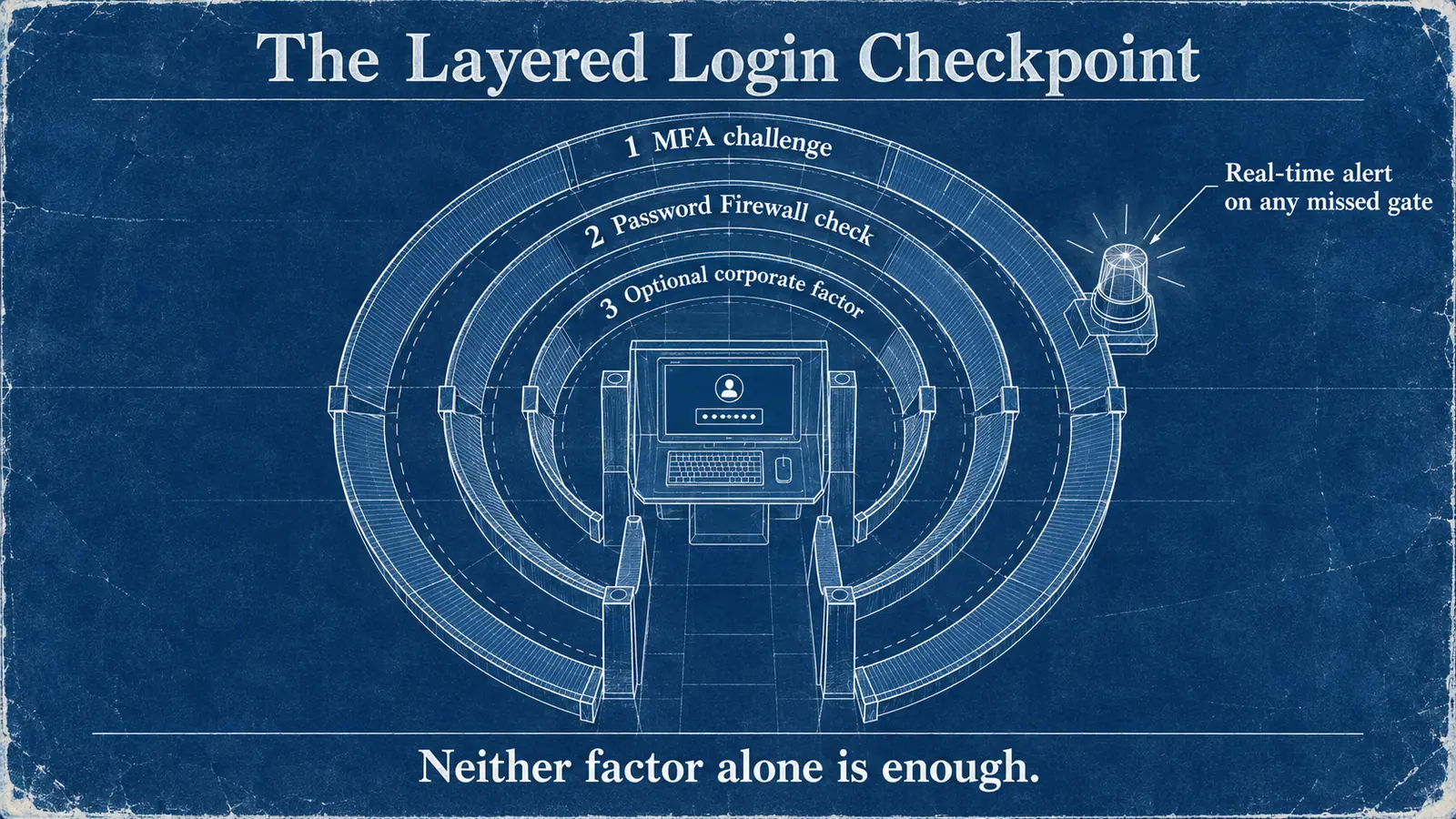 The sourced order: MFA first, a Password Firewall-validated password second, an optional corporate factor third, with an alert on any missed gate.
The page is explicit that the password stays in the chain: "An approved push on its own gets an attacker nowhere. The directory issues no ticket until both the password and the second factor verify, so neither one alone is enough." Installed on every server, it says, each login is an independent checkpoint, "containing a network breach before it becomes a data-center breach."
What Avatier ships toward this pattern
The Strong MFA Login page describes these capabilities:
- The factor engine you already bought. Keep Microsoft Authenticator, Okta Verify, Duo or RSA; the page says "Avatier wires the factors you already bought to every password event."
- Deviceless MFA. The page says the Identity Challenge Card "delivers air-gapped MFA in defense, healthcare, and manufacturing sites where mobile phones are banned or impractical."
- Coverage without new hardware. A browser-based, hardware-agnostic gateway covers physical servers, shared workstations, VDI and Citrix, "with no TPM chip or PKI lock-in."
- Credential-Event Interception, marked patent pending. Every password authentication routes through the verifier before Active Directory, Entra ID or RACF grants access.
- Directory fit. Active Directory, Entra ID, LDAP and Okta Universal Directory, with Conditional Access coexistence on the Microsoft stack.
- 34 languages across MFA prompts and verification workflows.
For the full capability list, see the Strong MFA Login pillar page; for all six pillars, see Credential Governance. Compliance details are on the Avatier Trust Center: SOC 2 Type II audited with no exceptions noted, and ISO/IEC 27001:2022 certified. For the invitation-only preview, see the Avatier Identity Anywhere 2027™ site; for the wider company, see avatier.com.
Getting started with Strong MFA Login
Strong MFA Login keeps the factor engine you already bought. Microsoft Authenticator, Okta Verify, Duo, or RSA is wired to every password event instead of only the SAML layer, and a browser-based, hardware-agnostic gateway covers physical servers, shared workstations, VDI, and Citrix with no TPM chip or PKI lock-in. The pillar pairs it with Password Firewall, so the credential itself stays governed. For the pillar overview, see Strong MFA Login. For Pay Per Identity Action™ pricing, where getting started is free and a 45-day money-back guarantee applies, see Identity Anywhere 2027.
ABOUT THE AUTHOR

More from Access Management

Introducing the Avatier MCP Server: Identity Actions Inside Your AI Assistant
The Avatier MCP server is live at mcp.avatier.com. Connect Claude, Claude Code, GitHub Copilot, Cursor or Gemini CLI and run governed identity actions in plain language, with the same verification, policy and approvals as the Avatier console.
Active Directory Group Cleanup: The 2026 Remediation Program
You already know the groups have sprawled. This is the remediation program that reverses it: discovery, ownership assignment, consolidation order, and deletion with a rollback window.
Mandatory vs Discretionary Access Control: The 2026 Enterprise Architecture Guide
Mandatory Access Control and Discretionary Access Control are the two foundational access-control models that frame every enterprise IGA decision. The 2026 reference on what each model actually enforces, where RBAC and ABAC fit, how mainframe RACF and ACF2 implement both, and the architecture that composes them cleanly.