Help-Desk KPIs & Reducing Password-Reset Tickets (2026)
Password resets are usually the single largest category of help-desk contacts — and the most reducible. This 2026 update covers the help-desk KPIs that actually matter for identity and password support, how to baseline them, and the specific levers — self-service reset, password synchronization, MFA-verified reset, and passwordless — that cut reset ticket volume and cost. Plus the hardened path for the tickets that remain, and an honest look at what the KPIs do not tell you.
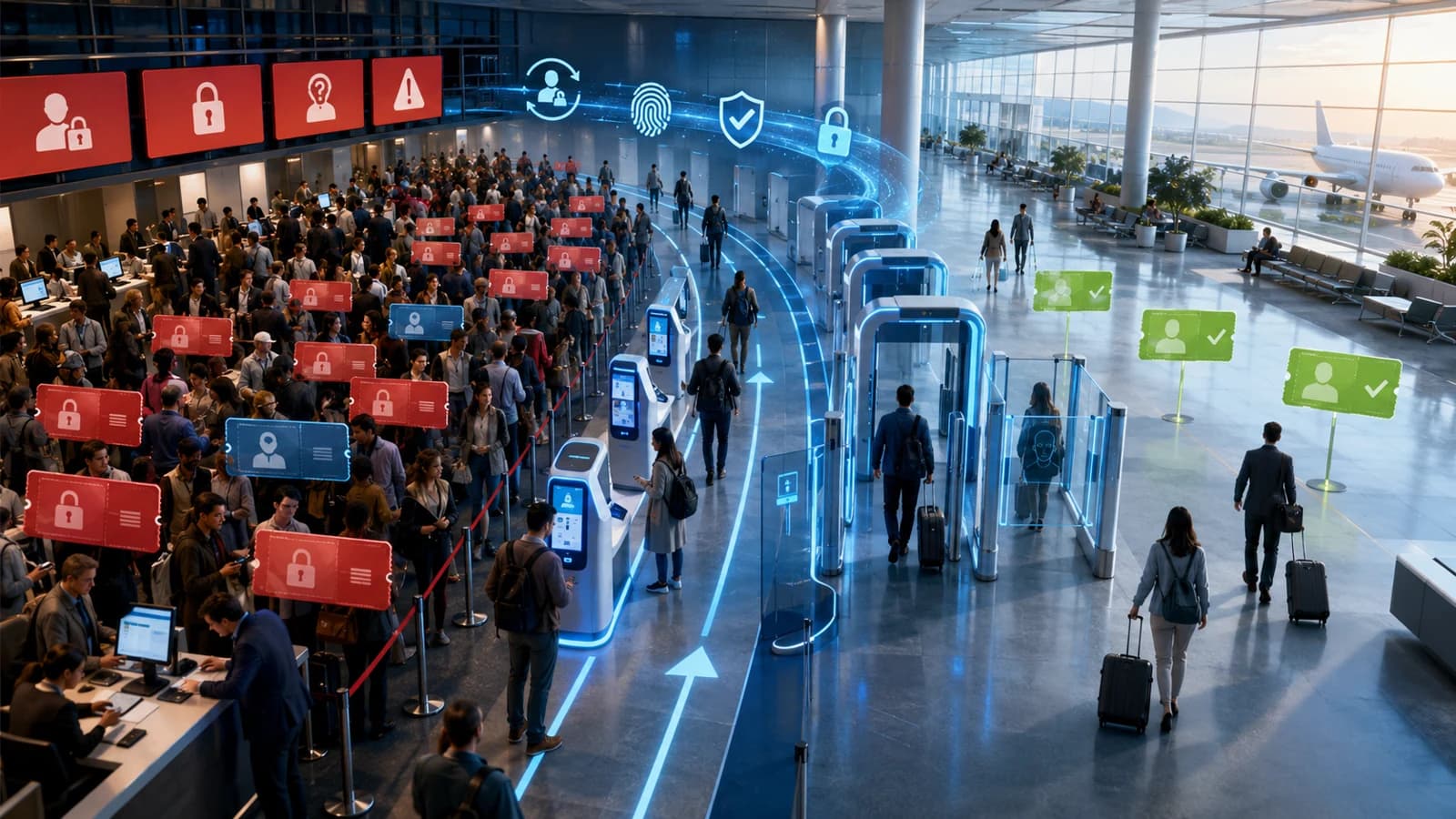
Password resets are usually the single largest category of help-desk contacts — and the most reducible. This 2026 update covers the help-desk KPIs that actually matter for identity and password support, how to baseline them, and the specific levers — self-service reset, password synchronization, MFA-verified reset, and passwordless — that cut reset ticket volume and cost. Plus the hardened path for the tickets that remain, and an honest look at what the KPIs do not tell you.
- You reduce password-related help-desk tickets by removing the reasons users call — self-service reset that works before login, password synchronization across systems, MFA-verified reset, and passwordless for the segments that can carry it — then hardening the small residual that still needs a human.
- Track a compact KPI set, not a wall of charts: total ticket volume, the password-related share of that volume, mean time to resolve (MTTR), first-contact resolution (FCR), cost per ticket, and self-service adoption rate. The password-related share is the reducible slice; adoption rate is the leading indicator that the slice is actually shrinking.
- Baseline before you change anything. Tag password, lockout, and access tickets as their own category so the reducible slice is visible, capture a few weeks of MTTR, FCR, and volume, and record where the tickets originate (which systems, which populations, pre-login vs post-login). You cannot prove a reduction you never measured.
- The levers stack. Self-service reset and password synchronization remove tickets outright; MFA-verified reset deflects volume without weakening identity proofing; passwordless removes the password as the failure mode entirely. Each lever moves a different KPI, and the biggest wins come from pre-login coverage and frontline populations, not from the users who already self-serve.
- KPIs measure throughput and cost, not safety. A help desk can post great FCR and low MTTR while quietly resetting credentials for callers it never really verified. The tickets you cannot deflect must run a hardened path — out-of-band verification, a least-privilege agent, a full audit trail, and a one-time credential that forces a change at next login.
You reduce password-related help-desk tickets by removing the reasons users call in the first place, then hardening the calls that remain. The highest-leverage moves are consistent across large enterprises: give users self-service password reset that works before they can log in, synchronize one credential across systems so a single change propagates everywhere, gate resets behind a multi-factor step so deflection never weakens identity proofing, and move the segments that can carry it to passwordless so the password stops being the thing that breaks. Then you measure the shift with a small, honest set of KPIs — ticket volume, the password-related share of that volume, mean time to resolve, first-contact resolution, cost per ticket, and self-service adoption rate — and you concentrate effort where the data says the tickets actually originate.
This piece is the 2026 update of an older article on help-desk KPIs in the age of automated identity management (originally published at avatier.com/blog/help-desk-kpis-age). The original was written before self-service reset, password synchronization, and passwordless authentication had matured into the default toolkit they are now, and before the KPI conversation had settled on which numbers survive scrutiny. This version keeps the useful frame — that the right metrics change what you optimize — and rebuilds it around the levers that demonstrably move password-reset volume. Companion pieces on this blog go deeper on the money: the Password Help-Desk Cost Analysis and the real cost of a help-desk password reset both model the per-ticket and per-employee economics. This one is about the KPIs and the ticket-reduction mechanics.
Why password resets dominate help-desk volume
Walk into almost any enterprise service desk and ask what the agents spend their day on, and the answer is some version of "passwords and access." Resets, account lockouts, expired credentials, MFA enrollment problems, and "I can log into this system but not that one" requests routinely make up the single largest category of contacts — often a bigger share than every other issue type combined. The exact percentage varies by industry and workforce profile, but the shape is universal: password work is high-volume, repetitive, and unglamorous, and it scales directly with headcount, policy complexity, and the number of separate credential silos a user has to keep straight.
There are structural reasons for this. Every additional system with its own password is another thing to forget, another expiry cycle, another lockout threshold. Complex password policies — long minimums, frequent rotation, character requirements — increase the odds that a user fumbles a credential and calls in. Workforce turnover means a steady stream of new users learning the environment and old accounts that need attention. And shared or frontline populations — clinical staff at a bedside workstation, operators on a manufacturing floor, agents at a contact-center terminal — often have no clean self-service path at all, so they default to the phone.
The important thing for a KPI conversation is that this volume is reducible. Unlike a hardware failure or a genuinely novel incident, a password reset is a known, repeatable event with a known set of preventions. That is exactly why it belongs in its own measured category: it is the part of your help-desk load you can most directly engineer down.
The help-desk KPIs that matter for identity support
You do not need a wall of dashboards. You need a compact set of metrics that connect the work your agents do to the outcome you want, and that move in a legible sequence when you intervene.

The KPI set for identity support: the password-related share is the reducible slice, and self-service adoption is the leading indicator it is shrinking.
Ticket volume is the denominator. Track it, but never optimize it in isolation — it rises and falls with headcount and seasonality, so a raw drop can be an artifact of a hiring freeze rather than a real improvement.
Percent password-related is the number that matters most. It is the share of total volume made up of resets, lockouts, and access requests — the reducible slice. When this share falls while headcount holds steady, you are genuinely deflecting work rather than just riding a smaller workforce.
Mean time to resolve (MTTR) measures how long a stuck user waits from ticket open to resolution. For password work it is a proxy for lost productivity: every minute in MTTR is a user who cannot do their job. Self-service collapses MTTR toward zero because the user resolves the issue themselves in seconds.
First-contact resolution (FCR) measures how often an issue closes on the first touch, no escalation and no callback. Low FCR on password tickets usually points to broken verification, missing agent tooling, or unsynchronized credentials that force a per-system chase.
Cost per ticket carries the fully-loaded labor and workflow overhead behind each contact. It is the metric your finance team cares about, and the reset cost-analysis pieces linked above turn it into a defensible per-employee and per-enterprise number.
Self-service adoption rate is the share of resets users complete without ever filing a ticket. Treat it as your leading indicator: it climbs first, and volume and cost follow. A rising adoption rate alongside a falling password-related share is the clearest possible signal that a deflection program is working.
How to measure them: building the baseline
You cannot prove a reduction you never measured, and "help-desk tickets feel lower" is not a business case. Before you change anything, establish a baseline.
Start by tagging password work as its own category in your ticketing system. If resets, lockouts, and access requests are buried inside a generic "IT support" bucket, the reducible slice is invisible and no one can see the improvement you are about to make. A dedicated category — ideally with subtags for reset vs lockout vs access, and for pre-login vs post-login — is the single most useful piece of instrumentation you can add.
Then capture a few weeks of the core KPIs at steady state: total volume, the password-related share, MTTR, FCR, and cost per ticket. A few weeks smooths out day-of-week and month-end spikes and gives you a defensible "before" picture.
Finally, record where the tickets originate. Group them by system (which applications and directories generate the most resets), by population (which departments or worker types call in most), and by state (locked out at the login screen vs an authenticated user who wants a change). This origin analysis is what turns a vague "reduce tickets" goal into a targeted plan, because reset volume is almost never evenly distributed — a handful of systems and populations usually generate the majority of it. The password-reset comprehensive guide covers the workflow architectures behind these origins, and the piece on password-reset security questions and best practices covers why knowledge-based verification is a weak baseline you should plan to move off.
The levers that cut password-reset ticket volume
With a baseline in hand, the interventions are well understood. They stack — each one moves a different KPI, and the biggest programs combine all of them, sequenced by population.

Self-service reset and synchronization remove tickets; MFA-verified reset and passwordless remove the failure itself. The levers compound.
Self-service password reset (SSPR) is the workhorse. It lets a user reset their own credential through a verified flow without ever contacting an agent, which drives MTTR toward zero and pulls the password-related share of volume down directly. The critical design decision is coverage of the pre-login state: the user who is locked out at the Windows login screen or a lock screen and literally cannot reach an authenticated portal. Post-login-only SSPR misses the highest-leakage tickets. The enterprise SSPR deployment guide covers the configuration discipline — pre-login coverage, strong-authenticator verification, frontline segment enrollment, rate-limiting — that separates a program that deflects most resets from one that deflects only the easy ones.
Password synchronization attacks the fan-out problem. In a large estate, one forgotten or expired password can generate a reset request in every silo it touches. Synchronizing a single credential change across connected systems collapses that into one event, which both lowers volume and raises FCR — the issue resolves everywhere at once rather than turning into a per-application chase.
MFA-verified reset is what makes self-service safe. Instead of an agent running knowledge-based verification (which is both slow and weak), the user proves identity with a second factor and the reset proceeds automatically. This deflects volume without lowering your identity-proofing bar, which is exactly the objection that stalls self-service programs in regulated environments.
Passwordless is the endgame. Passkeys, platform biometrics, and hardware factors remove the password as the primary authentication path for the segments that can carry them — and a user who authenticates with a passkey is not forgetting a password, so the reset event largely disappears. It will not cover everyone (legacy systems and some populations will keep passwords for a while), but for the covered segments it moves the reset rate toward zero rather than merely deflecting it.
The sequencing lesson from every large deployment: the outsized wins come from covering the populations that currently have no good option — frontline, shared-workstation, and deviceless users — not from giving a slicker tool to the knowledge workers who already self-serve.
Measuring the shift after you deploy
Once the levers are live, the same KPI set tells you whether they worked — and reading them in the right order prevents false conclusions.
Watch self-service adoption rate first. It moves before anything else, because it measures behavior directly: users choosing the self-service path over the phone. If adoption is climbing, the downstream numbers are about to follow. If it is flat, something is wrong with the reset flow — usually coverage (a population that cannot reach it) or friction (verification that is too painful) — and you should fix that before expecting volume to drop.
Then watch the password-related share of volume. This is the honest measure of deflection, because it is normalized against total contacts and does not get fooled by headcount changes. A falling share alongside rising adoption is the clean signal. Raw ticket count can mislead — a growing company can deflect a large fraction of resets and still see flat absolute numbers.
MTTR should drop sharply for the deflected tickets (self-service resolves in seconds) and you should see the distribution shift, not just the average — a cluster of near-instant self-service resolutions plus a residual tail of harder, human-handled cases. FCR should climb as synchronization eliminates per-system chases. And cost per ticket is where finance sees the return; the cost-analysis and real-cost pieces turn the volume reduction into the dollar figure that funds the program.
One discipline worth keeping: segment the after-numbers the same way you segmented the baseline. A great blended average can hide a frontline population that still calls in for everything. The reduction is only real when it shows up in the segments you targeted.
The hardened help-desk path for the tickets that remain
No deflection program reaches one hundred percent. Legacy systems that cannot integrate with modern reset flows, service accounts, users who exhaust self-service, and genuine edge cases will always leave a residual that needs a human. And that residual is not a rounding error to ignore — it is precisely the path attackers target with social engineering, because a help-desk reset is a fast route to account takeover if the verification is weak. The tickets you cannot deflect must run a hardened path.

Out-of-band verification, least privilege, a full audit trail, and a one-time credential — the assisted reset that stays safe without slowing users down.
Verify out-of-band. Do not trust caller ID, a plausible story, or an answer to a knowledge-based question that a determined attacker can research or phish. Confirm the requester's identity on a separate, trusted channel — a push to an enrolled device, a callback to a number of record, a manager attestation for high-risk accounts. This is the control that defeats the "I'm locked out and my flight leaves in ten minutes" pressure play.
Give the agent least privilege. The reset function should let an agent set a new credential, not read existing secrets, browse the account's data, or reach beyond the specific action. Scoping agent capability limits the blast radius if an agent account is itself compromised.
Audit every action. Write an immutable record of who reset what, when, and on whose authorization. This is both a security control (it deters and detects abuse) and a compliance artifact for the frameworks a regulated enterprise reports against.
Issue a one-time credential. The temporary secret the agent sets should be single-use and force a change at next login, so it cannot be reused or lingered on. The user is back to work; the temporary credential is dead the moment it is used.
This is the assisted-reset pattern, and the point is that it slows down attackers without slowing down legitimate users — the honest user clears out-of-band verification in seconds, while the social engineer hits a wall.

Once self-service absorbs the routine resets, the help desk is freed for the exceptions that actually need a person — verified, unhurried, and rare.
What Avatier ships toward this pattern
Avatier Identity Anywhere is built around the reduce-then-harden pattern rather than bolted onto it. Self-service password reset covers the authenticated portal and the pre-login and lock-screen state for domain-joined workstations, which is where large enterprises leak the most tickets. Password synchronization propagates a single credential change across connected systems, collapsing the per-silo fan-out that drives volume and depresses first-contact resolution. MFA-verified reset lets deflection happen without weakening identity proofing, so the self-service path stays defensible in regulated environments.
For the populations that a smartphone-dependent factor strands — clinical staff at shared workstations, manufacturing-floor operators, contact-center agents, and other deviceless or frontline workers — a deviceless FIDO2 factor via the Identity Challenge Card extends coverage so those users are deflecting resets too, not flooding the phone queue. The reset workflow is FIDO2-compatible, runs the hardened assisted-reset path for the residual tickets, and writes a full audit trail for compliance reporting.
On the assurance question that a CISO or auditor will ask — can we trust the vendor handling our reset workflow — Avatier publishes its own posture on the Avatier Trust Center: SOC 2 Type II with zero exceptions, ISO/IEC 27001:2022 certified, PCI DSS v4.0.1 compliant, CSA STAR Level 1, NIST 800-53 Rev. 5 aligned, FedRAMP-aligned, and a CISA Secure-by-Design Pledge signatory.
What the KPIs do not tell you
A closing caution, because a metrics article that pretends the metrics are the whole story does you a disservice. KPIs measure throughput and cost. They do not measure safety, and they can actively mislead if you optimize them blindly.
A help desk can post excellent first-contact resolution and low mean-time-to-resolve while quietly resetting credentials for callers it never truly verified — fast and cheap and wide open to social engineering. A self-service adoption rate can look great in aggregate while a critical frontline population still has no working path and calls in for everything, invisible inside the blended average. Cost per ticket can fall because you cut verification steps, which is a saving you will pay back with interest the first time an attacker walks through the gap. And none of these numbers capture user trust, the security culture that determines whether people report a suspicious reset request, or the resilience of the process on the day something goes wrong. The broader security-culture KPIs discussion covers the human-side measures that the operational dashboard leaves out.
So treat the KPI set as a steering instrument, not a destination. Let the password-related share and adoption rate tell you whether deflection is real. Let MTTR and FCR tell you whether the experience is good. Let cost per ticket fund the program. But hold all of it against the safety questions the dashboard cannot answer — is every reset, deflected or assisted, actually verifying the person on the other end? The best help desks in 2026 are not the ones with the lowest ticket count. They are the ones that cut the reducible volume hard, hardened everything that remained, and never confused a good number with a safe one.
ABOUT THE AUTHOR

More from Pillar 4: Login Reset
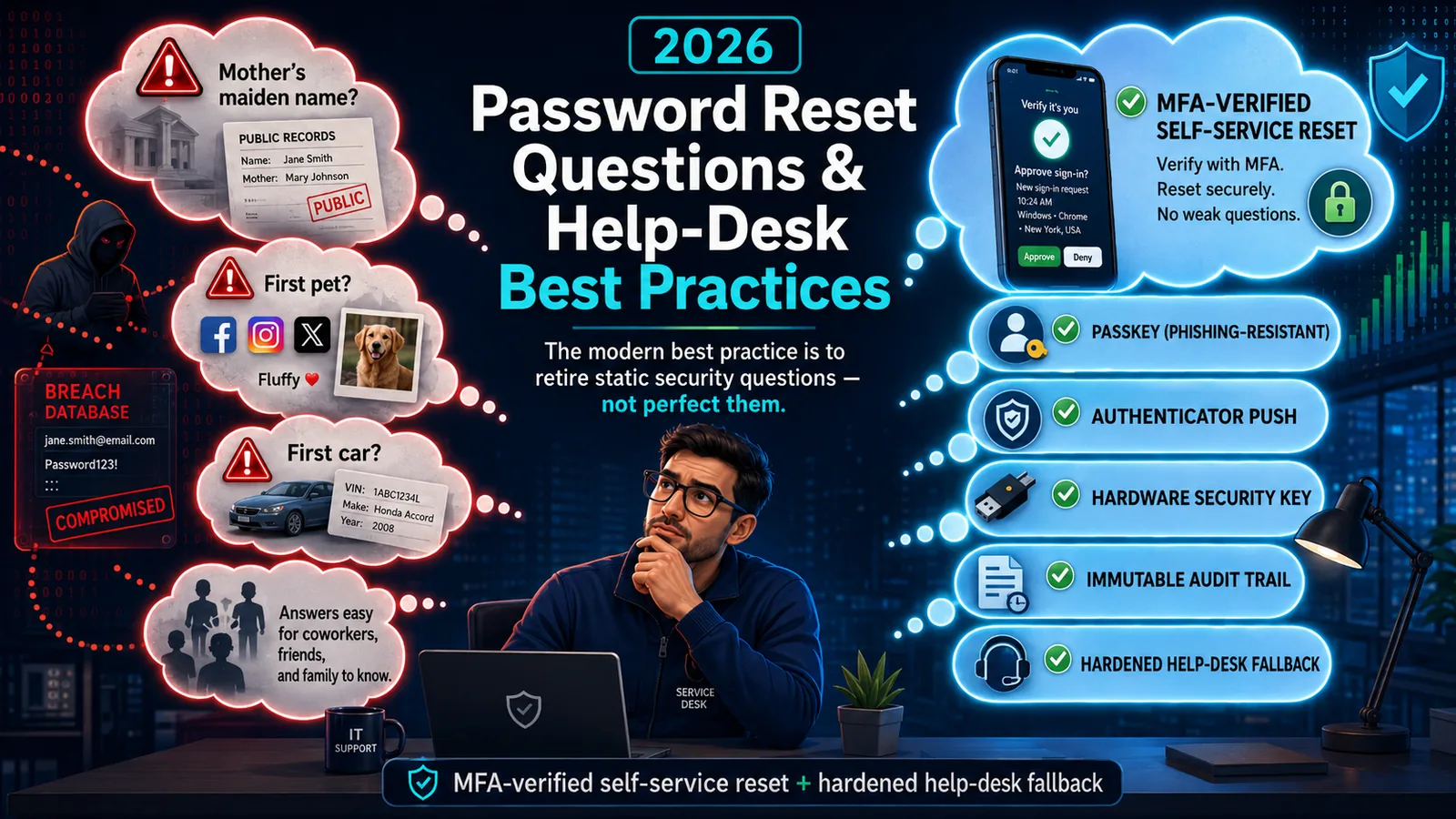
Password Reset Questions & Help-Desk Best Practices (2026)
Static security questions are the weakest link in password reset — OSINT-discoverable, shared, and breach-exposed. The 2026 best practice: retire them for MFA-verified self-service reset.
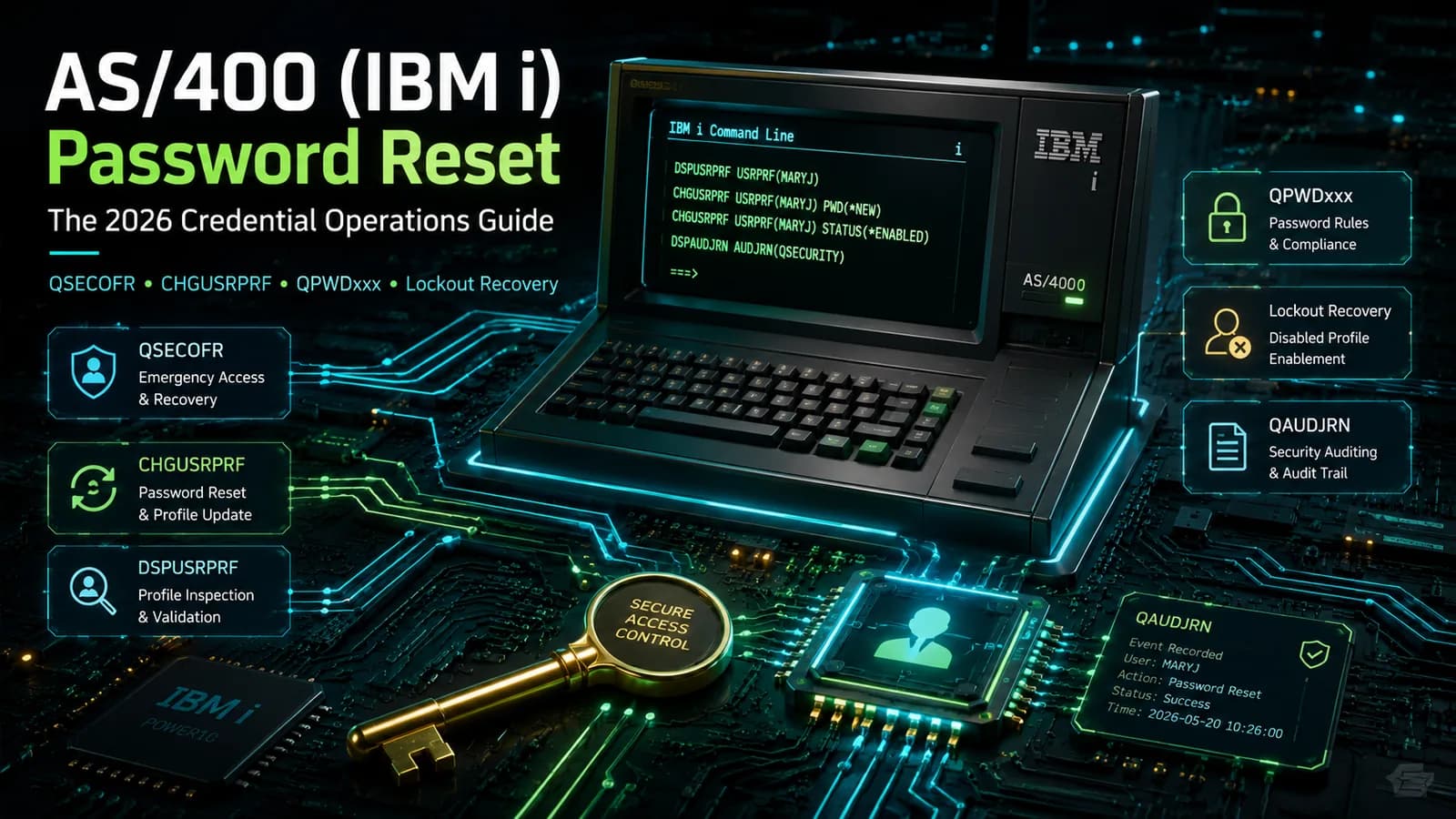
AS/400 (IBM i) Password Reset: The 2026 Credential Operations Guide
How password reset works on AS/400 (IBM i) — QSECOFR, user profiles, CHGUSRPRF, the QPWDxxx system values, disabled-profile recovery, and the hardening that keeps reset from becoming the weakest link.

Locked Out Off VPN: Remote Password Reset with Avatier Login Reset
A remote worker forgets or resets a domain password off VPN and is stuck at the login screen with stale cached credentials. How Avatier Login Reset brings MFA-verified recovery home.