Locked Out Off VPN: Remote Password Reset with Avatier Login Reset
A remote worker forgets or resets a domain password off VPN and is stuck at the login screen with stale cached credentials. How Avatier Login Reset brings MFA-verified recovery home.

A remote worker forgets or resets a domain password off VPN and is stuck at the login screen with stale cached credentials. How Avatier Login Reset brings MFA-verified recovery home.
- An off-VPN lockout happens when a remote user's domain password is forgotten, expired, locked or changed while the laptop can't reach the network.
- Windows can sign domain users in from cached sign-in information when no domain controller can be contacted, so users can sign in when they aren't connected to the organization's network.
- When the password changes and the cache does not, the two can disagree, and the user can face a second lockout after the reset.
- Avatier Login Reset puts MFA-verified Unlock & Reset on the Windows and Mac login screen, before the desktop, VPN or portal.
- After a successful reset, network and cached credentials update together, so users can sign in immediately and avoid repeat lockouts.
A remote worker locked out off VPN is a user who can't sign in to a work laptop because the domain password was forgotten, expired, locked or changed while the laptop had no path to the corporate network. Avatier Login Reset puts MFA-verified recovery on the Windows and Mac login screen and updates the locally cached credentials after the reset to prevent secondary lockouts when working off the corporate network.
A self-service portal assumes the user can open a browser. At a kitchen table late at night, with a laptop showing a password prompt and no VPN, that assumption is the first thing to fail.
Why an off-VPN lockout is different
Avatier's Login Reset page names the gap in one line: "Most identity recovery assumes the user can already reach a browser, portal, app, VPN, or help desk workflow." For a remote or hybrid user sitting at a login screen, that assumption breaks in four of the ways the page lists:
- The portal is out of reach. "Users may be locked out before they can open the password portal."
- The VPN isn't connected. "Remote employees may not be connected to VPN."
- The password expired while they were away. "Expired passwords can block access before the user can complete normal recovery."
- The cache disagrees. "Password changes may fail to update locally cached credentials."
The last one is the remote-specific trap, and it starts with how Windows keeps laptops usable away from the office. Microsoft's documentation for the cached logon policy explains that "Sign-in information for domain accounts can be cached locally so that, if a domain controller can't be contacted on subsequent logons, a user can still sign in." It adds that organizations can set the value to 2 "especially for mobile users," which "allows users to sign in to their computers when they aren't connected to the organization's network."
That cache is what lets users sign in when they aren't connected to the organization's network. It also means the laptop holds its own copy of sign-in information, separate from the directory. When a password changes and that copy doesn't, Avatier's page says "Cached credentials may not match," and it ties "repeat lockouts" to "cached-credential mismatches": the user fixes the password and is locked out again.
For the domain-joined architecture itself, including the Credential Provider and the AD and Entra ID topologies, see Active Directory Login Reset for Domain-Joined Environments. This post stays on the remote, off-network case.
The off-network lockout path
As general guidance, it helps to map every branch a remote user can take from a locked login screen. There are three: wait for the VPN, call the help desk, or recover at the screen.
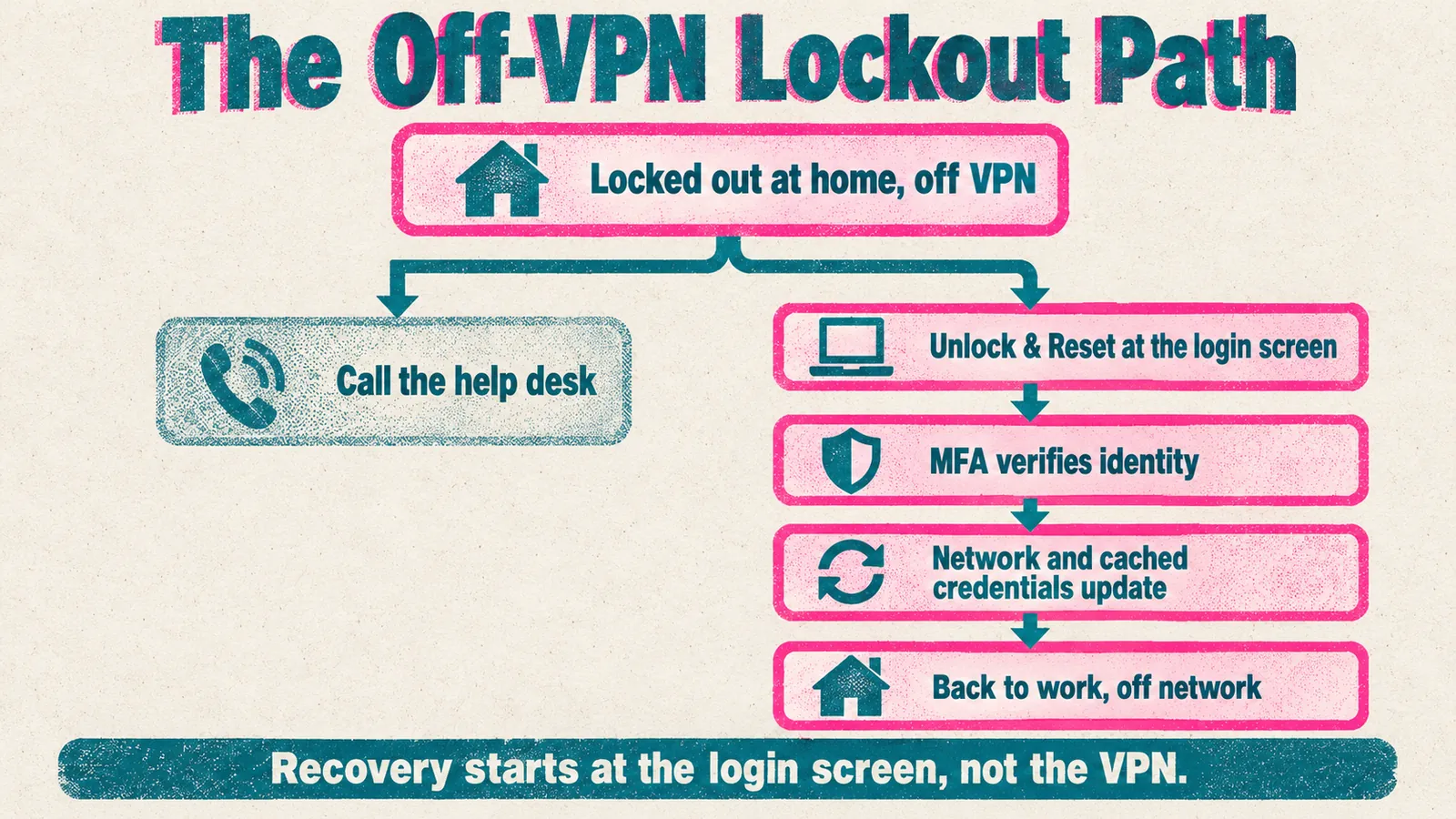 Two branches from the same locked screen: a phone call to the help desk, or verified recovery right where the lockout happened.
Avatier's page puts the status quo plainly: remote users "May need VPN before recovery can work." With no VPN, that leaves a phone call or recovery at the screen. Avatier describes the second branch as a short sequence:
- The user chooses Unlock & Reset at the Windows or Mac login screen.
- A secure, locked-down browser opens that "connects only to Avatier's verified portal — no other sites, no keyboard-shortcut bypass."
- The user verifies with MFA before any reset.
- The new password is checked against enterprise password policy.
- Network and cached credentials update together, so the user can sign in immediately.
The page also notes that the "Session terminates on completion, MFA failure, or timeout," and that the workflow "Prevents unrestricted access before verification is complete."
The help desk call from home
When the only branch left is a phone call, the help desk has to verify a caller it can't see, about a laptop it can't reach. A locked-out remote employee and an attacker pretending to be one make the same request.
Avatier's Identity Attack Ledger reads 2,242 breach notifications filed with the California Attorney General from January 1, 2023 to September 30, 2026. Of the 53 incidents whose letters name how the attacker got in, 12, or 22.6%, name social engineering of a person, defined as a case where "A human was deceived into granting access, resetting a credential, or approving a request. Includes vishing and help-desk pretexting." That is the subset of California filings that name a vector, not a national rate.
Login-screen recovery changes what reaches the help desk. Avatier's page frames the aim as reducing "reliance on help desk exceptions for locked-out users." For the calls that still come in, see Help Desk Pretexting Defense with Avatier Assisted Reset. For users who are signed in on another device, a portal still has a role, covered in the Self-Service Password Reset Deployment Reference.
Before and after: the same lockout, two outcomes
Avatier's Login Reset page sets traditional login recovery beside its own approach. For a remote user, five rows carry the difference:
| Traditional login recovery | Avatier Login Reset | |
|---|---|---|
| Reach | Users get locked out before they can reach self-service | Unlock & Reset is available from the login screen |
| Remote users | May need VPN before recovery can work | Recovery extends to remote, hybrid, virtual desktop and off-network users |
| Forgotten or expired passwords | Become help desk tickets | MFA verifies identity before access is restored |
| Cached credentials | Can stay out of sync after reset | Network and cached credentials update together |
| Recovery model | Depends on manual support when access fails early | Verified, governed and reviewable |
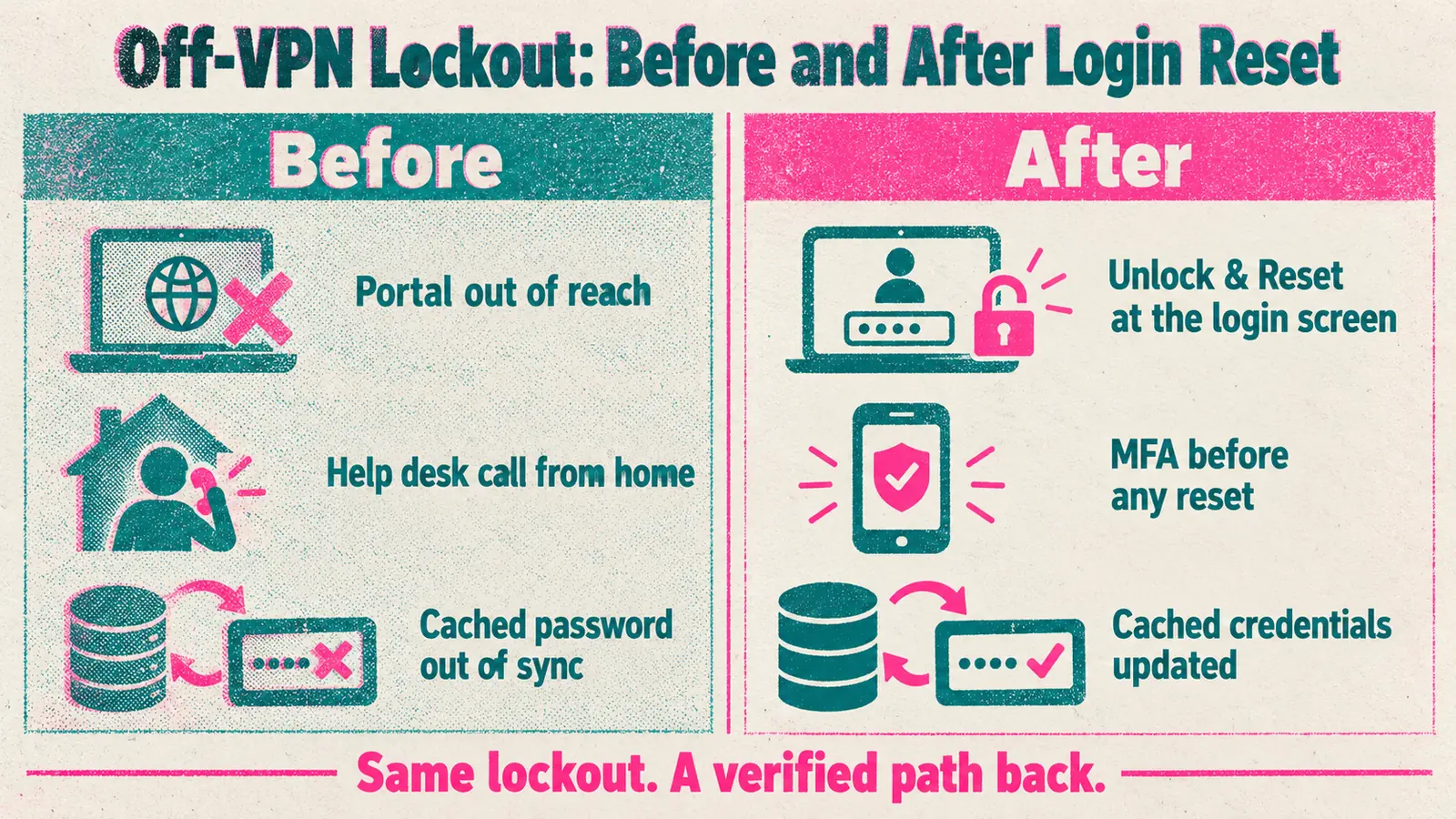 Before: a portal the user can't open, a call from home and a cache out of sync. After: verified recovery at the screen.
The cached-credential row is the remote-specific one. A reset that leaves the cache behind can turn one support event into two. Avatier ties the fix to cost as well as convenience: updating credentials "across the network and local workstation cache" is meant "to reduce secondary lockouts and repeat support calls."
What Avatier ships toward this pattern
Login Reset is Pillar 4 of Avatier's Credential Governance™ framework. For the full pillar, see the Login Reset page. The pieces that map to the off-VPN case:
- Login-screen Unlock & Reset: "A secure Windows and Mac credential provider adds a self-service Unlock & Reset option right at the login screen."
- MFA-verified recovery: MFA before any reset, with support for Microsoft Authenticator, Duo and FIDO2, plus adaptive authentication by geo, user, group or OU.
- Secure controlled browser: a locked-down browser that reaches only Avatier's verified portal.
- Policy on the new password: the new credential can be checked against enterprise password policy before access is restored.
- Automatic cached-credential sync: "Updates locally cached credentials after a reset to prevent secondary lockouts when working off the corporate network."
- Coverage: Active Directory-joined, Entra ID-joined and hybrid workstations, plus Citrix and VDI, in one branded experience localized in 34 languages.
The Credential Governance site says Password Portal, Assisted Reset and Login Reset "deploy via MSI, GPO, or Intune in hours." Credential governance customers report up to 70 percent fewer help-desk password tickets.
In Avatier Identity Anywhere 2027™, Avatier calls completed, verified, policy-compliant activities such as password resets and account unlocks Secure Outcomes. Each Secure Outcome records the identity involved, the initiating agent or experience, the authorization context, the policy applied, the action taken and the final result.
Compliance details are on the Avatier Trust Center: SOC 2 Type II audited with no exceptions noted, and ISO/IEC 27001:2022 certified.
Getting started
Under Pay Per Identity Action™, customers pay only for completed, verified, policy-compliant outcomes. Getting started is free, deployment services are included, and a 45-day money-back guarantee applies. Full commercial terms are available to qualified organizations in the invitation-only preview. For the preview, see the Avatier Identity Anywhere 2027™ site; for the wider company, see avatier.com.
ABOUT THE AUTHOR

More from Pillar 4: Login Reset
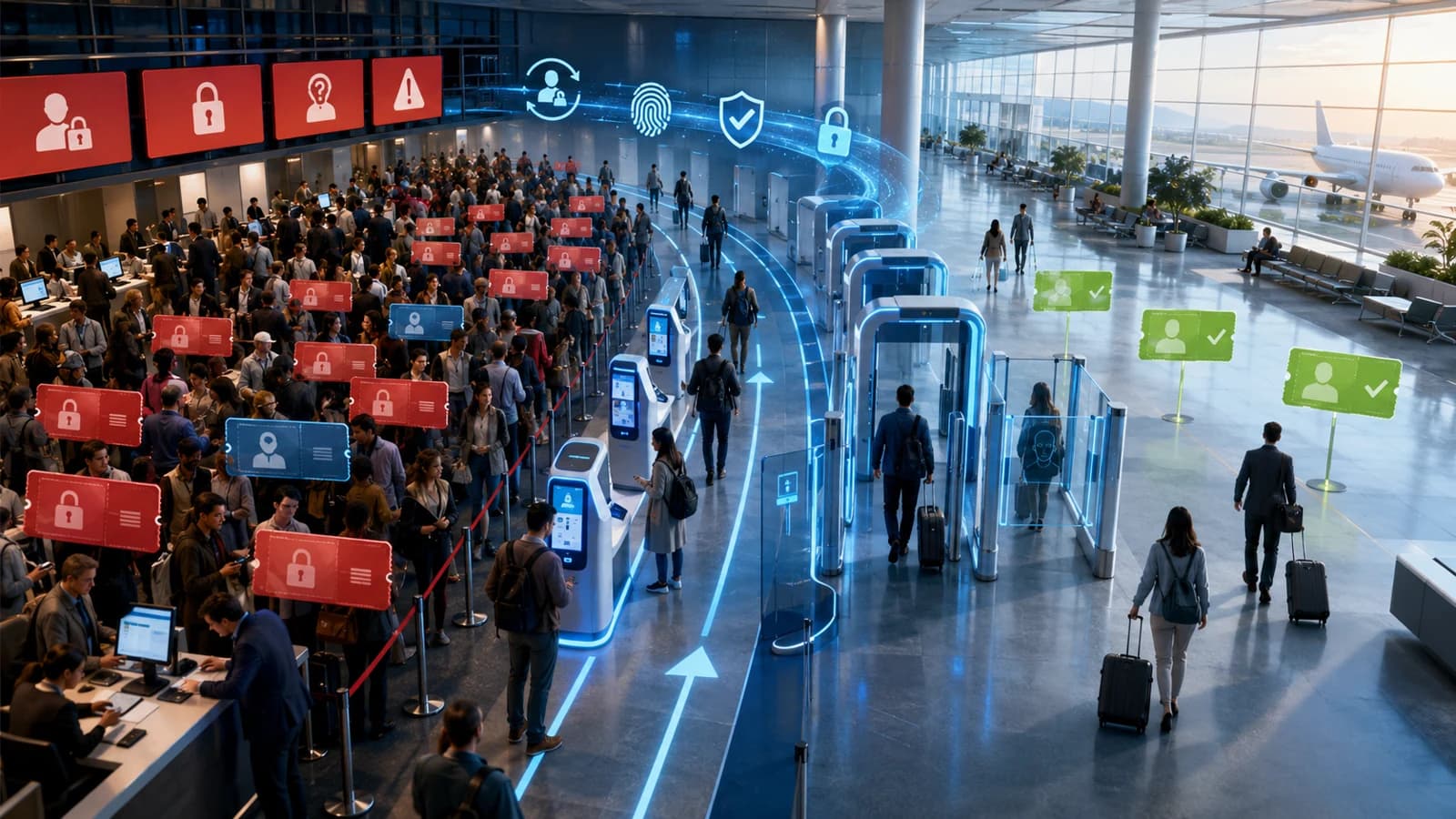
Help-Desk KPIs & Reducing Password-Reset Tickets (2026)
Password resets are usually the single largest category of help-desk contacts — and the most reducible. This 2026 update covers the help-desk KPIs that actually matter for identity and password support, how to baseline them, and the specific levers — self-service reset, password synchronization, MFA-verified reset, and passwordless — that cut reset ticket volume and cost. Plus the hardened path for the tickets that remain, and an honest look at what the KPIs do not tell you.
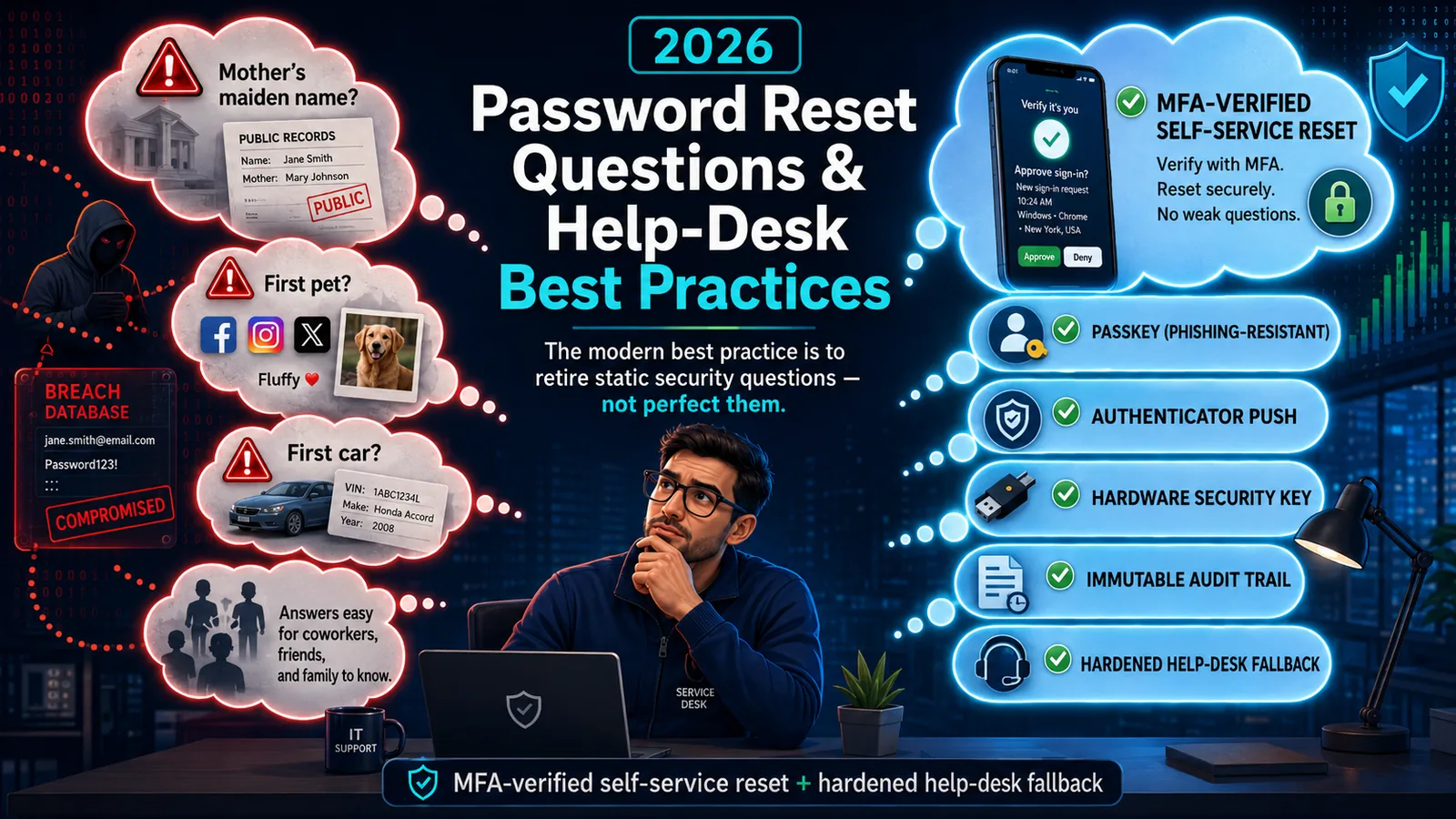
Password Reset Questions & Help-Desk Best Practices (2026)
Static security questions are the weakest link in password reset — OSINT-discoverable, shared, and breach-exposed. The 2026 best practice: retire them for MFA-verified self-service reset.
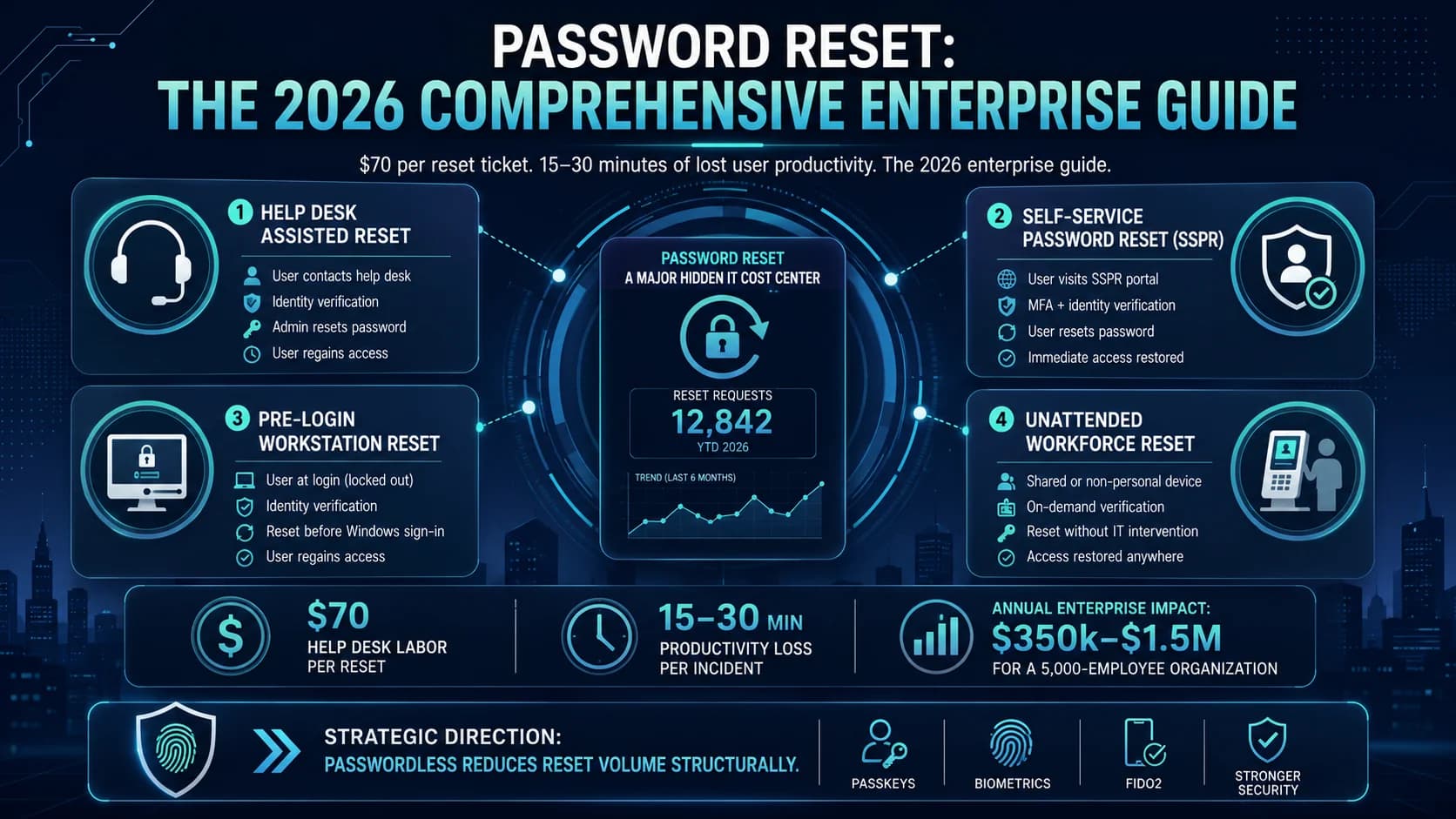
Password Reset: The 2026 Comprehensive Enterprise Guide
Enterprise password reset is one of the largest hidden cost centers in enterprise IT — help desk labor at $70 per reset ticket, workforce productivity losses at 15-30 minutes per user per incident, and the security surface every recovery flow creates. The 2026 comprehensive reference on the reset cost economics, the four workflow architectures, the compliance implications, the self-service reset (SSPR) discipline that reduces ticket volume 60-80%, and the passwordless migration path that eliminates the reset problem structurally.