Rename a User After a Name Change: How Avatier Does It
Which name fields change together when someone's name changes in Active Directory and Entra ID, why renaming by hand drifts, and how Avatier runs it as one recorded request.

Which name fields change together when someone's name changes in Active Directory and Entra ID, why renaming by hand drifts, and how Avatier runs it as one recorded request.
- A name change can touch display name, first and last name, sign-in names, email and, where a mailbox exists, the Exchange alias.
- Renaming by hand means editing each field in each place, keeping to the naming convention, with no request on the record.
- Avatier Rename User composes the other values from the new first and last name using your naming rules.
- It shows current and proposed values side by side, allows one rename per person in progress, and routes the request for approval.
- Rename User is also an Identity Action in the Avatier MCP Server, with identity verification first in Avabot and MCP.
To rename a user after a name change, update every name field together: display name, first and last name, the sign-in names, email and, where a mailbox exists, the Exchange alias, each composed from your naming convention. Avatier does this with Rename User: you give the new first and last name, your naming rules fill in the rest, and the change runs as one request with a Request ID.
This post stays on the name-change event. For the other everyday account changes, see Active Directory User Management. For mover events in general, see Joiner-Mover-Leaver Automation.
What a name change touches in Active Directory and Entra ID
The field list below is general Microsoft guidance, drawn from Microsoft Learn, not product behavior. A legal name change is not one attribute. In Active Directory, several attributes carry some form of the person's name.
| What people call it | AD attribute | What Microsoft Learn says |
|---|---|---|
| Display name | displayName | "usually the combination of the users first name, middle initial, and last name" |
| Sign-in name (UPN) | userPrincipalName | "an Internet-style login name"; "By convention, this should map to the user email name" |
| Older logon name (pre-2000 name) | sAMAccountName | "a logon name that supports previous version of Windows"; "20 characters or fewer" |
| Exchange alias | mailNickName | "the alias of a user in an Exchange organization" |
| Email address | "the email address of a user" |
In Microsoft Entra ID, "The UPN is used by Microsoft Entra ID to allow users to log in." When Entra ID recalculates the UPN for a user with an Exchange license, Microsoft Learn says "the new UserPrincipalName value is also added as a secondary smtp proxy address."
Renaming the object leaves the sign-in name where it was. Microsoft Learn says a UPN "is unaffected by changes to other attributes of the user object such as the user being renamed or moved," although "an administrator can change a UPN." What stays fixed is the object itself: its objectGUID "never changes, even if the object is renamed or moved." So the same person keeps the same account object. Decide by policy whether a rename updates the sign-in names or only the display name and email.
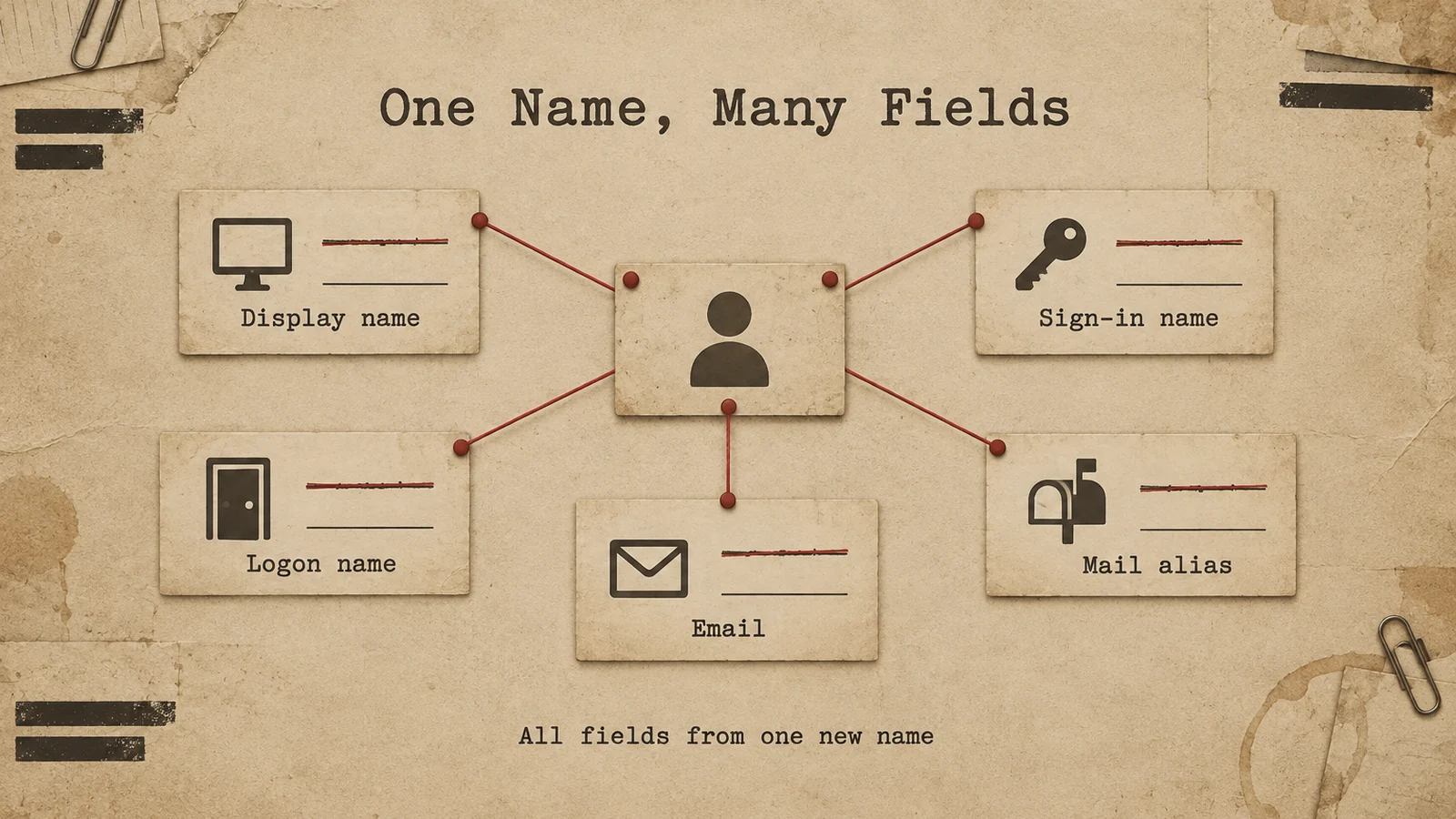
A name change can reach display name, sign-in names, email and the mail alias; each one should be composed from the same new name.
Why renaming by hand breaks consistency
Avatier's Rename User page puts the problem in one line: "Display name, sign-in name, email and mailbox fields all have to agree, and follow your naming convention." Done by hand, that is a separate edit for each field, and one missed field leaves the person with two names in two places.
The page describes the manual path this way: "Renaming by hand means editing each field in each place and keeping to the naming convention, with no request or approval on the record."
The checklist below is general guidance for any rename, whatever tool runs it.
- Start from the request. Capture the new first and last name and the reason, such as a legal name change.
- Compose, don't type. Generate every value from the naming convention rather than editing each field freehand.
- Compare before you apply. Put the current and proposed values side by side.
- One change at a time. Don't let two renames for the same person run at once.
- Approve and record. Route the change for approval and keep the request, the approver and the reason.
- Tell the person. If the sign-in name changed, the person needs the new one before their next sign-in.
How Avatier Rename User handles a name change
Rename User is a Lifecycle & Access Governance action that lets you "Rename a person on their directory account and Avatier identity record, with your naming rules filling in the rest." What it needs: "The new first and last name, with your tenant's auto-naming rules composing the other values, and a justification on the request path."
On the web, it walks through these steps:
- Select the user. Pick the system and search for the person: yourself, someone you're authorized to request for, or anyone if you are a workflow admin.
- Give a justification. Enter the reason for the rename.
- Edit the names. Edit the proposed values next to the current ones: Display Name, First Name and Last Name, plus, depending on the directory, Middle Initials, Email, Logon Name, Full Name, Pre 2000 Name, Exchange Alias and Exchange Display Name, or for Entra ID the Principal Name and UPN Domain. Your auto-naming rules fill these in as you type, and a field that had a value can't be left blank.
- Check the summary. Review the current and new values side by side.
- Confirm. The rename is recorded in Request History with a Request ID and goes through your Lifecycle Management approval workflow.
Rename User allows one rename per person in progress at a time. A workflow admin is asked "Would you like to use workflow?" and can skip it to apply the rename right away; it is still recorded as a Rename User request that skipped approval.
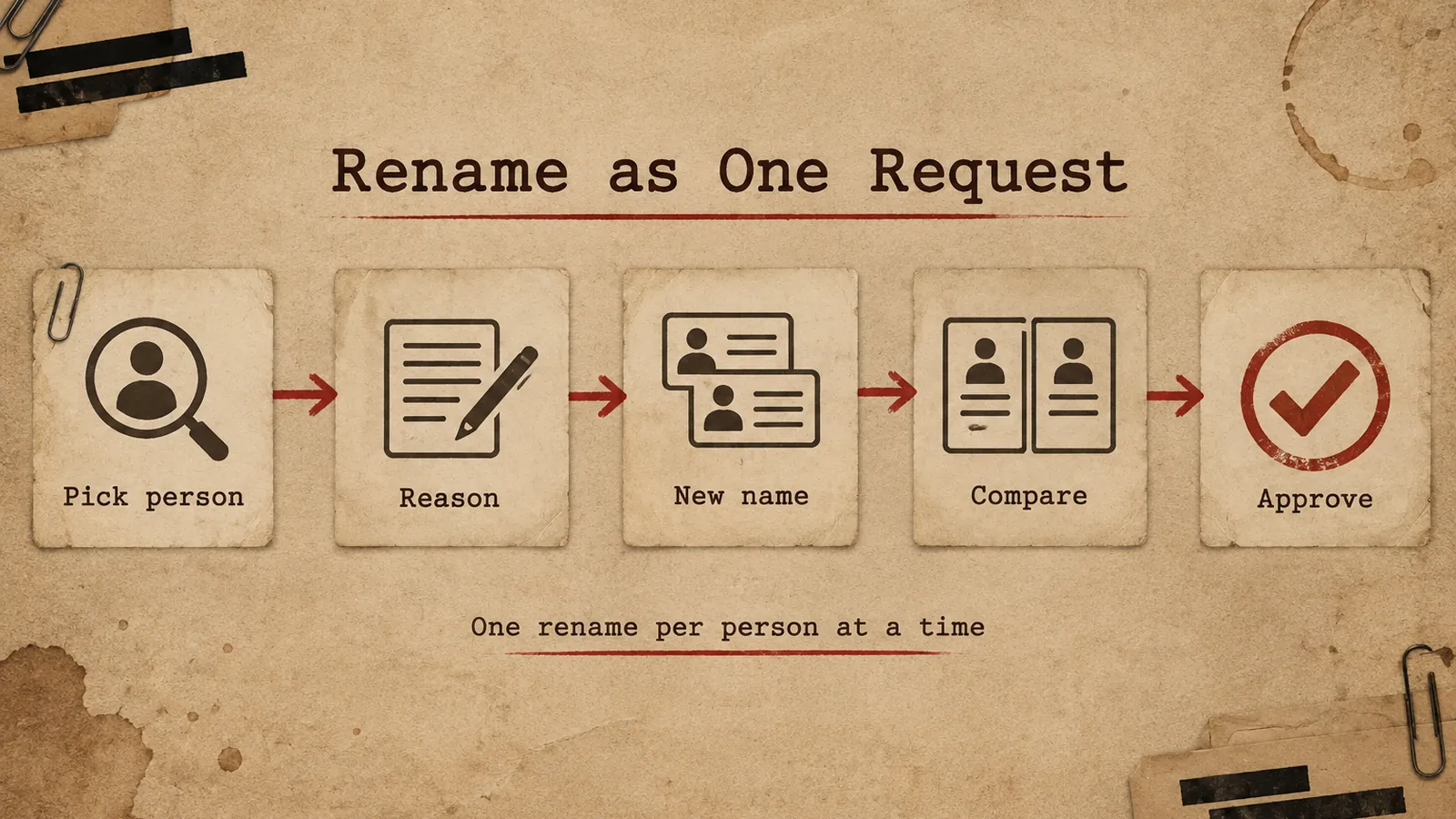
Pick the person, give a reason, let the naming rules fill the fields, compare old and new, then route it for approval.
The rename changes the person's Active Directory account, directly or through the on-premises agent, "including the Exchange alias and display name when a mailbox exists," or their Entra ID account, plus their Avatier identity record. It completes when the directory account and the Avatier identity record change.
Separately, when the name change starts in HR, Avatier's HR User Provisioning pillar treats it as an HR event: "Name changes update usernames, email aliases, directories, and downstream apps automatically." For the pillar, see HR User Provisioning.
Renaming from Avabot or an AI assistant, and the evidence
Rename User is "Available on Web, Mobile, Teams, Avabot chat and MCP." In Avabot and MCP it starts with identity verification in the conversation, "with the methods your policy already allows, such as security questions, authenticator codes, PingID push or the Identity Challenge Card." You then name the person or yourself and give the new first and last name, with an optional middle name, and your naming rules compose the other values; you can edit them on the web. Avabot chat and MCP require the current (.NET 10) Avatier server.
The action page's illustrative request reads: "Rename Jordan Smith to Jordan Rivera. Justification: legal name change." The connector "only sends what the person actually said, and asks when something is missing," and acts as the signed-in user through "OAuth sign-in to your own tenant."
What counts as done: "A rename completes when the directory account and the Avatier identity record change, after approval or at once when a workflow admin skips workflow." Avabot's reply says whether the rename was submitted or applied, and gives the new sign-in name when it changes.
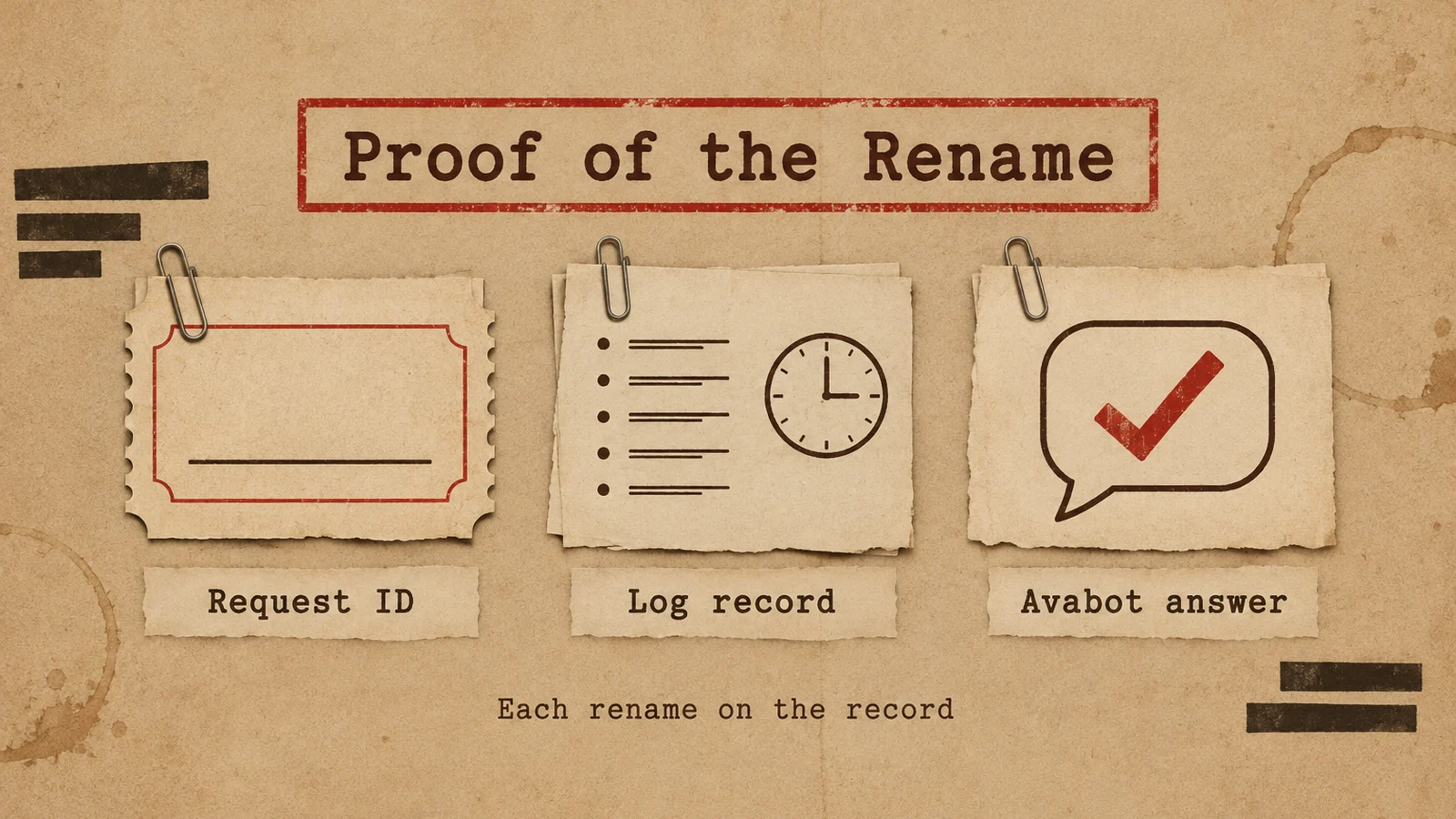
Each rename leaves a Request ID in Request History and an activity-log entry; in Avabot, the reply gives the new sign-in name when it changes.
The evidence list on the page:
- A Request ID in Request History (filter Rename User, exportable)
- An activity-log entry
- Avabot's reply, with the new sign-in name when it changes
For the full action page, see Rename User.
Getting started
One completed rename is one Secure Outcome. Under Pay Per Identity Action™, which is in invitation-only preview, each completed, verified action is one Secure Outcome, and attempts, failures and retries are never billed. Getting started is free, deployment services are included, and a 45-day money-back guarantee applies.
Avatier is SOC 2 Type II audited with no exceptions noted and ISO/IEC 27001:2022 certified; for security documentation, see the Avatier Trust Center. For password, reset and MFA governance after a sign-in name changes, see Credential Governance™. For the preview, see the Avatier Identity Anywhere 2027™ site; for the company, see avatier.com.
ABOUT THE AUTHOR

More from Lifecycle & Access Governance

Delegate Approval Authority While Away with Avatier Proxy My Authority
How to hand your access approvals to a named proxy for a set window, with a record of every change, and how to take an approver off workflows for good when their job changes.

AD Group Expiration: How Avatier Retires Temporary Groups on Schedule
Active Directory group expiration gives project, M&A and contractor groups an end date and a named owner at creation. What a policy should cover, and how Avatier retires groups on schedule.

Leave of Absence and Rehire: Suspend and Restore Access with Avatier
What to do with an employee's accounts during a leave of absence, and how to rehire someone without bringing back their old access. The decisions, and how Avatier runs both from HR.