Disable, Then Delete Former Employee Accounts with Avatier
Disable vs delete for a terminated user: disable first, hold the account for the window your policy sets, then delete with approval. How Avatier's web app schedules both dates on one request.

Disable vs delete for a terminated user: disable first, hold the account for the window your policy sets, then delete with approval. How Avatier's web app schedules both dates on one request.
- General practice for a leaver: disable the accounts first, keep them disabled for the window your policy sets, then delete them with an approval and a record.
- Deletion is hard to undo: Microsoft says a deleted AD account's SID is never reused, and once an Entra ID user is permanently deleted, it can't be restored by anyone.
- On the web, Avatier Delete Account sets separate disable and delete dates on one request, and the delete can't come before the disable.
- Each request goes through the Lifecycle Management approval workflow for each selected system; systems flagged never delete aren't offered.
- Each deletion request leaves a Request ID in Request History, an activity-log entry and audit reports such as Account Terminator accounts deleted.
Disable a former employee's accounts on their last day, keep them disabled for the retention window your policy sets, then delete them through an approved request that records which systems were deleted and when. Avatier's Delete Account action puts both steps on one request: on the web you set a disable date and a delete date on or after it, give a justification, and each system's approval workflow decides who approves.
This post stays on the final step of the leaver event, deletion. For the whole termination program, see Automated Deprovisioning. For turning accounts off or back on from an assistant, see Disable or Enable AD Accounts from Copilot. For finding accounts nobody owns, see Orphaned and Dormant Accounts.
Disable vs delete: what each does to an account
The two words get used loosely, but they lead to different places. The comparison below is general guidance; the restore details are Microsoft's, quoted from Microsoft Learn.
| Question | Disable | Delete |
|---|---|---|
| Can the person sign in? | No | No |
| Is the account still there? | Yes, with its groups and attributes | No |
| Can it come back? | Re-enable it | Depends on the system (see below) |
| Right for a leave or a possible return? | Yes | No |
Deletion in Active Directory removes the account's security identifier, and Microsoft is direct about what that means: security authorities "never reuse SIDs for deleted accounts." If a person comes back, "none of the user's access from their old account is transferred to the new account."
Microsoft Entra ID gives a short grace period. Microsoft Learn says that after you delete a user, "the account remains in a suspended state for 30 days," and once that window passes, "the permanent deletion process automatically starts and can't be stopped." After that, "neither you nor Microsoft Support can restore them."
That is the case for disabling first. A disabled account is closed to sign-in but still there if records, a mailbox owner or an investigation needs it. A deleted one is gone, or on Entra ID, gone once the 30-day window closes.
When to delete terminated user accounts: a general sequence
The order below is general practice, whatever tool runs it. The retention window itself is a policy decision for HR, legal and records owners, so set it in writing rather than case by case.
- Disable at departure. Turn off sign-in on every system the person used, on their last day.
- Move what they owned. Reassign data, mailboxes and the groups they managed before anything is removed.
- Hold for the retention window. Keep the disabled accounts for the period your policy sets, and check for any legal hold.
- Confirm the person isn't returning. A rehire after deletion means a new account built from scratch.
- Approve the deletion. Have the right owner approve, with a justification on the request.
- Delete and keep the record. Record which systems were deleted, when and on whose approval.
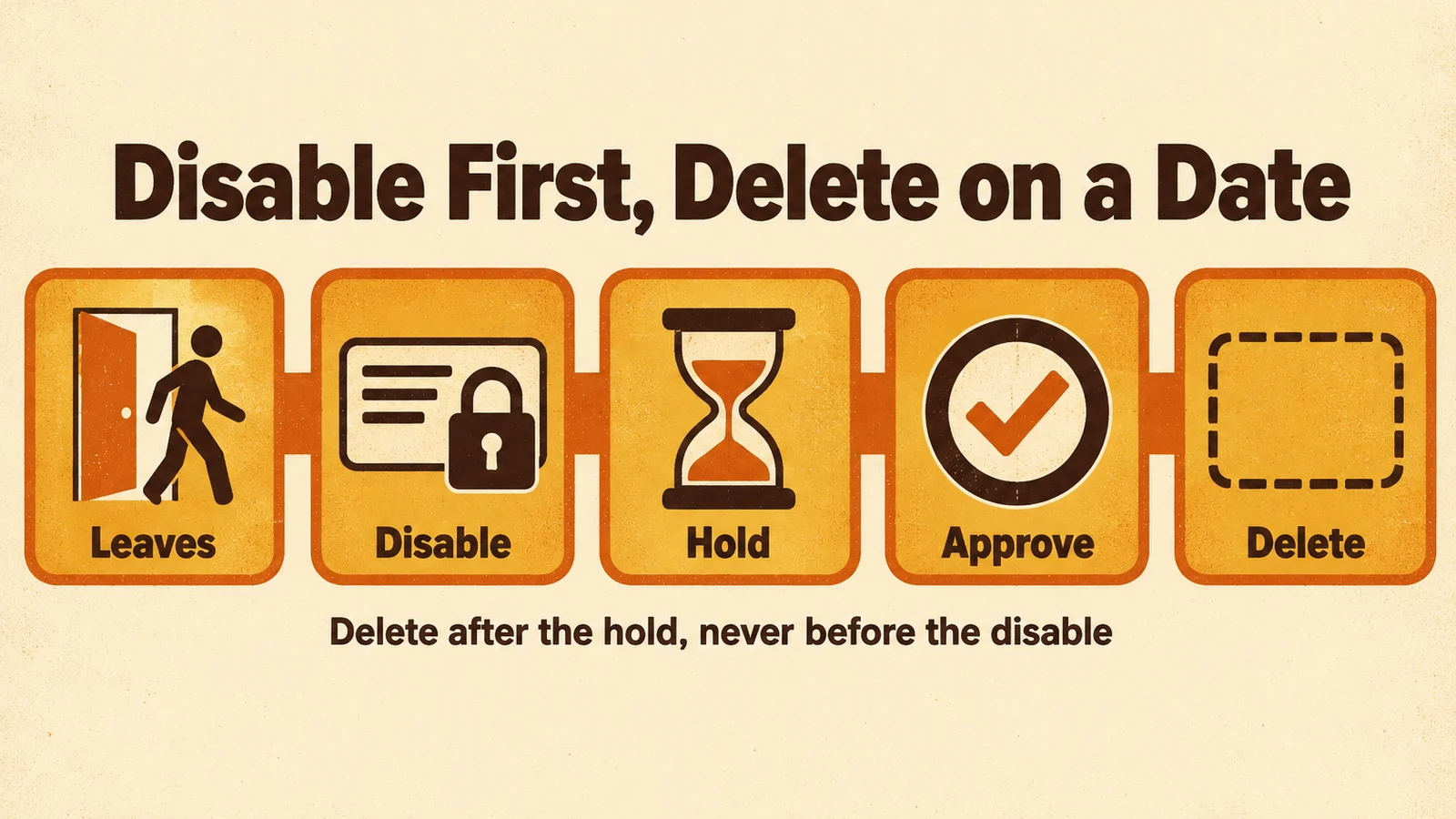
A leaver's accounts are disabled first, held for the policy window, approved for deletion, and only then deleted.
The first step can start from HR. In Avatier HR User Provisioning, when HR marks someone terminated, "Avatier disables their accounts and revokes access," and "Every action is logged and policy-enforced." For that pillar, see HR User Provisioning. On the Access Governance pillar, patent-pending Continuous Governance™ "detects orphaned accounts" between campaigns.
How Avatier Delete Account works
Delete Account is a Lifecycle & Access Governance action to "Permanently delete a person's accounts on the systems you pick, with separate disable and delete dates and a justification on the record." Its core rule matches the sequence above: "It disables first and deletes on the date you set, never before the disable."
On the web, it walks through these steps:
- Select the user. Pick the system and search for "someone you are authorized to request for."
- Set the reason and dates. Pick a reason, choose Disable Now or a date, then Delete Now or a date, and enter a justification. "The delete can't come before the disable."
- Confirm the warning. Confirm the permanent-deletion warning. If you have Account Terminator rights and the person owns groups that would drop below the minimum number of owners, those groups are listed instead.
- Pick the systems. Systems flagged "never delete" are not offered.
- Continue. The request is recorded in Request History with a Request ID and goes through the Lifecycle Management approval workflow for each selected system.
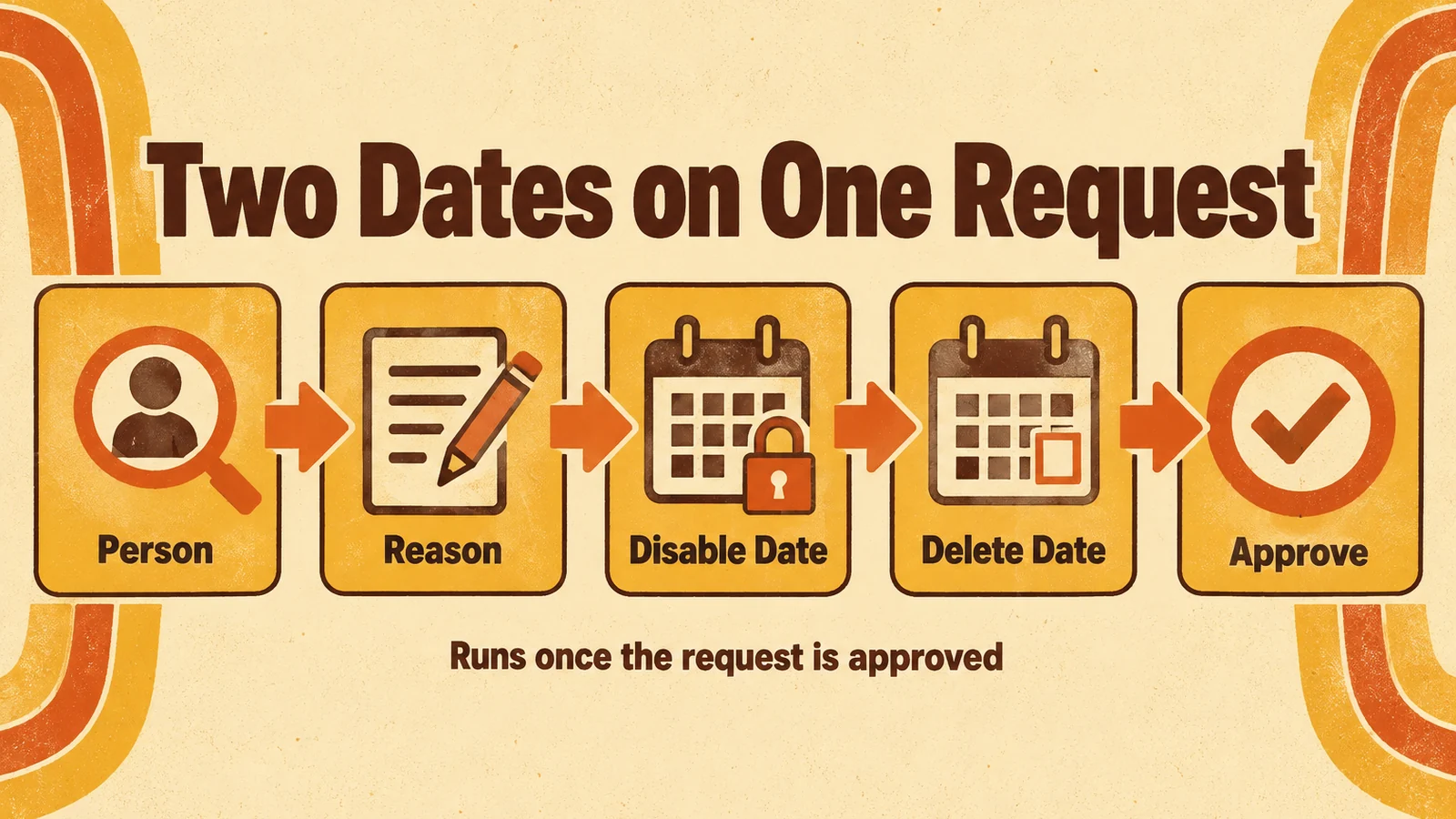
One request carries the person, the reason, a disable date and a delete date on or after it, and runs only after approval.
The deletion "completes when the selected accounts are disabled and then deleted at the scheduled times, once the request is approved." It reaches "the connected systems you select, such as Active Directory, Entra ID, LDAP, Okta and other connector-managed applications." Two connector settings shape the result: a system set to "disable on delete" is only disabled, and "a connector's disable grace period can delay the disable step."
Workflow admins with Account Terminator rights can skip workflow on the web. In that case they pick the reason and Delete Now or a delete date, and the account "is disabled at once and deleted at that time, with no request," with a result for each system.
Deleting accounts from Copilot, Claude Code or Codex
Delete Account is "Available on Web, Mobile, Teams, Avabot chat and MCP." Once Microsoft Copilot Studio, Claude Code or OpenAI Codex is connected to the Avatier MCP Server, you "verify, name the person, pick systems, give a reason and a justification, and confirm."
Verification comes first, "with the methods your policy already allows." Delete Account is high-risk, "so by default it starts only if you verified in the last 5 minutes; otherwise you verify again." The action page's illustrative request reads: "Delete Morgan Lee's accounts. Reason: Termination. Justification: left the company last quarter."
On the assistant path, every deletion is filed as an approval request, and the disable and the delete are both set to run as soon as it is approved. When you want a hold between the two, set the disable and delete dates in the web app. The page lists the same guardrails as the Identity Actions page. Avatier acts as the signed-in user through "OAuth sign-in to your own tenant," with "No shared service account, no API key to manage," and the connector "only sends what the person actually said, and asks when something is missing." Avabot chat and MCP require the current (.NET 10) Avatier server. For every action that runs from an assistant, see Identity Actions.
The record of each deletion
A deletion that nobody can trace is hard to explain to an auditor. The action page names the manual problem: deleting by hand "leaves no request, no approval and no record of which systems were deleted and when."
With Delete Account, the evidence list on the page is:
- A Request ID in Request History (filter Delete Account, PDF or Excel export)
- An activity-log entry
- Audit reports such as Account Terminator accounts deleted
- A result for each system, when a workflow admin skips workflow
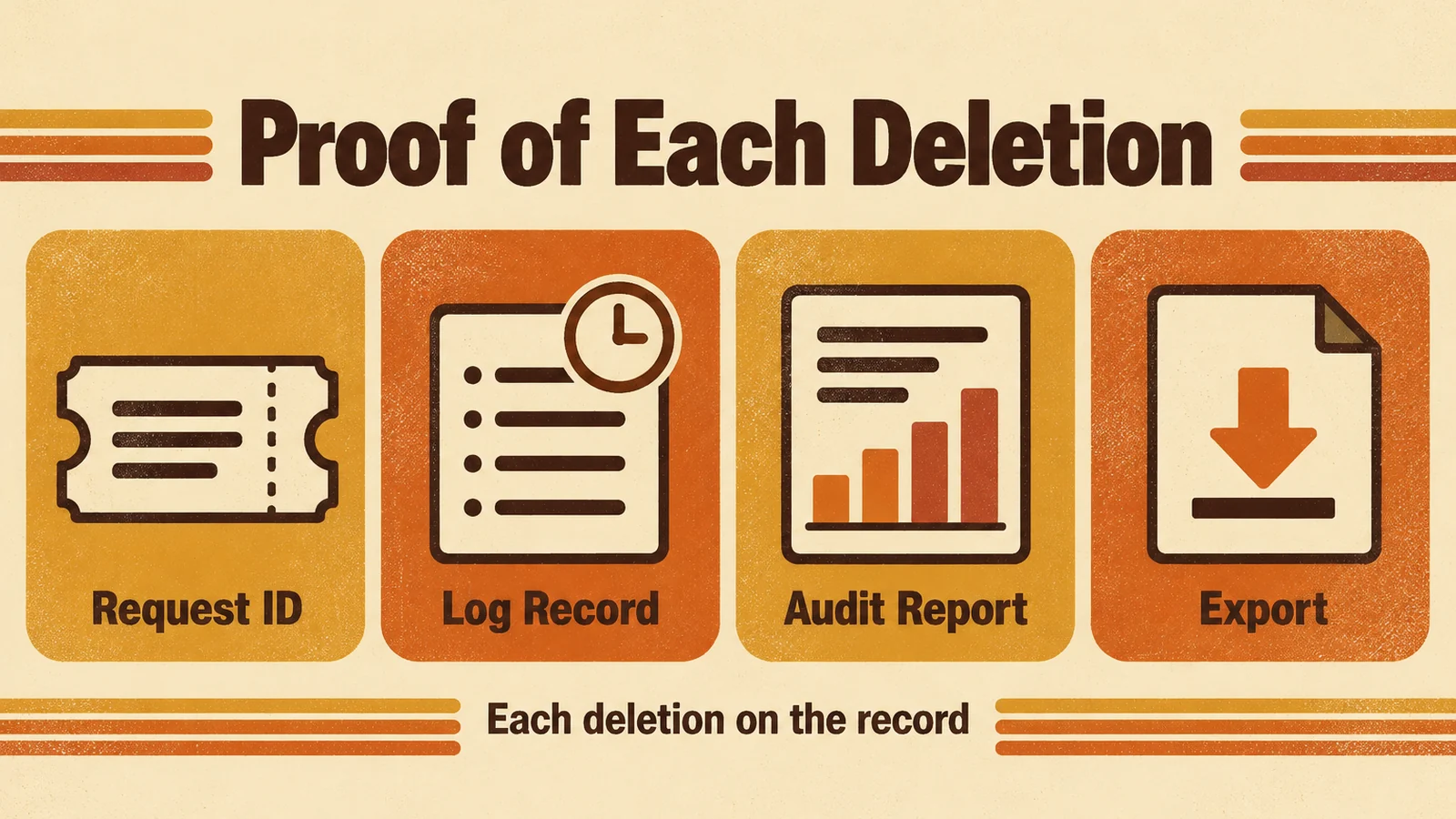
Each deletion request leaves a Request ID in Request History, a log record and audit reports, with an export for review.
Requests from Avabot and MCP are recorded the same way: "Requests land in Request History, ready to review and export." For security documentation, see the Avatier Trust Center.
Getting started
Under Pay Per Identity Action™, which is in invitation-only preview, one completed account deletion is one Secure Outcome, and failed attempts are never billed. Getting started is free, deployment services are included, and a 45-day money-back guarantee applies.
For password, reset and MFA governance, see Credential Governance™. For the preview, see the Avatier Identity Anywhere 2027™ site; for the company, see avatier.com.
ABOUT THE AUTHOR

More from Lifecycle & Access Governance

Active Directory Group Owners: Add or Replace Them with Avatier
What an AD group's Managed By field holds, what a group ownership policy should settle, and how Avatier adds or replaces owners with one request per group on the record.

Account Expiration Dates: Set, Extend or Clear Them with Avatier
How an Active Directory account expiration date works, how to set, extend or clear one with a reason and an approval, and the Request ID and log entry Avatier keeps for each end-date request.

Leave of Absence and Rehire: Suspend and Restore Access with Avatier
What to do with an employee's accounts during a leave of absence, and how to rehire someone without bringing back their old access. The decisions, and how Avatier runs both from HR.