Revoke a User's Access or Role from Copilot with Avatier MCP
Remove a privilege or a role from a user by asking Copilot Studio, Claude Code or Codex. Avatier verifies you, routes each removal through your removal workflow and records a Request ID.

Remove a privilege or a role from a user by asking Copilot Studio, Claude Code or Codex. Avatier verifies you, routes each removal through your removal workflow and records a Request ID.
- Avatier's Remove Access and Remove Roles Identity Actions take away privileges and roles that no longer fit, each as its own request with a justification.
- From Copilot Studio, Claude Code or OpenAI Codex you verify, name the user, pick one privilege or role from a numbered list, give a reason and confirm.
- In Avabot chat and MCP, each request removes one privilege or one role and always goes through workflow.
- A removal follows the privilege's or role's removal workflow, which is on by default, and your tenant's approval settings.
- Each removal gets a Request ID in Request History and an activity-log entry; one completed removal is one Secure Outcome.
Revoking a user's access means taking away a privilege or role they no longer need, such as a group membership or an application entitlement. With Avatier's Remove Access and Remove Roles Identity Actions, you can ask Microsoft Copilot Studio, Claude Code or OpenAI Codex to remove one privilege or one role per request, and Avatier verifies you, routes the removal through your removal workflow and records it with a Request ID.
Avatier, the company behind Avatier Identity Anywhere 2027™, describes Remove Access in one line: "Remove the privileges that no longer fit, each as its own request with a justification on the record." Remove Roles does the same for roles. For everything else you can ask through the Avatier MCP Server, see What Can You Ask Avatier MCP?.
Why a removal belongs on the record
Avatier's Remove Access page states the problem plainly: "People change jobs and projects end, and the privileges they no longer need stay assigned until someone removes them." The Remove Roles page says the same of roles: "When someone's job changes, the roles they held stay assigned until someone removes them."
In Active Directory, the manual route is one command. Microsoft documents that the Remove-ADGroupMember cmdlet "removes one or more users, groups, service accounts, or computers from an Active Directory group," as in Remove-ADGroupMember -Identity DocumentReaders -Members DavidChew. The cmdlet changes the group membership; keeping the request, the reason and any approval is a separate job.
Avatier's page names that gap: "Removing access by email or ticket leaves no request per privilege, no approval record and no activity-log entry to show it happened." Remove Access answers it with a request per privilege: each one is filed "with a justification, routed for approval when the privilege's removal workflow is on, and revoked in its target system once approved."
Finding creep across a whole organization is a program of its own; for that, see Privilege Creep: How to Find, Remediate, and Prevent It in 2026. This post stays on removing one privilege or role when someone asks.
How to remove a user's access from Copilot, Claude Code or Codex
First, connect your assistant to the server URL https://mcp.avatier.com/mcp and sign in with your Avatier account; the setup guide for Copilot Studio, Claude Code, Codex and Cursor has the client-by-client steps. Then ask. The page sums up the assistant flow: "In Avabot and MCP you verify, name the user, pick one privilege from a numbered list, give a reason and confirm."
- Verify. Remove Access starts with identity verification in the conversation, with the methods your policy already allows, "such as Security Questions, Google Authenticator, PingID Push or Identity Challenge Card." A verification earlier in the same conversation carries over.
- Name the user. Pick yourself, "or someone your Lifecycle Management authority lets you request for."
- Pick one privilege. The list comes from what Avatier has recorded as assigned to the person, "including privileges that came with a role."
- Give a reason. The justification stays on the record with the request.
- Confirm. The privilege becomes its own removal request, "recorded in Request History with a Request ID," and goes to approval when its removal workflow is on.
Here is the page's own illustrative example, not a customer transcript: "Remove Alex Kim's access to the Finance Share group. Reason: role change." Avatier answers: "verify: passed · privilege: Finance Share · reason: role change · request: submitted, may need approval."
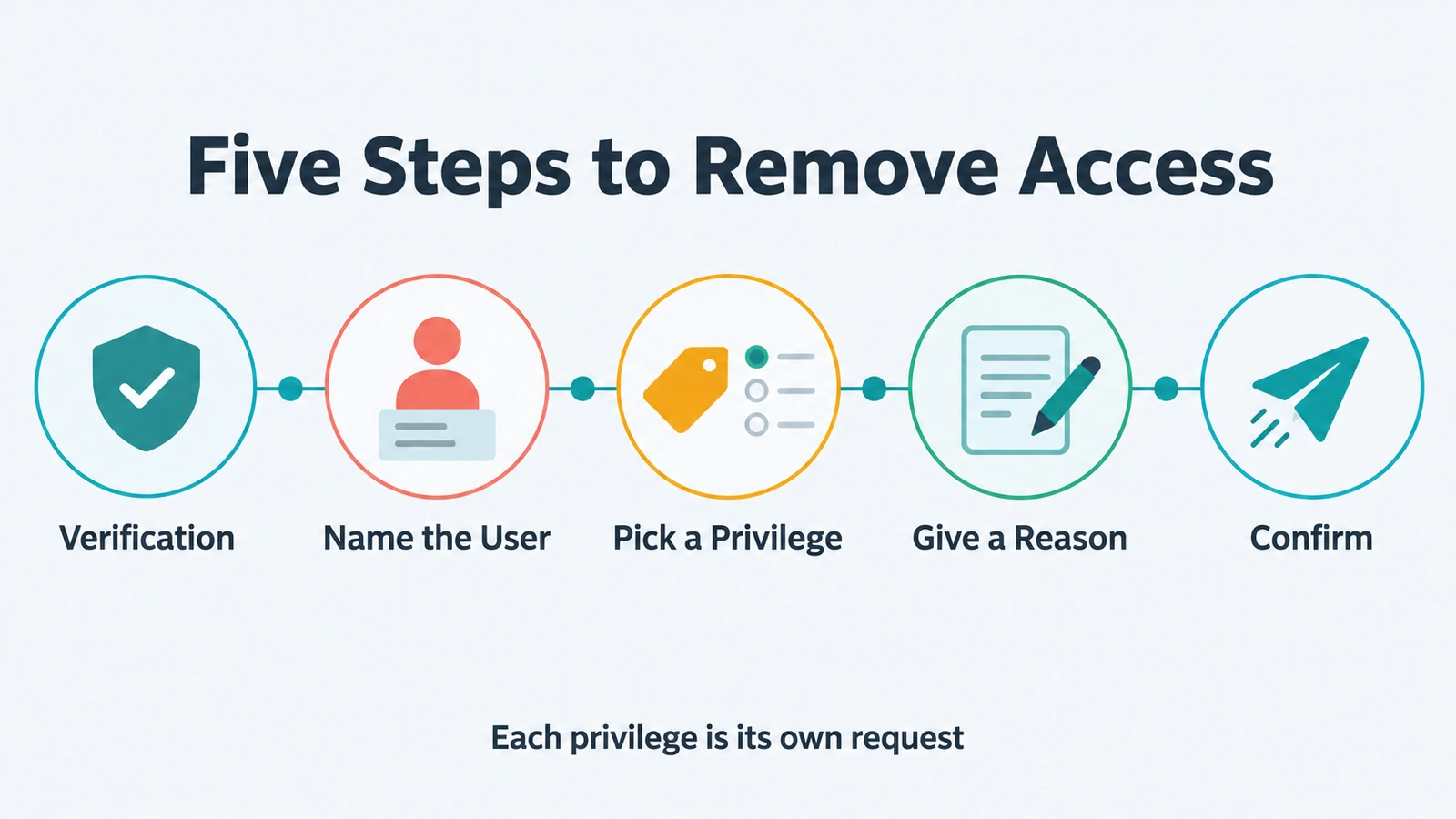 From Copilot Studio, Claude Code or Codex: verify, name the user, pick one privilege, give a reason and confirm the removal request.
Once approved, Remove Access "revokes each privilege in the system it lives in, through that system's connector, such as Active Directory or Entra ID group memberships, LDAP or application entitlements." The guardrail Never Makes Up Values covers the conversation itself: "The connector only sends what the person actually said, and asks when something is missing."
Removing a role from a user
Remove Roles follows the same path: "Remove the roles that no longer fit, each as its own request with a justification on the record." In chat you verify, name the user, pick one role from a numbered list, give a reason and confirm. Once approved, it "reaches the systems that the role's privileges are provisioned to through connectors, such as Active Directory or Entra ID groups, LDAP or application entitlements."
Timing is where the two channels differ. "In Avabot chat and MCP, each request removes one role, effective now, and always goes through workflow." Scheduling is a web-app option: on the workflow path you "choose Remove Roles Now or a scheduled date and time, and enter a Justification."
Which action to use comes down to scope. When one privilege no longer fits, including one that came with a role, ask for Remove Access. When the whole role no longer fits, ask for Remove Roles. If Avabot says a role is already being removed, "A removal for that role assignment is already in progress, so a second one isn't filed until it finishes."
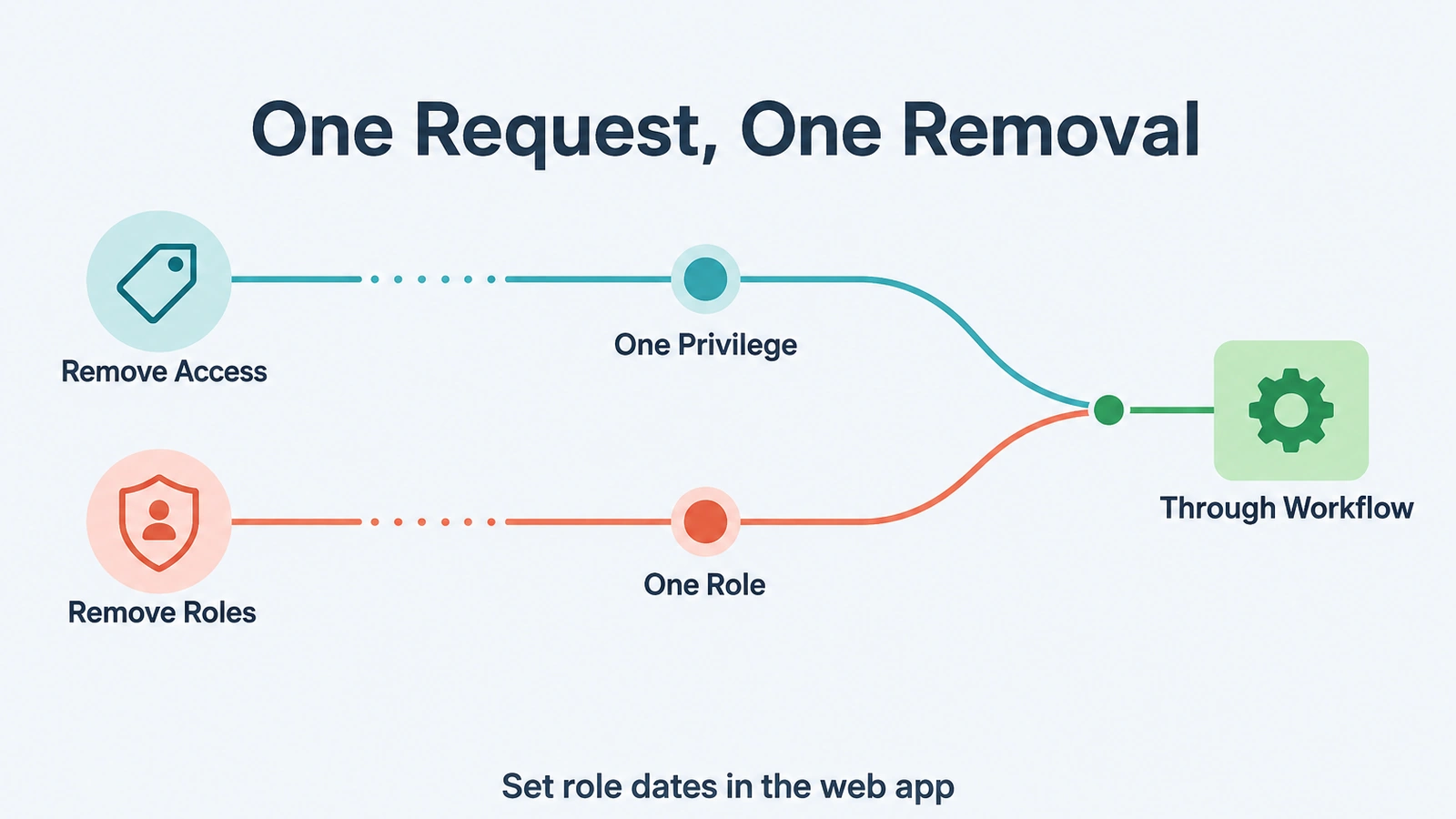 Remove Access takes away one privilege per request and Remove Roles one role; from an assistant, both always go through workflow.
For mover events in general, where a job change should reshape access across systems, see Joiner-Mover-Leaver Automation.
Who decides the removal, and the record it leaves
Avatier's MCP pages state the rule as "Your Assistant Asks. Avatier Decides." The guardrail Your Approval Workflows reads: "Requests follow the approval workflows your tenant already has. Each action page shows how its approvals work." For these two actions, a removal "follows the privilege's removal workflow, which is on by default, and your tenant's approval settings," and the role page says the same per role. Admins can turn removal approval off per privilege or per role.
Avatier also Acts as the Signed-In User: "OAuth sign-in to your own tenant. No shared service account, no API key to manage." For the approver's side of the same request, see Approve Access Requests from Copilot or Claude with Avatier MCP.
| Remove Access | Remove Roles | |
|---|---|---|
| What it removes | Privileges recorded as assigned, including ones from a role | Roles assigned to the person |
| In Avabot chat and MCP | One privilege per request, always through workflow | One role per request, effective now, always through workflow |
| In the web app | Several privileges for one user, each its own request | Several roles for one user; Remove Roles Now or a scheduled date and time |
| Completes when | Each privilege is revoked in its target system, once approved | Each role is removed once approved (at the scheduled time, if one was set in the web app) |
| Notification | "Remove access request successfully submitted" | "Remove roles request successfully submitted" |
Both pages list the same core evidence: "A Request ID for each privilege in Request History (exportable)" (for roles, one per role) and "An activity-log entry for each removal."
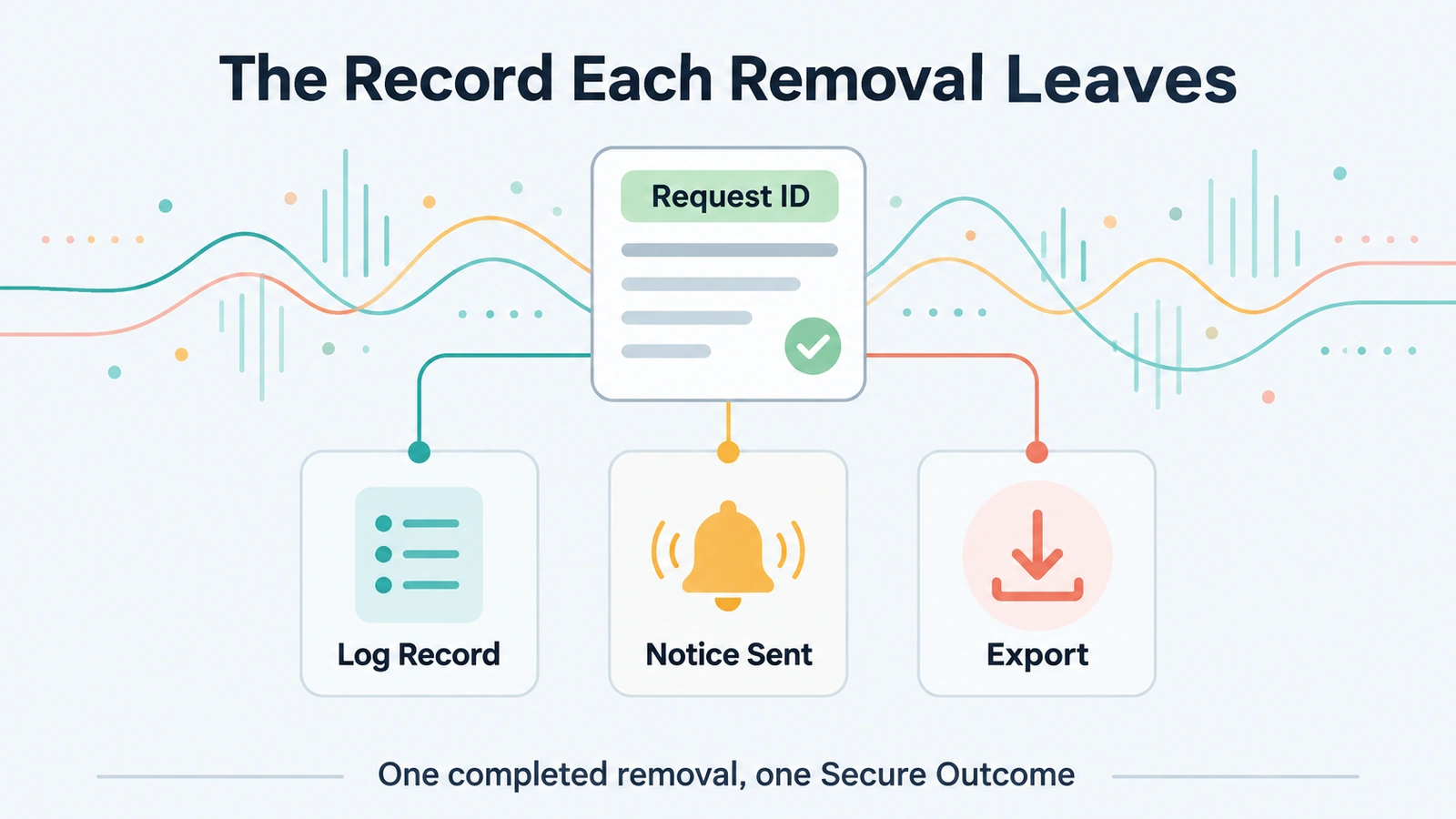 Each privilege or role removed leaves its own Request ID in Request History, an activity-log entry and a submitted notification.
Request History is part of the Avatier web app, where the requests your assistant filed are ready to review and export. As general practice, write each justification for a reader who was not in the conversation. For security documentation, see the Avatier Trust Center.
Getting started
Avabot chat and MCP require the current (.NET 10) Avatier server.
Under Pay Per Identity Action™, "One completed access removal = one Secure Outcome; failed attempts are never billed," and the same holds for each completed role removal. The program is in invitation-only preview, and pricing is shared with qualified organizations. Getting started is free, Deployment Services are included, and there is a 45-day money-back guarantee.
For the full catalog, see the Avatier Identity Actions page, and for setup steps, see the Avatier MCP Server page. For the platform and the preview, see the Avatier Identity Anywhere 2027™ site. For password and MFA controls, see Credential Governance™. For the company, see avatier.com.
Microsoft Copilot Studio, Claude Code, OpenAI Codex and the other assistants named here are trademarks of their respective owners. No partnership with or endorsement by any third party is implied.
ABOUT THE AUTHOR

More from MCP & Identity Actions

Disable or Enable AD Accounts from Copilot with Avatier MCP
Disable a person's AD accounts, or turn them back on, from Copilot Studio, Claude Code or Codex. Avatier verifies you, files an approval request with a reason and records it with a Request ID.

Add or Remove Nested AD Groups from Copilot with Avatier MCP
Nest an Active Directory group inside another, or take it back out, from Copilot Studio, Claude Code or Codex. Avatier verifies you and files one recorded request per parent group through your approval workflow.

What Can You Ask Avatier MCP? Identity Actions by Category
Avatier MCP Server gives your AI assistant 37 of 56 Identity Actions: unlock, reset a forgotten password, request access, rehire, disable an account, add group members. Each category, with example asks.