Add or Remove Nested AD Groups from Copilot with Avatier MCP
Nest an Active Directory group inside another, or take it back out, from Copilot Studio, Claude Code or Codex. Avatier verifies you and files one recorded request per parent group through your approval workflow.

Nest an Active Directory group inside another, or take it back out, from Copilot Studio, Claude Code or Codex. Avatier verifies you and files one recorded request per parent group through your approval workflow.
- Avatier's Add Nested Groups Identity Action nests Active Directory groups inside the groups you manage, with a request per parent group.
- From Copilot Studio, Claude Code or OpenAI Codex you verify, name the parent group, pick groups to nest, add an optional reason and confirm.
- Your tenant's Add Group Membership workflow decides who approves; in Avabot chat and MCP, Group Self-Service admins and the group's owners can apply it at once.
- Remove Nested Groups takes only the nesting link out, both groups remain, and it runs through the Remove Group Membership workflow.
- Each parent group gets a Request ID in Request History, and the change leaves an activity-log entry; one completed change is one Secure Outcome.
Nesting an Active Directory group means making one group a member of another, so everyone in the nested group picks up what the parent group grants. With Avatier's Add Nested Groups Identity Action, you can ask for that from Microsoft Copilot Studio, Claude Code or OpenAI Codex, and Avatier verifies you, files one request per parent group through your approval workflow and records each one in Request History with a Request ID. Remove Nested Groups takes a nested group back out the same way.
Avatier's page states the action in one line: "Nest Active Directory groups inside the groups you manage, shown on screen as Add Group Memberships, with a request per parent group." For adding and removing individual members by conversation, see Group Changes by Conversation.
Why a nested group belongs on the record
Microsoft's guidance on Active Directory security groups explains the mechanism. "Each account that's added to a group receives the rights that are assigned to that group in Active Directory." Group scope sets which groups can hold which. In Microsoft's scope table, a Global group's possible members include "Other Global groups from the same domain," and a Domain Local group can hold "Global groups from any domain or any trusted domain" and "Universal groups from any domain in the same forest."
Avatier's Add Nested Groups page draws the governance conclusion: "Nesting a Group Grants Everything the Parent Grants." In its words, "Putting one group inside another passes the parent's access to every member, so it belongs on the record." The page also names what goes wrong when it is done informally: "Nesting groups by email or ticket leaves no request per parent group, no approval record and no activity-log entry to show it happened."
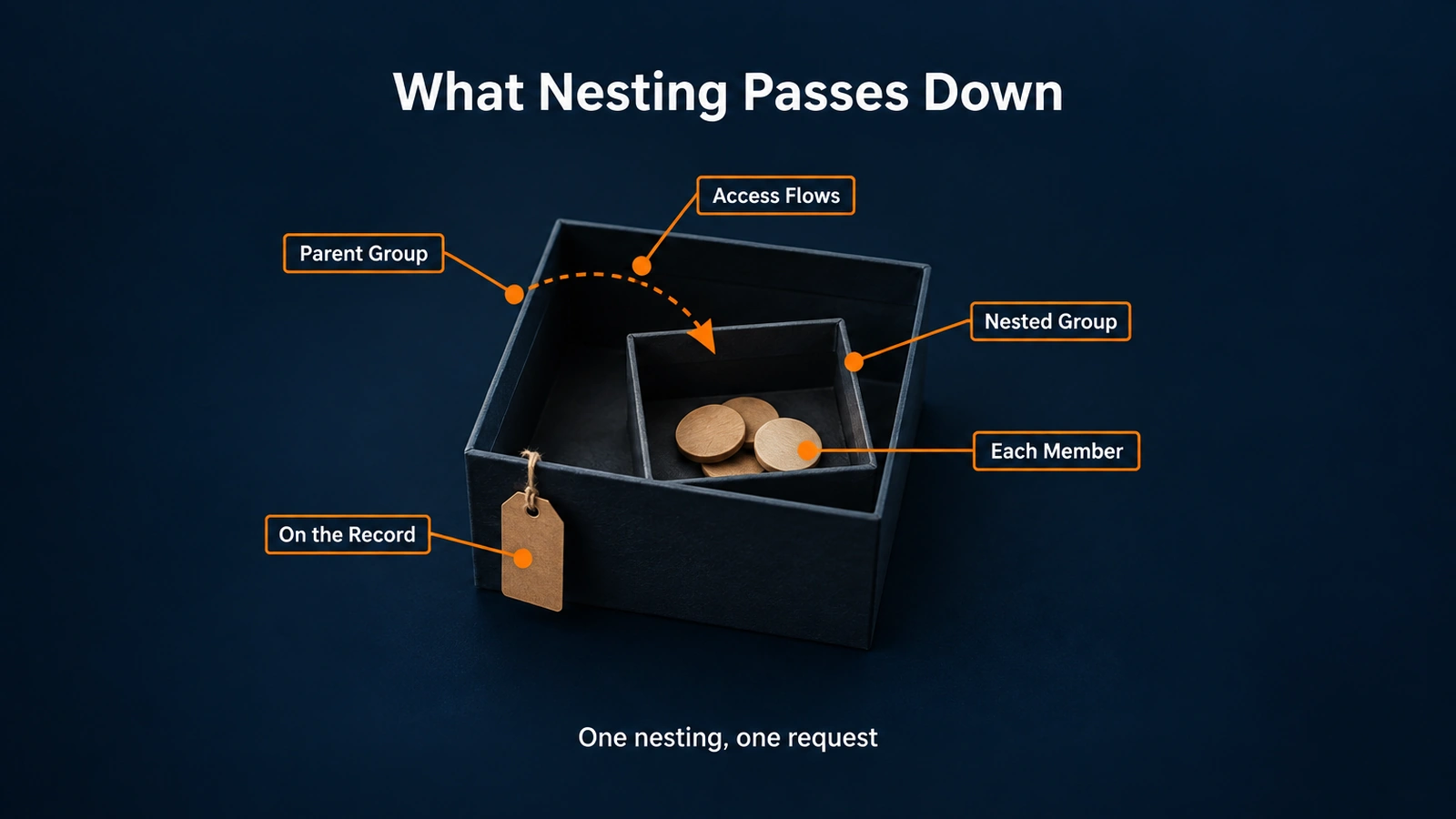 Nesting a group inside a parent passes the parent's access to every member of the nested group, which is why each nesting is filed as a request.
If you are diagnosing how deep nesting affects effective access and token size, see the Access Control Entry technical deep dive.
How to nest an AD group from Copilot or Claude Code
First, connect your assistant to the Avatier MCP Server and sign in with your Avatier account; the setup guide for Copilot Studio, Claude Code and Codex has the client-by-client steps. Then ask. The page sums up the assistant flow: "In Avabot and MCP you verify, name the parent group, pick groups to nest from a list, give an optional justification and confirm."
- Verify. Add Nested Groups starts with identity verification in the conversation, "with the methods your policy already allows."
- Name the parent group. This is the group whose access the nested group will inherit.
- Pick the groups to nest. Only compatible types are offered, and they do not need to be under Group Self-Service management.
- Give a justification. It is optional, and you add it before you confirm.
- Confirm. The request is submitted and goes to your approval workflow.
Before it submits, "Avabot checks that the group's connector supports nesting." Policy still applies to what you pick: "A group your Group Self-Service policy explicitly targets is greyed out and refused."
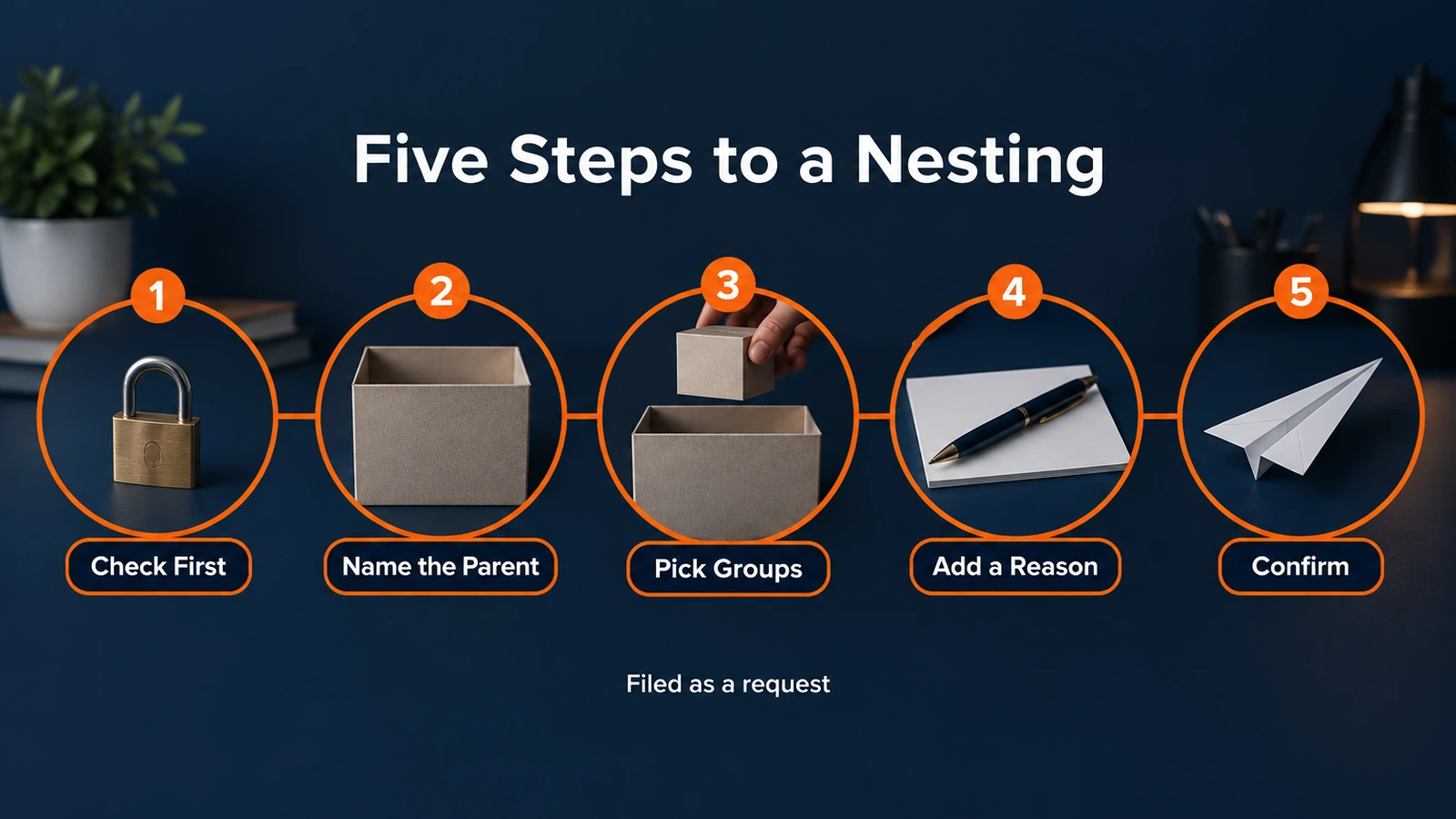 From Copilot Studio, Claude Code or Codex: verify, name the parent group, pick the groups to nest, add a reason and confirm the request.
Here is the page's own illustrative example, not a customer transcript: "Nest the EMEA Sales group inside All Sales. Justification: regional rollup." Avatier answers: "verify: passed · parent: All Sales · groups: 1 selected · request: submitted, may need approval."
Add Nested Groups works on Active Directory groups, including Active Directory through VDS in tenants that use LDAP authentication.
Who approves, and why each parent group gets its own request
For Add Nested Groups, "The tenant's Add Group Membership workflow decides who approves, with identity verification first in Avabot and MCP." Each parent group gets its own request, recorded in Request History with a Request ID, and goes through that workflow.
Two roles can skip the wait. In Avabot chat and MCP, "Group Self-Service admins and the group's owners can apply it now."
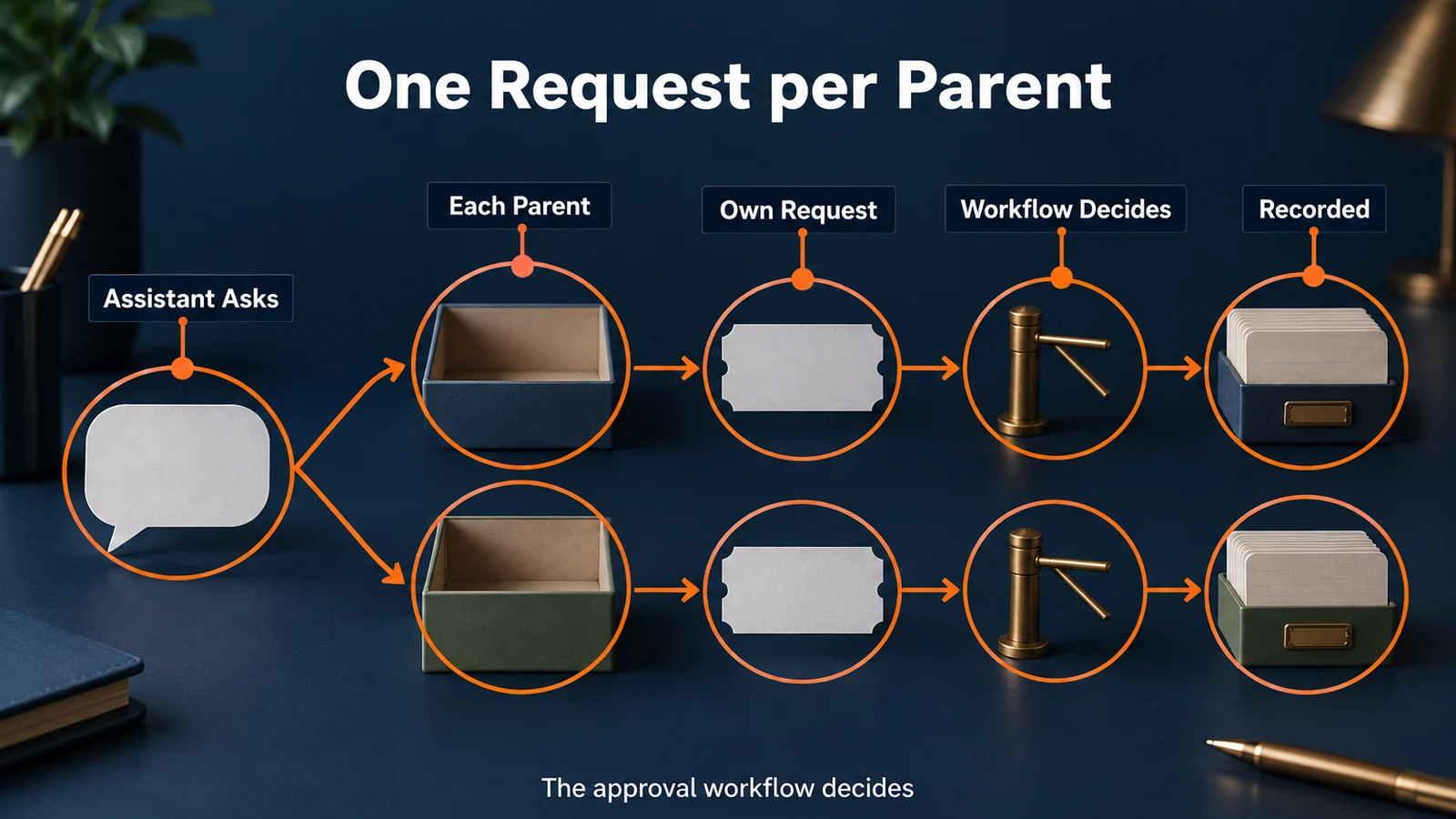 Each parent group gets its own request and Request ID, and your tenant's Add Group Membership workflow decides who approves each one.
The broader guardrails come from the main Avatier MCP page:
- Verified First. "Avatier verifies the person before sensitive changes, with the methods your policy already allows."
- Your Approval Workflows. "Requests follow the approval workflows your tenant already has. Each action page shows how its approvals work."
- Acts as the Signed-In User. "OAuth sign-in to your own tenant. No shared service account, no API key to manage."
- Never Makes Up Values. "The connector only sends what the person actually said, and asks when something is missing."
- Every Request Recorded. "Requests land in Request History, ready to review and export."
Taking a nested group back out
Avatier's Remove Nested Groups action does the reverse: "Take nested groups out of their parent groups, shown on screen as Remove Group Memberships, with a request per parent group." Its page explains why removal deserves the same care: "Every member of a nested group inherits what the parent grants, so taking it out deserves a record too."
The assistant flow mirrors the addition: "In Avabot and MCP you verify, name the parent group, pick from its nested groups, give an optional justification and confirm." The tenant's Remove Group Membership workflow decides who approves, and in Avabot chat and MCP, Group Self-Service admins and the group's owners can apply the removal now.
Two details matter when you are cleaning up. "Only the nesting link is removed; both groups remain." And "Group Self-Service policy never blocks a removal," because, as the page's FAQ puts it, policy "stops additions only." Avatier's Group & User Self-Service page describes the case this is for: a nested group "turns out to grant far more app access than intended. It is removed, and the inherited access goes with it."
For a program-level approach to sprawl, see Active Directory Group Cleanup: The 2026 Remediation Program.
The record each nesting change leaves
Avatier counts the change as done only when it happens in the directory. A nested-group addition "completes when the selected groups are nested in the parent group in the directory, once the request is approved, or at once when a Group Self-Service admin applies it." A removal completes "when the nested groups are removed from the parent group in the directory."
| Evidence | What it shows |
|---|---|
| Request ID per parent group in Request History | Filterable by Add Group Membership or Remove Group Membership, and exportable |
| Activity-log entry | The change recorded in the activity log |
Request History is part of the Avatier web app, where reviewers filter and export these requests. As general guidance, write each justification for a reader who was not in the conversation: name the parent group's purpose and why the nested group's members need it. For security documentation, see the Avatier Trust Center.
Getting started
Avabot chat and MCP require the current (.NET 10) Avatier server. Once your assistant is connected, ask it to nest a group inside a parent group you manage.
Under Pay Per Identity Action™, "One completed nested-group addition = one Secure Outcome; failed attempts are never billed," and the same holds for each completed removal. The program is in invitation-only preview, and pricing is shared with qualified organizations. Getting started is free, Deployment Services are included, and there is a 45-day money-back guarantee.
For the actions themselves, see the Add Nested Groups page and the Remove Nested Groups page. For the platform and the preview, see the Avatier Identity Anywhere 2027™ site. For password and MFA controls, see Credential Governance™. For the company, see avatier.com.
Microsoft Copilot Studio, Claude Code, OpenAI Codex and the other assistants named here are trademarks of their respective owners. No partnership with or endorsement by any third party is implied.
ABOUT THE AUTHOR

More from MCP & Identity Actions

Move AD Users Between OUs from Copilot or Claude with Avatier MCP
Move an Active Directory user to another OU from Microsoft Copilot Studio, Claude Code or OpenAI Codex. Avatier verifies you, accepts only an existing OU, routes approval and stores the old OU.

Approve Access Requests from Copilot or Claude with Avatier MCP
Clear your access-request queue from Microsoft Copilot Studio, Claude Code or OpenAI Codex. Avatier verifies you first, reads back five requests at a time and saves each decision on the request.

What Can You Ask Avatier MCP? Identity Actions by Category
Avatier MCP Server gives your AI assistant 37 of 56 Identity Actions: unlock, reset a forgotten password, request access, rehire, disable an account, add group members. Each category, with example asks.