Active Directory Group Owners: Add or Replace Them with Avatier
What an AD group's Managed By field holds, what a group ownership policy should settle, and how Avatier adds or replaces owners with one request per group on the record.

What an AD group's Managed By field holds, what a group ownership policy should settle, and how Avatier adds or replaces owners with one request per group on the record.
- An AD group's Managed By field holds one distinguished name, so a backup owner and the reason for a change need their own record.
- A group ownership policy settles owner count, eligibility, approval, the primary owner, succession and evidence.
- On the web, Avatier Add Owners files one request per group; a group with no owners must get at least two, and the web pages allow up to 100.
- In Active Directory, the primary owner Avatier sets becomes the group's managed by value; Change Primary picks which owner that is.
- Each owner change gets a Request ID per group in Request History and an activity-log entry.
As general practice, an Active Directory group owner is the person accountable for a group: who gets in, who stays, and whether the group should exist at all. In AD itself, a group's Managed By field holds one distinguished name, so a governed setup names that primary owner, adds a backup, and keeps a record each time either one changes.
As general practice, owners decide membership, and membership grants access, so a group without an owner is a decision nobody is making. This post stays on naming, adding, replacing and evidencing owners. For end dates on temporary groups, see AD Group Expiration. For remediating groups that have already lost their owners, see Active Directory Group Cleanup. For adding and removing members, see Group Changes by Conversation.
What "Managed By" means on an AD group
This section describes Active Directory itself, from Microsoft's documentation, not Avatier behavior. The Managed-By attribute, with the LDAP display name managedBy, is "The distinguished name of the user that is assigned to manage this object." Microsoft's schema lists it as single-valued, with the update privilege "Domain administrator or account owner."
From PowerShell, Microsoft's Set-ADGroup cmdlet has a -ManagedBy parameter that "Specifies the user or group that manages the object." It accepts a distinguished name, a GUID, a security identifier or a SAM account name, and Microsoft notes that it "sets the Active Directory attribute with an LDAP display name of managedBy."
Two consequences follow for anyone governing ownership. Because the attribute holds one value, the directory names one manager per group, and a backup owner has to be tracked somewhere else. And because the attribute holds a name, it carries neither the reason for a change nor who agreed to it.
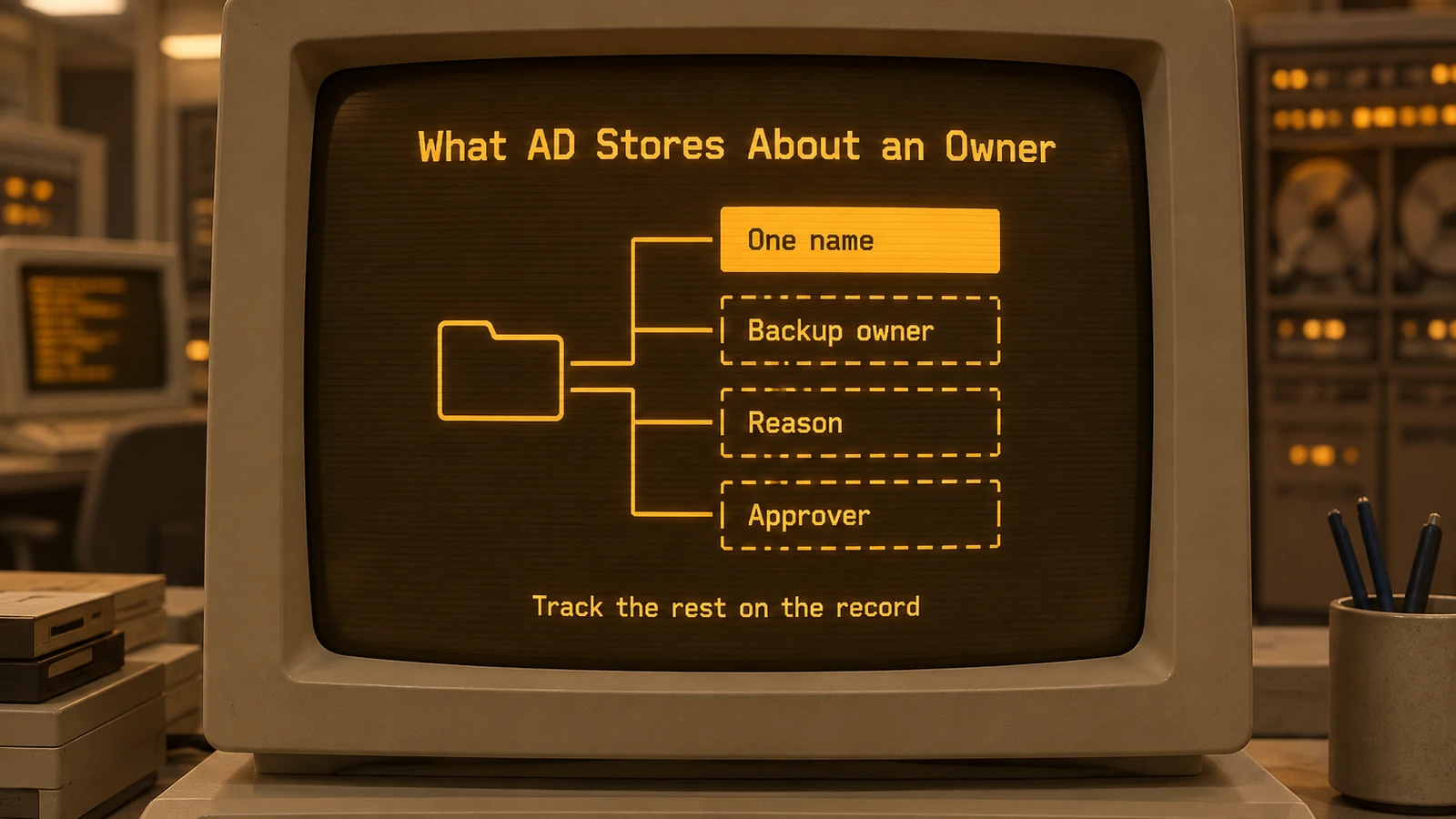
The directory stores one name per group; the backup owner, the reason and the approver need a record of their own.
Write down a group ownership policy
The table is general guidance, not a description of any product. Settle each row before the next reorg moves owners around.
| Decision | What to settle |
|---|---|
| Owner count | A minimum per group, such as a primary and a backup, so one absence never leaves a group unowned |
| Eligibility | Who may own a group, and who must never own one, such as accounts outside the business unit |
| Approval | Who approves a new owner, since owners decide who gets the group's access |
| Primary owner | Which owner the directory shows as Managed By, and how that is changed |
| Succession | Who takes over a departing owner's groups, named before that person's access ends |
| Evidence | A record per group of who was added or removed, by whom, why and who approved |
Succession is the row to test first. When an owner changes roles or leaves, every group they own needs a successor named before their own access is removed, or the next membership request reaches nobody.

Five ownership rules to settle in writing, such as a primary and a backup owner per group and a record of each change.
Ownership is also different from lending approval authority. For covering approvals while someone is out, see Delegate Approval Authority While Away.
What Avatier ships: Add Owners with a request per group
Avatier Group & User Self-Service is Pillar 1 of Lifecycle & Access Governance. It lets business users and managers handle group and account tasks themselves, with approvals, zero-trust and full audit built in. The pillar page puts ownership this way: "Every group has a named business owner. Add, remove, or bulk-assign owners in one step, so accountability sits with the people who know the members." Add Owners, Remove Owners and Bulk Assign Owners are among its 12 group functions. For the pillar itself, see Group & User Self-Service.
Add Owners gives each group "the owners who will manage it, with a request per group on the record." On the web it runs in four steps:
- Pick the groups. Open the Add Owners tile and pick one or more groups, or use Modify Group > group > Owners > Add.
- Pick the owners. Search for people and tick them. A group with no owners must get at least two, and a group can have up to 100.
- Give a justification. It is optional.
- Confirm. Each group gets its own request, recorded in Request History with a Request ID, and goes through the tenant's Add Group Owner workflow, which decides who approves. Group Self-Service admins are asked whether to use workflow and can apply the change at once.
Becoming an owner grants Group Self-Service management of that group, so people the Group Self-Service policy excludes are refused. An addition completes when the owners are saved in Avatier's Group Self-Service record and the owner list is written to the directory group, through the group's connector: Active Directory, Microsoft Entra ID, AWS or Okta. In Active Directory, the primary owner becomes the group's "managed by" value, and Change Primary in Modify Group sets which owner that is.
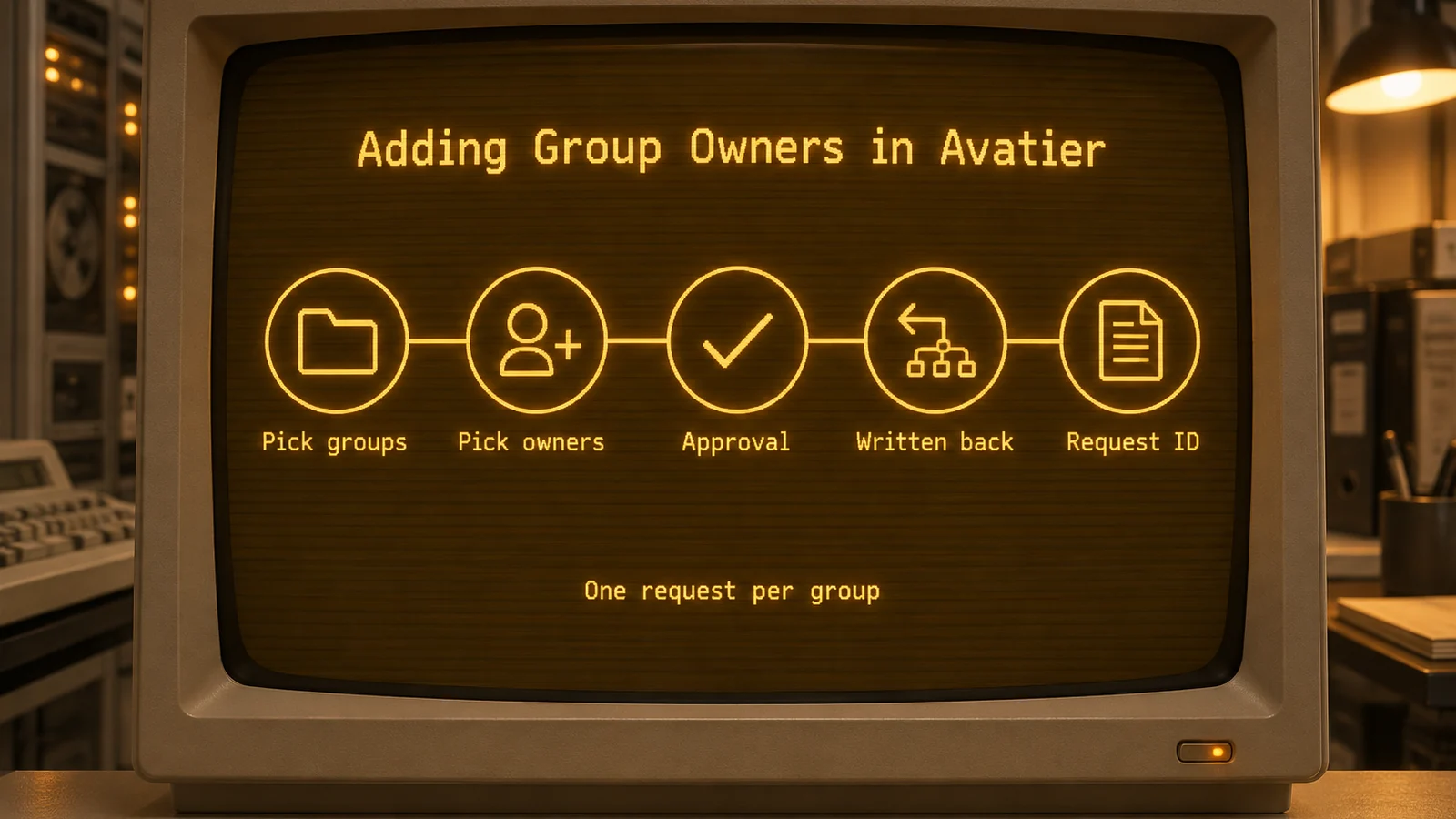
In Avatier, each group gets its own owner request and Request ID, approved by workflow or applied by a Group Self-Service admin.
From an AI assistant. Add Owners and Remove Owners are also Identity Actions in the User & Group Self-Service category of the Avatier MCP Server. In Avabot chat and MCP, each request starts with identity verification in the conversation, using the methods your policy already allows (the Add Owners page names Security Questions, Google Authenticator, PingID push or Identity Challenge Card™), and each request covers one group. Group Self-Service admins and that group's existing owners can apply it now. Primary-owner changes are made on the web with Change Primary. Avabot chat and MCP require the current (.NET 10) Avatier server.
Replacing an owner without leaving a gap
Remove Owners takes "owners off the groups they no longer manage, with a request per group on the record." You pick from each group's current owners, and each request goes through the tenant's Remove Group Owner workflow. The primary owner stays until another owner is made primary, so a replacement runs in order:
- Add the successor with Add Owners.
- Make the successor primary with Change Primary in Modify Group. In Active Directory, the new primary owner becomes the group's "managed by" value.
- Remove the former owner with Remove Owners.
In Avabot chat and MCP, Avabot "refuses to remove the primary owner or to leave fewer than two owners." Group Self-Service policy stops additions only and never blocks a removal.
The pillar page's own example for Remove Owners: "An owner leaves the company. Ownership moves to a successor, so no group is left without someone accountable." After a reorg, Bulk Assign Owners assigns owners to hundreds of groups in one action instead of hundreds of tickets; it runs in the web app only.
Every addition and removal leaves the same evidence:
- A Request ID for each group in Request History, filterable by Add Group Owner or Remove Group Owner, and exportable.
- An activity-log entry.
Owners matter past the change itself. In Group & User Self-Service, you can set an expiration when a group is born, and owners are notified and can extend it or let it retire on schedule.
Getting started
Avatier says most customers go live in days to weeks. Under Pay Per Identity Action™, one completed owner addition is one Secure Outcome, and attempts, failures and retries are never billed. Getting started is free, deployment services are included, and a 45-day money-back guarantee applies; Pay Per Identity Action™ is in invitation-only preview, and pricing is shared with qualified organizations.
For security documentation, see the Avatier Trust Center. For password reset, unlock and MFA self-service, see Credential Governance™. For the preview, see the Avatier Identity Anywhere 2027™ site; for the company, see avatier.com.
ABOUT THE AUTHOR

More from Lifecycle & Access Governance

Account Expiration Dates: Set, Extend or Clear Them with Avatier
How an Active Directory account expiration date works, how to set, extend or clear one with a reason and an approval, and the Request ID and log entry Avatier keeps for each end-date request.

Rename a User After a Name Change: How Avatier Does It
Which name fields change together when someone's name changes in Active Directory and Entra ID, why renaming by hand drifts, and how Avatier runs it as one recorded request.

Leave of Absence and Rehire: Suspend and Restore Access with Avatier
What to do with an employee's accounts during a leave of absence, and how to rehire someone without bringing back their old access. The decisions, and how Avatier runs both from HR.